
1. Introduzione
Grazie per l'acquistoasing the Majority Scholars Compact DVD Player. This device is designed for versatile media playback, supporting multiple disc formats and regions. It features both HDMI and RCA connectivity for broad compatibility with various display devices, along with a USB port for playing digital media files. This manual provides essential information for setting up, operating, and maintaining your DVD player.
2. Informazioni sulla sicurezza
- Non esporre l'unità alla pioggia o all'umidità per evitare incendi o scosse elettriche.
- Assicurare una ventilazione adeguata attorno all'unità. Non ostruire le aperture di ventilazione.
- Evitare di posizionare l'unità su superfici instabili.
- Non aprire il casing. Affidare tutti gli interventi di manutenzione a personale qualificato.
- Scollegare l'unità durante i temporali o quando non viene utilizzata per lunghi periodi.
- Utilizzare solo gli accessori specificati dal produttore.
3. Contenuto della confezione
Si prega di selezionare la casella per i seguenti elementi:
- Majority Scholars Compact DVD Player
- Telecomando
- Cavo HDMI
- Cavo AV RCA
- Adattatore di alimentazione
- Manuale d'uso

Figure 3.1: Contents of the Majority Scholars DVD Player package.
4. Prodotto finitoview
4.1 Pannello frontale

Figura 4.1: Fronte view of the DVD player.

Figure 4.2: Close-up of front panel controls and USB port.
The front panel includes the disc tray, a digital display, and essential control buttons such as Open/Close, Play/Pause, and Stop. A USB port is also located on the front for convenient access to digital media.
4.2 Pannello posteriore

Figure 4.3: Rear panel with connection ports.
The rear panel features the HDMI output for high-definition connection, RCA audio/video outputs for standard definition connections, and the power input port.
4.3 telecomando
The included remote control provides full functionality for operating the DVD player from a distance. It requires two AAA batteries (not included).
5. Impostazione
5.1 Collegamento a un televisore
You have two primary options for connecting your DVD player to a television:
- Connessione HDMI (consigliata per la migliore qualità):
Connect one end of the supplied HDMI cable to the HDMI OUT port on the rear of the DVD player and the other end to an HDMI input port on your TV. Select the corresponding HDMI input on your TV using its remote control. - Collegamento RCA (definizione standard):
Connect the supplied RCA AV cable to the VIDEO OUT (yellow), AUDIO OUT L (white), and AUDIO OUT R (red) ports on the rear of the DVD player. Connect the other end of the cable to the corresponding AV input ports on your TV. Select the AV input on your TV using its remote control.
5.2 Collegamento di alimentazione
Connect the power adapter to the DC IN port on the rear of the DVD player, then plug the adapter into a standard electrical outlet.
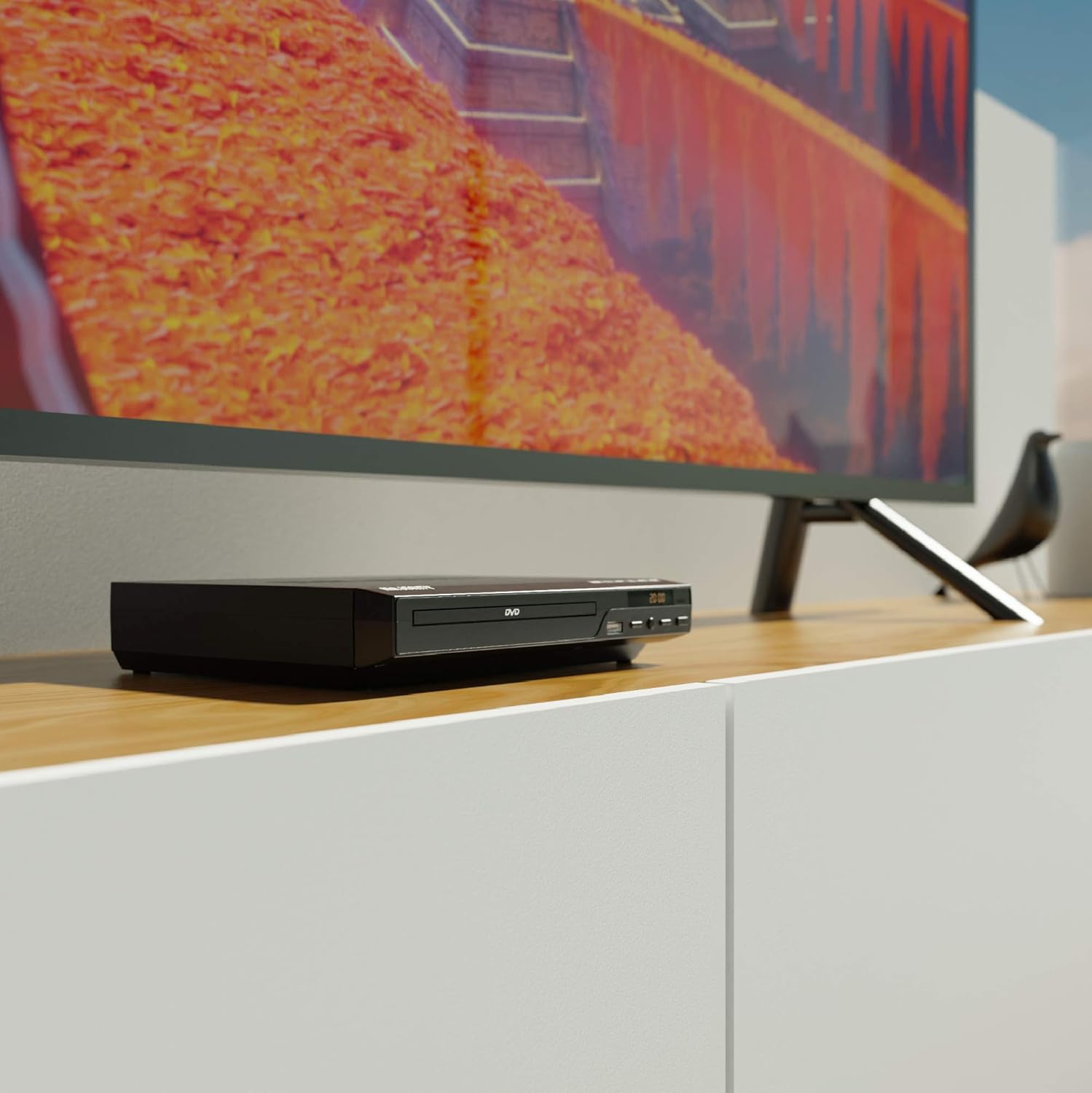
Figure 5.1: DVD player connected and ready for use.
6. Istruzioni per l'uso
Riproduzione di dischi di base 6.1
- Power on the DVD player and your TV. Select the correct input source on your TV.
- Premere il tasto APRI/CHIUDI pulsante sul pannello frontale o sul telecomando per aprire il vassoio del disco.
- Inserire delicatamente un disco DVD o CD nel vassoio, con il lato dell'etichetta rivolto verso l'alto.
- Premere il tasto APRI/CHIUDI button again to close the tray. The player will begin loading the disc.
- Playback should start automatically. If a menu appears, use the remote control's arrow keys and OK pulsante per navigare.
- Utilizzare il RIPRODUCI/PAUSA E FERMARE pulsanti sul telecomando o sul pannello frontale per controllare la riproduzione.
6.2 Riproduzione USB
- Inserire una chiavetta USB nella porta USB sul pannello frontale.
- Il lettore dovrebbe rilevare automaticamente il dispositivo USB e visualizzarne il contenuto. In caso contrario, premere il tasto USB pulsante sul telecomando.
- Naviga attraverso il tuo fileutilizzando i tasti freccia sul telecomando e premere OK to select and play media (e.g., videos, music, photos).
6.3 Multi-Region and PAL/NTSC Support
This DVD player is region-free, meaning it can play DVDs from all regions (1-6). It also features a built-in PAL/NTSC system, automatically converting video signals to match your TV's standard, ensuring compatibility with discs from different territories.
7. Manutenzione
- Pulizia dell'unità: Use a soft, dry cloth to clean the exterior of the DVD player. Do not use liquid cleaners or aerosol sprays.
- Pulizia dei dischi: Pulire i dischi dal centro verso l'esterno con un panno morbido e privo di lanugine. Evitare di toccare la superficie di riproduzione.
- Ventilazione: Ensure the ventilation slots on the player are not obstructed to prevent overheating.
8. Risoluzione Dei Problemi
| Problema | Possibile causa | Soluzione |
|---|---|---|
| Nessun potere | Power cable not connected or outlet faulty. | Controllare il collegamento del cavo di alimentazione e provare una presa diversa. |
| Nessuna immagine/audio | Incorrect TV input selected or connection cables loose. | Select the correct HDMI/AV input on your TV. Ensure cables are securely connected. |
| Errore "Nessun disco" | Il disco è sporco, graffiato o inserito in modo errato. | Clean the disc. Ensure the disc is inserted label-side up. Try a different disc. |
| Il telecomando non funziona | Batteries are dead or inserted incorrectly. Obstruction between remote and player. | Replace batteries. Ensure line of sight to the player's sensor. |
| Disc playback skips or freezes | Disc is dirty or damaged. Player is on an unstable surface. | Clean the disc. Place the player on a stable, level surface. |
9. Specifiche
- Modello: ojksfvx-1329
- Dimensioni del prodotto: 8.86 x 7.48 x 1.77 pollici
- Peso dell'articolo: 1.5 libbre
- Tipo di media: CD, DVD (Multi-Region, Region Free)
- Sistemi supportati: PAL/NTSC
- Risoluzione: Up to 1920x1080 (via HDMI upconverting)
- Tipi di connettori: HDMI, RCA, USB
- Modalità di uscita audio: Stereo, suono surround
- Colore: Nero

Figure 9.1: Dimensions of the DVD player.
10. Garanzia e supporto
The Majority Scholars Compact DVD Player comes with a 3-year warranty. For technical support, warranty claims, or further assistance, please refer to the contact information provided in your product packaging or visit the official Majority websito.