
Introduzione
Grazie per l'acquistoasing the Byron DBY-21132 Wireless Doorbell Set. This manual provides essential information for the safe and efficient installation, operation, and maintenance of your new doorbell system. Please read these instructions carefully before use and retain them for future reference.
Informazioni sulla sicurezza
- Ensure the doorbell chime is plugged into a suitable 220V mains socket.
- Do not expose the doorbell button to extreme temperatures or direct sunlight for prolonged periods.
- The doorbell button is IP44 weather-resistant, meaning it is protected against splashing water and solid objects larger than 1mm. It is not designed for submersion in water.
- Tenere le batterie fuori dalla portata dei bambini. Smaltire le batterie usate in modo responsabile.
- Non tentare di aprire o riparare le unità autonomamente. Per qualsiasi intervento di assistenza, rivolgersi a personale qualificato.
Contenuto della confezione
Verificare che tutti i componenti siano presenti nella confezione:
- 1 x Wireless Doorbell Chime (Receiver)
- 1 x pulsante campanello wireless (trasmettitore)
- 3 x CR2 Lithium Batteries (for doorbell button, included)
- 1 x Manuale di istruzioni
- Mounting hardware (screws and adhesive pad)

Image: The Byron DBY-21132 Wireless Doorbell Set, showing the plug-in chime unit and the wireless doorbell button.
Caratteristiche principali
- Portata wireless: Up to 100 meters (open field).
- Melodie: 36 melodie selezionabili.
- Livelli del volume: 4 livelli di volume regolabili.
- Resistenza alle intemperie: Doorbell button rated IP44 for outdoor use.
- Installazione semplice: Configurazione semplice con hardware di montaggio incluso.
Impostare
1. Install Batteries in Doorbell Button
- Aprire con cautela il pulsante del campanello casing.
- Insert the 3 CR2 lithium batteries, ensuring correct polarity (+/-).
- Chiudete il casing in modo sicuro.
2. Position the Doorbell Chime
Plug the doorbell chime into a standard 220V electrical outlet indoors. Choose a location where the chime can be easily heard throughout your home.
3. Mount the Doorbell Button
Select a suitable outdoor location for the doorbell button, such as next to your front door. Ensure the surface is clean and dry.
- Utilizzo del cuscinetto adesivo: Peel off the protective film from the adhesive pad and firmly press the doorbell button onto the desired surface for at least 30 seconds.
- Utilizzando le viti: Mark the positions for the screw holes. Drill pilot holes if necessary, then secure the doorbell button to the surface using the provided screws.

Immagine: La parte posteriore view of the doorbell button, indicating screw mounting points and the IP44 weather resistance rating.
Operativo
1. Melodie cangianti
On the side of the doorbell chime, locate the melody selection button. Press this button repeatedly to cycle through the 36 available melodies. The chime will play a preview of each melody as you press the button. Stop pressing when you hear your desired melody.
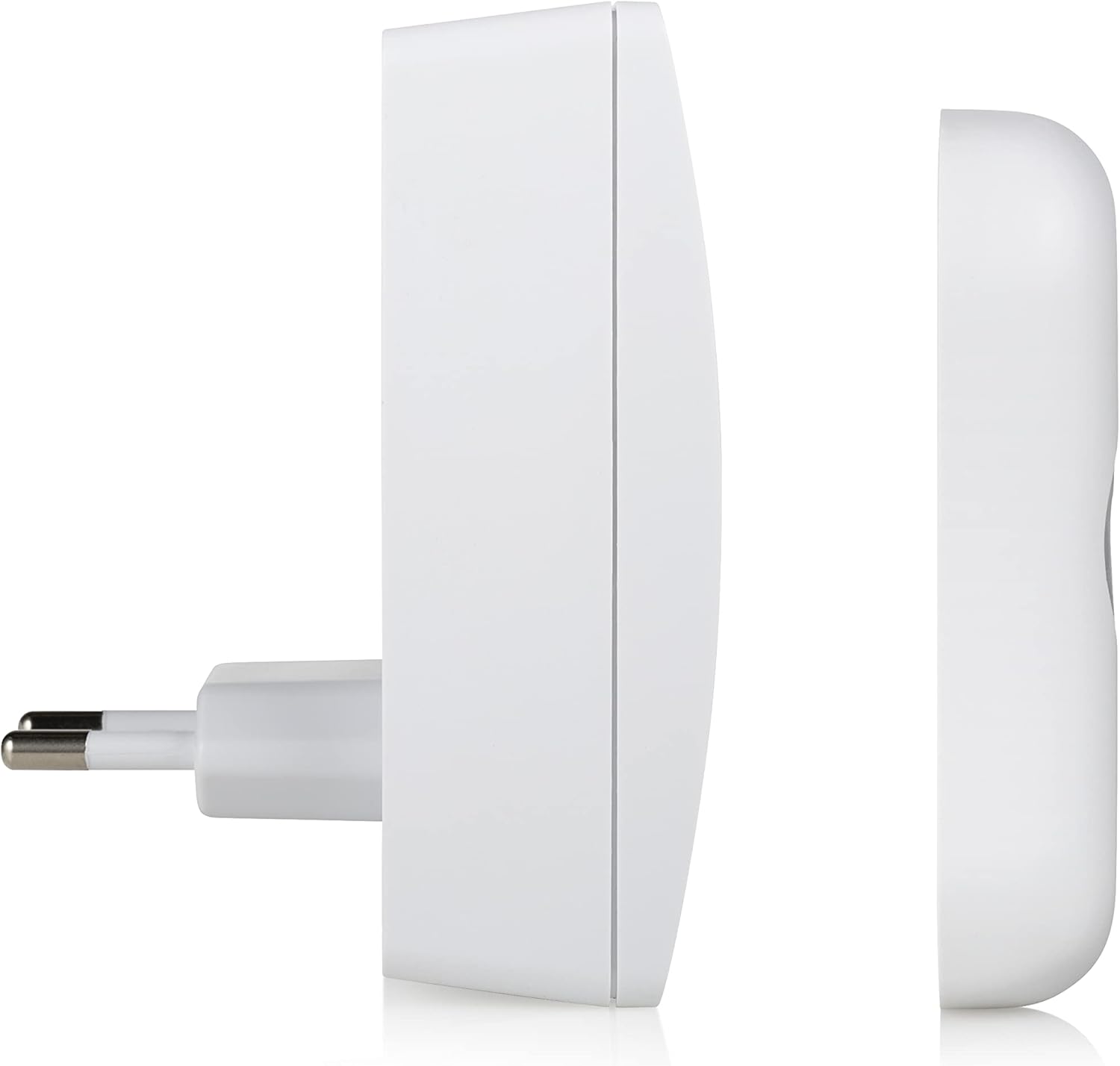
Immagine: Lato view of the doorbell chime, highlighting the buttons for melody selection and volume control.
2. Regolazione del volume
Next to the melody selection button on the chime, you will find the volume control button. Press this button to cycle through the 4 available volume levels (Low, Medium, High, Mute). Select the volume level that best suits your environment.
3. Prova del campanello
Once the chime is plugged in and the button batteries are installed, press the doorbell button. The chime should sound the selected melody, and the LED indicator on the button may illuminate (depending on the model).

Image: The doorbell button with its red LED indicator illuminated, signifying activation.
Manutenzione
- Pulizia: Wipe the doorbell chime and button with a soft, dry cloth. Do not use abrasive cleaners or solvents.
- Sostituzione della batteria: If the doorbell button stops working or the range decreases significantly, replace the 3 CR2 lithium batteries. Ensure correct polarity.
- Protezione ambientale: While the button is IP44 rated, avoid prolonged exposure to heavy rain or direct water jets to maximize its lifespan.
Risoluzione dei problemi
| Problema | Possibile causa | Soluzione |
|---|---|---|
| Il campanello non suona. | Chime not plugged in or powered. Batteries in button are dead or incorrectly installed. Fuori dal limite. | Ensure chime is securely plugged into a live 220V socket. Replace batteries in the doorbell button, checking polarity. Move chime closer to the button or remove obstructions. |
| Short range or intermittent ringing. | Low batteries in button. Interferenze da altri dispositivi wireless. Pareti spesse o oggetti metallici che ostruiscono il segnale. | Replace batteries in the doorbell button. Relocate the chime or button away from other wireless devices. Regolare la posizione per ridurre al minimo gli ostacoli. |
| Il volume del segnale acustico è troppo basso o troppo alto. | L'impostazione del volume necessita di regolazione. | Press the volume control button on the chime to cycle through the 4 volume levels. |
Specifiche
| Caratteristica | Dettaglio |
|---|---|
| Numero di modello | DBY-21132 |
| Marca | Byron |
| Peso dell'articolo | 150 grammi |
| Dimensioni del prodotto | Dimensioni: 7 x 6.52 x 9.3 cm |
| Power Source (Chime) | Mains powered (220V) |
| Fonte di alimentazione (pulsante) | 3 x CR2 Lithium Batteries (included) |
| wireless Range | Fino a 100 metri |
| Melodie | 36 selezionabili |
| Livelli di volume | 4 regolabile |
| Weather Resistance (Button) | Grado di protezione IP44 |
| Materiale | Plastica |
| Colore | Bianco |
Garanzia e supporto
Byron products are designed and manufactured to high-quality standards. For warranty information and customer support, please refer to the documentation provided with your purchase or visit the official Byron websito. Conservare la prova d'acquisto per eventuali reclami in garanzia.
For technical assistance or further inquiries, please contact Byron customer service through their official channels.