
1. Introduzione
This manual provides detailed instructions for the installation, operation, and maintenance of your Cooler Master RR-A71C-18PA-R1 CPU Cooler. This air cooler is designed to efficiently dissipate heat from your desktop CPU, featuring a PWM controlled fan for optimized performance and addressable RGB lighting for customizable aesthetics. Please read this manual thoroughly before proceeding with installation to ensure proper setup and safe operation.
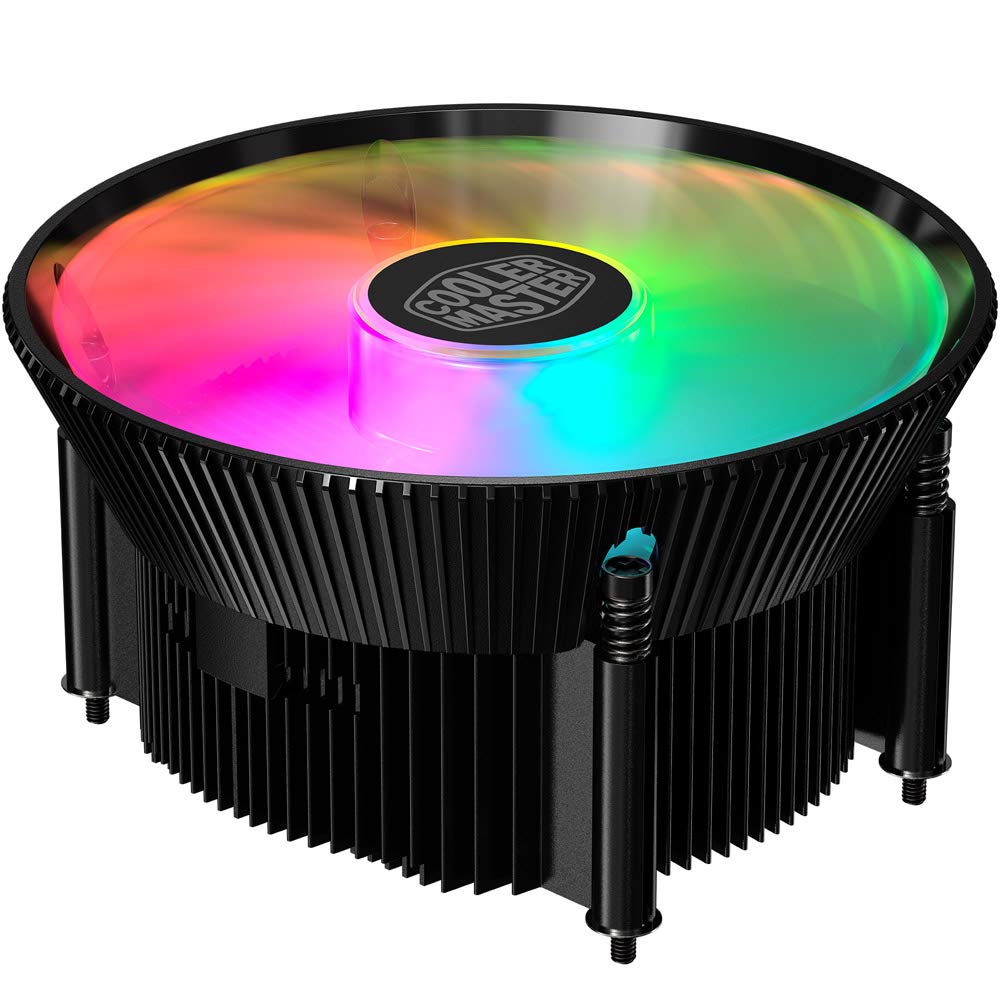
Immagine 1.1: In alto view of the Cooler Master RR-A71C-18PA-R1 CPU Cooler showcasing its addressable RGB fan.
2. Informazioni sulla sicurezza
Osservare le seguenti precauzioni di sicurezza per evitare danni al prodotto o lesioni personali:
- Prima di procedere all'installazione o alla manutenzione, assicurarsi che il computer sia spento e scollegato dalla presa a muro.
- Evitare di toccare le pale della ventola mentre il sistema è in funzione.
- Handle the cooler and its components with care to prevent damage.
- Tenere fuori dalla portata dei bambini.
- Do not attempt to modify the cooler or its components. Unauthorized modifications may void your warranty and pose safety risks.
3. Contenuto della confezione
Verifica che tutti gli articoli siano presenti nel tuo pacco:
- Cooler Master RR-A71C-18PA-R1 CPU Cooler Assembly
- Mounting Hardware (for compatible CPU sockets)
- Pasta termica (pre-applicata o in tubetto)
- Manuale dell'utente (questo documento)
4. Configurazione e installazione
Follow these steps for proper installation of the CPU cooler:
- Preparare la scheda madre:
Ensure your motherboard is removed from the PC case or has sufficient access for cooler installation. Refer to your motherboard's manual for specific CPU socket preparation.
- Applicare la pasta termica:
If thermal paste is not pre-applied to the cooler's base, apply a small, pea-sized amount to the center of your CPU's integrated heat spreader (IHS). Do not spread it manually; the pressure from the cooler will distribute it evenly.

Immagine 4.1: In basso view of the CPU cooler, illustrating the fan and copper contact base. Ensure this surface is clean before applying thermal paste.
- Montare il dispositivo di raffreddamento:
Carefully align the cooler with the mounting holes on your motherboard. Gently place the cooler onto the CPU, ensuring even contact. Secure the cooler using the provided mounting hardware. Tighten screws in a diagonal pattern (e.g., top-left, bottom-right, top-right, bottom-left) until snug, but do not overtighten.
- Collegare il cavo della ventola:
Locate the 4-pin PWM fan connector on the cooler. Connect this cable to the "CPU_FAN" header on your motherboard. Refer to your motherboard manual for the exact location of this header.
- Collegare il cavo RGB:
Locate the addressable RGB (ARGB) connector on the cooler. Connect this cable to a compatible 3-pin 5V ARGB header on your motherboard. Avvertimento: Non collegare a un connettore RGB a 4 pin da 12 V, poiché ciò danneggerebbe i LED.
- Controlli finali:
Double-check all connections. Ensure no cables are obstructing the fan blades or other components. Reinstall your motherboard into the PC case if it was removed.
5. Istruzioni per l'uso
Once installed, the Cooler Master RR-A71C-18PA-R1 CPU Cooler operates automatically, but its performance and aesthetics can be managed:
- Controllo della velocità della ventola (PWM):
The fan's speed is controlled by your motherboard's BIOS/UEFI settings or through motherboard software. PWM (Pulse Width Modulation) allows for dynamic fan speed adjustments based on CPU temperature, providing optimal cooling and noise levels. Consult your motherboard manual for instructions on configuring fan curves.
- Addressable RGB Lighting Control:
The addressable RGB lighting can be controlled via your motherboard's RGB software (e.g., ASUS Aura Sync, MSI Mystic Light Sync, Gigabyte RGB Fusion, ASRock Polychrome Sync) or a dedicated ARGB controller (not included). Ensure the ARGB cable is correctly connected to a 3-pin 5V ARGB header. Refer to your motherboard's software documentation for lighting customization options.
6. Manutenzione
Regular maintenance ensures optimal performance and longevity of your CPU cooler:
- Rimozione della polvere:
Periodically (every 3-6 months, depending on environment) power off your computer and unplug it. Use compressed air to gently blow dust out of the heatsink fins and fan blades. Hold the fan blades to prevent them from spinning rapidly during cleaning, which can damage the bearings.
- Controllare le connessioni:
Occasionally verify that the fan and RGB cables are securely connected to their respective headers on the motherboard.
- Riapplicazione della pasta termica:
Se per qualsiasi motivo si rimuove il dissipatore, si consiglia di pulire la vecchia pasta termica sia dalla CPU che dalla base del dissipatore e di applicare nuova pasta termica prima di reinstallarlo.
7. Risoluzione Dei Problemi
Se riscontri problemi con il dissipatore della CPU, fai riferimento ai seguenti problemi comuni e alle relative soluzioni:
| Problema | Possibile causa | Soluzione |
|---|---|---|
| La ventola non gira |
|
|
| No RGB lighting |
|
|
| Temperature elevate della CPU |
|
|
8. Specifiche
Detailed technical specifications for the Cooler Master RR-A71C-18PA-R1 CPU Cooler:
| Caratteristica | Valore |
|---|---|
| Dimensioni del prodotto | 4.72 cm L x 0.98 cm P x 4.72 cm A |
| Marca | Maestro del freddo |
| Tipo di connettore di alimentazione | 4-Pin (PWM) |
| Voltage | 12 Volt |
| Cosatage | 1.44 watt |
| Metodo di raffreddamento | Aria |
| Dispositivi compatibili | Scrivania |
| Livello di rumore | 24.9 decibel |
| Materiale | Alluminio, rame |
| Massima velocità di rotazione | 2500 giri al minuto |
| Peso dell'articolo | 0.42 chilogrammi |
| Conteggio unità | 1.0 Conteggio |
| Codice UPC | 884102066931 |
9. Garanzia e supporto
I prodotti Cooler Master sono coperti da una garanzia limitata. Per informazioni dettagliate sulla garanzia, consultare il sito ufficiale Cooler Master. website or the warranty card included with your product. If you encounter any issues not covered in this manual or require further assistance, please contact Cooler Master customer support:
- Websito: www.coolermaster.com/support/
- Contatto: Fare riferimento alla sezione di supporto su websito per informazioni di contatto regionali.