
Introduzione
The Saramonic SoundBird T3 is an advanced professional shotgun microphone designed to deliver clear, broadcast-quality audio. It features a robust all-brass construction, an internal rechargeable Li-Ion battery for extended operation, and versatile power options including external phantom power. Its compact 11.1-inch length makes it suitable for various applications, including camera mounting, boom pole use, or stand placement.
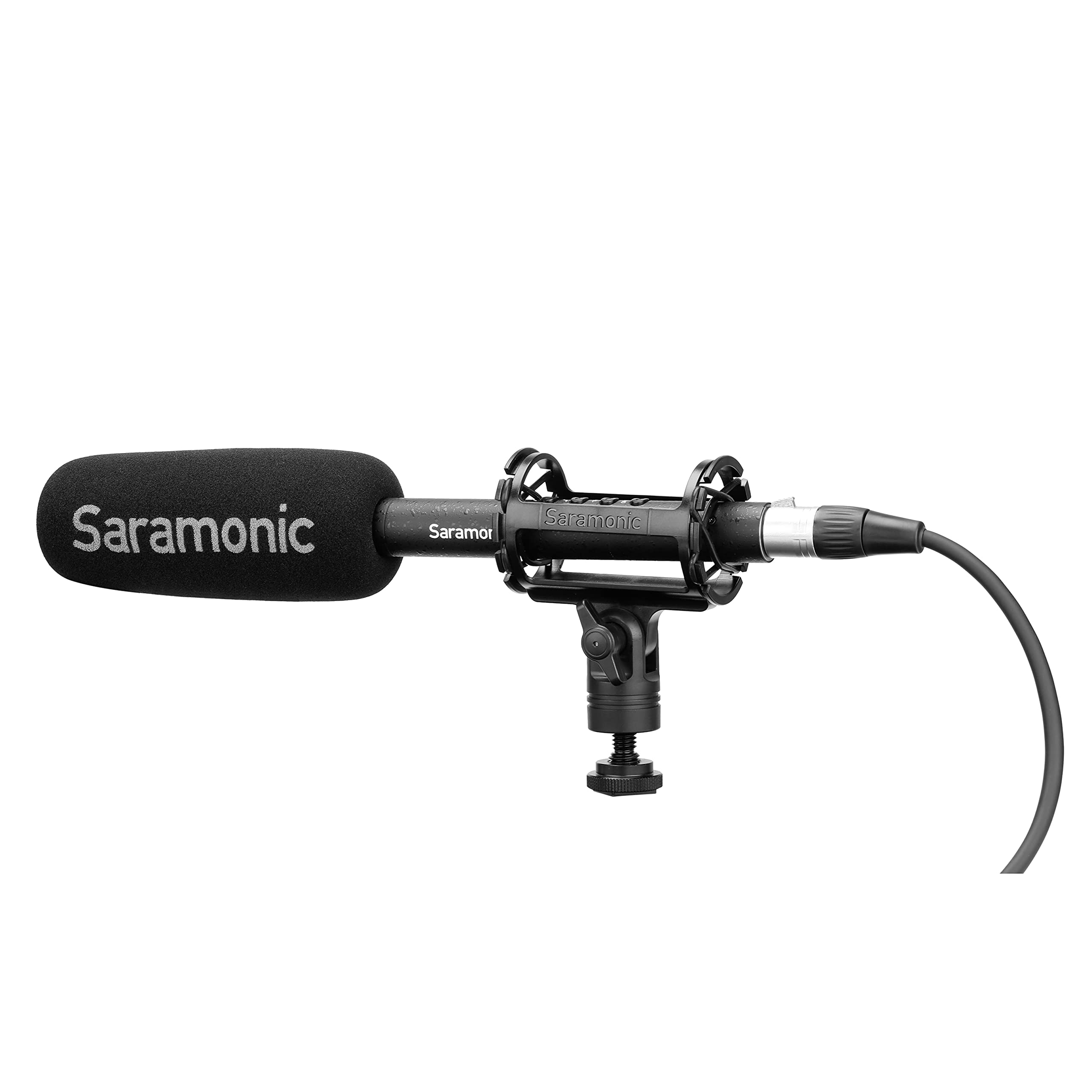
Image: The Saramonic SoundBird T3 microphone with its shock mount, foam windscreen, and cables, presented in its hard-shell travel case.
Contenuto della confezione
Verifica che tutti gli articoli elencati di seguito siano inclusi nel tuo pacchetto:
- 1 x SoundBird T3 Shotgun Microphone
- 1 x SR-SMC2 Premium Adjustable Shock Mount
- 1 x Mic Clip Stand Mount
- 1 x Hard-Shell Travel Case
- 1 x Microphone Storage Pouch
- 1 x parabrezza in schiuma
- 1 x 2’ (61cm) Female to Male XLR Cable
- 1 x MicroUSB to USB-A Charging Cable
- 1 x Reusable Cable Strap
- 1 x Manuale utente (questo documento)
- 1 x Scheda di garanzia
Istruzioni di installazione
- Montaggio del microfono:
- For camera or boom pole use, attach the SoundBird T3 to the SR-SMC2 Premium Adjustable Shock Mount. This mount helps isolate the microphone from vibrations and handling noise.
- For stand mounting, use the provided Mic Clip Stand Mount.
- Collegamento del microfono:
- Connect the microphone to your recording device (camera, audio recorder, mixer) using the supplied 2’ (61cm) Female to Male XLR Cable. Ensure a secure connection.
- Alimentazione del microfono:
- The SoundBird T3 can be powered by its internal rechargeable Li-Ion battery or by external 48V phantom power from your recording device.
- To use the internal battery, press the illuminated On/Off button. The button's color indicates the power source and battery level.
- If your device provides phantom power, the microphone will automatically switch to phantom power when connected, conserving the internal battery.
- Ricarica della batteria interna:
- Use the MicroUSB to USB-A Charging Cable to charge the internal Li-Ion battery. Connect the MicroUSB end to the microphone and the USB-A end to a compatible USB power source.
- Una carica completa garantisce fino a 150 ore di funzionamento.
- Attaching the Foam Windscreen:
- Slide the foam windscreen over the microphone head to reduce wind noise and plosives during recording.
Istruzioni per l'uso
The SoundBird T3 features illuminated buttons for various audio adjustments:
- Pulsante On/Off: Press to power the microphone on or off. The illumination indicates power status and battery level.
- Verde: Sufficient battery/Phantom power.
- Giallo: Batteria scarica.
- Rosso: Very low battery, recharge soon.
- Filtro low-cut: Activates a low-cut filter to reduce unwanted low-frequency sounds such as rumble from air conditioners, traffic, or footsteps. Press the button to toggle this feature.
- High-Boost: Engages a high-frequency boost. This feature is useful for restoring high frequencies that may be attenuated by wind protection (like the foam windscreen) and can enhance vocal intelligibility. Press the button to toggle this feature.
- Attenuazione da -10 dB: Applies a -10dB attenuation pad. Use this setting when recording very loud sound sources to prevent distortion and clipping. Press the button to toggle this feature.
Manutenzione
- Mantenere il microfono pulito e privo di polvere. Utilizzare un panno morbido e asciutto per la pulizia.
- Evitare di esporre il microfono a temperature estreme, umidità o luce solare diretta.
- Store the microphone in its hard-shell travel case when not in use to protect it from physical damage.
- Regularly check cables for wear and tear. Replace damaged cables to ensure optimal performance.
Risoluzione dei problemi
| Problema | Possibile causa | Soluzione |
|---|---|---|
| Nessuna uscita audio |
|
|
| Distorted or clipped audio |
|
|
| Excessive low-frequency noise (rumble) |
|
|
| Muffled sound with windscreen |
|
|
Specifiche
| Caratteristica | Dettaglio |
|---|---|
| Marca | Saramonico |
| Nome del modello | T3 |
| Numero di modello | SOUNDBIRDT3 |
| Tecnologia di connettività | XLR |
| Tipo di connettore | XLR |
| Modello polare | Unidirezionale (cardioide) |
| Risposta in frequenza | Frequenza 75 Hz |
| Signal-to-Noise Ratio | 78 dB |
| Rumore udibile | 10 decibel |
| Dimensioni articolo (L x P x A) | 11.1 x 0.87 x 0.87 pollici |
| Peso dell'articolo | 0.53 libbre |
| Fattore di forma del microfono | Fucile da caccia |
| Fonte di alimentazione | Battery Powered (1 Lithium Ion battery included) / Phantom Power |
| Durata della batteria | Up to 150 hours (internal Li-Ion battery) |
| Materiale di recinzione | Ottone |
| Dispositivi compatibili | Telecamera |
Garanzia e supporto
The Saramonic SoundBird T3 microphone comes with a Garanzia limitata di 2 anno.
For technical support, service, or warranty claims, please contact Saramonic customer service through their official webo al rivenditore presso cui è stato acquistato il prodotto. Si prega di conservare la prova d'acquisto per la convalida della garanzia.