
Introduzione
Thank you for choosing the CACTUS CAC-109-M01 Kids Digital LCD Watch. This manual provides essential information for setting up, operating, and maintaining your watch. This digital watch features a clear LCD display, stopwatch, alarm, and a backlight for visibility in low light conditions. It is also water resistant up to 10 ATM, making it suitable for various activities.
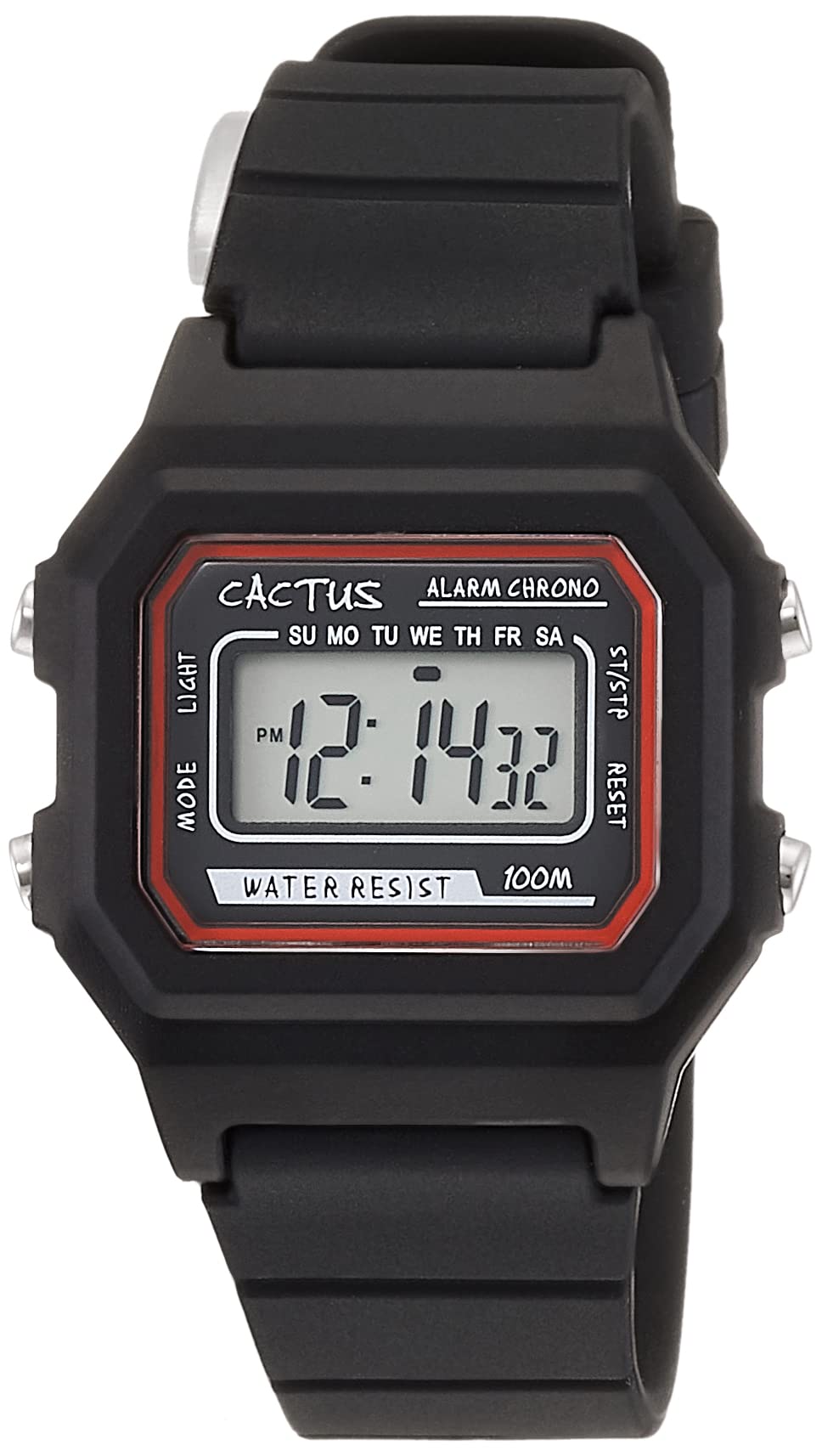
Figura 1: Angolato anteriore view of the CACTUS CAC-109-M01 Digital Watch. This image shows the watch face with its digital display, buttons on the side, and the black silicone strap.
Impostare
Impostazione di ora e data
Per garantire una misurazione precisa dell'ora, segui questi passaggi per impostare l'ora e la data sul tuo orologio.

Figura 2: Primo piano frontale view of the watch display and control buttons. The buttons are labeled MODE (top left), LIGHT (bottom left), RESET (top right), and START (bottom right).
- Nella modalità di visualizzazione dell'ora normale, premere il tasto MODALITÀ tre volte il pulsante per accedere alla modalità di impostazione dell'ora. Le cifre dei secondi lampeggeranno.
- Premere il tasto RESET pulsante per azzerare i secondi.
- Premere il tasto INIZIO button to advance to the next setting (hours, minutes, month, date, day of the week).
- Mentre una cifra lampeggia, premere il tasto RESET pulsante per regolare il valore.
- Repeat step 3 and 4 until all desired settings (hours, minutes, month, date, day of the week) are adjusted.
- Premere il tasto MODALITÀ button once to exit the setting mode and return to normal time display.
Istruzioni per l'uso
Funzioni dei pulsanti
- MODE Button (Top Left): Cycles through display modes (Time, Alarm, Stopwatch, Time Setting).
- LIGHT Button (Bottom Left): Activates the backlight for a few seconds.
- Pulsante RESET (in alto a destra): Used to reset values or select items during setting.
- Pulsante START (in basso a destra): Used to start/stop functions or advance through settings.
Funzione di allarme
Your watch includes an alarm feature.
- Dalla visualizzazione normale dell'ora, premere il tasto MODALITÀ una volta il pulsante per accedere alla modalità Sveglia. Verrà visualizzata l'ora della sveglia.
- Premere il tasto RESET pulsante per attivare/disattivare la sveglia. Quando attivata, apparirà un'icona di allarme.
- Per impostare l'ora della sveglia, premere il tasto MODALITÀ button twice from normal time display to enter alarm setting mode. The hour digits will flash.
- Premere il tasto RESET pulsante per regolare l'ora.
- Premere il tasto INIZIO pulsante per passare all'impostazione dei minuti.
- Premere il tasto RESET pulsante per regolare i minuti.
- Premere il tasto MODALITÀ pulsante per uscire dalla modalità di impostazione della sveglia.
Funzione cronometro
The stopwatch allows you to measure elapsed time.
- Dalla visualizzazione normale dell'ora, premere il tasto MODALITÀ premere due volte il pulsante per accedere alla modalità Cronometro. Il display mostrerà "00:00:00".
- Premere il tasto INIZIO pulsante per iniziare il cronometraggio.
- Premere il tasto INIZIO nuovamente il pulsante per mettere in pausa il cronometraggio.
- Premere il tasto RESET pulsante in pausa per reimpostare il cronometro su "00:00:00".
- Premere il tasto MODALITÀ pulsante per uscire dalla modalità Cronometro.
Funzione luce
Per illuminare il display in condizioni di oscurità, premere il tasto LEGGERO button (bottom left). The backlight will activate for a few seconds.
Resistenza all'acqua
This watch is water resistant up to 10 ATM (100 meters). This means it is suitable for swimming, showering, and snorkeling. However, it is not recommended for diving. Avoid pressing buttons underwater, as this can compromise the water resistance seal.

Figure 3: The CACTUS CAC-109-M01 watch displayed on a wrist, showing its size and fit.
Cura e manutenzione
Pulizia
Per pulire l'orologio, strofinarlo delicatamente con un panno morbido eamp cloth. Avoid using harsh chemicals, solvents, or abrasive cleaners, as these can damage the watch's finish or internal components. For the silicone strap, mild soap and water can be used, ensuring it is thoroughly rinsed and dried.
Sostituzione della batteria
When the display becomes dim or the watch stops functioning, the battery may need replacement. Battery replacement should ideally be performed by a qualified watch technician to ensure the water resistance seal is maintained. Attempting to replace the battery yourself may void the warranty and compromise the watch's water resistance.
Magazzinaggio
Conserva l'orologio in un luogo fresco e asciutto, lontano dalla luce solare diretta, da temperature estreme e da forti campi magnetici.
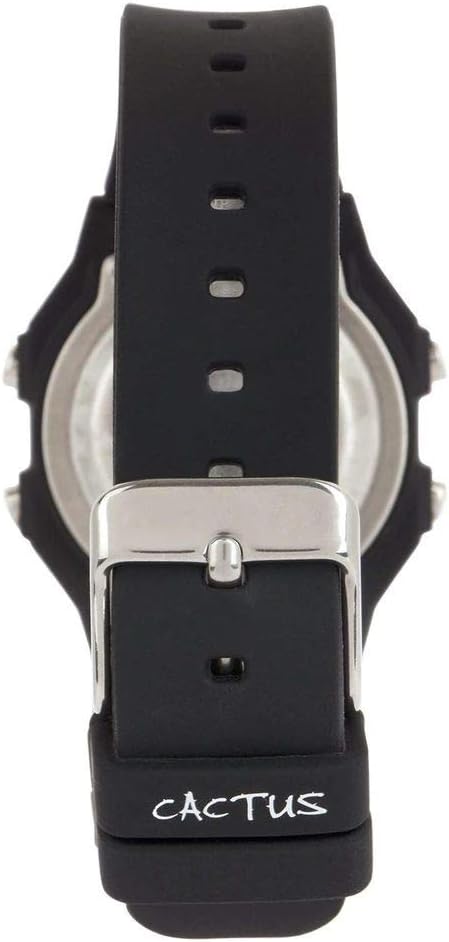
Figura 4: Indietro view of the watch, illustrating the stainless steel case back and the buckle mechanism of the silicone strap.
Risoluzione dei problemi
Se riscontri problemi con il tuo orologio, consulta i seguenti problemi comuni e le relative soluzioni:
- Il display dell'orologio è vuoto o poco luminoso: This usually indicates a low battery. Refer to the "Battery Replacement" section.
- I pulsanti non rispondono: Ensure the watch is not in a locked mode (if applicable, though this model typically does not have one). If the issue persists, a battery replacement might be needed, or a soft reset by removing and reinserting the battery (recommended to be done by a professional).
- L'ora non è corretta: Re-set the time and date following the "Setting Time and Date" instructions. Ensure you are in the correct time zone.
- Acqua all'interno dell'orologio: If water appears inside the watch, immediately stop using it and take it to a professional watch repair service. This indicates a compromised water resistance seal.
Specifiche del prodotto
| Numero di modello | CAC-109-M01 |
| Tipo di movimento | Quarzo digitale |
| Tipo di visualizzazione | LCD digitale |
| Materiale della cassa | Resina |
| Materiale della fascia | Silicone |
| Profondità di resistenza all'acqua | 100 Metres (10 ATM) |
| Caratteristiche aggiuntive | Alarm, Stopwatch, Light |
| Diametro della cassa | 32 millimetri |
| Spessore della cassa | 11 millimetri |
| Peso dell'articolo | 24 grammi |
Garanzia e supporto
For warranty information or technical support, please refer to the documentation provided with your purchase or contact the retailer where the watch was acquired. Keep your proof of purchase for warranty claims.