
Introduzione
This manual provides essential information for the proper installation, operation, and maintenance of your Philips 278E1A 27" 4K UHD IPS Monitor. Please read this guide thoroughly before using the product to ensure optimal performance and safety. Keep this manual for future reference.
Informazioni sulla sicurezza
- Assicurarsi che il monitor sia posizionato su una superficie stabile e piana per evitare cadute accidentali.
- Use only the power adapter and cables supplied by Philips.
- Non esporre il monitor alla pioggia o all'umidità per evitare scosse elettriche o incendi.
- Evitare di bloccare le aperture di ventilazione per evitare il surriscaldamento.
- Non tentare di riparare il monitor da soli. Per qualsiasi intervento di manutenzione, rivolgersi a personale qualificato.
Impostare
1. Disimballaggio e montaggio
Carefully remove the monitor and all components from the packaging. The box should contain the monitor, stand, HDMI cable, power cable, and user documentation.
- Fissare la base del supporto al collo del supporto, fissandola con la vite in dotazione.
- Align the assembled stand with the mounting holes on the back of the monitor and firmly attach it.
2. Cavi di collegamento
Collegare i cavi necessari al monitor e al computer.
- Cavo di alimentazione: Collegare un'estremità del cavo di alimentazione all'ingresso di alimentazione del monitor e l'altra estremità a una presa di corrente.
- Ingresso video: Connect either an HDMI cable (2 ports available) or a DisplayPort cable (1 port available) from your computer's video output to the corresponding input on the monitor.
- Ingresso/uscita audio: If desired, connect an audio cable from your computer's audio output to the monitor's audio input, or connect external speakers/headphones to the monitor's audio output.

Figura 1: Posteriore view of the Philips 278E1A monitor, highlighting the HDMI, DisplayPort, and audio input/output ports for connectivity.
3. Accensione iniziale
Press the power button located on the bottom right of the monitor to turn it on. The monitor will automatically detect the active input source.
Istruzioni per l'uso
1. Navigazione nel menu OSD
The On-Screen Display (OSD) menu allows you to adjust various monitor settings. Use the control buttons located on the bottom bezel of the monitor to navigate the menu.
- Premere un pulsante per attivare il menu OSD.
- Utilizzare i tasti direzionali per spostarsi tra le opzioni del menu.
- Premere il pulsante 'OK' o 'Invio' per selezionare un'opzione o confermare un'impostazione.
- Premere il pulsante "Esci" o "Indietro" per tornare al menu precedente o uscire dall'OSD.
2. Impostazioni immagine
Regola le caratteristiche del display per ottenere risultati ottimali viewing.
- Luminosità e contrasto: Adjust these settings to control the overall luminance and the difference between light and dark areas.
- Impostazioni colore: Fine-tune color temperature, gamma, and saturation. The monitor supports 109% sRGB color gamut for accurate color reproduction.
- Contrasto intelligente: This feature dynamically analyzes content and automatically adjusts backlight intensity to enhance contrast for optimal digital images and videos.
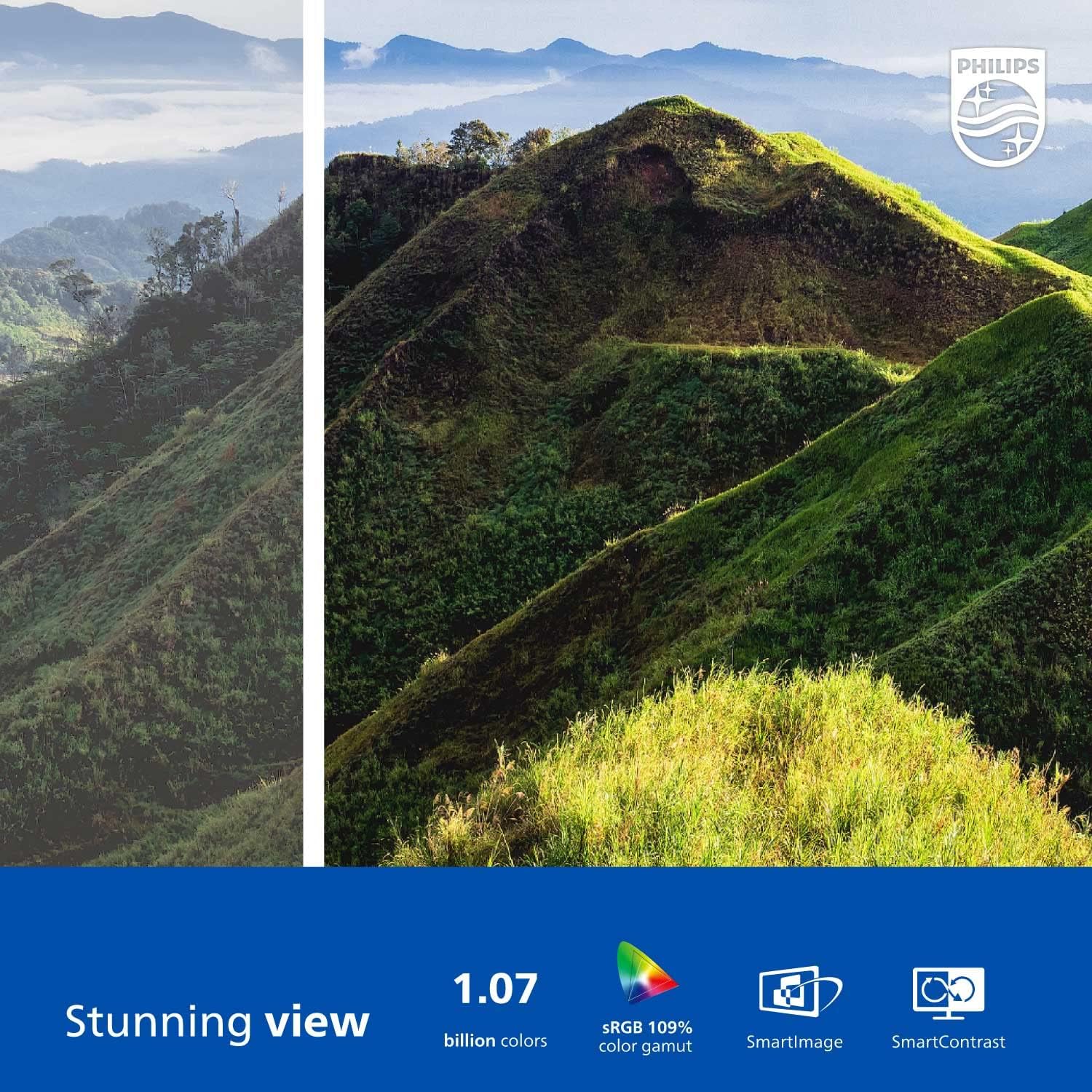
Figure 2: The Philips 278E1A monitor displaying a detailed and colorful mountain scene, illustrating its 4K UHD resolution and wide color gamut.
3. Selezione ingresso
Manually select the desired video input source if the automatic detection does not work or if you have multiple devices connected.
4. Impostazioni audio
Controlla il volume degli altoparlanti integrati o dei dispositivi audio collegati.
5. Caratteristiche della cura degli occhi
The Philips 278E1A includes features designed to reduce eye strain during prolonged use.
- Tecnologia senza sfarfallio: Regulates brightness and reduces screen flicker for more comfortable viewing.
- Modalità LowBlue: A software solution that reduces harmful shortwave blue light emissions from the screen.

Figure 3: A split image demonstrating the visual difference when LowBlue Mode and Flicker-free technologies are active, reducing eye strain.
6. Frameless Design and Viewing angoli
The monitor features a 3-sided frameless design, ideal for multi-monitor setups, and an IPS panel providing wide 178/178-degree viewing angles for consistent image quality from various perspectives.

Figure 4: A multi-monitor arrangement of Philips 278E1A displays, showcasing the minimal bezels and wide viewing angles suitable for extended desktop environments.
Manutenzione
1. Pulizia dello schermo
Per pulire lo schermo, strofinarlo delicatamente con un panno morbido e privo di lanugine. Per macchie ostinate, dampen the cloth with a mild, non-abrasive screen cleaner. Never spray cleaner directly onto the screen.
2. Assistenza generale
Keep the monitor away from direct sunlight, excessive heat, and humidity. Avoid placing heavy objects on the monitor or its cables.
Risoluzione dei problemi
Se riscontri problemi con il monitor, fai riferimento alle seguenti soluzioni comuni:
- Nessun potere: Ensure the power cable is securely connected to both the monitor and the power outlet. Check if the power outlet is functional.
- Nessun segnale: Verificare che il cavo video (HDMI o DisplayPort) sia correttamente collegato sia al monitor che al computer. Assicurarsi che sia selezionata la sorgente di ingresso corretta tramite il menu OSD.
- Image Problems (e.g., flickering, distorted colors): Check cable connections. Adjust picture settings in the OSD menu. If using a DisplayPort connection, ensure your graphics card supports 4K resolution at 60Hz.
- Nessun audio: Check the monitor's volume settings and your computer's audio output settings. Ensure external speakers or headphones are properly connected if used.
Per ulteriore assistenza, contattare l'assistenza clienti Philips.
Specifiche
| Caratteristica | Dettaglio |
|---|---|
| Dimensioni dello schermo | 27 pollici |
| Risoluzione | Risoluzione 3840 x 2160 (4K UHD) |
| Tipo di pannello | Informazione pubblica |
| Gamma di colori | 109% sRGB |
| Connettività | 2x HDMI, 1x DisplayPort, Audio In & Out |
| Altoparlanti | Built-in (3W stereo) |
| Dimensioni (con supporto) | 18.1 x 24.1 x 7.6 pollici |
| Peso (con supporto) | 13.57 libbre |
| Caratteristiche della cura degli occhi | Flicker-Free, LowBlue Mode |
Garanzia e supporto
Informazioni sulla garanzia
Philips monitors sold in the United States come with a 4-Year Advance Replacement Warranty. This warranty minimizes downtime by providing a replacement unit in advance should your monitor require service.

Figure 5: Visual representation of the Philips 4-Year Warranty and Advance Replacement program, ensuring peace of mind for users.
Assistenza clienti
For technical support, warranty claims, or service inquiries, please visit the official Philips support website or contact their customer service hotline. Refer to the documentation included with your product for specific contact details in your region.
Video del prodotto
Philips Frameless Monitor Overview
Questo video fornisce un overview of the Philips 27-inch frameless monitor, highlighting its features and benefits for various work setups.
Why This Monitor is Top Rated
Learn about the key aspects that make this Philips monitor a top-rated choice, including its display quality and user-friendly features.