
Introduzione
This manual provides detailed instructions for the installation, operation, maintenance, and troubleshooting of your Walfront LCD Battery Monitor. Please read this manual thoroughly before using the product to ensure proper function and safety.
Informazioni sulla sicurezza
- Garantire l'alimentazione voltage is within the specified range (DC 8V-100V) to prevent damage to the device.
- Non esporre il dispositivo a temperature estreme, umidità o ambienti corrosivi.
- Evitare urti fisici o cadute del dispositivo.
- Scollegare l'alimentazione prima di effettuare qualsiasi collegamento o scollegamento.
- Non tentare di smontare o modificare il dispositivo. Per le riparazioni, rivolgersi a personale qualificato.
- Tenere fuori dalla portata dei bambini.
Prodotto finitoview
The Walfront LCD Battery Monitor is a versatile digital capacity tester and voltmeter designed for various battery types, including lead-acid, lithium-ion, lithium iron phosphate, and metal hydride batteries. It features a clear LCD display for real-time voltage e percentualetage letture.

Figura 1: Fronte view of the Walfront LCD Battery Monitor with its connecting wires.

Figure 2: Comparison showing the blue display (top) and white display (bottom) variants of the battery monitor, highlighting their voltage measurement range (DC8V-100V), working current (<15MA), and LCD screen display mode.
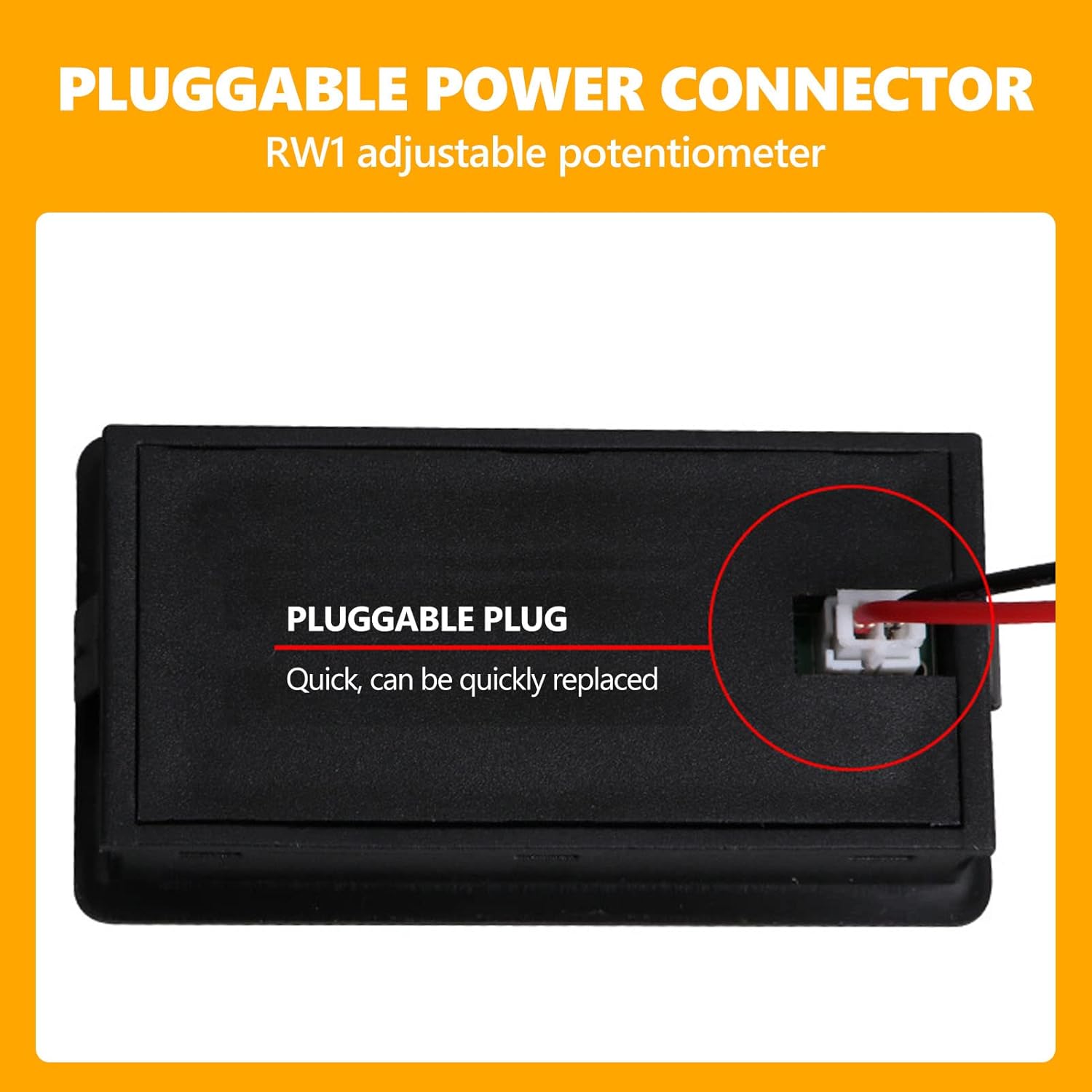
Figure 3: Detail of the pluggable power connector on the back of the unit, indicating quick and replaceable connection. An adjustable potentiometer (RW1) is also noted.
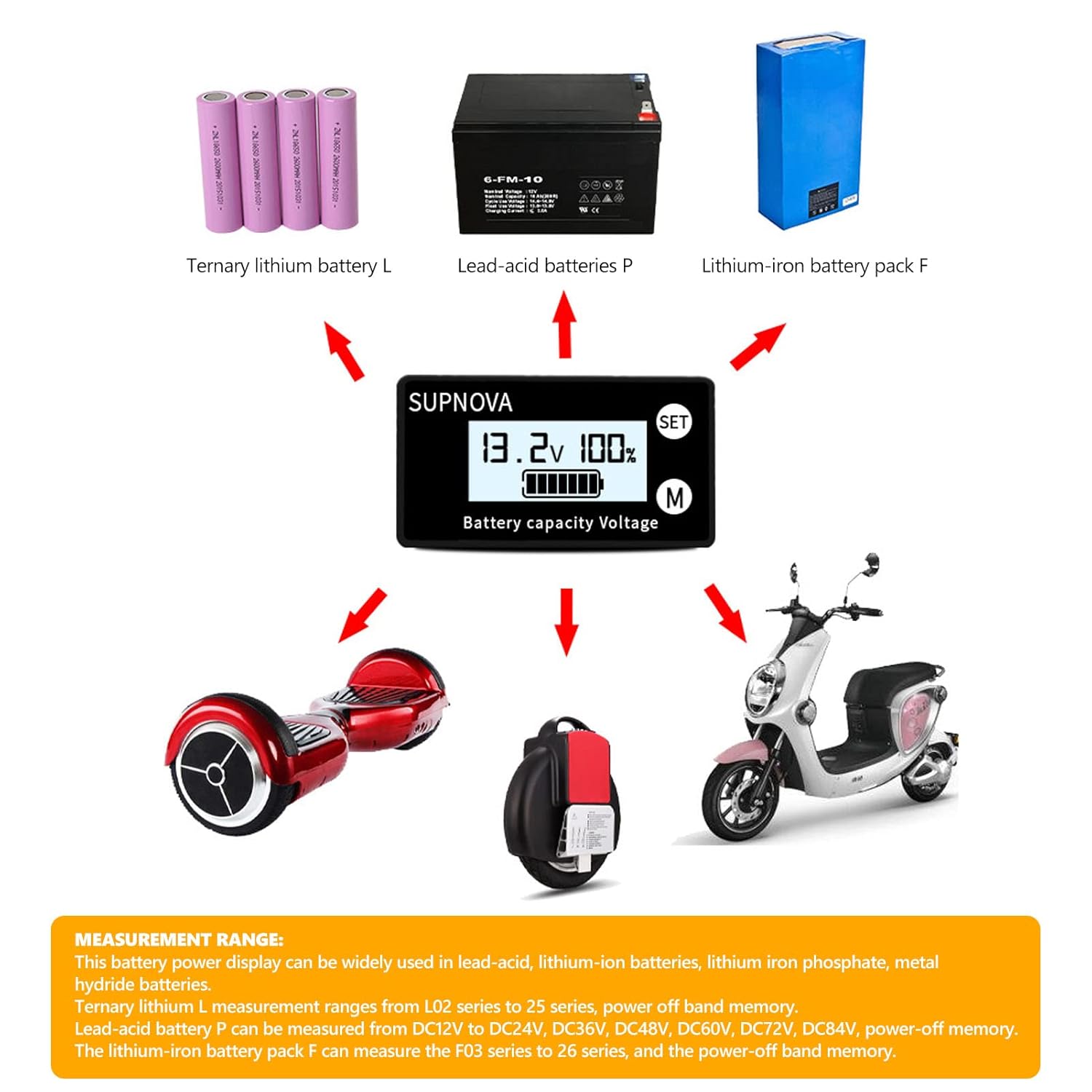
Figure 4: Illustrates the broad measurement range and applications of the battery monitor, including ternary lithium (L), lead-acid (P), and lithium-iron (F) battery packs, and their use in devices like hoverboards and scooters.

Figure 5: Detailed dimensional drawing of the battery monitor, showing its length, width, height, and installation cutout dimensions in millimeters.
Video 1: A short demonstration of the battery monitor's display functionality, showing it submerged in water, indicating potential water resistance or durability in certain conditions.
Impostare
Follow these steps for proper installation and connection of your battery monitor:
- Preparare il luogo di installazione: Ensure there is adequate space for the monitor (refer to dimensions in Figure 5) and that the surface is clean and dry.
- Connect the Supporting Terminal Wire: Insert the provided terminal wire into the product's socket. Pay close attention to the orientation and direction of the buckle to ensure a secure fit.
- Collegamento alla batteria:
- Collegare il filo rosso al positive (+) electrode of your battery.
- Collegare il filo nero al negative (-) electrode of your battery.
- If your model includes a temperature sensor (optional), place it close to the surface of the battery for accurate readings.
- Accensione: Once connected, the battery power percentage e vol.tage verrà visualizzato sullo schermo LCD.

Figure 6: Wiring diagram illustrating the connection of the red and black wires from the display unit to the positive and negative terminals of a battery.
Istruzioni per l'uso
The Walfront LCD Battery Monitor is designed for straightforward operation:
- Modalità di visualizzazione: The LCD screen simultaneously displays the battery's percentage capacity and its current voltage.
- Switching Display (if applicable): If your model supports temperature display, press the button on the unit to switch between voltage/percentage and temperature readings.
- Modalità risparmio: The product is designed to enter a sleep state after approximately 10 seconds of inactivity to conserve power.
- Svegliarsi: To wake the device from sleep mode, simply press any button on the unit.
- Funzione di allarme: This specific model includes an alarm function. Refer to the product's detailed specifications for alarm thresholds and indicators.
Manutenzione
To ensure the longevity and optimal performance of your battery monitor, follow these maintenance guidelines:
- Pulizia: Utilizzare un panno morbido e asciutto per pulire il display e casing. Do not use abrasive cleaners, solvents, or immerse the device in water (unless specifically designed for such conditions, as shown in the video, but general cleaning should be dry).
- Magazzinaggio: Quando non viene utilizzato per lunghi periodi, conservare il monitor in un luogo fresco e asciutto, lontano dalla luce solare diretta e da temperature estreme.
- Verifica della connessione: Periodically inspect the wiring and connections for any signs of wear, corrosion, or looseness. Ensure the pluggable connector is securely seated.
Risoluzione dei problemi
If you encounter issues with your Walfront LCD Battery Monitor, refer to the following common problems and solutions:
| Problema | Possibile causa | Soluzione |
|---|---|---|
| Nessun display/Il dispositivo non si accende | Incorrect wiring; No power to the battery; Loose connection; Battery voltage fuori dalla portata. | Check red and black wire connections to the battery. Ensure battery has charge. Verify connections are secure. Confirm battery voltage è compreso tra DC 8V-100V. |
| Letture imprecise | Incorrect battery type setting (if adjustable); Faulty connection; Device malfunction. | Ensure the monitor is compatible with your battery type. Re-check all connections. If issues persist, contact support. |
| Display tremolante o instabile | Unstable power supply; Loose connection; Electromagnetic interference. | Check the stability of the power source. Secure all connections. Relocate the device away from strong electromagnetic fields. |
| Il dispositivo entra in modalità sospensione troppo rapidamente | Normal operation (10-second inactivity timer). | This is a power-saving feature. Press any button to wake the device. |
Specifiche
| Caratteristica | Dettaglio |
|---|---|
| Voltage Intervallo di misurazione | CC 8V-100V |
| Corrente di lavoro | <15mA |
| Modalità di visualizzazione | Schermo LCD |
| Colore dello schermo | Blue (for this model) |
| Precisione della misurazione | 1% ± 1 Word |
| Velocità di misurazione | Circa. 2 volte al secondo |
| Temperatura di lavoro | da -10°C a +70°C |
| Umidità di lavoro | 10-80% (senza condensa) |
| Pressione di lavoro | Pressione atmosferica |
| Dimensioni | Approx. 61x33x14.5mm (2.4x1.3x0.6in) |
| Dimensioni di installazione | 58.5x28.5mm (2.3x1.1in) |
| Peso | 0.02 chilogrammi |
| Fonte di alimentazione | Alimentato a batteria |
| Funzione di allarme | Included (for this model) |
Garanzia e supporto
Walfront products are manufactured to high-quality standards. For specific warranty details, please refer to the warranty card included with your product or contact your point of purchase. General warranty terms typically cover manufacturing defects for a limited period from the date of purchase.
For technical support, troubleshooting assistance beyond this manual, or warranty claims, please contact Walfront customer service through their official website or the retailer where you purchased the product. Please have your product model number (B07ZXFQ4VK) and purchase details ready when contacting support.
You can visit the Walfront Store for more information: Walfront Official Store