
Introduzione
The UNITEK Y3035 Storage Drive Enclosure provides a convenient solution for connecting 2.5-inch or 3.5-inch SATA I/II/III Hard Disk Drives (HDDs) or Solid State Drives (SSDs) to your computer via a high-speed USB 3.0 interface. This enclosure allows you to utilize old hard drives as external storage, facilitating data recovery, backup, or expansion of your system's storage capacity.
Caratteristiche del prodotto
- Compatibilità universale: Supports 2.5-inch and 3.5-inch SATA I/II/III HDDs and SSDs.
- Trasferimento dati ad alta velocità: USB 3.0 (USB 3.1 Gen 1) interface offers data transfer rates up to 5Gbps. Backwards compatible with USB 2.0 and USB 1.1.
- Supporto UASP: Implements USB Attached SCSI Protocol for enhanced read and write speeds, improving performance by up to 30% compared to traditional USB 3.0.
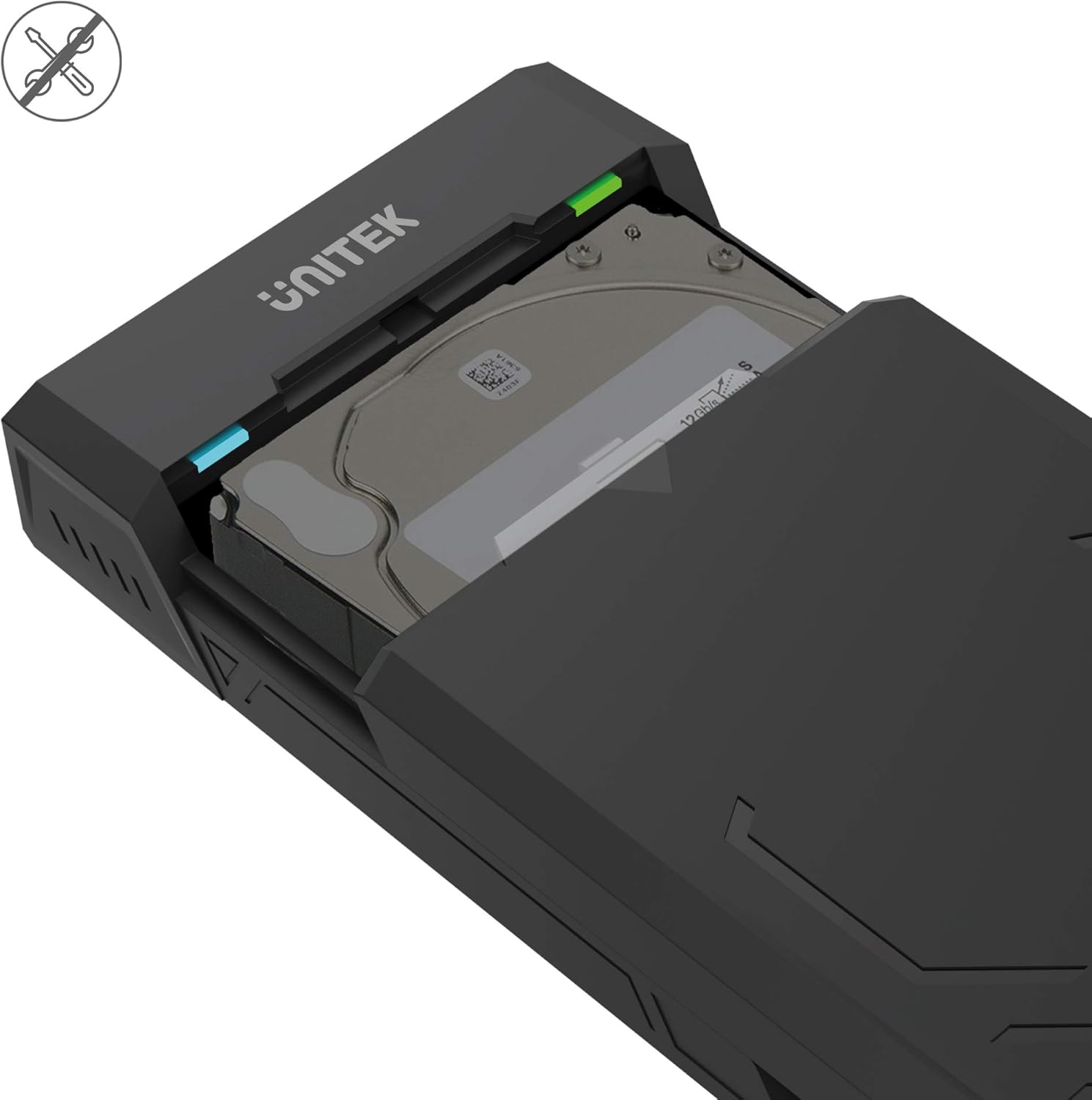
- Progettazione senza attrezzi: Allows for quick and easy installation and removal of hard drives without the need for tools.
- Modalità di sospensione automatica: Enters sleep mode after 30 minutes of inactivity to conserve energy and extend drive lifespan.
- Dissipazione efficiente del calore: Designed with ventilation openings to facilitate heat dissipation and maintain optimal operating temperatures.
- Collega e usa: No additional drivers are required for operation on most modern operating systems.

Contenuto della confezione
Si prega di verificare che tutti gli articoli siano presenti nel pacco:
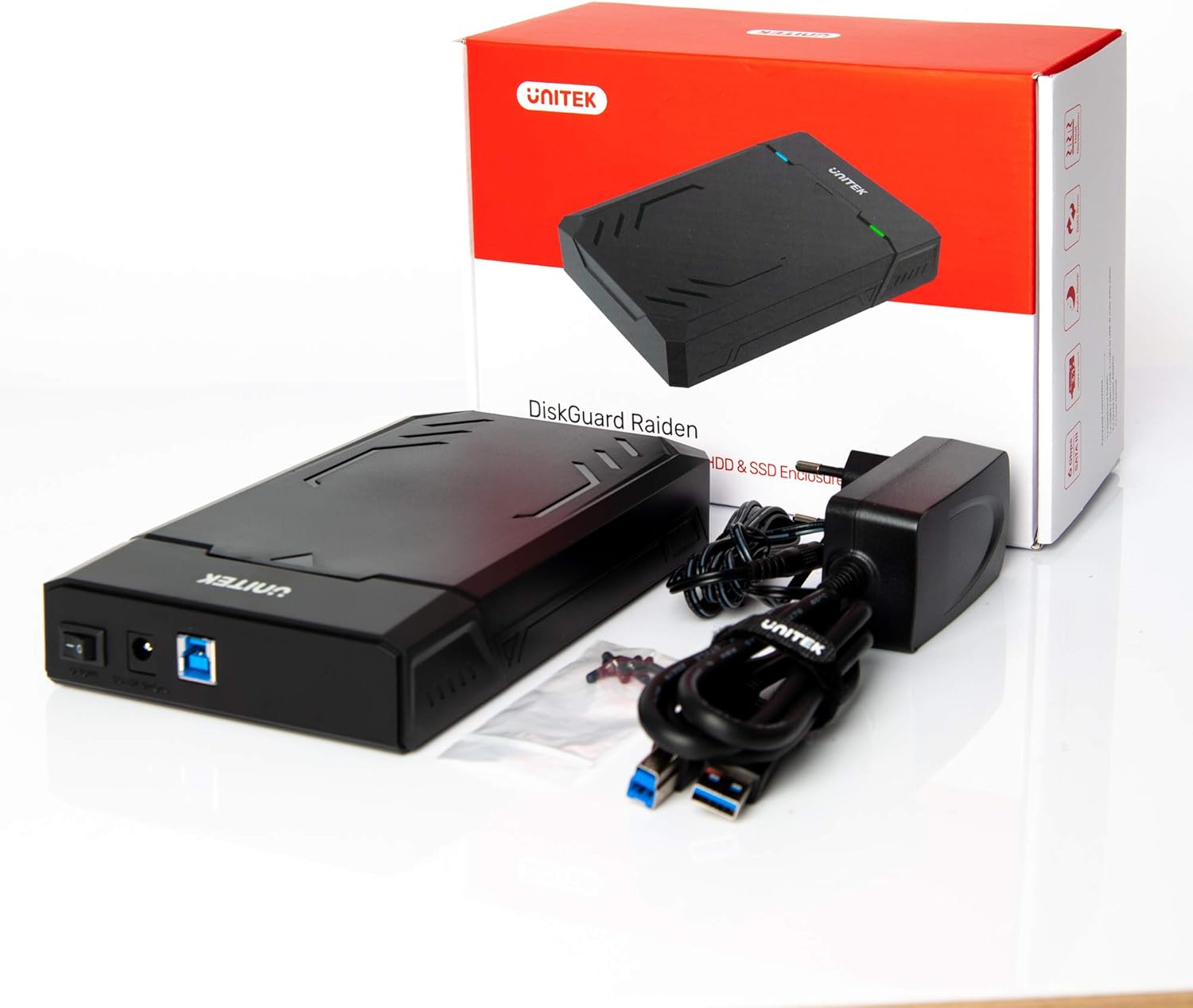
- UNITEK Y3035 Hard Drive Enclosure
- Cavo dati USB 3.0
- Power Adapter (for 3.5-inch HDDs or drives requiring external power)
Istruzioni di installazione
Follow these steps to install your hard drive into the enclosure:
- Aprire l'involucro: Gently slide open the top cover of the UNITEK Y3035 enclosure.
- Inserire il disco rigido: Align your 2.5-inch or 3.5-inch SATA HDD/SSD with the SATA connector inside the enclosure. Carefully push the drive into the connector until it is firmly seated.
- Chiudere l'involucro: Slide the top cover back into place until it clicks securely.
- Collegare il cavo USB: Connect one end of the provided USB 3.0 data cable to the enclosure's USB port and the other end to an available USB 3.0 port on your computer.
- Connect Power Adapter (if necessary): For 3.5-inch hard drives, or if your 2.5-inch drive requires additional power, connect the provided power adapter to the enclosure's power input and then to a wall outlet. 2.5-inch drives may be bus-powered by the USB port alone.
Istruzioni per l'uso
Once connected, the UNITEK Y3035 enclosure operates as a standard external storage device.
- Rilevamento automatico: Your operating system should automatically detect the connected drive. If it's a new drive, you may need to initialize and format it through Disk Management (Windows) or Disk Utility (macOS) before use.
- Accesso ai dati: The drive will appear as a removable storage device in 'My Computer' or 'Finder'. You can drag and drop files, or use it for backups and other storage tasks.
- Rimozione sicura: Always safely eject the drive from your operating system before disconnecting the USB cable or power adapter to prevent data corruption.
- Modalità risparmio: The enclosure will automatically enter sleep mode after approximately 30 minutes of inactivity. The drive will spin down, and the indicator light may change or turn off. It will resume operation when accessed again.


Manutenzione
To ensure the longevity and optimal performance of your UNITEK Y3035 enclosure:
- Pulizia: Utilizzare un panno morbido e asciutto per pulire l'esterno dell'involucro. Evitare detergenti liquidi o solventi.
- Ambiente: Keep the enclosure in a cool, dry place, away from direct sunlight, extreme temperatures, and high humidity.
- Gestione: Maneggiare l'involucro con cura per evitare danni fisici. Evitare di farlo cadere o di sottoporlo a forti urti.
- Ventilazione: Assicurarsi che le aperture di ventilazione non siano ostruite per consentire una corretta dissipazione del calore.
Risoluzione dei problemi
If you encounter issues with your UNITEK Y3035 enclosure, refer to the following common solutions:
- Unità non rilevata:
- Ensure the hard drive is correctly seated within the enclosure's SATA connector.
- Verify that the USB cable is securely connected to both the enclosure and your computer.
- If using a 3.5-inch HDD, confirm the power adapter is connected and receiving power.
- Prova a collegare l'alloggiamento a una porta USB diversa del computer.
- Provare il contenitore con un disco rigido diverso oppure testare il disco rigido in un altro contenitore/sistema per isolare il problema.
- Controllare Gestione disco (Windows) o Utility Disco (macOS) per verificare se l'unità è riconosciuta ma non inizializzata o non formattata.
- Velocità di trasferimento lente:
- Ensure the enclosure is connected to a USB 3.0 port on your computer. USB 2.0 ports will result in slower speeds.
- Verifica che il tuo sistema operativo e i tuoi driver supportino USB 3.0 e UASP.
- The actual transfer speed can be affected by the performance of the installed hard drive.
- Il contenitore si disconnette in modo casuale:
- Ensure the power adapter is providing stable power, especially for 3.5-inch drives.
- Controllare che i cavi USB non siano allentati.
- Avoid connecting the enclosure through unpowered USB hubs.
Specifiche
| Modello | Y3035 |
| Marca | Unitek |
| Tipi di unità compatibili | HDD/SSD SATA I/II/III da 2.5 pollici / 3.5 pollici |
| Interfaccia Hardware | SATA 6.0 Gb/s, USB 3.0 (USB 3.1 Gen 1), USB 2.0, USB 1.1 |
| Velocità di trasferimento dati | Fino a 5 Gigabit al secondo (USB 3.0) |
| Supported Devices Quantity | 1 |
| Materiale di recinzione | Plastica |
| Colore | Nero |
| Peso dell'articolo | 270 grammi |
| Dispositivi compatibili | Computer portatile, PC desktop |
| Produttore | Allterco Robotica EOOD |

Garanzia e supporto
For warranty information, technical support, or further inquiries regarding your UNITEK Y3035 enclosure, please visit the official Unitek websito o contattare il servizio clienti. I dettagli sono in genere reperibili sulla confezione del prodotto o sul foglietto illustrativo del produttore. websito.