
Introduzione
Thank you for choosing the NUARL N6 Pro True Wireless Stereo Earphones. These earphones are designed to deliver high-quality audio with advanced features for an exceptional listening experience. The N6 Pro features the unique NUARL DRIVER [N6] v5 with an SWCNT composite vibrating plate, combined with HDSS technology for clear sound and a wide soundstage. Equipped with Qualcomm's Bluetooth SoC QCC3020, they offer stable connectivity and support Qualcomm aptX audio for superior sound quality with compatible devices. Enjoy up to 11 hours of continuous playback, extended to 55 hours with the included USB Type-C charging case. The earphones are also IPX4 water-resistant, making them suitable for various activities.
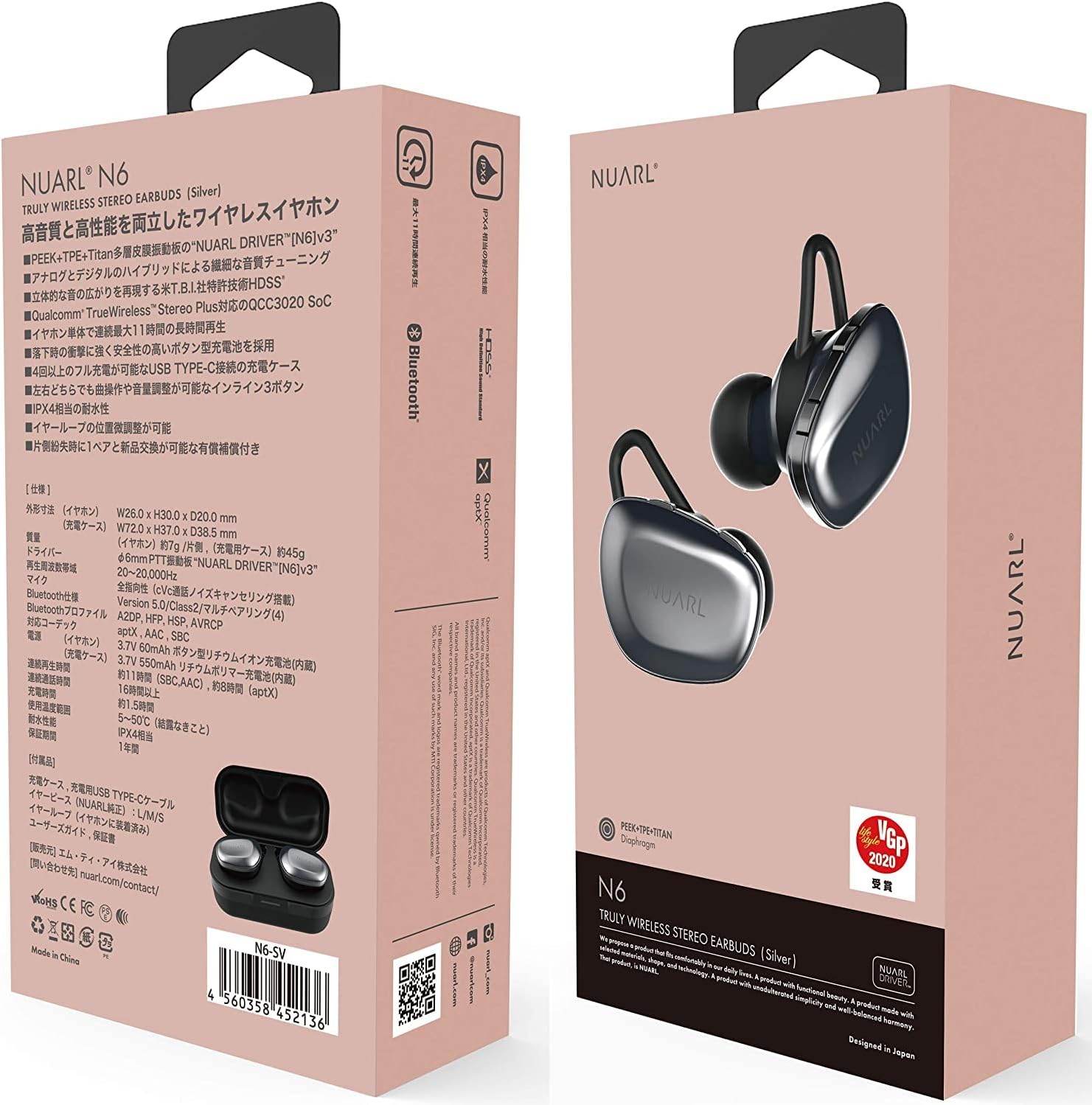
Image: NUARL N6 Pro Earphones packaging.
1. Impostazione
1.1 Contenuto della confezione
- NUARL N6 Pro True Wireless Earphones (Left and Right)
- Custodia di ricarica
- Cavo di ricarica USB di tipo C.
- SpinFit CP360 Eartips (S/M/L sizes)
- Manuale dell'utente (questo documento)
1.2 Ricarica degli auricolari e della custodia
Prima del primo utilizzo, caricare completamente gli auricolari e la custodia di ricarica.
- Place the earphones into their respective slots in the charging case. The magnetic contacts will secure them in place.
- Connect the USB Type-C charging cable to the charging port on the case and to a USB power source.
- The front LED on the charging case will indicate the charging status. Once fully charged, the LED indicator will change or turn off depending on the model.

Image: NUARL N6 Pro Earphones inside the charging case.
The charging case can fully recharge the earphones approximately 4 times, providing up to 55 hours of total music playback.
1.3 Accoppiamento Bluetooth iniziale
To pair your NUARL N6 Pro earphones with your device:
- Assicurarsi che gli auricolari siano carichi e inseriti nella custodia di ricarica.
- Aprire il coperchio della custodia di ricarica. Gli auricolari si accenderanno automaticamente ed entreranno in modalità di associazione.
- Sul tuo smartphone o dispositivo abilitato Bluetooth, vai alle impostazioni Bluetooth e abilita il Bluetooth.
- Cercare available devices and select "NUARL N6 Pro" from the list.
- Once connected, you will hear an audible confirmation, and the LED indicator on the earphones may change.
For subsequent use, the earphones will automatically reconnect to the last paired device when removed from the case.
2. Utilizzo degli auricolari
2.1 Indossare gli auricolari
For optimal sound quality and comfort, ensure the earphones are properly seated in your ears. The N6 Pro features an asymmetric design to help distinguish the left and right earphones.
- Identificare gli auricolari sinistro (L) e destro (R).
- Gently insert each earphone into your ear canal and twist slightly to secure a snug fit.
- Experiment with the included SpinFit CP360 eartips to find the size that provides the best seal and comfort for your ears.

Image: Proper handling of an earphone before wearing.
2.2 Controlli degli auricolari
The N6 Pro earphones feature three physical buttons on each earbud for easy control of music playback and calls. Both sides have the same functions.
- Riproduci/Pausa: Single press the main button.
- Traccia successiva: Premere due volte il pulsante principale.
- Traccia precedente: Triple press the main button.
- Volume su/giù: Utilizzare i pulsanti del volume dedicati.
- Rispondi/Termina chiamata: Premere una volta il pulsante principale durante una chiamata in arrivo o una chiamata attiva.
- Rifiuta chiamata: Press and hold the main button during an incoming call.
- Attiva l'assistente vocale: Press and hold a specific button (refer to quick start guide for exact button).
2.3 Automatic Reconnection and Sleep Mode
The earphones are designed for convenience:
- Riconnessione automatica: When the earphones are placed in the charging case and the lid is opened, they will automatically power on and attempt to reconnect to the last paired device.
- Modalità risparmio: When the earphones are placed in the charging case and fully recharged, they will automatically enter sleep mode to conserve the charging case's battery.
3. Manutenzione
3.1 Pulizia
Una pulizia regolare aiuta a mantenere la qualità del suono e l'igiene:
- Pulisci gli auricolari e la custodia di ricarica con un panno morbido, asciutto e privo di lanugine.
- Rimuovere i gommini auricolari e pulirli con acqua e sapone neutro, quindi asciugarli accuratamente prima di riapplicarli.
- Gently clean any debris from the earphone nozzles using a small, soft brush or cotton swab.
3.2 Sostituzione degli auricolari
The NUARL N6 Pro comes with SpinFit CP360 eartips in multiple sizes (S/M/L). These eartips are made from medical-grade silicone for comfort and hygiene. Replace them if they become worn or if you prefer a different size for a better fit.
- Gently pull off the existing ear tip from the earphone nozzle.
- Select a new ear tip of the desired size.
- Carefully push the new ear tip onto the earphone nozzle until it is securely attached.

Image: Earphone with a silicone ear tip.
4. Risoluzione Dei Problemi
If you encounter issues with your NUARL N6 Pro earphones, try the following solutions:
- Nessun suono:
- Assicurati che gli auricolari siano carichi e collegati al dispositivo.
- Controlla i livelli del volume sia sugli auricolari che sul dispositivo collegato.
- Prova a riavviare il dispositivo e ad associare nuovamente gli auricolari.
- Errore di accoppiamento:
- Assicurati che il Bluetooth sia abilitato sul tuo dispositivo e che gli auricolari siano in modalità di associazione.
- Ensure the earphones are not connected to another device. Turn off Bluetooth on other nearby devices.
- Prova a reimpostare gli auricolari (consulta la guida rapida per istruzioni specifiche sul reimpostazione, se disponibili).
- Intermittent Connection/Sound Dropouts:
- Avvicinati al dispositivo connesso per ridurre le interferenze.
- Evitare ostacoli fisici tra gli auricolari e il dispositivo.
- Assicurarsi che non vi siano altri segnali wireless potenti che interferiscono.
- Problemi di ricarica:
- Verificare che il cavo di ricarica sia collegato saldamente sia alla custodia sia alla fonte di alimentazione.
- Controllare che i contatti di ricarica sugli auricolari e all'interno della custodia siano puliti e privi di detriti.
- Prova un cavo USB o un alimentatore diverso.
5. Specifiche
| Caratteristica | Dettaglio |
|---|---|
| Marca | NUARLO |
| Numero di modello | N6PRO-MB |
| Posizionamento dell'orecchio | Nell'orecchio |
| Controllo del rumore | Cancellazione attiva del rumore |
| Tecnologia di connettività | Wireless (Bluetooth) |
| Versione Bluetooth | 5 |
| Tipo di driver audio | Dynamic Driver (NUARL DRIVER [N6] v5) |
| Codec supportati | aptX |
| Tempo di riproduzione | Up to 11 hours (8 hours with aptX audio) |
| Tempo di riproduzione totale (con custodia) | Fino a 55 ore |
| Porta di ricarica | USB di tipo C |
| Livello di resistenza all'acqua | Grado di protezione IPX4 |
| Peso dell'articolo | 7 grammi (per auricolare) |
| Caratteristiche speciali | HDSS, TrueWireless Stereo Plus, Button-type battery, SpinFit CP360 eartips |
6. Informazioni sulla garanzia
NUARL products are manufactured to the highest quality standards. This product is covered by a limited warranty against defects in materials and workmanship. Please refer to the warranty card included in your package or visit the official NUARL websito per termini e condizioni di garanzia dettagliati.
7. Assistenza clienti
For further assistance, technical support, or inquiries regarding your NUARL N6 Pro earphones, please contact NUARL customer service. Contact information can typically be found on the official NUARL websito o nella confezione del prodotto.
Ufficiale Websito: nuarl.com