
Introduzione
The Philips PH805 Active Noise Canceling (ANC) Over-Ear Wireless Bluetooth Performance Headphones are designed to deliver high-quality audio with advanced noise cancellation. Enjoy your music without distractions, whether you're traveling or in a busy environment. These headphones offer a comfortable fit, long battery life, and intuitive controls for an enhanced listening experience.
Cosa c'è nella scatola
- Philips PH805 Wireless Headphones
- Custodia protettiva
- Cavo audio (da 2.5 mm a 3.5 mm)
- Cavo di ricarica USB
- Aircraft Adapter
- Manuale d'uso
Prodotto finitoview
Familiarize yourself with the key components and features of your Philips PH805 headphones.
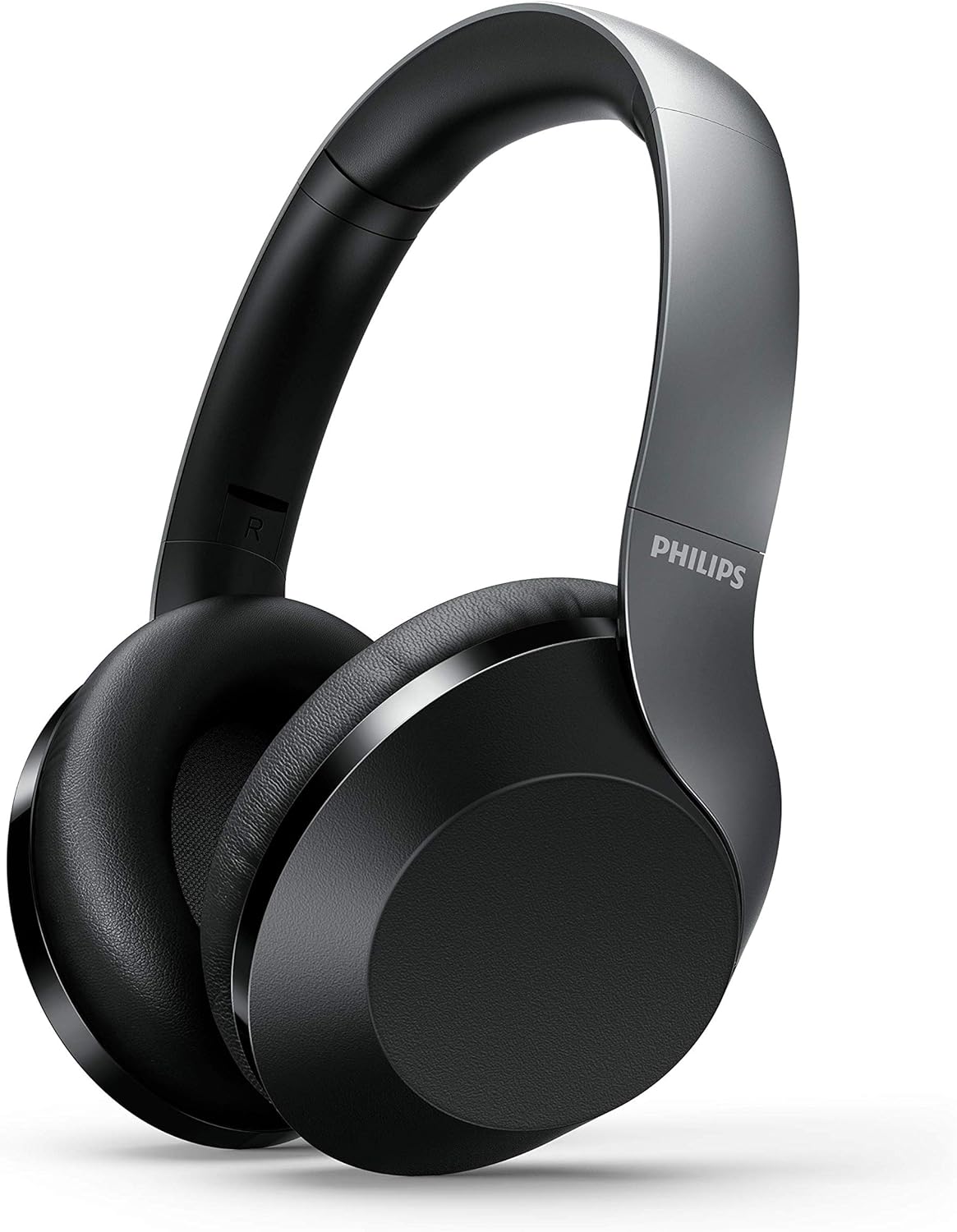
Figure 1: Philips PH805 Active Noise Canceling Wireless Headphones.
Comfort e Design
- Soft Ear-Cup Cushions: Designed with soft leatherette padding for comfortable wearing and superior noise isolation.
- Smooth Adjustable Headband: Lightweight and easily adjustable to prevent tangling with your hair and ensure a secure fit.
- Flat and Compact Folding: The headphones can be folded flat and compactly for easy storage in your desk drawer or the included carrying case, making them ideal for travel.

Figure 2: Headphones shown in their flat and compact folded state.
Controlli e porte
The headphones feature intuitive controls for power, volume, track navigation, and Active Noise Canceling (ANC) management.

Figura 3: primo piano view of the control buttons and ports on the ear cup.
- Pulsante di accensione: Used to turn the headphones on/off and initiate Bluetooth pairing mode.
- ANC/Awareness Mode Button: Toggles Active Noise Canceling on/off or activates Awareness Mode to hear your surroundings.
- Pannello di controllo tattile: Located on the ear-housing, allows swiping up/down for volume control and tapping for play/pause or call management.
- Porta di ricarica USB-C: Per caricare le cuffie.
- Jack audio da 2.5 mm: Per il collegamento cablato a sorgenti audio.
- Microfono incorporato: Features echo cancellation for clear calls.
Impostare
Caricare le cuffie
- Collegare il cavo di ricarica USB in dotazione alla porta USB-C delle cuffie.
- Collegare l'altra estremità del cavo USB a una fonte di alimentazione USB compatibile.
- A full charge takes approximately 2 hours, providing up to 30 hours of playtime (25 hours with ANC on).
Accoppiamento Bluetooth
- Assicurati che le cuffie siano cariche.
- Tenere premuto il pulsante di accensione finché l'indicatore LED non lampeggia, indicando la modalità di associazione.
- On your Bluetooth-enabled device (phone, tablet, computer), go to Bluetooth settings and select "Philips PH805" from the list of available devices.
- Once paired, the LED indicator will stop flashing and remain solid. The headphones have a Bluetooth range of up to 10 meters.
Connessione via cavo
For a wired connection, use the included 2.5 mm to 3.5 mm audio cable. This allows for Hi-Res Audio playback when connected to a compatible source, providing lossless audio quality.
Istruzioni per l'uso
Cancellazione attiva del rumore (ANC) e modalità di consapevolezza
Control your listening environment with the dedicated ANC/Awareness Mode button.
- Attiva ANC: Press the ANC button to reduce ambient noise, ideal for travel or noisy offices.
- Activate Awareness Mode: Press the ANC button again to allow some ambient sound to pass through, keeping you aware of your surroundings while still enjoying your audio.
- Disattiva ANC: Press the ANC button a third time to turn off both ANC and Awareness Mode.

Figure 4: Active Noise Canceling (ANC) in action, blocking out external noise.
Controlli touch
Manage your audio and calls with simple gestures on the ear cup.
- Controllo del volume: Swipe up or down on the right ear cup to adjust the volume.
- Riproduci/Pausa: Tap the center of the right ear cup to play or pause music.
- Rispondi/Termina chiamata: Tap the center of the right ear cup to answer or end a phone call.
- Salta traccia: Swipe forward or backward on the right ear cup to skip tracks.

Figure 5: Demonstrating the touch control functionality on the ear cup.
Manutenzione
- Pulire regolarmente le cuffie con un panno morbido e asciutto.
- Evitare di esporre le cuffie a temperature estreme, umidità o polvere.
- Quando non vengono utilizzate, conservare le cuffie nella loro custodia protettiva per evitare danni.
- Non tentare di smontare o riparare le cuffie da soli. Contattare l'assistenza clienti per ricevere assistenza.
Risoluzione dei problemi
| Problema | Soluzione |
|---|---|
| Le cuffie non si accendono | Assicurarsi che le cuffie siano completamente cariche. |
| Impossibile effettuare l'associazione tramite Bluetooth | Ensure headphones are in pairing mode (flashing LED). Check your device's Bluetooth settings and try re-pairing. Ensure headphones are within 10 meters of the device. |
| Nessun suono | Check volume levels on both headphones and connected device. Ensure headphones are properly paired or wired. |
| L'ANC non funziona in modo efficace | Ensure ear cups fit snugly over your ears. Check if ANC is activated. |
Specifiche
- Modello: TAPH805BK/00
- Controllo del rumore: Cancellazione attiva del rumore
- Connettività: Bluetooth 5.0
- Gamma Bluetooth: 10 metri
- Driver audio: 40mm Neodymium Acoustic Drivers
- Durata della batteria: Fino a 30 ore (25 ore con ANC attivato)
- Tempo di ricarica: Circa 2 ore
- Jack per cuffie: 2.5 mm Jack
- Tipo di controllo: Tocco, pulsanti fisici
- Caratteristiche speciali: Foldable, Lightweight, Microphone Included, Hi-Res Audio (wired mode)
- Peso dell'articolo: 9.8 once
- Dimensioni del prodotto: 10.67 x 10.63 x 3.39 pollici
Video ufficiale del prodotto
Video 1: Un overview of the Philips 8000 series noise canceling headphones (TAPH805BK) by Envision Peripherals. This video highlights key features and design aspects of the product.
Garanzia e supporto
For warranty information, technical support, or service inquiries, please refer to the official Philips Audio website or contact their customer service directly. Details can typically be found in the warranty card included with your product or on the manufacturer's support pages.