
Nextbase NBDVR222X
Manuale utente della Dash Cam anteriore e posteriore Nextbase 222x
Model: NBDVR222X
Introduzione
This manual provides comprehensive instructions for the installation, operation, and maintenance of your Nextbase 222x Front and Rear Dash Cam. Please read this manual thoroughly before using the device to ensure proper functionality and safety.
The Nextbase 222x is designed to record high-quality video footage of your journeys, offering enhanced security and peace of mind on the road. It features 1080p HD recording, a 140-degree wide viewing angle, and an intelligent parking mode.
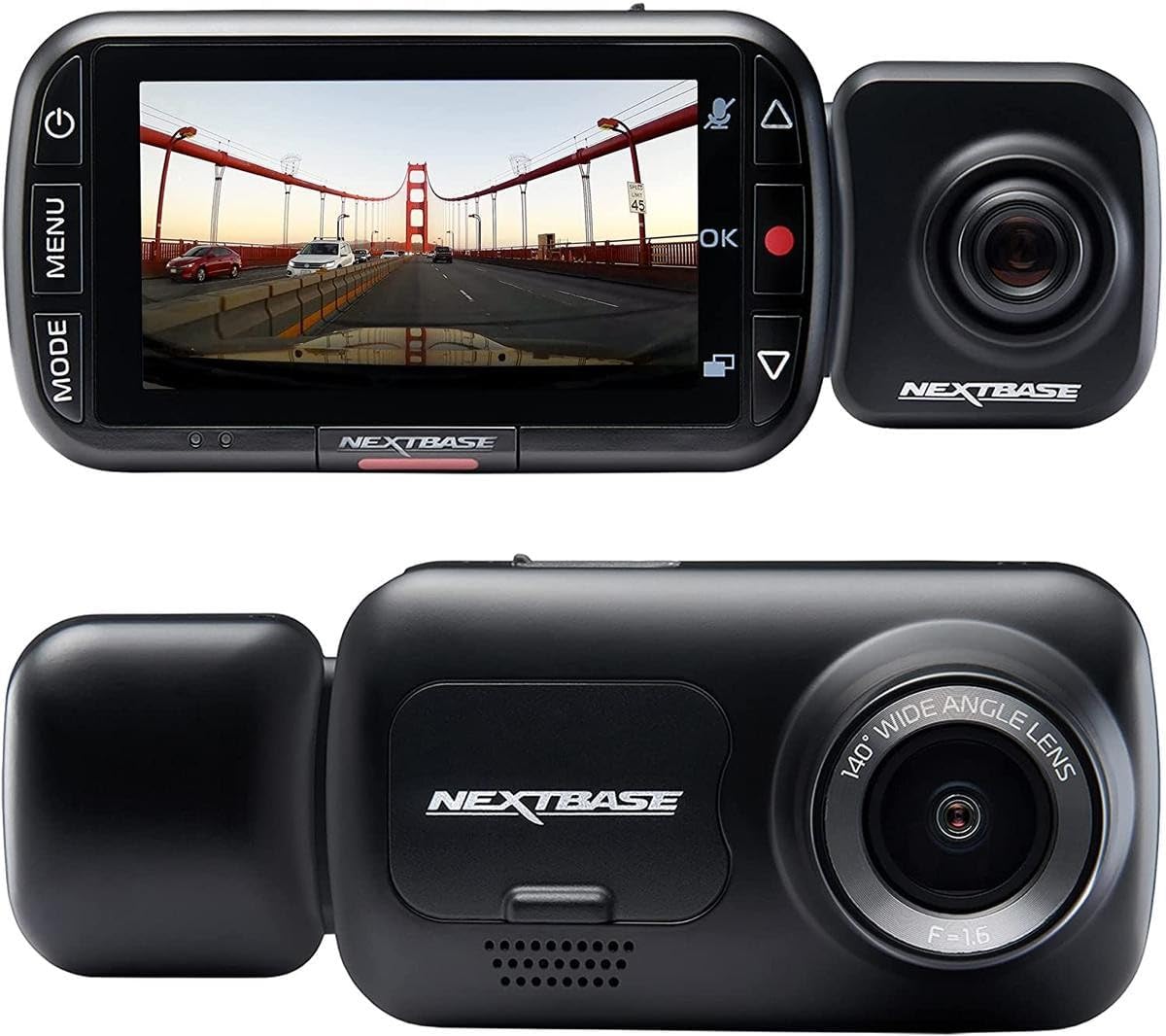
Image: The Nextbase 222x Dash Cam, showcasing its main unit with a display showing a road scene and the detachable rear camera module.
Contenuto della confezione
Prima di procedere con l'installazione, verifica che tutti gli elementi siano presenti nella confezione:
- Nextbase 222x Front Dash Cam Unit
- Nextbase Rear Camera Module (if purchased as a bundle)
- Click&Go PRO Powered Car Mount
- Cavo di alimentazione (caricabatteria da auto)
- Cavo USB
- Manuale dell'utente (questo documento)
- Adhesive Mount (optional, may be included)
- Suction Cup Mount (optional, may be included)
Note: A MicroSD card is required for operation and is sold separately. For optimal performance, Nextbase recommends using a U3 or V30 rated MicroSD card specifically designed for dash cam use.
Configurazione e installazione
1. Inserimento della scheda MicroSD
- Assicurarsi che la dash cam sia spenta.
- Individuare lo slot per la scheda MicroSD sul lato della dash cam.
- Inserire la scheda MicroSD con i contatti dorati rivolti verso la parte anteriore della fotocamera finché non scatta in posizione.
- Per rimuoverla, spingere delicatamente la scheda finché non scatta, quindi rilasciarla per espellerla.
2. Montaggio della Dash Cam
The Nextbase 222x uses a Click&Go PRO Powered Car Mount for easy installation and removal.
- Clean the chosen area on your windshield thoroughly. Ensure it is free from dust and grease.
- Attach the Click&Go PRO mount to the windshield. For suction cup mounts, press firmly and flip the lever to secure. For adhesive mounts, peel the protective film and press firmly for 30 seconds.
- Slide the Nextbase 222x Dash Cam onto the Click&Go PRO mount until it clicks securely into place.
- Regolare l'angolazione della telecamera per garantire una visione chiara view of the road ahead, centered on the horizon.

Image: The Nextbase 222x Dash Cam connected to its magnetic mount, illustrating the ease of attachment.
3. Collegamento all'alimentazione
- Connect the provided power cable to the Click&Go PRO mount.
- Plug the other end of the power cable into your vehicle's 12V power socket (cigarette lighter socket).
- Route the cable neatly around your windshield and dashboard to avoid obstructing your view o interferire con i comandi di guida.
4. Installing the Rear Camera (Optional)
If you have the Nextbase Rear Camera Module, it easily connects to the main unit.
- Ensure the main dash cam unit is powered off.
- Align the rear camera module with the port on the side of the main dash cam unit.
- Gently push the rear camera module into the port until it is securely connected.
- The rear camera will automatically begin recording when the main unit is powered on.
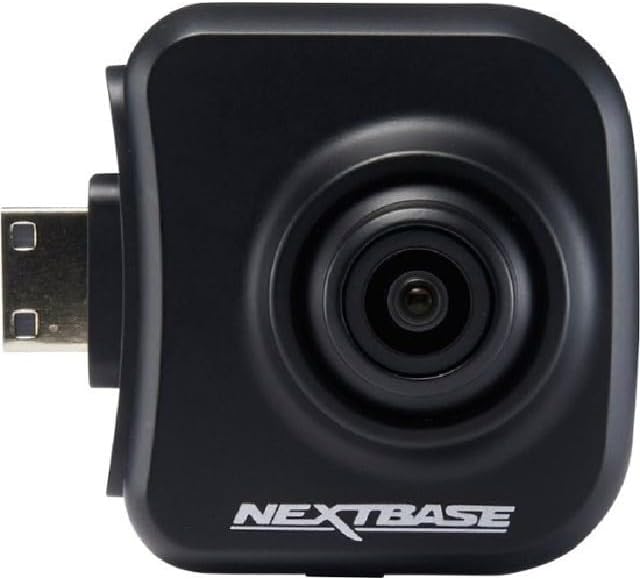
Image: The Nextbase Rear Camera Module, designed to plug directly into the main dash cam unit for dual-view registrazione.
Istruzioni per l'uso
Accensione/spegnimento
- The dash cam will automatically power on and begin recording when your vehicle's ignition is turned on and power is supplied to the 12V socket.
- Si spegnerà automaticamente poco dopo lo spegnimento del motore.
- To manually power on/off, press and hold the Power button (usually located on the side or top of the unit).
Modalità di registrazione
- Registrazione continua: The dash cam records in seamless loops, overwriting the oldest unprotected filequando la scheda MicroSD è piena.
- Sensore G (registrazione di emergenza): In the event of an impact or sudden braking, the built-in G-Sensor will automatically detect the event and protect the current recording segment from being overwritten. This file will be saved in a separate 'Protected' folder on the MicroSD card.
- Intelligent Parking Mode: When your vehicle is parked and the ignition is off, the dash cam will enter parking mode. If any physical movement or impact is detected, it will automatically record for a short period to capture the event.
Navigazione nei menu
Use the buttons on the dash cam (typically 'Menu', 'Up', 'Down', 'OK') to navigate through settings and playback options on the 2.5" high-resolution IPS screen.

Image: The Nextbase 222x Dash Cam's user interface, showing the screen and control buttons for menu navigation.
Riproduzione e File Gestione
- Riproduzione sul dispositivo: Access the 'Playback' menu on the dash cam to review recorded videos directly on the screen.
- Riproduzione da computer: Remove the MicroSD card and insert it into a computer's card reader. Use a compatible media player (e.g., VLC Media Player) to view il video files. Nextbase also offers desktop software for enhanced viewing and data analysis.
- File Protezione: During recording, press the 'Protect' button (often indicated by a key icon) to manually protect the current recording segment from being overwritten.
Manutenzione
- Formattazione della scheda MicroSD: It is recommended to format your MicroSD card regularly (e.g., once a month) using the dash cam's menu. This helps maintain card health and prevents data corruption. La formattazione cancellerà tutti i dati sulla scheda, quindi esegui il backup di tutti i dati importanti fileè il primo.
- Pulizia delle lenti: Gently clean the camera lens with a soft, lint-free cloth. Avoid abrasive materials or harsh chemicals.
- Aggiornamenti del firmware: Periodically check the Nextbase website for firmware updates. Keeping your dash cam's firmware up-to-date ensures optimal performance and access to new features.
- Considerazioni sulla temperatura: Avoid exposing the dash cam to extreme temperatures for prolonged periods. Remove the dash cam from the mount and store it in a cool, dry place when not in use, especially in hot climates.
Risoluzione dei problemi
| Problema | Possibile causa | Soluzione |
|---|---|---|
| La dash cam non si accende. | No power supply; faulty cable; vehicle's 12V socket issue. | Check power cable connection. Test 12V socket with another device. Try a different power cable if available. |
| La registrazione si interrompe o si blocca. | MicroSD card issue (slow speed, full, corrupted); firmware issue. | Format the MicroSD card. Try a new, high-speed (U3/V30) MicroSD card. Update firmware. |
| Scarsa qualità video. | Lente sporca; impostazioni errate; condizioni di scarsa illuminazione. | Clean the lens. Check video resolution settings in the menu. Ensure windshield is clean. |
| Il sensore G è troppo sensibile/non abbastanza sensibile. | Impostazione della sensibilità del sensore G. | Adjust G-Sensor sensitivity in the dash cam settings menu. |
| Rear camera not detected. | Loose connection; faulty rear camera. | Ensure the rear camera module is securely connected to the main unit. Restart the dash cam. |
If you encounter issues not listed here or if the suggested solutions do not resolve the problem, please refer to the official Nextbase support resources.
Specifiche
| Caratteristica | Dettaglio |
|---|---|
| Nome del modello | Nextbase 222X Front and Rear Wireless Dash Cam |
| Numero di modello | NBDVR222X |
| Risoluzione della fotocamera frontale | 1080p HD at 30fps |
| Risoluzione della telecamera posteriore | 720p HD (when connected) |
| Viewangolo di ing | 140 gradi |
| Dimensioni dello schermo | IPS da 2.5 pollici |
| Tipo di montaggio | Click&Go PRO Powered Magnetic Mount |
| Caratteristiche speciali | Intelligent Parking Mode, G-Sensor, Loop Recording, Blind Spot Detection |
| Connettività | USB |
| Dimensioni (prodotto) | 1.81 x 3.23 x 1.81 pollici |
| Peso dell'articolo | 14.1 once |
| Batteria | 1 batteria agli ioni di litio (inclusa) |
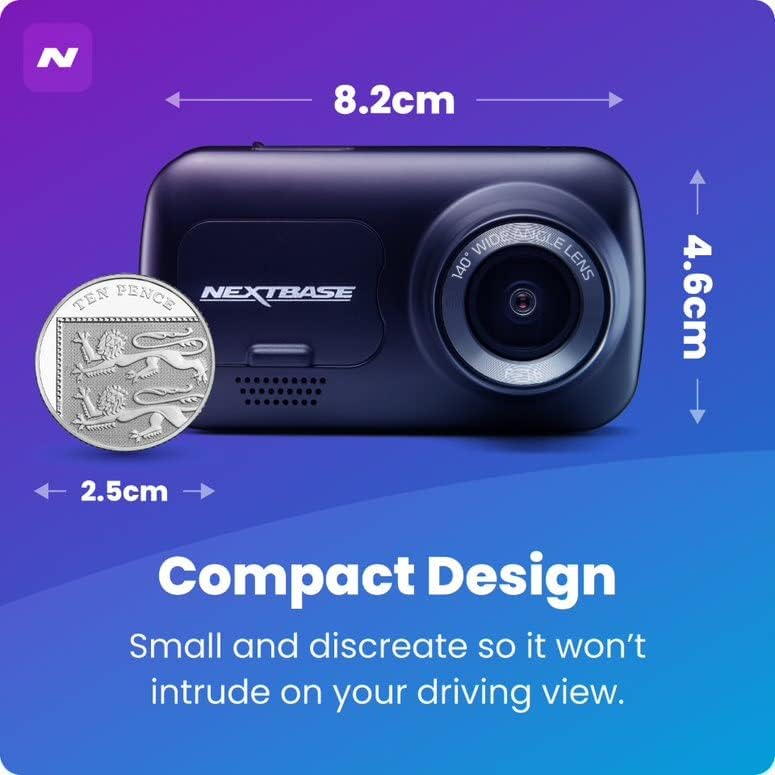
Image: A visual representation of the Nextbase 222x Dash Cam's compact design, showing its approximate dimensions.
Garanzia e supporto
Specific warranty details for your Nextbase 222x Dash Cam are typically provided with your purchase documentation or can be found on the official Nextbase websito. Conservare la prova d'acquisto per eventuali reclami in garanzia.
For technical support, firmware updates, or further assistance, please visit the official Nextbase support page or contact their customer service directly. Contact information is usually available on the manufacturer's websito.
Note: This manual does not contain specific warranty periods or direct contact information as these may vary by region and are subject to change. Always refer to the manufacturer's official resources for the most current information.
Ask a question about this manual
Ask about setup, troubleshooting, compatibility, parts, safety, or missing instructions. Manuals+ will review the question and use this page’s manual context to help answer it.