
1. Introduzione
Thank you for choosing the Hom-io HOM-Mod-Switch 1-Channel WiFi Smart Switch Module. This device allows you to transform traditional lighting points or electrical appliances into smart, wirelessly controlled devices. With its versatile features, you can enhance the control and management of your home appliances, integrating them seamlessly into your smart home ecosystem.
This manual provides detailed instructions for the safe installation, setup, and operation of your smart switch module. Please read it thoroughly before use and retain it for future reference.
2. Informazioni sulla sicurezza
AVVERTENZA: rischio di scosse elettriche!
- L'installazione deve essere eseguita da un elettricista qualificato o da una persona con una conoscenza approfondita degli impianti elettrici.
- Prima di installare o effettuare la manutenzione del modulo, scollegare sempre l'alimentazione dall'interruttore automatico.
- Assicurarsi che tutti i collegamenti elettrici siano sicuri e conformi alle normative elettriche locali.
- Non superare il carico massimo nominale di 10 A / 2300 W.
- This device is designed for indoor use in dry locations (IP20). Do not expose to moisture or extreme temperatures.
- Tenere fuori dalla portata dei bambini.
3. Prodotto finitoview
The Hom-io HOM-Mod-Switch is a compact, embedded WiFi switch module designed to convert traditional switches and appliances into smart devices. It supports both high and low voltage loads up to 10 Ampere.

Figura 3.1: Fronte view of the Hom-io HOM-Mod-Switch module, showing its compact design and terminals.
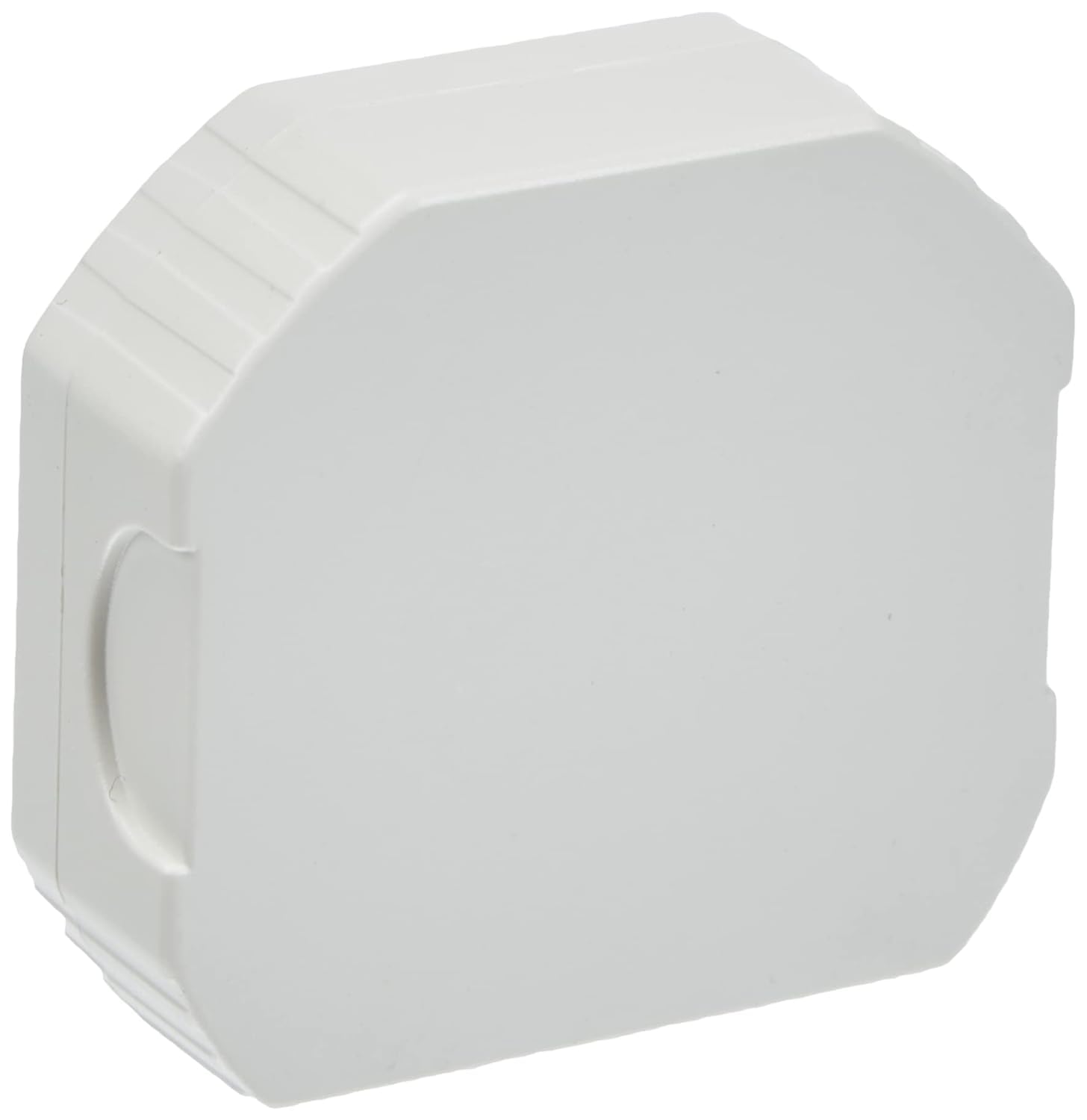
Figure 3.2: Diagram illustrating key features of the Hom-io Smart Switch Module, including remote control, adjustable timer, operating temperature, and electrical ratings.
Caratteristiche principali:
- Controllo intelligente: Control lighting and electrical appliances via smartphone app or traditional switch.
- Alta compatibilità: Funziona con Amazon Alexa e Google Home per il controllo vocale.
- Accesso remoto: Control devices from anywhere using the Smart Life app (or Hom-io app).
- Pianificazione avanzata: Create custom scenarios, countdown timers, circular timers, and step-by-step modes.
- Memoria di spegnimento: Configurable behavior after a power outage.
- Design compatto: Fits into standard embedded junction boxes (Ø60 mm).
4. Specifiche
| Numero di modello | HOM-Mod-Switch |
| Ingresso volumetage | 230 V~/50 Hz |
| Max corrente | 10 A |
| Potenza massima | 2300 L |
| Connettività wireless | Wi-Fi 2.4 GHz 802.11 b/g/n |
| Temperatura di esercizio | da 0°C a 40°C |
| Umidità di esercizio | ≤ 80% |
| Grado di protezione IP | IP20 (solo per uso interno) |
| Dimensioni (L x P x A) | 51 x 17 x 47 mm (circa 2 x 5 x 5 cm) |
| Peso | 50 grammi |
| Materiale | Rame (componenti interni) |
| Tipo di interruttore | 1-way, Embedded |
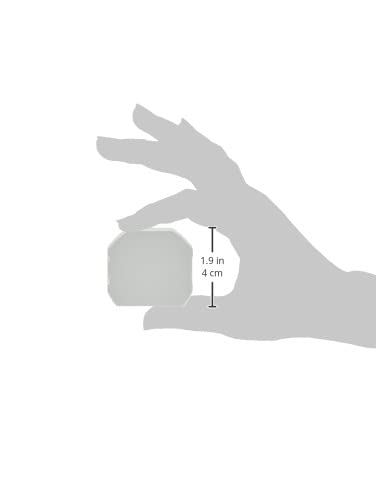
Figure 4.1: Visual representation of the module's dimensions.
5. Installazione (configurazione)
Before proceeding with installation, ensure you have read and understood the safety information in Section 2. This module is designed to be installed inside a standard electrical junction box (e.g., Ø60 mm).
Schema elettrico:
The module has terminals for Line (L), Neutral (N), Switch Input (L1), and Output (OUT). Refer to the diagram below for typical wiring configurations.

Figura 5.1: Indietro view of the module, highlighting the wiring terminals (L, N, L1, OUT).
- Spegnimento dell'alimentazione: Locate the circuit breaker controlling the light or appliance you wish to automate and turn off the power. Verify that the power is off using a voltagetester.
- Access Junction Box: Open the electrical junction box where the traditional switch or appliance wiring is located.
- Collegare i fili:
- Collegare il Dal vivo (L) wire from your mains supply to the 'L' terminal on the module.
- Collegare il Neutro (N) wire from your mains supply to the 'N' terminal on the module.
- Collegare il Load (OUT) wire (going to your light or appliance) to the 'OUT' terminal on the module.
- If using a traditional wall switch, connect one terminal of the switch to the 'L1' terminal on the module and the other terminal of the switch to the 'L' terminal (Live). This allows for both smart and manual control.
- Modulo sicuro: Carefully place the module inside the junction box, ensuring no wires are pinched.
- Ripristina alimentazione: Close the junction box cover and turn the power back on at the circuit breaker.
After installation, the module is ready for app setup and pairing.
6. Configurazione e associazione dell'app
The Hom-io HOM-Mod-Switch module is compatible with the Hom-io app, which is based on the Smart Life platform. No separate hub is required.

Figure 6.1: The Hom-io app interface, demonstrating compatibility with Amazon Alexa and Google Home.
- Scarica l'App: Download the "Hom-io" app from the Apple App Store (for iOS) or Google Play Store (for Android). Alternatively, you can use the "Smart Life" app.
- Registrati/Accedi: Apri l'app e registrati per un nuovo account oppure accedi se ne hai già uno.
- Aggiungi dispositivo:
- Ensure your smartphone is connected to a 2.4 GHz Wi-Fi network. The module does not support 5 GHz Wi-Fi.
- In the app, tap the "+" icon (usually in the top right corner) to add a new device.
- Selezionare "Interruttore elettrico" o "Interruttore (Wi-Fi)" dall'elenco dei dispositivi.
- Entra in modalità di associazione:
- With the power on, press and hold the traditional wall switch connected to the module for approximately 5-10 seconds until the indicator light on the module starts blinking rapidly. This indicates it's in pairing mode.
- Alternatively, if there's a physical button on the module, press and hold it.
- Conferma lampeggiante: Nell'app, verifica che la spia lampeggi rapidamente.
- Inserisci i dettagli Wi-Fi: Inserisci il nome e la password della tua rete Wi-Fi a 2.4 GHz.
- Collegare: The app will begin searching for and connecting to the module. Once connected, you can rename the device and assign it to a room.
If pairing fails, ensure your Wi-Fi network is 2.4 GHz, the password is correct, and the module is within Wi-Fi range. You may need to reset the module by turning off and on the power three times (on-off-on-off-on) to force it into pairing mode.
7. Funzionamento
7.1 Controllo manuale
You can continue to control the connected light or appliance using the traditional wall switch, even after the smart module is installed and paired. The module maintains synchronization between manual and app control.
7.2 Controllo dell'app
Open the Hom-io (or Smart Life) app on your smartphone. Tap on the device name to access its control interface. From here, you can:
- Attiva/disattiva: Toggle the power of the connected device.
- Imposta timer: Schedule specific times for the device to turn on or off (countdown, circular timer).
- Crea scenari: Automate actions based on conditions like time of day, weather, or other smart devices.
- Modalità passo dopo passo: Manually force an impulsive mode via the app for specific applications (e.g., gate openers).
- Memoria di spegnimento: Configura lo stato del dispositivo dopo uno spegnimentotage (e.g., remain off, turn on, or restore last state).

Figure 7.1: Remote control of a smart gate using the Hom-io app on a smartphone.
7.3 Controllo vocale (Alexa e Google Home)
To enable voice control, you need to link your Hom-io (or Smart Life) account with your Amazon Alexa or Google Home account.
- Apri l'app Assistente vocale: Apri l'app Amazon Alexa o l'app Google Home.
- Add Skill/Service:
- For Alexa: Go to "Skills & Games" and search for "Smart Life" or "Hom-io". Enable the skill.
- For Google Home: Go to "Works with Google" and search for "Smart Life" or "Hom-io". Link the service.
- Collega account: You will be prompted to log in with your Hom-io/Smart Life app credentials.
- Scopri i dispositivi: Once linked, ask your voice assistant to discover devices (e.g., "Alexa, discover my devices" or "Hey Google, sync my devices").
- Comandi vocali: You can now control your module using voice commands, such as:
- "Alexa, accendi [Nome dispositivo]"
- "Ehi Google, disattiva [Nome dispositivo]"
8. Risoluzione Dei Problemi
| Problema | Possibile causa | Soluzione |
|---|---|---|
| Il modulo non si associa all'app. | Incorrect Wi-Fi band (5GHz), wrong password, module not in pairing mode, weak signal. | Ensure 2.4 GHz Wi-Fi. Check password. Reset module (power cycle 3 times) to enter pairing mode. Move router closer or use a Wi-Fi extender. |
| Device not responding to app/voice commands. | No internet connection, module offline, voice assistant not linked. | Check home internet connection. Verify module status in app. Relink Smart Life/Hom-io skill/service in Alexa/Google Home app. |
| Traditional switch not working. | Incorrect wiring of the L1 terminal. | Review Section 5 (Installation) and check wiring connections, especially for the L1 terminal. Ensure power is off before checking wiring. |
| Module frequently disconnects. | Weak Wi-Fi signal, network interference, router issues. | Improve Wi-Fi signal strength. Reduce interference from other devices. Restart your Wi-Fi router. |
9. Manutenzione
The Hom-io HOM-Mod-Switch module requires minimal maintenance.
- Pulizia: Ensure the power is off before cleaning. Use a soft, dry cloth to wipe the exterior of the module if it becomes dusty. Do not use liquid cleaners or sprays.
- Aggiornamenti del firmware: Periodically check the Hom-io (or Smart Life) app for available firmware updates. Updates can improve performance and add new features.
- Condizioni ambientali: Ensure the module remains in a dry environment within the specified operating temperature and humidity ranges.
10. Garanzia e supporto
This product is manufactured by Melchioni under the Hom-io brand.
Per informazioni sulla garanzia e assistenza tecnica, consultare la documentazione fornita con l'acquisto o contattare il rivenditore. Conservare la prova d'acquisto per eventuali reclami in garanzia.
Produttore: Melchioni SpA
Indirizzo: Via P. Colletta 37, 20135 Milano, Italy
Telefono: +39 02 49488000