
Ticwatch TicPods 2 Pro Ice
Manuale utente degli auricolari wireless TicPods 2 Pro
Model: TicPods 2 Pro Ice | Brand: Ticwatch
1. Introduzione
The TicPods 2 Pro are advanced true wireless earbuds designed for a seamless audio experience and intuitive control. Featuring Bluetooth 5.0, dual-mic noise cancellation, and smart gesture controls, they offer high-quality sound and convenience for various activities. This manual provides detailed instructions for setup, operation, maintenance, and troubleshooting to ensure optimal use of your earbuds.

Image: TicPods 2 Pro Ice earbuds and their charging case.
2. Cosa c'è nella scatola
- 1 x TicPods 2 Pro Ice Earbuds
- 1 x Stazione di ricarica
- 1 x Manuale d'uso

Image: The package contents, including earbuds, charging dock, and user guide.
3. Guida all'installazione
3.1 Carica iniziale
Before first use, fully charge your TicPods 2 Pro. Place the earbuds into the charging case. Connect the charging case to a power source using the provided Type-C cable. A 5-minute charge provides 1 hour of playing time, and a full charge offers 4 hours of playback, extending to 23 hours with the charging case.
3.2 Associazione con il dispositivo
The TicPods 2 Pro feature quick pairing via Bluetooth 5.0 for a stable connection within 10 meters. Simply open the charging case, and the earbuds will enter pairing mode. Select 'TicPods 2 Pro' from your device's Bluetooth settings.
Video: Demonstrates quick pairing and Bluetooth 5.0 connectivity.
3.3 Mobvoi App Installation
For enhanced features and to ensure optimal performance, install the Mobvoi app on your smartphone. The app allows for OTA updates, smart control customization, and battery life monitoring.

Image: Screenshot of the Mobvoi app interface, showing device connection and features.
4. Istruzioni per l'uso
4.1 Controlli intelligenti
The TicPods 2 Pro offer various intuitive control methods:
- Tickle Feature: Control playback and calls without taking out your smartphone.
- Doppio click: Play the next song or hang up a call.
- Tenere premuto (2 secondi): Wake up voice assistant or reject a call.
- Scorri verso l'alto/verso il basso: Aumentare o diminuire il volume.
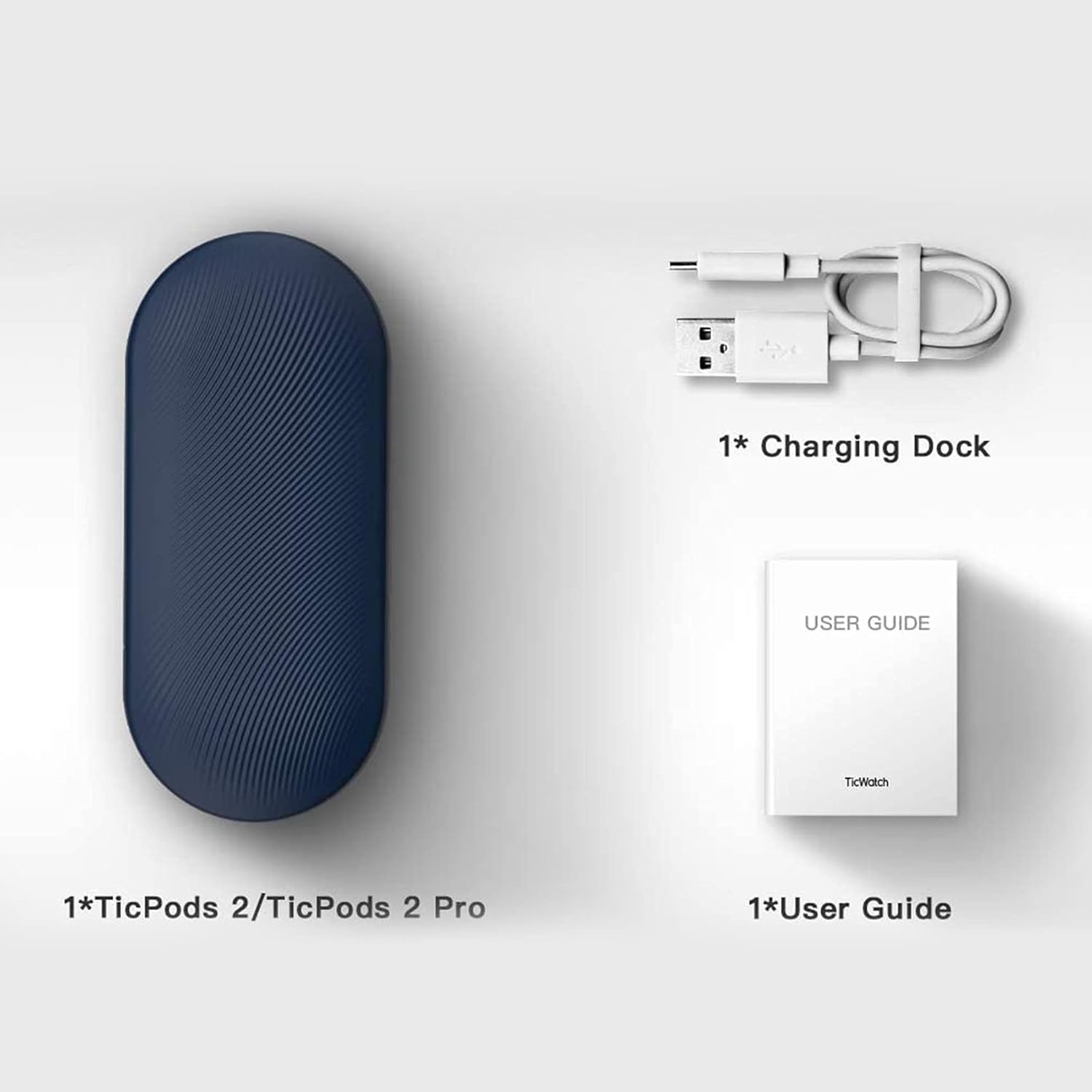
Image: A person demonstrating interaction with the earbuds, highlighting AI human-machine interaction.
4.2 Head Gesture Controls
Answer or reject calls with simple head movements:
- Nod Twice: Pick up an incoming call.
- Shake Head: Rifiuta una chiamata in arrivo.
4.3 Quick Commands
Use voice commands for common actions without a wake word:
- Say "Play music" to start playback.
- Say "Hey Tico" to activate your default voice assistant.
4.4 Rilevamento in-ear
High-precision sensors automatically play or pause music the moment you wear or remove the earbuds.
4.5 Qualità audio
Experience superior sound with 13mm moving coils. The earbuds support Hi-Fi protocols such as aptX and AAC, delivering an audio sensitivity of 132dB@1kHZ for an immersive listening experience.

Image: Diagram illustrating the dual-mic system for noise cancellation.
4.6 Resistenza all'acqua
The TicPods 2 Pro are IPX4 rated, providing protection against splashes and sweat, making them suitable for workouts and outdoor activities.
5. Manutenzione
To ensure the longevity and optimal performance of your TicPods 2 Pro, follow these maintenance guidelines:
- Pulizia: Pulisci regolarmente gli auricolari e la custodia di ricarica con un panno morbido, asciutto e privo di lanugine. Evita di utilizzare materiali abrasivi o sostanze chimiche aggressive.
- Magazzinaggio: Quando non li usi, riponi gli auricolari nella loro custodia di ricarica per proteggerli da polvere e danni. Conservali in un luogo fresco e asciutto, lontano da temperature estreme.
- Contatti di ricarica: Periodically check and gently clean the charging contacts on both the earbuds and inside the case to ensure a proper connection.
6. Risoluzione Dei Problemi
If you encounter issues with your TicPods 2 Pro, refer to the following common solutions:
- Gli auricolari non si associano: Ensure both earbuds are in the charging case, then open the lid to activate pairing mode. Check your device's Bluetooth settings and forget previous connections if necessary.
- Nessun suono da un auricolare: Riponi entrambi gli auricolari nella custodia di ricarica, chiudi il coperchio, attendi qualche secondo, quindi riaprilo. Spesso, questo li sincronizza nuovamente.
- Problemi di ricarica: Verify that the charging cable and adapter are working correctly. Clean the charging contacts on the earbuds and case to remove any debris.
- I controlli non rispondono: Ensure the earbuds are properly seated in your ears. Try restarting the earbuds by placing them in the case and taking them out again.
- Aggiornamenti software: Regularly check for and install the latest firmware updates via the Mobvoi app to resolve potential bugs and improve performance.
For persistent issues, please contact Ticwatch customer support.
7. Specifiche
| Caratteristica | Specificazione |
|---|---|
| Nome del modello | TicPods 2 Pro Ice |
| Tecnologia di connettività | Senza fili (Bluetooth 5.0) |
| Portata Bluetooth | 10 metri |
| Livello di resistenza all'acqua | IPX4 (impermeabile) |
| Durata della batteria (carica singola) | 4 ore |
| Durata della batteria (con custodia di ricarica) | 23 ore |
| Dimensioni del driver audio | 13 millimetri |
| Sensibilità | 132 dB |
| Tipo di controllo | Tocco, Assistente vocale |
| Peso dell'articolo | 6.4 once |
| Dimensioni del prodotto | 2.8 x 1.26 x 0.94 pollici |

Image: Diagram illustrating key technical specifications of the TicPods 2 Pro.
8. Garanzia e supporto
Ticwatch offers a replacement for quality-related issues for 12 mesi from the date of your purchase. You can extend this by an additional 6 months (total 18 months) by joining the Mobvoi membership program at mobvoi.com/membership.
For further assistance or to report issues, please visit the official Ticwatch support websito o contattare il loro servizio clienti.
Ask a question about this manual
Ask about setup, troubleshooting, compatibility, parts, safety, or missing instructions. Manuals+ will review the question and use this page’s manual context to help answer it.