
NETVUE Vigil
NETVUE Vigil Outdoor Security Camera User Manual
Model: Vigil | Brand: NETVUE
1. Introduzione
The NETVUE Vigil Outdoor Security Camera is designed to provide reliable surveillance for your property. Featuring 1080p Full HD video, advanced night vision, two-way audio communication, and smart motion detection, this camera ensures comprehensive monitoring day and night. Its robust, weather-resistant design allows for outdoor installation in various conditions.

Image: The NETVUE Vigil camera provides clear 1080p video both during the day and at night, as illustrated by the comparison of a driveway scene.
2. Contenuto della confezione
Si prega di verificare che tutti gli articoli siano presenti nel pacco:
- NETVUE Vigil Outdoor Security Camera
- Adattatore di alimentazione
- Viti di montaggio e tasselli a parete
- Modello di montaggio
- Manuale dell'utente (questo documento)
3. Configurazione e installazione
3.1 Prima dell'installazione
- Ensure your Wi-Fi network operates on the 2.4GHz band. The camera does not support 5GHz Wi-Fi.
- Position the camera within range of your Wi-Fi router for a stable connection. The camera features an enhanced 5dBi antenna for improved signal strength.
- Prepare a power outlet near the intended installation location.
3.2 Installazione fisica
The NETVUE Vigil camera can be mounted on a wall or ceiling/roof. Choose a location that provides the desired viewing angle and is within reach of a power source.
- Use the provided mounting template to mark drill holes on the desired surface.
- Se si monta su muratura, praticare dei fori e inserire i tasselli a muro.
- Secure the camera's mounting base using the screws.
- Regola l'angolazione della telecamera secondo necessità.
- Collegare l'adattatore di alimentazione alla fotocamera e inserirlo in una presa di corrente.

Image: The NETVUE Vigil camera offers flexible installation options for both wall and roof mounting.

Image: The camera features a 5dBi antenna designed for a more stable Wi-Fi connection.
3.3 Configurazione dell'app
- Download the 'Netvue' app from your mobile device's app store (iOS or Android).
- Crea un nuovo account o accedi se ne hai già uno.
- Follow the in-app instructions to add your new NETVUE Vigil camera. This typically involves scanning a QR code on the camera or manually entering its details.
- Collega la telecamera alla rete Wi-Fi a 2.4 GHz come richiesto dall'app.
4. Utilizzo della fotocamera
4.1 Vivere View e accesso remoto
Access your camera's live feed anytime, anywhere through the Netvue app on your smartphone or tablet. You can also integrate the camera with Amazon Alexa for voice control and viewsu dispositivi compatibili.
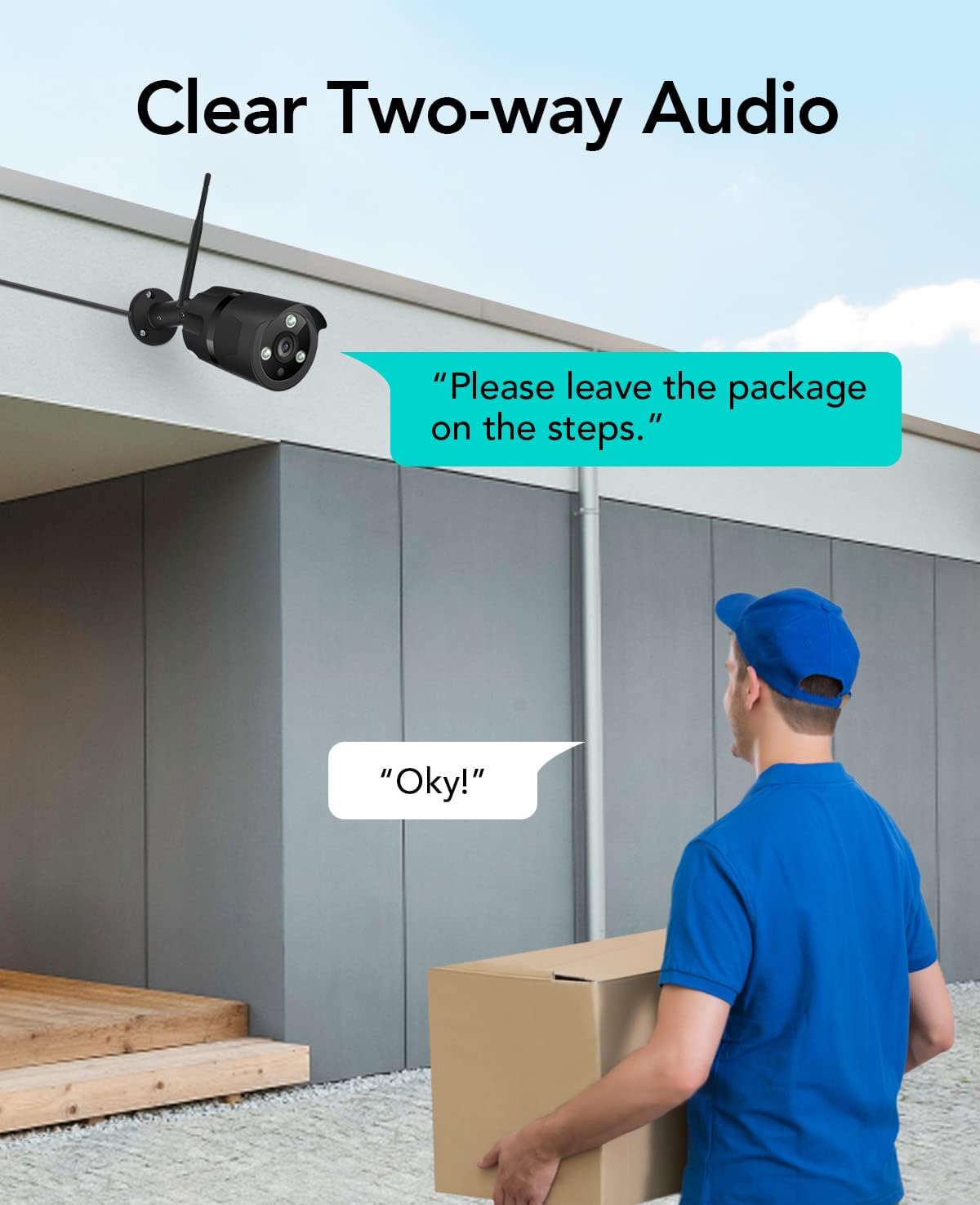
Image: The NETVUE Vigil camera is compatible with Amazon Alexa, allowing you to view the live feed on devices like the Echo Show.
4.2 Audio bidirezionale
The built-in microphone and speaker allow for two-way communication. Use this feature to speak with visitors or deter unwanted guests directly through the Netvue app.

Image: Engage in clear two-way audio communication with individuals near your camera, such as a delivery person.
4.3 Rilevamento del movimento e avvisi
The camera features smart motion detection. When motion is detected, you will receive instant notifications on your mobile phone. You can customize motion detection zones, sensitivity levels, and alert schedules within the Netvue app to focus on areas of importance.

Image: The camera sends smart motion alerts to your phone when activity is detected, as shown with a person at a door.
4.4 Visione notturna
Equipped with infrared LEDs and IR-Cut technology, the camera automatically switches to night vision mode in low-light conditions, providing clear video up to 19.8 meters (65 feet) in complete darkness.
4.5 Archiviazione video
The NETVUE Vigil camera supports two storage options:
- Archiviazione locale: Insert a microSD card (up to 128GB, not included) into the camera for continuous recording or event-triggered recordings. You can view playback directly from the Netvue app.
- Archiviazione cloud: Optional cloud storage plans are available through the Netvue app for secure, off-site video backup and advanced AI features like person/vehicle detection. Subscription fees apply for cloud services.

Image: The camera supports both local storage via an SD card and optional cloud storage for video recordings.
5. Manutenzione
- Pulizia: Pulisci periodicamente l'obiettivo della fotocamera con un panno morbido e asciutto per garantire una qualità dell'immagine nitida. Non utilizzare prodotti chimici aggressivi.
- Aggiornamenti del firmware: Keep your camera's firmware updated through the Netvue app to ensure optimal performance and access to new features.
- Verifica della connessione: Regularly verify the camera's Wi-Fi connection status in the app to ensure continuous operation.
6. Risoluzione Dei Problemi
6.1 La fotocamera non si connette al Wi-Fi
- Assicurati che la tua rete Wi-Fi sia a 2.4 GHz.
- Controlla se la telecamera si trova nel raggio di azione del router.
- Verificare che la password Wi-Fi inserita nell'app sia corretta.
- Riavvia il router e la telecamera.
6.2 Scarsa qualità dell'immagine
- Pulisci l'obiettivo della fotocamera.
- Assicurare un'illuminazione sufficiente per una visione ottimale durante il giorno.
- Controlla la velocità della tua connessione Internet.
6.3 No Motion Alerts
- Verify motion detection is enabled in the Netvue app.
- Check motion detection zone settings and sensitivity.
- Assicurati che le notifiche delle app siano abilitate sul tuo telefono.
For further assistance, please refer to the support section or contact NETVUE customer service.
7. Specifiche
| Caratteristica | Specificazione |
|---|---|
| Numero di modello | Veglia |
| Risoluzione video | 1080p (1920 x 1080 pixel) |
| Risoluzione del sensore fotografico | 2 MP |
| Gamma di visione notturna | Fino a 19.8 metri (65 piedi) |
| Connettività | Wireless (2.4GHz Wi-Fi), Ethernet |
| Resistenza alle intemperie | IP66 (impermeabile) |
| Temperatura di esercizio | -15.6 °C to 50.0 °C (-20 °C to 50 °C) |
| Fonte di alimentazione | AC |
| Dispositivi compatibili | Smartphone (iOS/Android), Amazon Alexa |
| Opzioni di archiviazione | Scheda MicroSD (fino a 128 GB), archiviazione cloud (abbonamento richiesto) |
| Dimensioni | Dimensioni: 20.1 x 12.4 x 8.1 cm |
8. Garanzia e supporto
NETVUE products come with a limited warranty. Please refer to the warranty card included in your package or visit the official NETVUE websito per termini e condizioni di garanzia dettagliati.
For technical support, product inquiries, or warranty claims, please contact NETVUE customer service through their official website or the contact information provided in the Netvue app. Our support team is available to assist you with any questions or issues you may encounter.
Risorse online:
- Official NETVUE Websito: www.netvue.com
- Netvue App: Available on Apple App Store and Google Play Store
Ask a question about this manual
Ask about setup, troubleshooting, compatibility, parts, safety, or missing instructions. Manuals+ will review the question and use this page’s manual context to help answer it.