
Introduzione
This manual provides detailed instructions for the operation and maintenance of your BOBLOV W1 Body Worn Camera. The W1 is a compact and lightweight recording device designed for various applications, featuring high-definition video recording, night vision capabilities, and Wi-Fi connectivity for convenient file management. Please read this manual thoroughly before using the device to ensure proper functionality and longevity.
Prodotto finitoview e componenti
The BOBLOV W1 Body Worn Camera is designed for portability and ease of use. It features a 170-degree wide-angle lens, built-in storage, and a robust design suitable for various environments.
Contenuto della confezione
- Corpo macchina fotografica BOBLOV W1
- Cavo USB
- Clip standard
- Fermaglio per spalla
- Manuale d'uso
Impostare
1. Carica della batteria
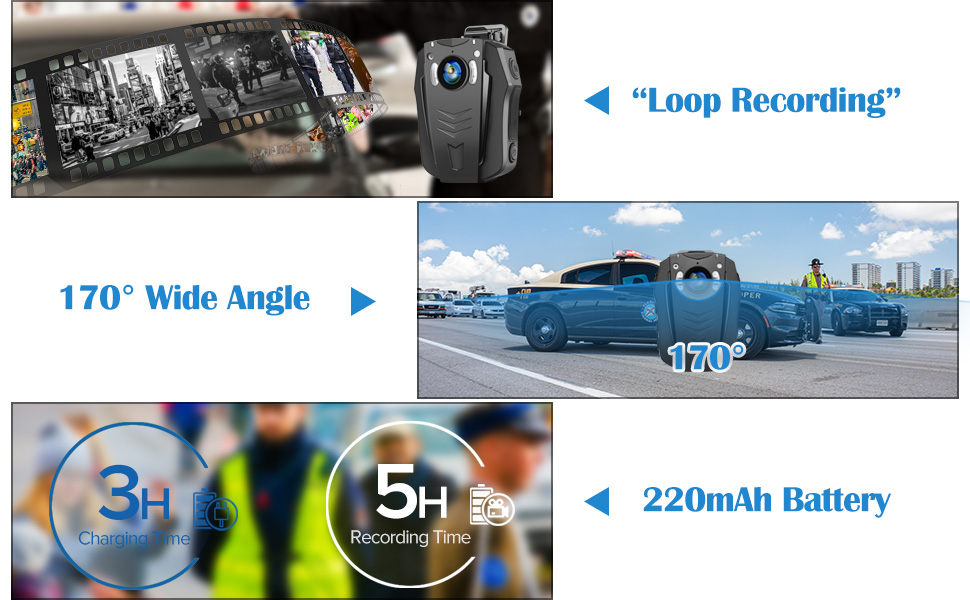
Before initial use, fully charge the camera's built-in 2200mAh rechargeable battery. Connect the camera to a power source using the provided USB cable. A full charge typically takes approximately 3 hours and provides up to 5 hours of video recording time.
2. Montaggio della fotocamera
Attach the desired clip (standard or shoulder) to the camera. The clips are rotatable, allowing for 180-degree and 360-degree adjustments to achieve the optimal recording angle when worn on clothing or gear.
3. Wi-Fi Setup and App Connection
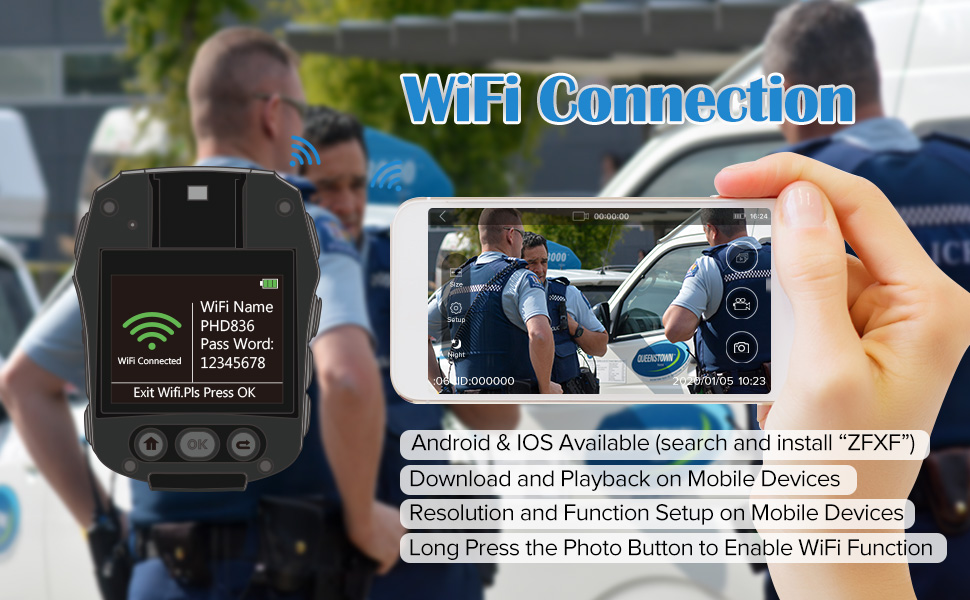
The camera supports Wi-Fi connectivity for viewing and managing recordings via a mobile application. Download the official 'ZFXF' app on your smartphone. Follow the in-app instructions to connect your camera to your device's Wi-Fi network. This allows for stable and smooth playback, setup adjustments, and downloading of videos directly to your phone.

Istruzioni per l'uso
1. Accensione/Spegnimento
- Per accendere: tenere premuto il pulsante di accensione finché la spia non si accende.
- Per spegnere: tenere premuto il pulsante di accensione finché la spia non si spegne.
2. Registrazione video
The camera supports multiple video resolutions, including 1296P (1728x1296) at 30fps, 1080P (1920x1080) at 30fps, 720P (1280x720) at 60fps, and 480P (848x480) at 60fps. Press the Video Record button to start recording. Press it again to stop. The recording indicator can be toggled on or off in the settings menu.
3. Acquisizione foto
Press the Photo button to capture still images.
4. Visione notturna
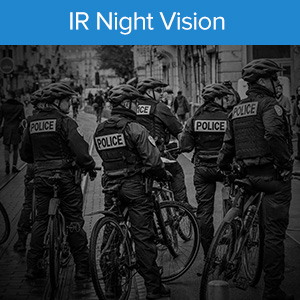
The camera is equipped with 6 built-in infrared night vision lamps to record clear videos in low-light conditions or complete darkness. Night vision can be activated manually or set to automatic mode via the camera settings.

5. Funzionalità avanzate
- Orarioamp: Tutto registrato files include a timestamp that cannot be edited or deleted, ensuring authenticity.
- Registrazione in loop: La telecamera supporta la registrazione in loop, sovrascrivendo automaticamente la registrazione più vecchia filequando lo spazio di archiviazione è pieno.
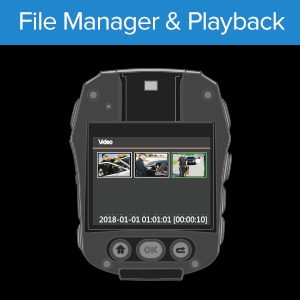
- Pre-recording and Playback: Capture critical moments with pre-recording functionality and review pippotage directly on the device or via the app.
- Dashcam Mode: When connected to a vehicle's power, the camera can automatically start recording when the engine starts and save footage when the engine stops.
- External Power Bank Support: For extended recording times, the camera can be connected to an external power bank.
- Camera ID Setting: Set a unique camera ID for group use or organizational purposes.
Manutenzione
- Pulizia: Utilizzare un panno morbido e asciutto per pulire il corpo macchina e l'obiettivo. Evitare detergenti abrasivi o solventi.
- Magazzinaggio: Conservare la fotocamera in un luogo fresco e asciutto, lontano dalla luce solare diretta e da temperature estreme.
- Cura della batteria: Per prolungare la durata della batteria, evitare di scaricarla completamente frequentemente. Caricare la fotocamera regolarmente, anche se non viene utilizzata per lunghi periodi.
- Gestione dei dati: Regularly transfer important recordings to a computer or external storage to prevent data loss and free up internal memory.
Risoluzione dei problemi
- Camera not turning on or turning off when unplugged: Ensure the battery is fully charged. If the issue persists, the battery may require service.
- Problemi di connessione Wi-Fi: Ensure the 'ZFXF' app is updated to the latest version. Try resetting the camera's Wi-Fi settings and reconnecting. Ensure your phone is within range and there are no strong interferences.
- Recording quality issues: Check lens for smudges or dirt. Ensure sufficient lighting for optimal recording, especially if night vision is not active.
- La fotocamera non è riconosciuta dal computer: Ensure the USB cable is securely connected. Try a different USB port or cable. The camera is plug-and-play for Windows 7/8/10 and Mac.
- Filenon salva: Check if the internal 8GB storage is full. Transfer fileper liberare spazio.
Specifiche
| Caratteristica | Dettaglio |
|---|---|
| Marca | capitoli |
| Nome del modello | W1 (PD70) |
| Tecnologia di connettività | Wifi |
| Caratteristiche speciali | Infrared, Low Light, Night Vision |
| Uso interno/esterno | Interno, Esterno |
| Tipo di controllore | Android (tramite App) |
| Tipo di montaggio | Clip (Rotatable) |
| Fattore di forma | Compatto |
| Tipo di avviso | Solo movimento |
| Sorgente luminosa | Infrarossi |
| Metodo di controllo | App, Pulsanti manuali |
| Fonte di alimentazione | Alimentato a batteria (2200 mAh integrata) |
| Risoluzione di acquisizione video | Up to 1296P (1728x1296) |
| Risoluzione video efficace | 1296 pixel |
| Tipo di messa a fuoco | Messa a fuoco manuale |
| Peso dell'articolo | 64 grammi |
| Tipo di memoria flash | Internal 8GB |
| Formato di acquisizione video | Formato MPEG-4 |
| Visione notturna | Colore notturno (infrarossi) |
| Supporto del sistema operativo | Windows 7/8/10, MAC (Plug and Play) |
Garanzia e supporto
For warranty information and technical support, please refer to the official BOBLOV webo contattare direttamente il servizio clienti. Conservare la ricevuta d'acquisto come prova d'acquisto per eventuali reclami in garanzia.
BOBLOV values customer feedback and strives to improve products based on user experience. For assistance, visit the Negozio BOBLOV su Amazon.