
1. Introduzione
Thank you for choosing the Alomejor Digital Drum Metronome Practice Pad. This device is designed to assist drummers and musicians in developing precise rhythm and tempo. It features a digital LCD screen, multiple practice modes, and an earphone jack for private practice sessions. Please read this manual thoroughly before using the product to ensure proper operation and longevity.
Contenuto della confezione:
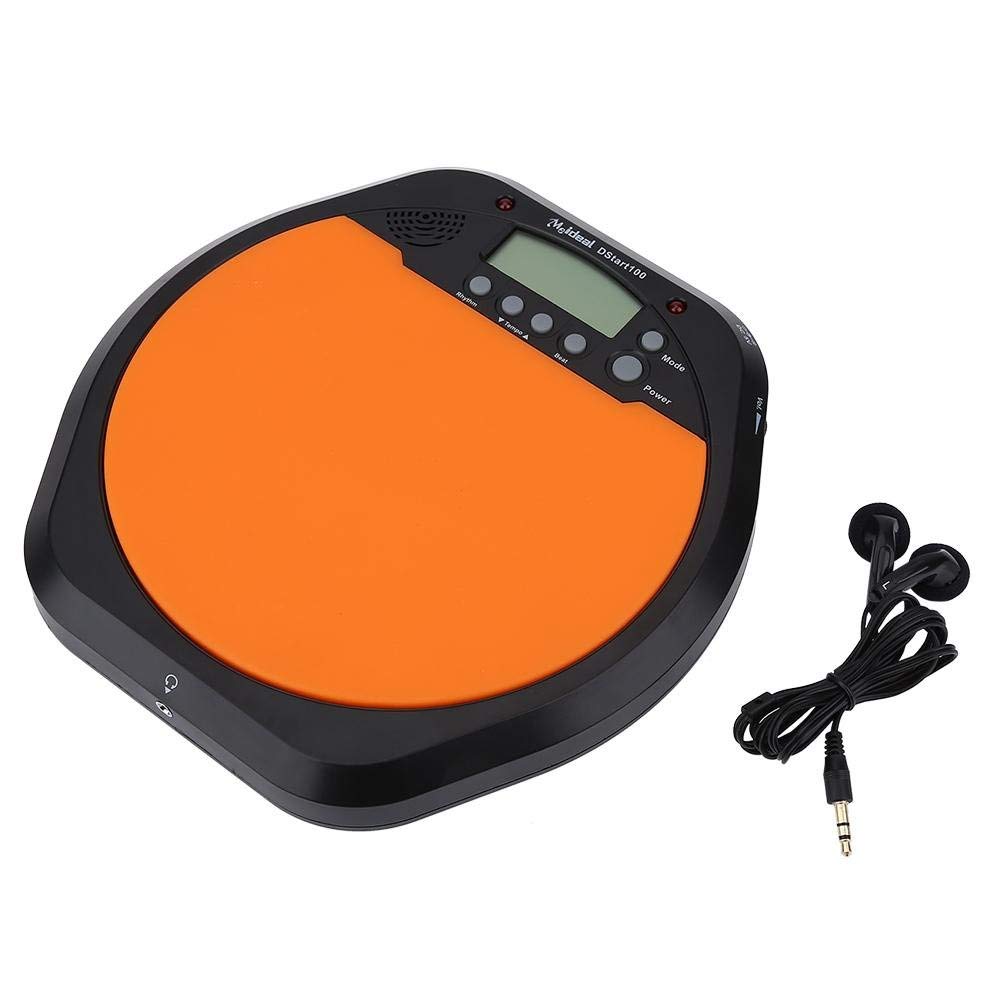
- 1 x Digital Drum Metronome Practice Pad
- 1 x auricolare
- (2 x AAA batteries not included)
2. Caratteristiche del prodotto
- Design multifunzionale: Offers various modes for comprehensive rhythm training.
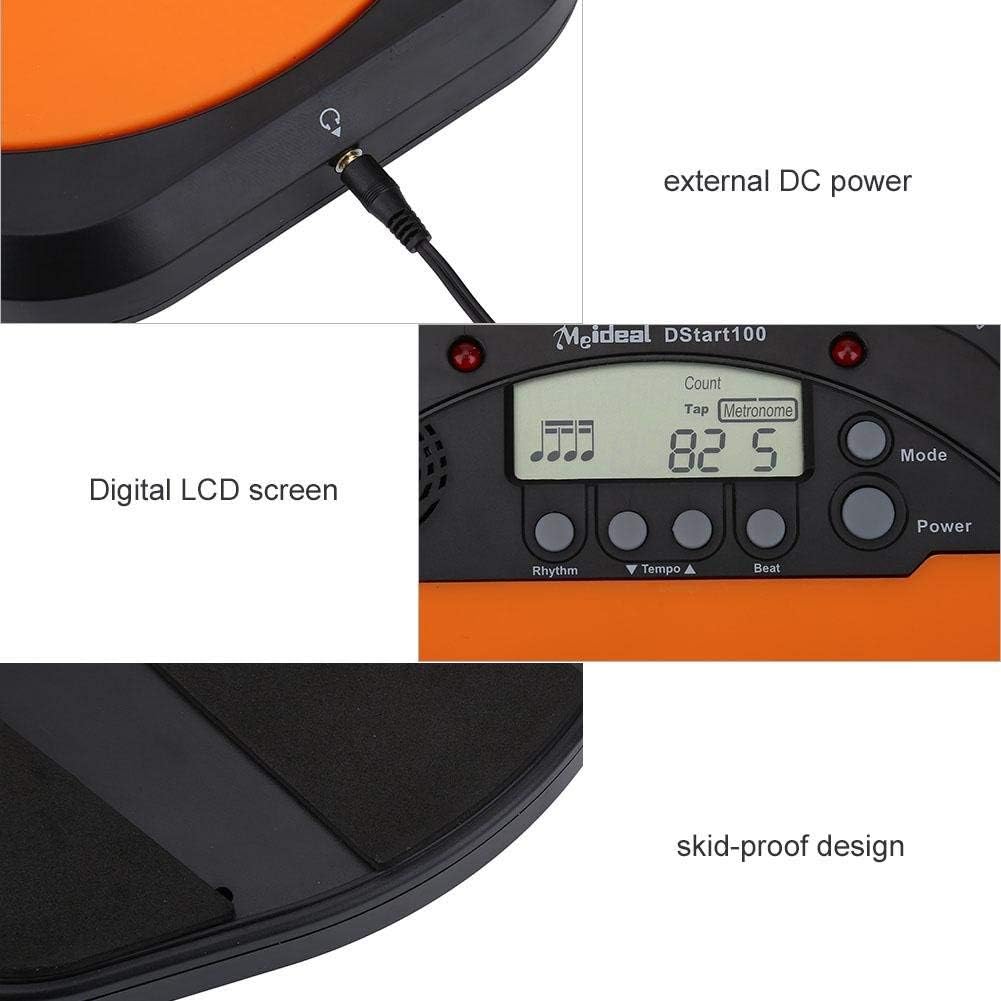
- Schermo LCD digitale: Provides clear visual feedback for tempo, rhythm, and count.
- Toccare Funzione: Allows users to test and set their ideal tempo or match a song's tempo.
- Realistic Drum Feel: Engineered to provide a responsive surface similar to a real drum.
- Spinotto degli auricolari: Enables silent practice, ideal for use in various environments without disturbing others.
- External DC Power Option: Supports external power supply for extended use (adapter not included).
- Costruzione durevole: Features anti-shock and anti-slip design for stability and longevity.


3. Impostazione
3.1 Installazione della batteria
- Locate the battery compartment on the underside of the practice pad.
- Aprire il coperchio del vano batterie.
- Inserire due (2) batterie AAA, assicurandosi della corretta polarità (+/-).
- Chiudere saldamente il coperchio del vano batterie.

3.2 Collegamento di alimentazione
- Potenza della batteria: Una volta installate le batterie, il dispositivo è pronto per l'uso.
- External DC Power (Optional): For continuous use, connect a compatible DC power adapter (not included) to the external DC power port located on the side of the unit.

3.3 Connessione cuffie
To practice silently, plug the included earphone into the 3.5mm headphone jack located on the side of the practice pad.

4. Istruzioni per l'uso
4.1 Accensione/spegnimento
- Premere il tasto Energia pulsante per accendere il dispositivo.
- Premere e tenere premuto il tasto Energia pulsante per spegnere il dispositivo.
4.2 Selezione della modalità
Premere il tasto Modalità button to cycle through the available practice modes:
- Modalità metronomo: Provides a steady click for tempo practice.
- Tapping Mode: Allows you to tap a rhythm, and the device will display the calculated tempo.
- Modalità di conteggio: Helps in practicing specific counts or measures.

4.3 Adjusting Tempo and Rhythm
- Utilizzare il Tempo ▲ E Tempo ▼ buttons to increase or decrease the metronome's tempo (BPM).
- Utilizzare il Ritmo button to change the rhythm pattern.
- Utilizzare il Colpo button to adjust the beat subdivision.
The LCD screen will display the current tempo, rhythm, and beat settings.
5. Manutenzione
- Pulizia: Wipe the surface of the practice pad with a soft, dry cloth. Do not use abrasive cleaners or solvents.
- Magazzinaggio: Conservare il dispositivo in un luogo fresco e asciutto, lontano dalla luce solare diretta e da temperature estreme.
- Cura della batteria: Rimuovere le batterie se il dispositivo non verrà utilizzato per un periodo prolungato per evitare perdite.
- Evitare l'impatto: While designed to be shockproof, avoid dropping the device or subjecting it to strong impacts.
6. Risoluzione Dei Problemi
| Problema | Possibile causa | Soluzione |
|---|---|---|
| Il dispositivo non si accende. |
|
|
| Nessun suono dall'altoparlante/auricolari. |
|
|
| Tap function is inaccurate. |
|
|
7. Specifiche
| Marca | Alomejor |
| Numero di modello | Alomejorrxzdnhs6e2 |
| Colore | Nero/Arancione |
| Materiale | Plastica |
| Dimensioni (circa) | 207 x 206 x 29 mm (8.15 x 8.11 x 1.14 pollici) |
| Peso (circa) | 496 g (1.1 libbre) |
| Intervallo di tempo | 30-280 battiti al minuto |
| Alimentazione elettrica | 2 x AAA batteries (not included) or external DC power (adapter not included) |
8. Garanzia e supporto
Alomejor products are designed for quality and performance. While specific warranty details are not provided in this manual, please refer to your purchase documentation or contact the retailer for information regarding warranty coverage and customer support.
For any issues or inquiries, please contact Alomejor customer service through the platform where you purchased the product.