
1. Introduzione
Thank you for choosing the eKids Kids Bluetooth Wireless Headphones. These headphones are designed to provide a safe and enjoyable audio experience for children, featuring volume-limiting technology to protect young ears. They offer versatile connectivity options, comfortable wear, and a durable, foldable design for easy portability.
This manual provides detailed instructions on how to set up, operate, and maintain your headphones, ensuring optimal performance and longevity.
2. Contenuto della confezione
- eKids Kids Bluetooth Wireless Headphones
- Cavo di ricarica USB
- Cavo audio da 3.5 mm
3. Prodotto finitoview

Figura 1: Fronte view of the eKids Kids Bluetooth Wireless Headphones, showcasing the white design with black ear cushions.

Figura 2: dettagliata view highlighting key features such as the adjustable headband, foldable design for portability, soft ear cushions, charging port, and line-in audio port.

Figure 3: Illustration of the headphone controls including power/pairing/charging LED indicators, USB charging port, AUX jack, microphone, volume up/skip forward, play/pause/power on/off, hang up/answer phone, and volume down/skip back buttons. Also shows product dimensions.
Caratteristiche principali:
- Connettività Bluetooth: Wirelessly stream high-quality stereo sound from compatible devices.
- Volume Reduced for Child Safety: Incorporates volume-limiting technology to protect young ears.
- Microfono incorporato: Facilitates clear communication for video calls and online learning.
- Opzione cablata: Includes a 3.5mm audio cable for listening when Bluetooth is unavailable or the battery is low.
- Batteria a lunga durata: Up to 18 hours of continuous Bluetooth playtime.
- Vestibilità personalizzata: Adjustable headband and soft ear cushions for comfortable wear.
- Design pieghevole: Ensures easy storage and portability.
4. Per iniziare
4.1 Ricarica delle cuffie
Before first use, fully charge the headphones. Connect the included USB charging cable to the USB charging port on the headphones (refer to Figure 3 for location) and plug the other end into a USB power source (e.g., computer USB port, USB wall adapter). The LED indicator will show charging status.
- Tempo di ricarica: Circa 2-3 ore per una carica completa.
- Indicatore LED: La luce rossa indica la carica; la luce si spegne quando la carica è completa.
4.2 Accensione/Spegnimento
- Per accendere: Press and hold the Power/Play/Pause button (refer to Figure 3) for approximately 3 seconds until the LED indicator flashes.
- Per spegnere: Tenere premuto il pulsante di accensione/riproduzione/pausa per circa 3 secondi, finché l'indicatore LED non si spegne.
4.3 Associazione Bluetooth
Per connettere le cuffie in modalità wireless a un dispositivo:
- Assicurati che le cuffie siano spente.
- Press and hold the Power/Play/Pause button for approximately 5-7 seconds until the LED indicator flashes red and blue alternately. This indicates pairing mode.
- Sul tuo dispositivo (smartphone, tablet, computer), attiva il Bluetooth e cerca i dispositivi disponibili.
- Select "eKids Headphones" from the list of found devices.
- Once paired, the LED indicator on the headphones will flash blue slowly.
4.4 Connessione cablata
You can use the headphones with the included 3.5mm audio cable when Bluetooth is not desired or the battery is depleted.
- Plug one end of the 3.5mm audio cable into the AUX jack on the headphones (refer to Figure 3).
- Collegare l'altra estremità alla presa per le cuffie del dispositivo audio.
- Le cuffie passeranno automaticamente alla modalità cablata.

Figure 4: Illustration demonstrating the flexibility of switching between wired mode (using the 3.5mm audio cable) and wireless Bluetooth mode, highlighting the battery life for wireless use.
5. Utilizzo delle cuffie
5.1 Controlli di riproduzione musicale
Use the control buttons on the headphones (refer to Figure 3) to manage your audio:
- Riproduci/Pausa: Premere una volta il pulsante Accensione/Riproduzione/Pausa.
- Aumenta volume: Premere il pulsante Volume su.
- Volume basso: Premere il pulsante Volume giù.
- Salta in avanti: Tieni premuto il pulsante Volume su.
- Salta indietro: Premere e tenere premuto il pulsante Volume Giù.
5.2 Controlli delle chiamate telefoniche
Se connesso tramite Bluetooth, puoi gestire le chiamate telefoniche:
- Rispondi/Termina chiamata: Premere una volta il pulsante Accensione/Riproduzione/Pausa.
- Rifiuta chiamata: Press and hold the Power/Play/Pause button for approximately 2 seconds.
5.3 Volume Limiting Feature
These headphones are designed with a built-in volume limiter to ensure safe listening levels for children. This feature cannot be disabled, providing peace of mind during extended use.
6. Compatibilità
The eKids Kids Bluetooth Wireless Headphones are compatible with a wide range of devices:
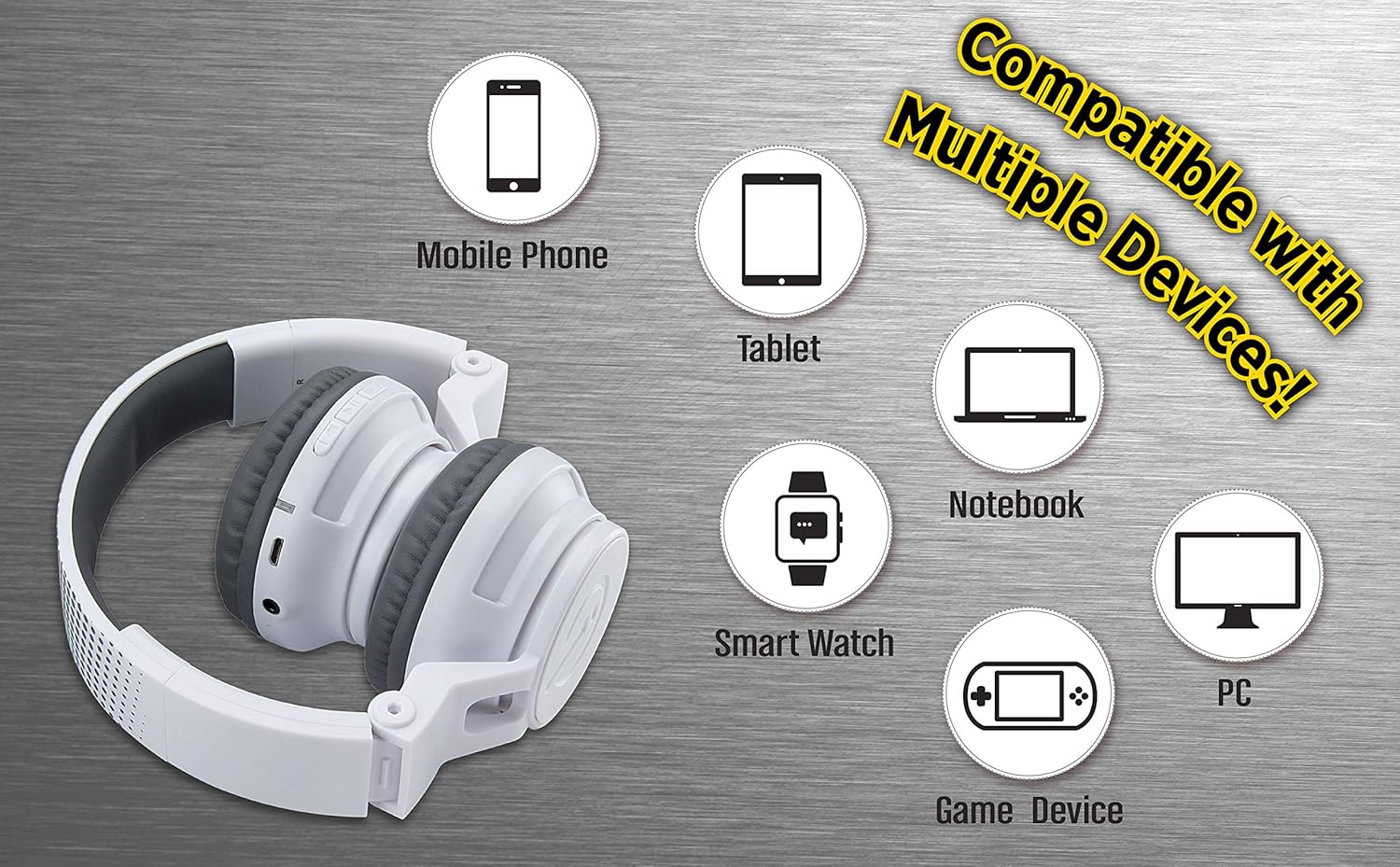
Figure 5: Visual representation of device compatibility, showing the headphones connecting to mobile phones, tablets, notebooks, smartwatches, PCs, and game devices.
- Smartphone (iOS e Android)
- compresse
- Computers (PC, Laptops)
- Gaming Devices (with 3.5mm audio jack)
7. Cura e manutenzione
- Pulizia: Per pulire le cuffie, utilizzare un panno morbido e asciutto. Non utilizzare detergenti liquidi o spray.
- Magazzinaggio: When not in use, fold the headphones to their compact size and store them in a cool, dry place away from direct sunlight and extreme temperatures.
- Evitare l'umidità: These headphones are not water-resistant. Keep them away from water and excessive moisture.
- Maneggiare con cura: Evitare di far cadere le cuffie o di sottoporle a forti urti.
8. Risoluzione Dei Problemi
8.1 Nessun potere
- Assicurarsi che le cuffie siano completamente cariche. Collegare a una fonte di alimentazione tramite il cavo di ricarica USB.
- Verificare che il cavo di ricarica e la fonte di alimentazione funzionino correttamente.
8.2 Impossibile effettuare l'accoppiamento tramite Bluetooth
- Assicurarsi che le cuffie siano in modalità di associazione (il LED lampeggia alternativamente in rosso e blu).
- Assicurati che il Bluetooth sia abilitato sul tuo dispositivo e che si trovi nel raggio d'azione (in genere 10 metri).
- Elimina il dispositivo dalle impostazioni Bluetooth del tuo dispositivo e riprova ad associarlo.
- Riavviare sia le cuffie che il dispositivo.
8.3 No Sound in Wired Mode
- Ensure the 3.5mm audio cable is securely plugged into both the headphones and the audio device.
- Check the volume level on both the headphones and the audio device.
- Test the audio cable with another device if possible to rule out a faulty cable.
8.4 Basso volume
- Remember that these headphones have a built-in volume limiter for child safety.
- Increase the volume on both the headphones and the connected device.
9. Specifiche
| Numero di modello | EK-B50W.EXV0 |
| Tecnologia di connettività | Wireless (Bluetooth), cablato (jack da 3.5 mm) |
| Tecnologia di comunicazione wireless | Bluetooth |
| Durata della batteria | Fino a 18 ore (tempo di riproduzione Bluetooth) |
| Forma dell'auricolare | Sull'orecchio |
| Caratteristiche speciali | Adjustable Headband, Foldable, Microphone Included, Volume Reduced |
| Dispositivi compatibili | Smartphones, Tablets, Computers, TVs |
| Materiale | Plastica |
| Peso dell'articolo | 14.7 once (0.42 chilogrammi) |
| Dimensioni del pacco | 8.5 x 8.5 x 3.75 pollici |
| Livello di resistenza all'acqua | Non resistente all'acqua |
| Codice UPC | 092298949741 |
10. Video ufficiale del prodotto
Video: eKids Kids Bluetooth Wireless Headphones. This video provides a visual overview of the headphones' features and functionality, including their design, connectivity options, and child-safe volume limiting.
11. Garanzia e supporto
Per informazioni sulla garanzia e sull'assistenza clienti, fare riferimento alla documentazione inclusa con l'acquisto o visitare il sito ufficiale eKids websito. Conservare la prova d'acquisto per eventuali reclami in garanzia.
Per ulteriore assistenza, puoi anche visitare il Negozio eKids su Amazon.