
1. Introduzione
This manual provides detailed instructions for the installation, operation, and maintenance of your JOOAN 3MP Wireless Security Camera System, Model 703. This system is designed to provide reliable surveillance with features such as 3MP resolution, AI human detection, audio recording, and remote access.

Immagine 1.1: Passoview of the JOOAN Wireless Security Camera System components.
2. Componenti del sistema
The JOOAN 3MP Wireless Security Camera System typically includes the following components:
- NVR (Network Video Recorder) with pre-installed 1TB HDD
- Wireless IP Cameras (4 units)
- Power Adapters for NVR and cameras
- Mouse USB
- Cavo Ethernet
- Viti e ancoraggi di montaggio
- Manuale dell'utente (questo documento)

Image 2.1: The 1TB Hard Disk Drive included with the NVR for video storage.
3. Guida all'installazione
3.1 Accensione iniziale e connessione
- Collegare l'NVR a un monitor tramite un cavo HDMI o VGA.
- Collegare il mouse USB all'NVR.
- Connect the NVR to power using its adapter.
- Connect each camera to its respective power adapter.
- The cameras will automatically pair with the NVR upon power-up.

Image 3.1: Illustration of the 'Auto Pair, Plug N Play' setup process for the camera system.
The system is designed for 'Plug N Play' functionality, meaning cameras should automatically connect to the NVR once powered. For optimal wireless signal, consider the NVR's built-in router capabilities.

Image 3.2: The NVR features a built-in router, providing up to 200ft range with one wall obstruction and up to 1640ft in open spaces.
3.2 Configurazione dell'accesso remoto (app Eseecloud)
A view your cameras remotely on mobile devices or PC, download the Eseecloud application.
- Download the Eseecloud app from your mobile app store (iOS/Android) or the Eseecloud software for PC.
- Registra un account e accedi.
- On the NVR interface, navigate to Network Setup to find the Cloud ID (QR code).
- In the Eseecloud app, scan the Cloud ID QR code or manually enter the ID to add your device.
- Ensure your NVR is connected to the internet for remote viewing.

Immagine 3.3: Telecomando viewing setup showing the Eseecloud app on mobile and PC for multi-device access.
Video 3.1: Demonstrates how to get a local image within one minute, showcasing the quick setup process.
Video 3.2: Un overview of the Jooan 3MP Super HD Wireless System, highlighting its features and ease of use.
4. Istruzioni per l'uso
4.1 Vivere View e riproduzione
Una volta configurato il sistema, è possibile view cibo vivotage on your connected monitor or through the Eseecloud app. Recorded footage can be accessed via the NVR interface or the app for playback.
4.2 Rilevamento del movimento e avvisi
The system features advanced AI Human Detection to minimize false alarms. When motion or a human shape is detected, the system can trigger various alerts:
- NVR Buzzer
- Avviso e-mail
- APP Notification (Push Alert)

Image 4.1: Demonstrates motion detection and the corresponding app push alerts and email notifications.
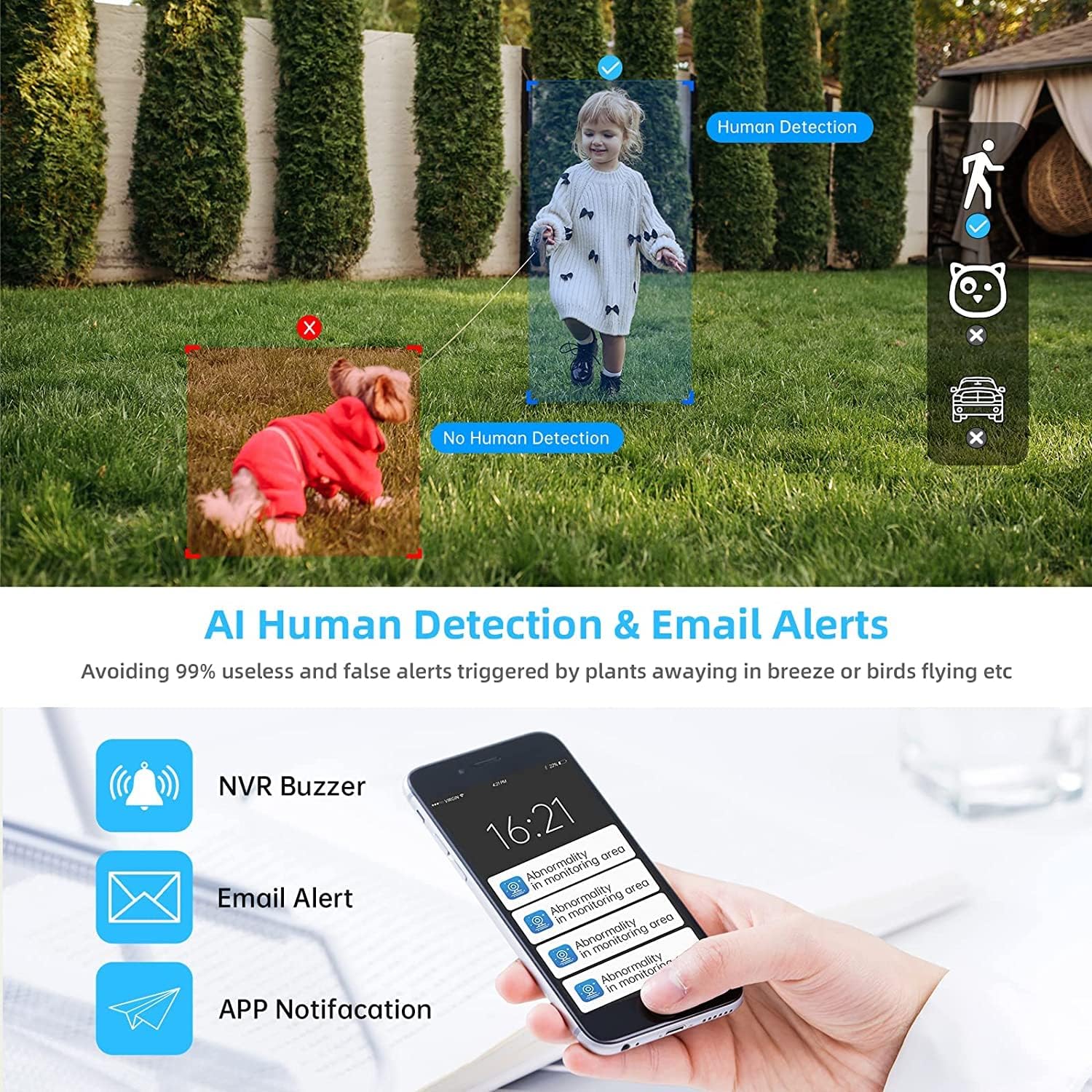
Image 4.2: AI Human Detection feature, distinguishing human shapes from other movements to reduce false alarms.
4.3 Audio Recording (One-Way Audio)
Each camera is equipped with a microphone, allowing for one-way audio recording. You can hear the sound from the monitoring scene during live viewregistrazione e riproduzione.
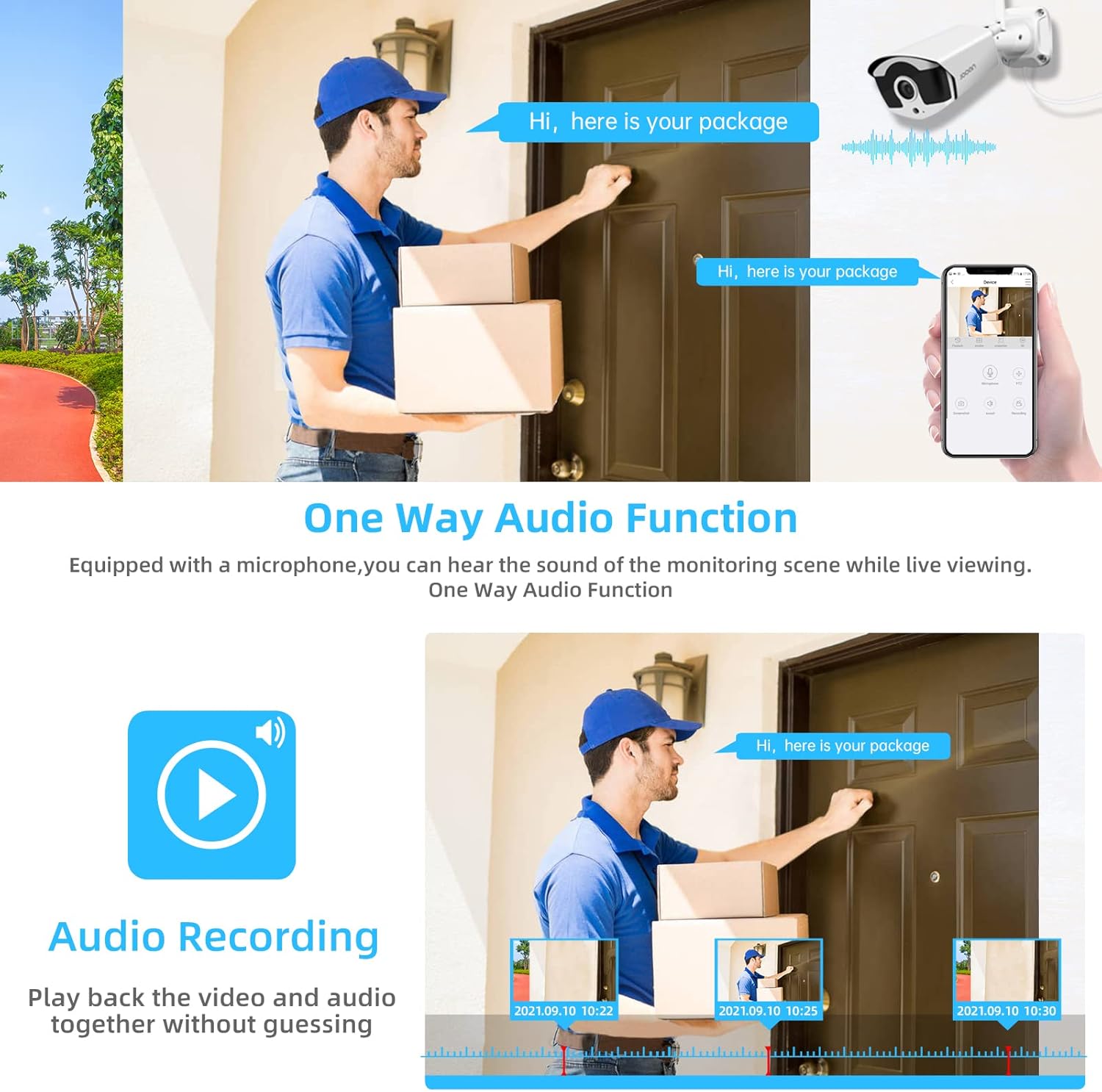
Image 4.3: Illustration of the one-way audio function, showing a delivery person speaking and the audio being recorded.
4.4 Visione notturna
The cameras provide clear night vision, ensuring continuous surveillance even in low-light conditions.

Image 4.4: Depiction of the camera's night vision feature, providing clear images in darkness.
Video 4.1: A short clip demonstrating the night time monitoring capabilities of the camera system.
4.5 Compressione video H.265+
The system utilizes advanced H.265+ video compression technology, which significantly reduces storage space requirements while maintaining high video quality. This allows for longer recording times on the 1TB HDD.

Image 4.5: Comparison showing how H.265+ compression saves storage space compared to H.264 and H.265.
5. Manutenzione
Una manutenzione regolare garantisce la longevità e le prestazioni ottimali del tuo sistema di sicurezza.
- Pulizia dell'obiettivo della fotocamera: Pulire periodicamente le lenti della fotocamera con un panno morbido eamp panno per rimuovere polvere e macchie. Evitare detergenti abrasivi.
- Gestione dei cavi: Assicurarsi che tutti i cavi siano collegati saldamente e protetti da danni ambientali.
- Aggiornamenti software: Controllare il produttore website or the Eseecloud app for firmware updates for the NVR and cameras to ensure the latest features and security patches.
- Protezione ambientale: While cameras are IP67 waterproof, extreme weather conditions can still affect performance. Ensure cameras are mounted securely and protected where possible.

Image 5.1: The IP67 waterproof rating ensures the camera's durability against various weather conditions, including rain, snow, and dust.
6. Risoluzione Dei Problemi
If you encounter issues with your JOOAN Security Camera System, refer to the following common troubleshooting steps:
6.1 Nessuna visualizzazione video
- Controlla la potenza: Assicurarsi che l'NVR e tutte le telecamere siano correttamente accesi.
- Monitorare la connessione: Verificare la connessione del cavo HDMI/VGA tra l'NVR e il monitor.
- Associazione della fotocamera: If a specific camera has no video, check its power and ensure it's within range of the NVR for wireless connection. Re-pair if necessary (refer to NVR manual for specific re-pairing steps).
6.2 Problemi di accesso remoto
- Connessione Internet: Assicurarsi che l'NVR sia connesso a Internet tramite un cavo Ethernet.
- Accesso all'app: Verify your Eseecloud app login credentials.
- ID cloud: Double-check that the correct Cloud ID is entered in the app.
- Impostazioni di rete: Ensure your router settings are not blocking the NVR's internet access.
6.3 Problemi di registrazione
- Stato HDD: Check the NVR's settings to ensure the 1TB HDD is detected and functioning correctly.
- Programma di registrazione: Verify that the recording schedule is properly configured.
- Impostazioni di rilevamento del movimento: If using motion-triggered recording, ensure motion detection is enabled and sensitivity is adjusted appropriately.
7. Specifiche
| Caratteristica | Specificazione |
|---|---|
| Marca | JOOAN |
| Numero di modello | 703 |
| Risoluzione di acquisizione video | 3MP (Clearer than 1080p) |
| Numero di canali | 8 |
| Visione notturna | Night color (up to 100ft) |
| Modalità di registrazione | Continuous, Motion Detection, Event |
| Interfaccia Hardware | 802.11 ac/b/g/n (Wireless) |
| Ingresso video | VGA, HDMI |
| Tecnologia dei sensori ottici | CMOS |
| Grado di impermeabilità | Grado di protezione IP67 |
| HDD Included | 1 TB |
8. Garanzia e supporto
Per informazioni sulla garanzia e supporto tecnico, fare riferimento al sito ufficiale JOOAN webo contattare direttamente il servizio clienti. Conservare la ricevuta d'acquisto come prova d'acquisto per eventuali reclami in garanzia.
Puoi anche trovare risorse aggiuntive e FAQ su Negozio JOOAN su Amazon.