
eero eero Pro 6 Router
Manuale utente del router eero Pro 6
Model: eero Pro 6 Router
1. Introduzione
This manual provides essential information for setting up, operating, maintaining, and troubleshooting your eero Pro 6 tri-band mesh Wi-Fi 6 router. The eero Pro 6 is designed to deliver fast, reliable Wi-Fi coverage throughout your home, eliminating dead spots and buffering. It also features a built-in Zigbee smart home hub for seamless integration with compatible smart devices.
2. Prodotto finitoview
The eero Pro 6 is a high-performance Wi-Fi 6 router that serves as the central component of your mesh Wi-Fi system. It is capable of supporting internet speeds up to a gigabit and provides extensive coverage for homes up to 2,000 sq. ft. Its compact design allows for discreet placement in any room.
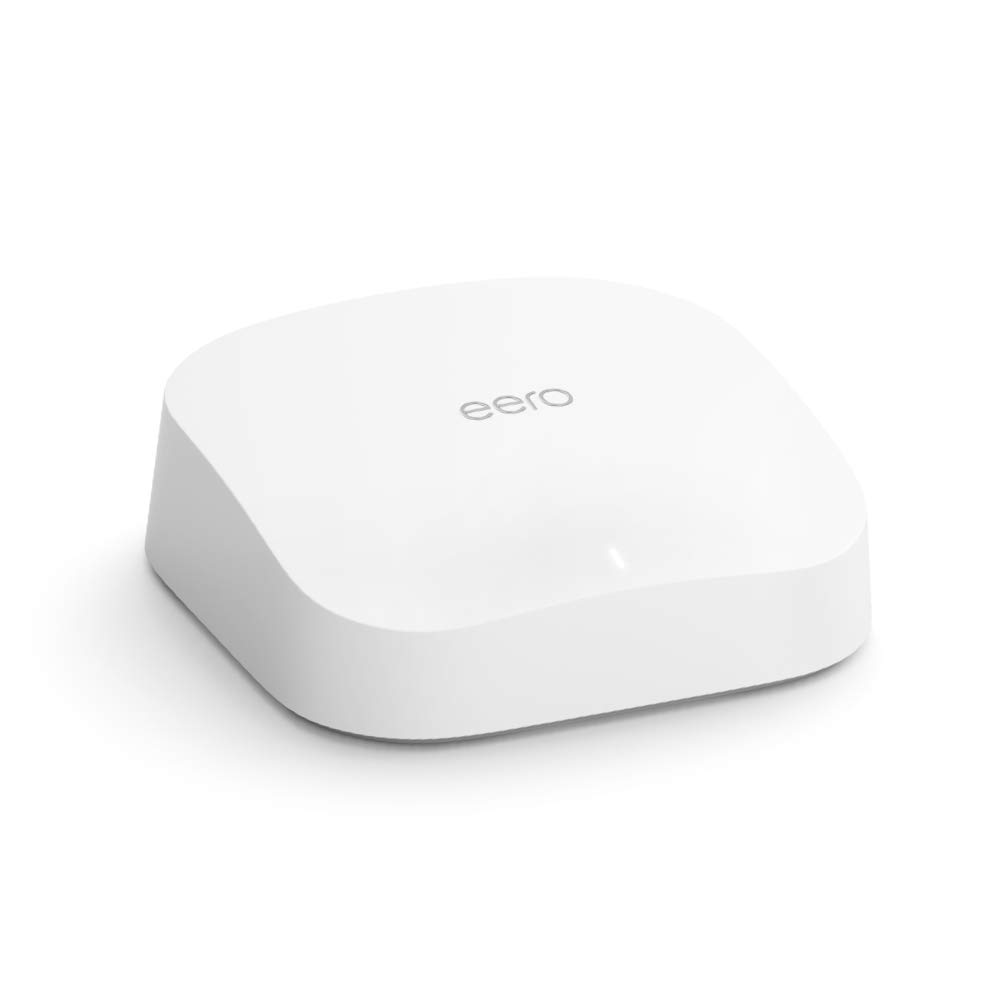
Image: The eero Pro 6 Router, showcasinil suo design elegante e minimalista.
3. Caratteristiche principali
- Premium Wi-Fi 6 Performance: Supports speeds up to a gigabit, ensuring fast and efficient internet connectivity.
- Ampia copertura: Covers up to 2,000 sq. ft., effectively eliminating Wi-Fi dead spots and buffering throughout your home.
- Connects 75+ Devices: Wi-Fi 6 technology allows for more connected devices simultaneously without compromising performance.
- Optimized for Streaming and Gaming: eero's mesh Wi-Fi technology adapts to your space, ensuring smooth 4K video streaming, gaming, and video conferencing.
- Built-in Zigbee Smart Home Hub: Doubles as a Zigbee hub, enabling easy connection and control of compatible smart home devices with Alexa.
- Aggiornamenti automatici: Your network stays safe and secure with automatic software updates.
- Sistema espandibile: Easily add more eero products to expand your network as your needs change, thanks to cross-compatible hardware.

Image: A hand gently touching the eero Pro 6 router, illustrating its premium Wi-Fi 6 capabilities and gigabit speed support.

Image: A person connecting the eero router, symbolizing the end of Wi-Fi dead spots and buffering.

Image: An illustration depicting the eero Pro 6 providing Wi-Fi coverage across multiple floors and connecting over 75 devices.

Image: A woman comfortably using a tablet, highlighting the worry-free experience for streaming, gaming, and remote work.

Image: Individuals enjoying entertainment in a smart home environment, demonstrating the integrated Zigbee hub functionality.
4. Impostazione
Setting up your eero Pro 6 is designed to be quick and straightforward, typically taking only minutes. You will need a supported iOS or Android device and an internet service connection (with a cable or DSL modem, if required).
- Scarica l'app eero: Cercare "eero" nell'app store del tuo dispositivo e scarica l'applicazione ufficiale eero.
- Connect Your eero: Follow the in-app instructions to connect your eero Pro 6 to your modem and power outlet.
- Segui la guida in-app: The eero app will walk you through the entire setup process, including creating your network name and password, and adding additional eero devices if you have a multi-pack system.
- Verifica connessione: Once setup is complete, the app will confirm your network is up and running.

Image: A smartphone displaying the eero app's successful setup screen, emphasizing the quick installation process.
5. Operating Your eero Network
Once your eero Pro 6 network is set up, it operates automatically to provide optimal Wi-Fi performance. The mesh technology intelligently routes traffic and ensures seamless roaming for your devices.
- Gestione della rete: Use the eero app to manage your network from anywhere. You can view connected devices, set up guest networks, and manage profiles.
- Integrazione della casa intelligente: Leverage the built-in Zigbee hub to connect and control compatible smart home devices directly through the eero network, often manageable via Alexa.
- Aggiornamenti automatici: Your eero system will automatically download and install software updates, typically overnight, to enhance performance and security.
6. Manutenzione
The eero Pro 6 is designed for minimal maintenance. Regular software updates are handled automatically to ensure your network remains secure and performs optimally.
- Posizionamento: Ensure your eero devices are placed in open areas, away from large metal objects or other electronics that could cause interference.
- Pulizia: Periodically wipe the exterior of the device with a soft, dry cloth. Do not use liquid cleaners or aerosols.
- Firmware: Allow automatic updates to proceed. Do not unplug your eero during an update.
7. Risoluzione Dei Problemi
If you encounter issues with your eero Pro 6, consider the following common troubleshooting steps:
- Nessuna connessione internet:
- Controlla se il tuo modem funziona correttamente.
- Ensure all cables are securely connected to your eero and modem.
- Restart your modem and then your eero device(s) by unplugging them for 30 seconds and plugging them back in.
- Slow Speeds or Buffering:
- Verifica la velocità del tuo fornitore di servizi Internet.
- Check the eero app for network health and device placement suggestions.
- Ensure your eero devices are not obstructed.
- Dispositivo non connesso:
- Riavviare il dispositivo problematico.
- Forget the Wi-Fi network on your device and reconnect.
- Check the eero app to see if the device is paused or has parental controls applied.
- Problemi dell'app:
- Ensure your eero app is updated to the latest version.
- Prova a forzare la chiusura e la riapertura dell'app.
For further assistance, refer to the eero support websito o contattare l'assistenza clienti.
8. Specifiche
| Caratteristica | Descrizione |
|---|---|
| Nome del modello | Amazon eero Pro 6 mesh wifi router |
| Copertura Wi-Fi | Copre fino a 2,000 piedi quadrati. |
| Tipo | Router (si collega al modem come router primario) |
| Velocità supportate | Best for internet speeds up to a gigabit. |
| Connettività Wi-Fi | Wi-Fi 6 tri-band concurrent 2:2:4 (802.11ax), compatible with older Wi-Fi standards |
| Connettività cablata | Due porte Gigabit Ethernet con rilevamento automatico per connettività WAN e/o LAN |
| Velocità nominale | AX4200 |
| Connettività per la casa intelligente | Funziona con Alexa, Amazon Frustration Free Setup, radio 802.15.4 (Zigbee, Thread), Bluetooth Low Energy 5.0. |
| Valutazione elettrica | 100-240 V CA, 50-60 Hz |
| Processore, memoria, archiviazione | 1.6 GHz quad-core processor, 1 GB RAM, 4 GB flash storage |
| Sicurezza e servizi di rete | Professionistafiles, WPA3 (eero Labs feature), WPA2, TLS v1.2+, VPN passthrough, IPv6, NAT, UPnP, port forwarding, DHCP, static IP, and cloud connectivity |
| Richiesto per l'installazione | Dispositivo iOS o Android supportato e servizio Internet (con modem via cavo o DSL, se necessario). |
| Valutazione della temperatura | Operating: 0°C- 40°C / 32°F - 104°F; Storage: -25°C- 60°C/ -13°F - 140°F |
| Dimensioni | 5.6 pollici x 5.4 pollici x 1.9 pollici (142 mm x 138 mm x 48 mm) |
9. Garanzia e supporto
Your eero Pro 6 router comes with a 1-year limited warranty and service. This device receives the same limited warranty as a new device, even if purchased as a Like-New Amazon device.
For detailed warranty information and customer support, please visit the official eero support website or refer to the documentation included with your product. Software security updates are guaranteed for at least five years after the device is last available for purchase as a new unit.
Documenti correlatieero Pro 6 Router


Ask a question about this manual
Ask about setup, troubleshooting, compatibility, parts, safety, or missing instructions. Manuals+ will review the question and use this page’s manual context to help answer it.