1. Prodotto finitoview
The JOYEAUTO Wireless CarPlay Android Auto Retrofit Kit enhances your Audi's infotainment system by integrating Apple CarPlay and Android Auto functionalities. This module allows for seamless use of navigation, music, communication, and other smartphone applications directly on your vehicle's factory screen, utilizing original controls.

Image 1.1: The JOYEAUTO retrofit module and its integration with an Audi vehicle's display, showing CarPlay in action.
2. Configurazione e installazione
2.1 Modelli compatibili
- Audi A3 MMI (2012-2018)
- Audi A4/A5/Q2/Q7 B9 (2016-2018)
If you are uncertain about compatibility, please consult the seller with pictures of your vehicle's display screen and control panels.
2.2 Contenuto della confezione
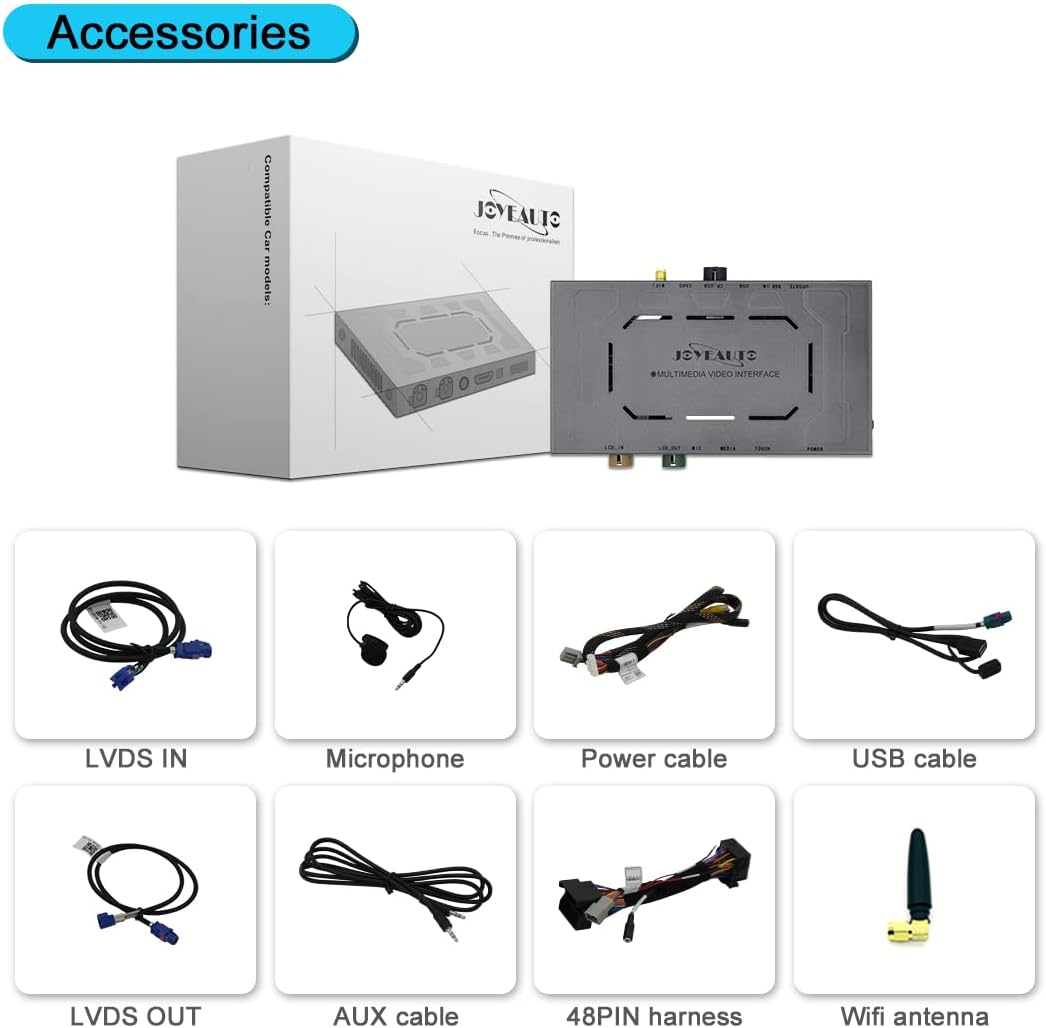
Image 2.1: Included accessories: LVDS IN cable, Microphone, Power cable, USB cable, LVDS OUT cable, AUX cable, 48PIN harness, and WiFi antenna.
2.3 Precauzioni per l'installazione
- Installation requires disassembly of your vehicle's display.
- It is highly recommended to seek professional assistance for installation to prevent damage to the original car wiring or voiding your car's warranty.
- Before completing the installation, test all features to ensure proper functionality.
2.4 Wiring Diagram and Dip Switch Settings

Image 2.2: Detailed wiring diagram showing connections for WiFi antenna, USB cable, LVDS IN/OUT, Microphone, Power cable, and 48PIN harness. The image also displays the dip switch settings table for various screen sizes and camera tracking options.
Refer to the provided installation diagram and video (accessible via QR code on the packing box) for step-by-step guidance. Configure the dip switches according to your vehicle's screen size and desired camera settings.
3. Istruzioni per l'uso
3.1 Commutazione del sistema
To switch between the CarPlay/Android Auto system and your vehicle's original system, long-press the "Back" button on your car's control panel. Ensure "AUX External" is selected in your original system before switching to CarPlay for audio output.
Video 3.1: Demonstration of switching between the original Audi MMI system and the integrated CarPlay interface using the "Back" button, and activating Siri via voice command.
3.2 CarPlay senza fili
Connect your iPhone wirelessly to access CarPlay. Features include:
- Navigazione: Use Apple Maps, Waze, or Google Maps.
- Musica: Stream from Spotify, Apple Music, and other audio apps.
- Comunicazione: Make calls and send messages via Siri.
- Controllo vocale: Activate Siri hands-free by saying "Hey Siri" or using the original controls.

Image 3.1: Side-by-side comparison of Apple CarPlay and Android Auto interfaces displayed on the car screen, showing various app icons.
3.3 Android Auto cablato
Connect your Android phone via a USB cable to use Android Auto. This allows for navigation, phone calls, and online music playback.
3.4 Collegamento specchio
Mirror Link functionality allows you to display your smartphone's screen content directly onto the car's display using a wired connection. This is suitable for watching videos or using phone applications not natively supported by CarPlay/Android Auto.
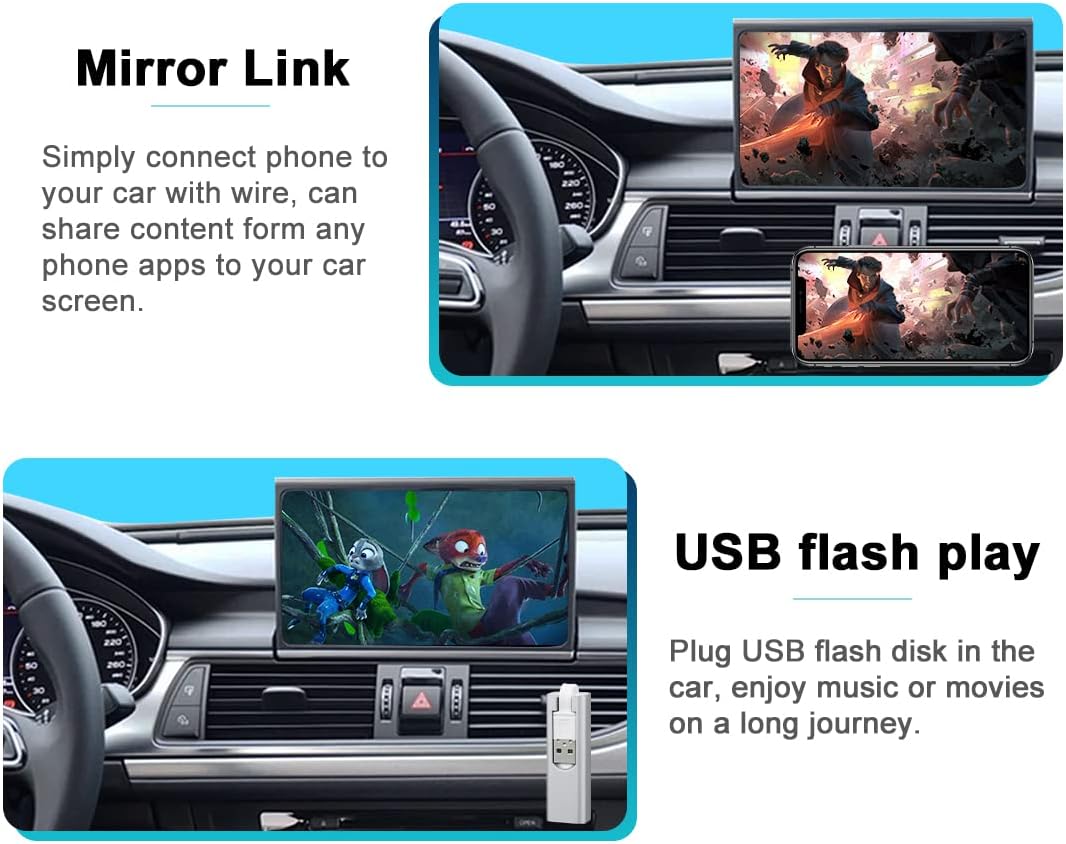
Image 3.2: Demonstrates Mirror Link functionality, showing a phone screen mirrored to the car's display, and USB flash drive playback for media.
3.5 Riproduzione multimediale USB
Plug a USB flash drive into the provided USB port to enjoy music or movies directly on your car's screen.
3.6 Controllo vocale (Siri)
Utilize Siri for hands-free operation of CarPlay features. Activate Siri by saying "Hey Siri" or by pressing the "TEL" button on your original control panel.
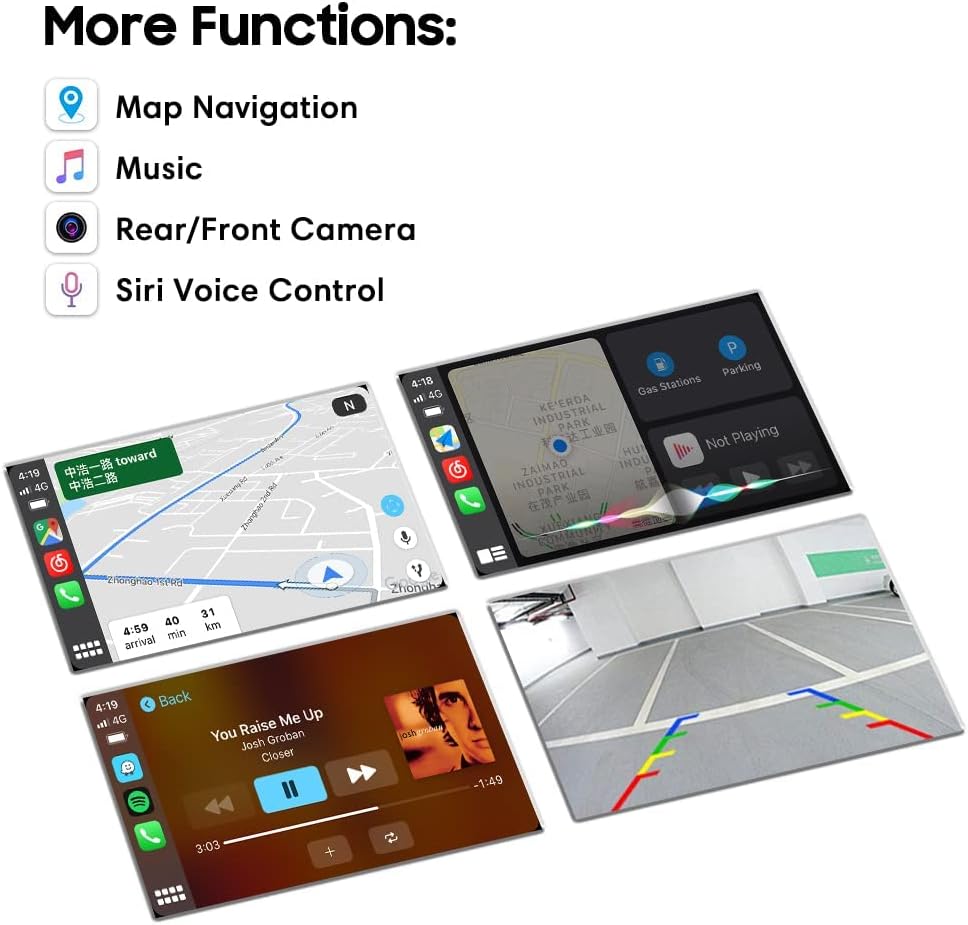
Image 3.3: Illustrates additional functions such as map navigation, music playback interface, rear camera view, and Siri voice control interface.
3.7 Funzioni della fotocamera
The kit supports both original and aftermarket reverse cameras. A front camera can also be added. When shifting into reverse, the reverse camera view will automatically display. After shifting out of reverse, the front camera view will display for approximately 10 seconds before returning to the CarPlay interface.
3.8 Original Control Integration
The retrofit kit integrates seamlessly with your vehicle's existing controls, including the steering wheel buttons and the joystick knob, allowing you to navigate CarPlay applications intuitively.

Image 3.4: Highlights the use of the original Audi joystick knob for controlling the CarPlay interface, with labels for "Press 'Navi' switch to CarPlay" and "Press 'TEL' use Siri".
4. Manutenzione
4.1 Cura generale
- Mantenere il modulo e i collegamenti al riparo da polvere e umidità.
- Evitare di esporre l'unità a temperature estreme.
- Non tentare di aprire o modificare il modulo, poiché ciò potrebbe invalidare la garanzia.
5. Risoluzione Dei Problemi
5.1 Problemi comuni
- Nessuna visualizzazione: Check all cable connections, especially the LVDS cables. Ensure the dip switch settings are correct for your screen type.
- Nessun audio: Verify that the AUX input is selected in your vehicle's original MMI system. Check the AUX cable connection.
- CarPlay/Android Auto non si connette: For wireless CarPlay, ensure Bluetooth and Wi-Fi are enabled on your iPhone. For Android Auto, ensure the USB cable is securely connected and is a data-transferring cable.
- I controlli non rispondono: Ensure all harness connections are secure. Restart the vehicle's ignition.
5.2 Contattare l'assistenza
For persistent issues or further assistance, please contact the seller via Amazon message.
6. Specifiche
- Peso dell'articolo: 2.61 libbre
- Dimensioni della confezione: 8.7 x 6.65 x 3.86 pollici
- Tecnologia di connettività: Bluetooth, USB
- Tipo di controller: Android (si riferisce alla compatibilità con Android Auto)
- Servizi Internet supportati: Spottizzare
- Modalità di uscita audio: Circondare
7. Garanzia e supporto
7.1 Informazioni sulla garanzia
Questo prodotto è coperto da una garanzia di 1 anni. Si prega di conservare la prova d'acquisto per eventuali reclami in garanzia.
7.2 Dichiarazione di non responsabilità legale
This solution requires disassembly of your vehicle's display. The manufacturer is not responsible for any man-made damage or issues arising from purchasing an incorrect device for your vehicle.
7.3 Assistenza clienti
For any questions or support needs, please contact the seller directly through the Amazon messaging system.