
1. Introduzione
Thank you for choosing the COMICA BoomX-D D2 2.4G Wireless Microphone System. This manual provides detailed instructions for the proper setup, operation, and maintenance of your new wireless microphone system. Please read this manual thoroughly before use to ensure optimal performance and to prevent damage to the device. Keep this manual for future reference.
2. Prodotto finitoview
2.1 Caratteristiche principali
- 2.4G Digital Wireless Technology: Garantisce una trasmissione audio stabile e affidabile.
- Dual Transmitters, One Receiver: Allows simultaneous recording from two sources.
- Visual Power & Audio Dynamic Monitor: Real-time display of battery status and audio levels.
- Internal & External MIC Input Modes: Flexibility to use built-in microphone or external lavalier.
- Mono/Stereo Switchable Output: Adaptable for various recording needs.
- Broadcasting-Quality Audio: Delivers clear and crisp sound.
- Bassa latenza: Less than 20ms for synchronized audio and video.
- Campo di lavoro: Fino a 50 metri (164 piedi) in aree aperte.
- Multi-functional Belt Clip: Per un facile fissaggio e trasporto.
- Design compatto e leggero: Ideal for on-the-go recording.
- Ricarica USB-C: Ricarica comoda e universale.
2.2 Componenti inclusi
The COMICA BoomX-D D2 system typically includes the following components:
- 1 x Receiver (RX)
- 2 x Trasmettitori (TX)
- 2 x 3.5mm TRS Lavalier Microphones
- 2 x Wind Muffs for Lavalier Microphones
- 1 cavo audio TRS-TRS da 3.5 mm (per telecamere)
- 1 cavo audio TRS-TRRS da 3.5 mm (per smartphone)
- 1 x USB-C to USB-A Charging Cable (may include multiple for simultaneous charging)
- 1 x Manuale utente
- 1 x Storage Case (or packaging)
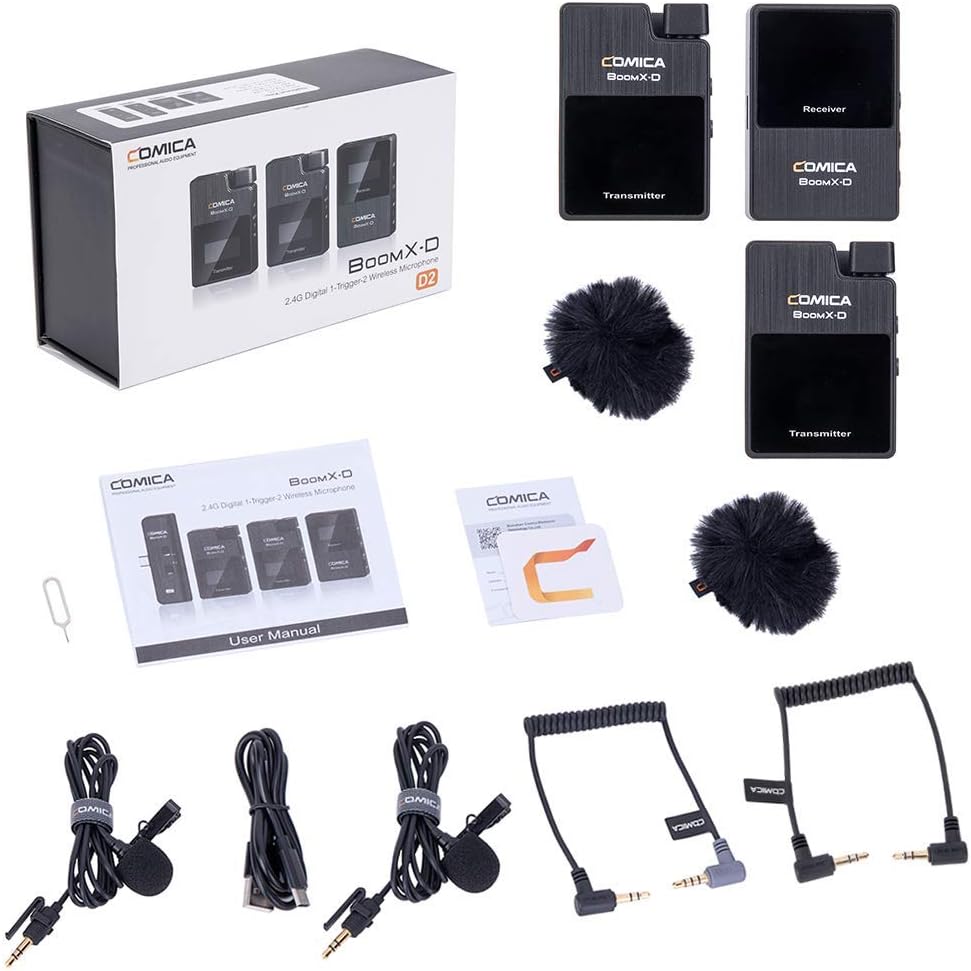
Figure 1: Complete contents of the COMICA BoomX-D D2 package, showing the receiver, two transmitters, lavalier microphones, wind muffs, various audio cables, and charging cable.
3. Guida all'installazione
3.1 Ricarica dei dispositivi
Before initial use, fully charge the receiver and both transmitters using the provided USB-C charging cable. Connect the USB-C end to the device and the USB-A end to a compatible USB power adapter (not included) or a computer USB port.
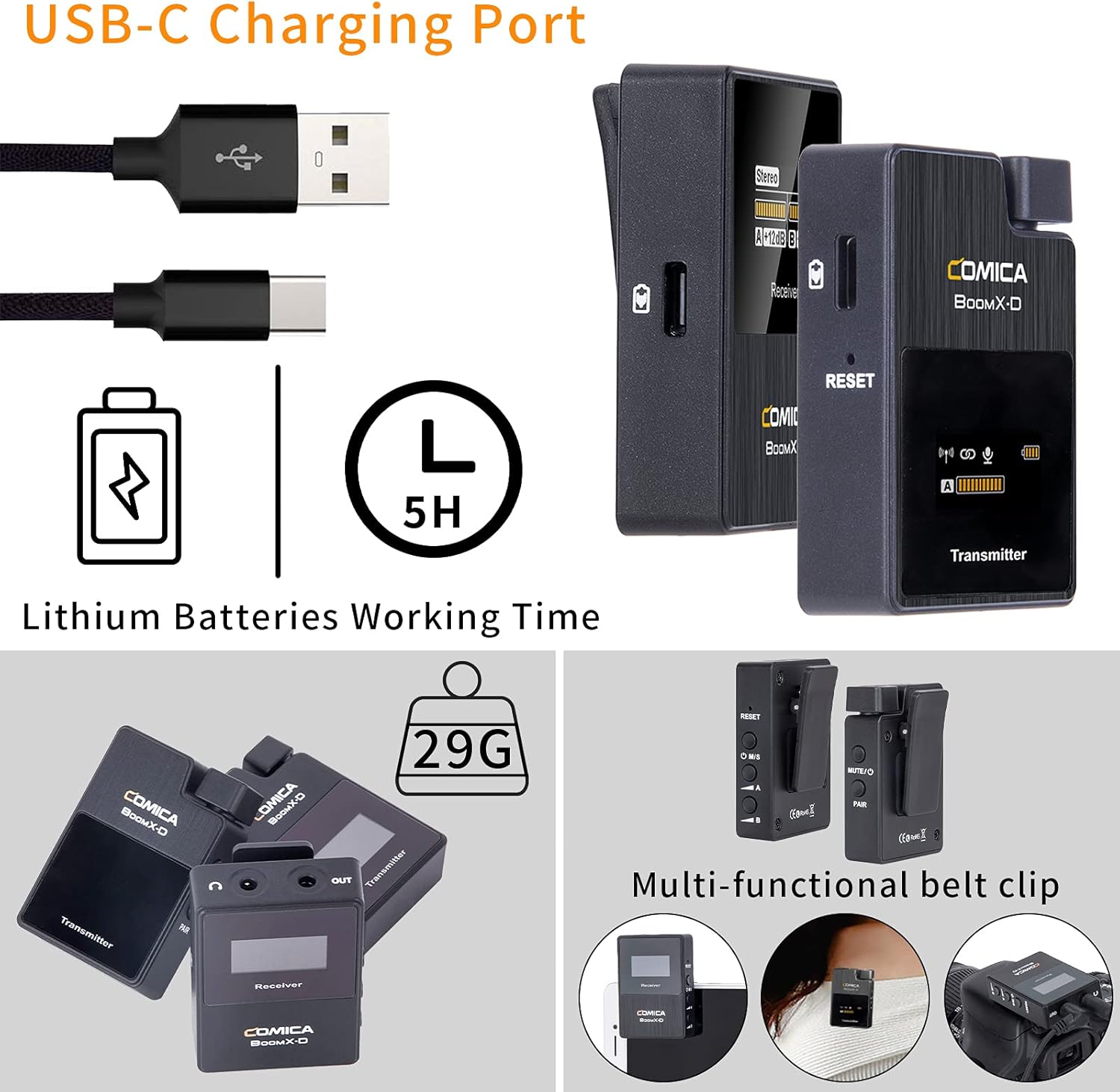
Figure 2: Illustration of the USB-C charging port on the COMICA BoomX-D D2 units, highlighting the charging process and battery life indication.
3.2 Accensione/spegnimento e associazione
- Accensione: Press and hold the power button on both the receiver and transmitters until the screen illuminates.
- Associazione automatica: The units are designed to pair automatically upon power-on. Observe the screens for connection indicators. If pairing fails, refer to the troubleshooting section or the seller video for manual pairing instructions.
Video 1: A seller-provided video demonstrating the setup and pairing process of the COMICA BoomX-D D2 wireless microphone system, including how to connect to various devices.
3.3 Collegamento ai dispositivi di registrazione
Use the appropriate audio cable to connect the receiver to your recording device (camera, smartphone, etc.).
- Per fotocamere (DSLR/Mirrorless): Use the 3.5mm TRS-TRS audio cable. Connect one end to the receiver's output and the other to your camera's microphone input.
- Per smartphone/tablet: Use the 3.5mm TRS-TRRS audio cable. Connect one end to the receiver's output and the other to your smartphone's headphone/microphone jack. For devices without a 3.5mm jack, an appropriate adapter (e.g., USB-C to 3.5mm or Lightning to 3.5mm) may be required (not included).

Figure 3: The COMICA BoomX-D D2 receiver connected to a smartphone, illustrating its use for mobile video recording with low latency and a 50-meter range.

Figure 4: A visual guide to the compatibility of the COMICA BoomX-D D2 with various devices, including Canon, Nikon, Sony, Panasonic, Fujifilm cameras, and iPhone, Huawei, Samsung smartphones, using different audio cables.
4. Istruzioni per l'uso
4.1 Using the Lavalier Microphone or Built-in Mic
Each transmitter has a built-in omnidirectional microphone. For discreet placement or improved audio quality, you can connect the included 3.5mm TRS lavalier microphone to the transmitter's MIC input port.
- With Lavalier Mic: Plug the lavalier microphone into the 3.5mm MIC input on the transmitter. Clip the lavalier mic to clothing, approximately 6-8 inches from the speaker's mouth.
- Without Lavalier Mic (Built-in): Ensure no external microphone is plugged in. Clip the transmitter directly onto clothing, ensuring the built-in microphone faces the sound source.

Figure 5: Demonstrates the flexibility of the COMICA BoomX-D D2, allowing users to choose between the external lavalier microphone or the built-in microphone on the transmitter, depending on their recording needs.
4.2 Mono/Stereo Output Switching
The receiver allows you to switch between mono and stereo output modes. This is useful for post-production flexibility or specific recording scenarios.
- Modalità Mono: Combines audio from both transmitters into a single mono track.
- Modalità stereo: Records audio from each transmitter to separate left and right channels.
Refer to the receiver's display and control buttons to switch between these modes. The display will clearly indicate the selected mode.
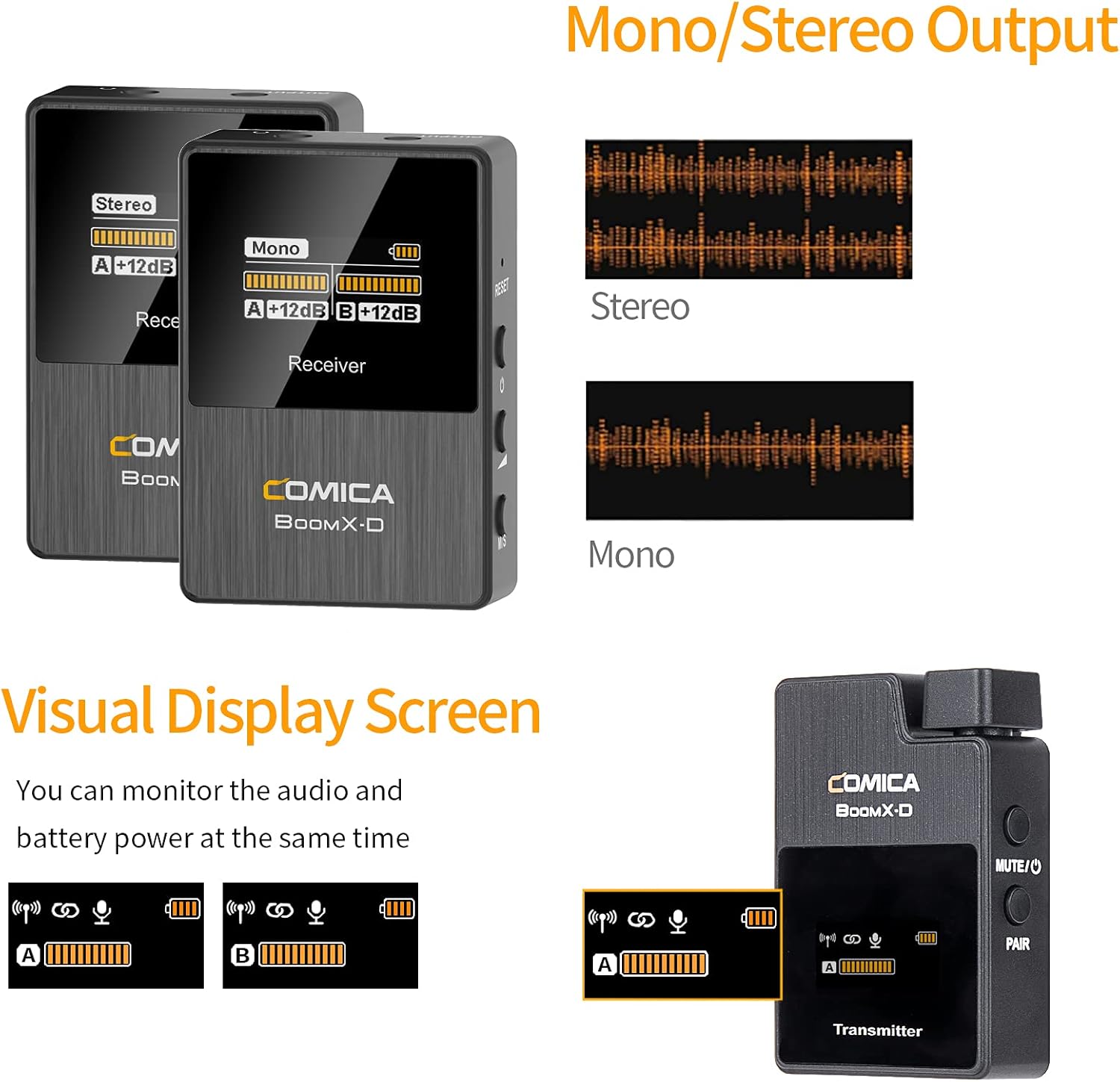
Figure 6: The visual display screen of the COMICA BoomX-D D2 receiver, showing options for Mono/Stereo output and real-time monitoring of audio levels and battery status for both transmitters.
4.3 Monitoraggio audio in tempo reale
Connect headphones to the receiver's 3.5mm headphone output jack to monitor your audio in real-time. This ensures that your audio is being recorded correctly and helps identify any potential issues during recording.

Figure 7: A user monitoring real-time audio through headphones connected to the COMICA BoomX-D D2 receiver, which is mounted on a camera, ensuring sound quality during recording.
5. Manutenzione
- Pulizia: Use a soft, dry cloth to clean the devices. Do not use harsh chemicals or abrasive materials.
- Magazzinaggio: Conservare il sistema microfonico in un luogo fresco e asciutto, lontano dalla luce solare diretta e da temperature estreme.
- Cura della batteria: Per una durata ottimale della batteria, evitare di scaricare completamente i dispositivi frequentemente. Ricaricarli regolarmente, anche se non vengono utilizzati per periodi prolungati.
- Evitare l'umidità: Tenere i dispositivi lontani dall'acqua e da umidità elevata per evitare danni.
6. Risoluzione Dei Problemi
| Problema | Possibile causa | Soluzione |
|---|---|---|
| Nessuna uscita audio | Low battery; Incorrect cable connection; Unpaired devices; Muted microphone. | Charge devices; Ensure cables are securely connected; Re-pair transmitter and receiver; Check if transmitter is muted. |
| Interferenza/scarsa qualità del suono | Obstructions between TX/RX; Too far from receiver; Strong electromagnetic interference. | Reduce distance between TX/RX; Ensure clear line of sight; Move away from other wireless devices; Check external microphone connection. |
| Devices Not Pairing | Out of range; Pairing mode not activated. | Bring devices closer; Follow manual pairing instructions (if automatic fails); Ensure both are powered on. |
| Durata breve della batteria | Old battery; Frequent full discharge. | Ensure full charge before use; Avoid frequent full discharge; Consider battery replacement if significantly degraded. |
7. Specifiche
- Marca: FUMETTO
- Numero modello: D2
- Tecnologia di connettività: USB, Wireless (2.4G Digital)
- Tipo di connettore: USB-C, 3.5mm (TRS/TRRS)
- Caratteristica speciale: Clip-on design
- Diagramma polare: Omnidirezionale
- Sensibilità audio: 86 decibel
- Fattore di forma del microfono: Sistema microfono
- Fonte di energia: USB-C
- Rapporto segnale-rumore: 86 dB
- Numero di canali: 2
- Campo di lavoro: Fino a 50 m (164 piedi)
- Latenza: <20 ms
8. Garanzia e supporto
COMICA products are covered by a limited warranty against defects in materials and workmanship. For specific warranty terms, registration, and technical support, please visit the official COMICA webo contattare il servizio clienti. Conservare la ricevuta d'acquisto come prova d'acquisto per eventuali reclami in garanzia.
Ufficiale Websito: www.comica-audio.com