
MageGee Storm Pink
MageGee Pink Gaming Keyboard User Manual
Model: Storm Pink
Introduzione
Thank you for choosing the MageGee Pink Gaming Keyboard. This mechanical keyboard is designed to enhance your gaming and typing experience with its responsive blue switches, dynamic backlighting, and durable construction. This manual provides detailed instructions for setup, operation, maintenance, and troubleshooting to ensure optimal performance.

Impostare
The MageGee Pink Gaming Keyboard is designed for simple plug-and-play functionality, requiring no additional drivers for most operating systems.
Collegamento della tastiera
- Individua una porta USB disponibile sul tuo computer (PC o Mac).
- Insert the USB connector of the keyboard into the USB port. The keyboard features a gold-plated USB port for stable data transmission.
- Wait for your operating system to recognize the device. This usually happens automatically within a few seconds.
- The keyboard's backlight will illuminate upon successful connection, indicating it is ready for use.

Istruzioni per l'uso
This section details the various functions and features of your MageGee Gaming Keyboard.
Caratteristiche principali
- Professional Blue Switches: Equipped with linear, top-to-bottom switches that offer a smooth and responsive typing experience with a distinct tactile and audible click.
- Rollover N-key: Features 100% anti-ghosting across all 104 keys, ensuring that every simultaneous key press is registered accurately, crucial for fast-paced gaming.
- Retroilluminazione dinamica: Offers 18 distinct backlight models to customize your typing environment.
- Estrema durata: Built with a solid base and double injection ABS keycaps, designed for long-term use and resistance to wear.
- Ampia compatibilità: Supports Windows 10, Windows 8, Windows 7, Mac OS X, Windows XP, Windows VISTA, and other common operating systems.
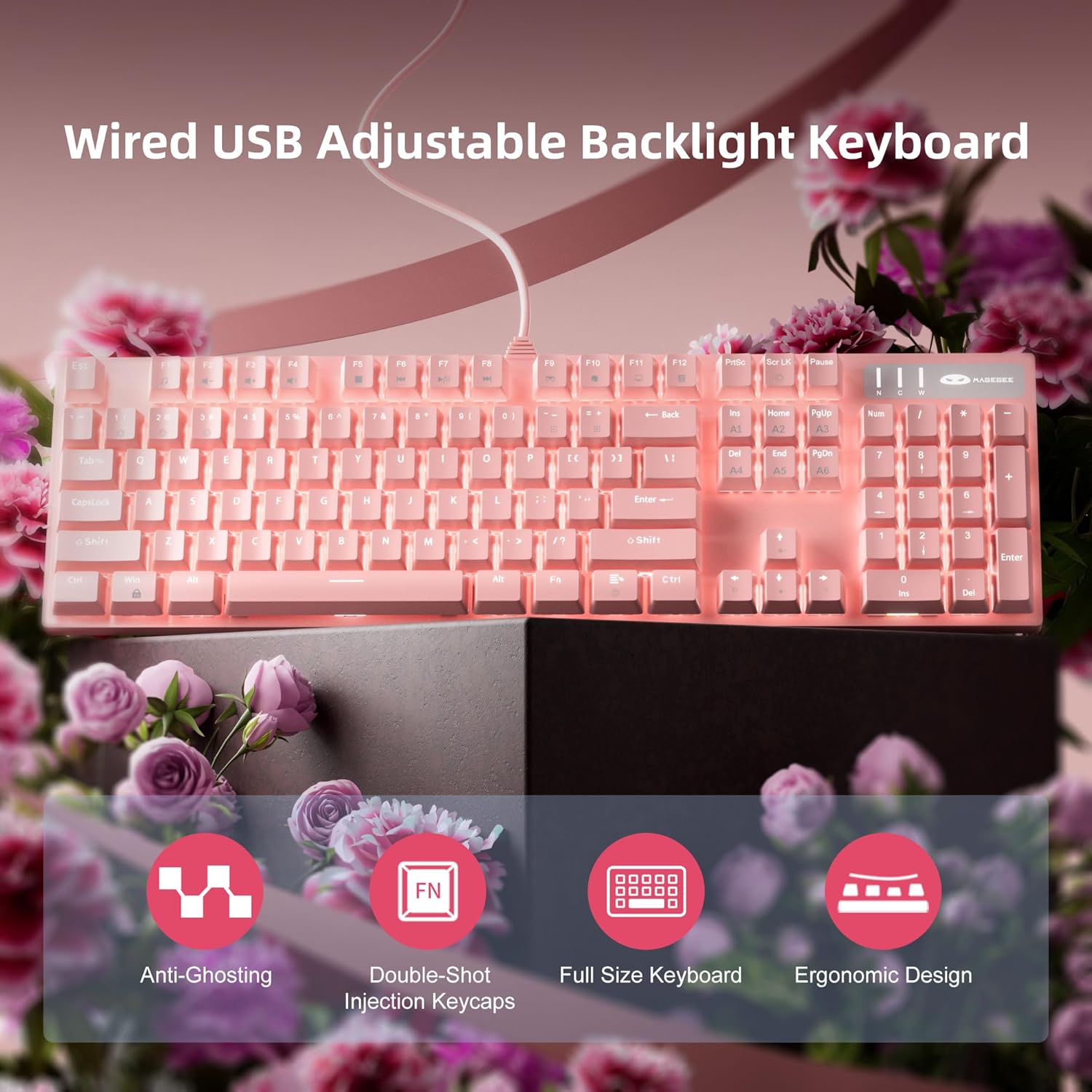
Controllo della retroilluminazione
The keyboard offers various backlight settings for customization:
- Regola luminosità: Premere FN + tasto freccia su to increase backlight brightness. Press FN + tasto freccia giù per diminuire la luminosità della retroilluminazione.
- Cambia modalità di retroilluminazione: The keyboard has 18 different backlight modes. Refer to the keyboard's function key combinations (e.g., FN + F1-F12, or specific keys) to cycle through these modes. Detailed mode switching instructions may vary; experimentation is encouraged.

Manutenzione
Una cura adeguata prolungherà la durata e manterrà le prestazioni della tastiera.
- Pulizia: Utilizzare un panno morbido e asciutto per pulire la superficie della tastiera. Per una pulizia più profonda, utilizzare aria compressa per rimuovere polvere e detriti dagli spazi tra i tasti.
- Rimozione dei tasti: The double injection ABS keycaps are designed for durability. If you need to remove keycaps for cleaning or replacement, use a keycap puller to avoid damaging the switches. Gently pull straight up on the keycap.
- Fuoriuscite di liquidi: Sebbene la tastiera sia progettata per resistere agli schizzi, evitare l'esposizione diretta a grandi quantità di liquidi. In caso di versamento di liquidi, scollegare immediatamente la tastiera dal computer e lasciarla asciugare completamente prima di ricollegarla.

Risoluzione dei problemi
Se riscontri problemi con la tastiera, prova le seguenti soluzioni:
| Problema | Possibile soluzione |
|---|---|
| La tastiera non risponde |
|
| La retroilluminazione non funziona o è fioca |
|
| Le chiavi non vengono registrate o digitate due volte |
|
Specifiche
| Caratteristica | Dettaglio |
|---|---|
| Dimensioni del prodotto | 17 x 5 x 1.5 pollici |
| Peso dell'articolo | 2.74 libbre |
| Produttore | MageGee |
| Numero di modello | Storm Pink |
| Tecnologia di connettività | USB |
| Descrizione della tastiera | Meccanico |
| Usi consigliati | Gioco d'azzardo |
| Caratteristica speciale | Lighting, Multimedia Keyboard |
| Colore | Rosa |
| Numero di chiavi | 104 (dimensioni complete) |
| Supporto colore retroilluminazione | RGB (regolabile) |
| Stile | Moderno |
| Prima data disponibile | 17 aprile 2020 |
Garanzia e supporto
MageGee products are built with quality and durability in mind. For specific warranty information, please refer to the warranty card included with your product or visit the official MageGee website. If you require technical assistance or have questions not covered in this manual, please contact MageGee customer support through their official channels.
Per maggiori informazioni e aggiornamenti sui prodotti, visita il sito Negozio MageGee su Amazon.
Ask a question about this manual
Ask about setup, troubleshooting, compatibility, parts, safety, or missing instructions. Manuals+ will review the question and use this page’s manual context to help answer it.