
Avant AV7730
Manuale utente del raffrescatore evaporativo portatile Avant
Modello: AV7730
Introduzione
Thank you for choosing the Avant Portable Evaporative Air Cooler. This manual provides important information regarding the safe operation, installation, maintenance, and troubleshooting of your new appliance. Please read this manual thoroughly before use and keep it for future reference.
This evaporative air cooler is designed to provide cooling, humidification, and air purification, offering a comfortable environment in your home or office.
Istruzioni di sicurezza
- Always place the unit on a stable, level surface to prevent water spillage.
- Non immergere l'apparecchio, il cavo o la spina in acqua o altri liquidi.
- Assicurarsi che l'alimentazione corrisponda al voltage specificato sulla targhetta dei dati tecnici (230 V).
- Scollegare l'unità dalla presa di corrente prima di pulirla, riempirla o eseguire qualsiasi manutenzione.
- Tenere l'apparecchio fuori dalla portata dei bambini e degli animali domestici.
- Non ostruire l'ingresso o l'uscita dell'aria.
- Non utilizzare l'apparecchio se il cavo di alimentazione o la spina sono danneggiati.
- Solo per uso interno.
Prodotto finitoview
Familiarize yourself with the components of your Avant Portable Evaporative Air Cooler.

Figura 1: Fronte view of the Avant Portable Evaporative Air Cooler, showing the air outlet and water level indicator.

Figura 2: Dettaglio frontale view highlighting the Avant logo and air grille.

Figura 3: Posteriore view of the unit, showing the removable filter panel and water tank access.
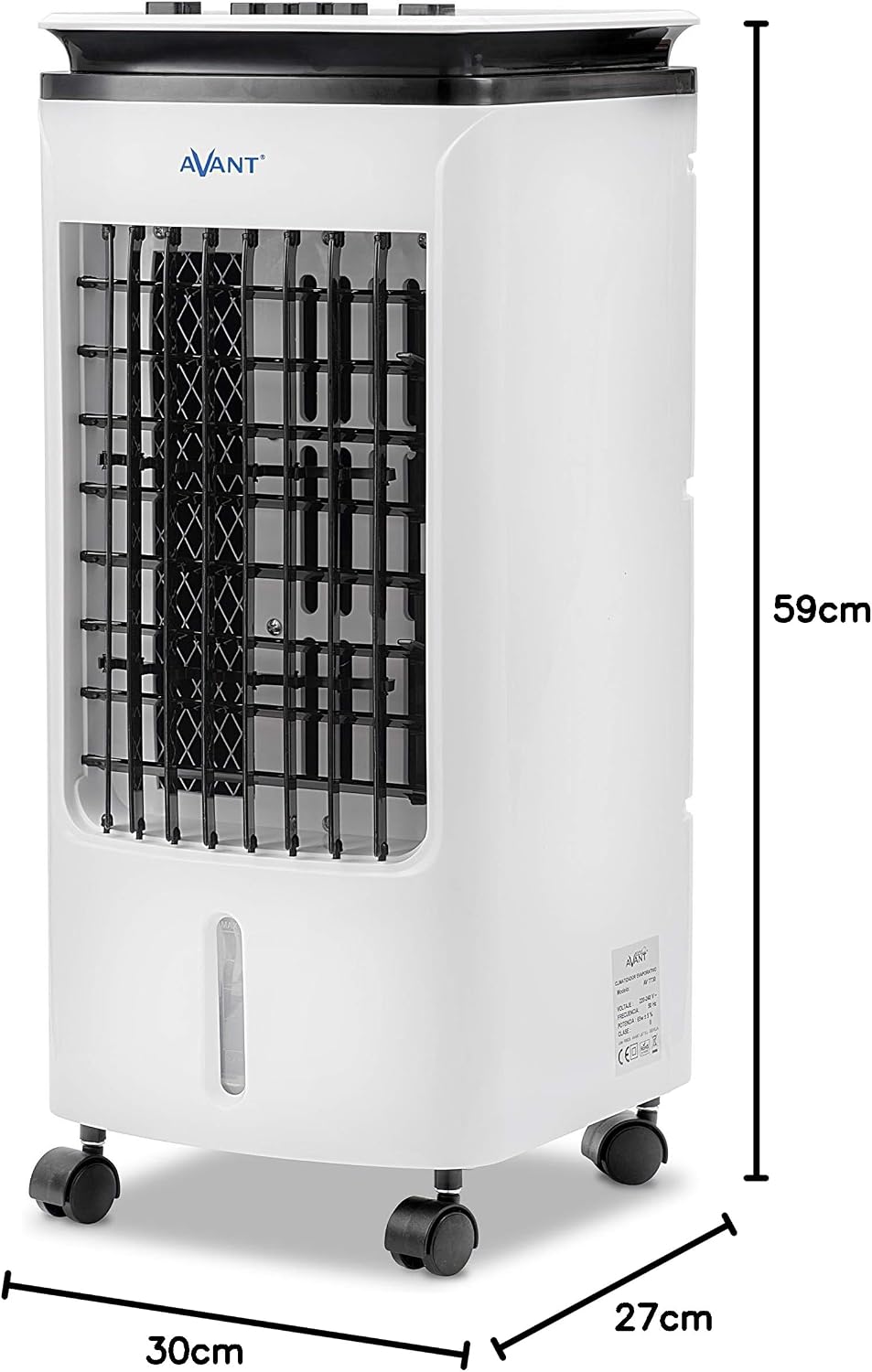
Figure 4: Product dimensions: 59cm height, 30cm width, 27cm depth.
Impostare
1. Disimballaggio
Carefully remove the air cooler from its packaging. Retain the packaging materials for future storage or transport if needed. Check for any signs of damage. If the unit is damaged, do not operate it and contact customer support.
2. Posizionamento
Place the air cooler on a firm, level surface. Ensure there is adequate space around the unit for proper airflow. The unit is equipped with wheels for easy mobility.

Figura 5: Esample of proper placement in a room, ensuring clear space for air circulation.
3. Riempimento del serbatoio dell'acqua
The unit has a 4-liter water tank. For cooling and humidification, fill the tank with clean water. You can add ice packs (included) to the water tank for enhanced cooling effect.
- Individuare l'accesso al serbatoio dell'acqua sul retro dell'unità.
- Carefully pour water into the tank, ensuring not to exceed the "MAX" fill line.
- The water tank is integrated and not removable for filling. Use a pitcher or similar container to pour water.

Figure 6: Image collage demonstrating how to access the filter, fill the water tank, and view il pannello di controllo.
4. Collegamento elettrico
Collegare il cavo di alimentazione a una presa elettrica standard (230 V CA).
Istruzioni per l'uso
Pannello di controllo
Il pannello di controllo si trova sulla parte superiore dell'unità.

Figura 7: dettagliata view dei pulsanti del pannello di controllo.
- Cooler ON/OFF: Press to activate or deactivate the evaporative cooling function. When activated, water is pumped from the tank to moisten the cooling pad, providing a cooler airflow. Note: "No water use is prohibited" indicates a safety feature or warning related to operating the cooler function without water. Ensure sufficient water in the tank before activating.
- Speed (Low, Mid, High): Press the respective button to select the desired fan speed.
- Basso: For quiet operation and gentle airflow.
- Mid: For moderate cooling and airflow.
- Alto: For maximum cooling and airflow.
- Swing ON/OFF: Press to activate or deactivate the automatic oscillation of the vertical louvers, distributing air across a wider area.
Modalità operative
The unit functions as a fan, a cooler (humidifier), and an air purifier.

Figure 8: The Avant Air Cooler offers 3-in-1 functionality: cooling, humidifying, and purifying the air.
- Modalità ventola: The unit operates as a standard fan, circulating air without humidification. Select your desired fan speed.
- Cooler Mode (Evaporative Cooling & Humidification): Activate the "Cooler" function. This mode uses water evaporation to cool and humidify the air. Ensure the water tank is filled.
- Purificazione dell'aria: The unit's filter system helps to purify the air by trapping dust and other particles.
Manutenzione
Una manutenzione regolare garantisce prestazioni ottimali e prolunga la durata del raffrescatore d'aria. Scollegare sempre l'unità dalla presa di corrente prima di pulirla.
1. Pulizia del serbatoio dell'acqua
To prevent mold and mildew growth, clean the water tank regularly, especially if the unit is not used for extended periods. The water tank is integrated and cannot be fully removed, requiring careful cleaning.
- Scollegare l'unità.
- Drain any remaining water from the tank. The unit must be tilted or carefully moved to a drain for complete emptying.
- Wipe the inside of the tank with a soft cloth and a mild detergent solution.
- Rinse thoroughly with clean water, ensuring no detergent residue remains.
- Lasciare asciugare completamente il serbatoio all'aria prima di riempire nuovamente o riporre l'unità.
2. Cleaning the Cooling Pad/Filter
The cooling pad (evaporative filter) should be cleaned periodically to maintain efficiency.

Figure 9: The cooling pad is accessible from the rear panel for cleaning or replacement.
- Scollegare l'unità.
- Open the rear panel to access the cooling pad.
- Carefully remove the cooling pad.
- Risciacquare il pannello refrigerante sotto l'acqua corrente per rimuovere polvere e depositi minerali. Per i depositi più ostinati, immergerlo in una soluzione decalcificante delicata (ad esempio aceto e acqua) per 30 minuti, quindi risciacquare abbondantemente.
- Allow the cooling pad to air dry completely before reinserting it into the unit.
- Close the rear panel securely.
3. Pulizia esterna
Pulire l'esterno dell'unità con un panno morbido, damp panno. Non usare detergenti abrasivi o solventi.
4. Conservazione
If storing the unit for an extended period, ensure the water tank and cooling pad are completely dry. Store the unit in a cool, dry place, preferably in its original packaging.
Risoluzione dei problemi
Prima di contattare l'assistenza clienti, consultare la seguente guida alla risoluzione dei problemi più comuni.
| Problema | Possibile causa | Soluzione |
|---|---|---|
| L'unità non si accende. | Nessuna alimentazione elettrica. | Verificare che il cavo di alimentazione sia collegato saldamente a una presa funzionante. |
| Nessuna aria fredda/umidificazione. | Water tank is empty or low. Cooler function not activated. Cooling pad is dry or clogged. | Fill the water tank. Press the "Cooler" button. Clean or replace the cooling pad. |
| Flusso d'aria debole. | Air inlet/outlet blocked. Fan speed set too low. | Assicurarsi che nulla ostruisca le prese d'aria. Aumentare la velocità della ventola. |
| Odore sgradevole. | Stagnant water in tank. Dirty cooling pad. | Drain and clean the water tank thoroughly. Clean the cooling pad. Use fresh water. |
| L'unità è rumorosa. | Unit not on a level surface. Internal components vibrating. | Assicurarsi che l'unità sia posizionata su una superficie piana e stabile. Se il rumore persiste, contattare l'assistenza clienti. |
Specifiche
| Numero di modello | AV7730 |
| Dimensioni (A x L x P) | Dimensioni: 59 x 30 x 27 cm |
| Peso | 5.09 kg |
| Consumo energetico | 65 L |
| Voltage | 230 V CA |
| Capacità del serbatoio dell'acqua | 4 litri |
| Area di copertura consigliata | Fino a 20 metri quadrati |
| Colore | Bianco |
| Componenti inclusi | Ruote |
Garanzia e supporto
For warranty information, please refer to the documentation provided at the time of purchase. If you encounter any issues not covered in this manual or require further assistance, please contact Avant customer support.
You can find contact details on the official Avant websito o tramite il tuo rivenditore.
Ask a question about this manual
Ask about setup, troubleshooting, compatibility, parts, safety, or missing instructions. Manuals+ will review the question and use this page’s manual context to help answer it.