
1. Introduzione
This manual provides comprehensive instructions for the installation, operation, and maintenance of your PWAYTEK HDMI Extender Splitter 1x4 1080P@60Hz. This device is designed to distribute a single HDMI source to four remote displays over Cat 5E/6/7 Ethernet cables, supporting resolutions up to 1080P@60Hz and extending signals up to 50 meters (165 feet).
2. Prodotto finitoview
Caratteristiche principali:
- Distributes one HDMI source to four displays simultaneously.
- Supports Full HD 1080P@60Hz resolution, compatible with 3D signals and other 1080i/720p resolutions.
- Extends HDMI signals up to 50m (165ft) using Cat6/7 cables, 45m (147ft) with Cat5e, and 40m (131ft) with Cat5.
- Features Power over Cable (POC) function, requiring only one power adapter for the transmitter unit.
- Includes EDID copy function for optimal display compatibility.
- Suitable for various applications including engineering, security, exhibitions, and home audio/video systems.
Contenuto della confezione:
- 1x HDMI Extender Splitter (Transmitter)
- 4 ricevitori estensori HDMI
- 1x adattatore di alimentazione (CC 12 V)
- 1x Manuale utente

Figure 1: Contents of the PWAYTEK HDMI Extender Splitter package.
3. Informazioni sulla sicurezza
- Garantire un'adeguata ventilazione attorno al dispositivo per evitare il surriscaldamento.
- Utilizzare solo l'adattatore di alimentazione fornito. L'utilizzo di un adattatore non corretto potrebbe danneggiare il dispositivo.
- Non esporre il dispositivo ad acqua, umidità o temperature estreme.
- Evitare di smontare il dispositivo. Per qualsiasi intervento di manutenzione, rivolgersi a personale qualificato.
- Tenere il dispositivo lontano da forti campi magnetici.
4. Istruzioni per l'installazione
Follow these steps to set up your HDMI Extender Splitter:
- Collegare la sorgente HDMI: Connect your HDMI source device (e.g., Blu-ray player, PC, game console) to the "HDMI IN" port on the transmitter unit using an HDMI cable.
- Collegare i cavi Ethernet: Connect Cat 5E/6/7 Ethernet cables from the "UTP" output ports on the transmitter to the "UTP" input ports on each of the four receiver units. Ensure the cables are of good quality for optimal performance over long distances.
- Connetti i display: Connect each receiver unit's "HDMI OUT" port to your respective display (TV, monitor, projector) using HDMI cables.
- Accensione: Connect the provided 12V DC power adapter to the "DC 12V" port on the transmitter unit. Due to the Power over Cable (POC) function, the receiver units do not require separate power adapters.
- Verifica connessione: Check the "PWR" and "STA" (Status) indicator lights on both the transmitter and receiver units. A solid green light typically indicates a successful connection and power.

Figure 2: Connection diagram for the PWAYTEK HDMI Extender Splitter.
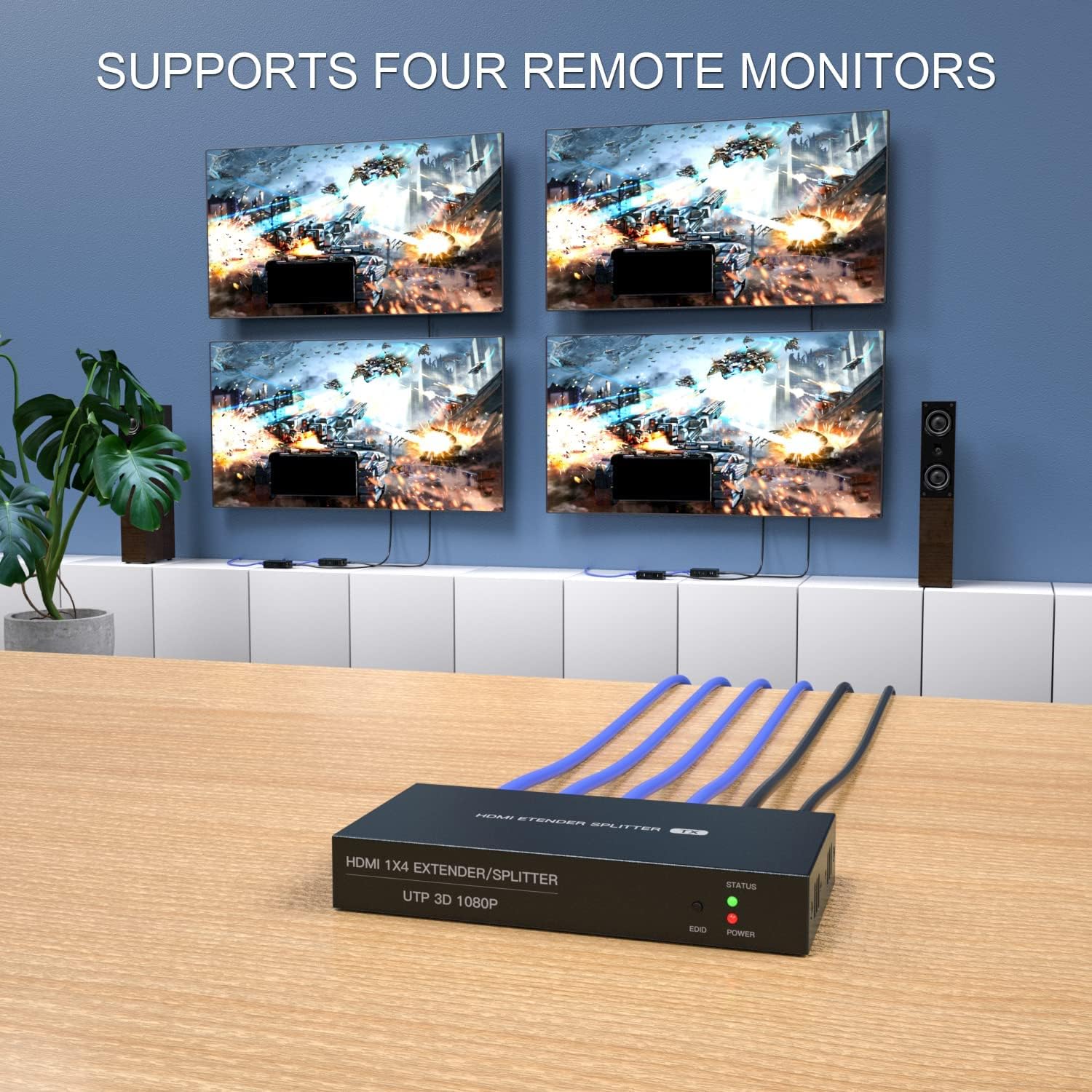
Figura 3: Esample setup demonstrating four remote monitors connected to the splitter.
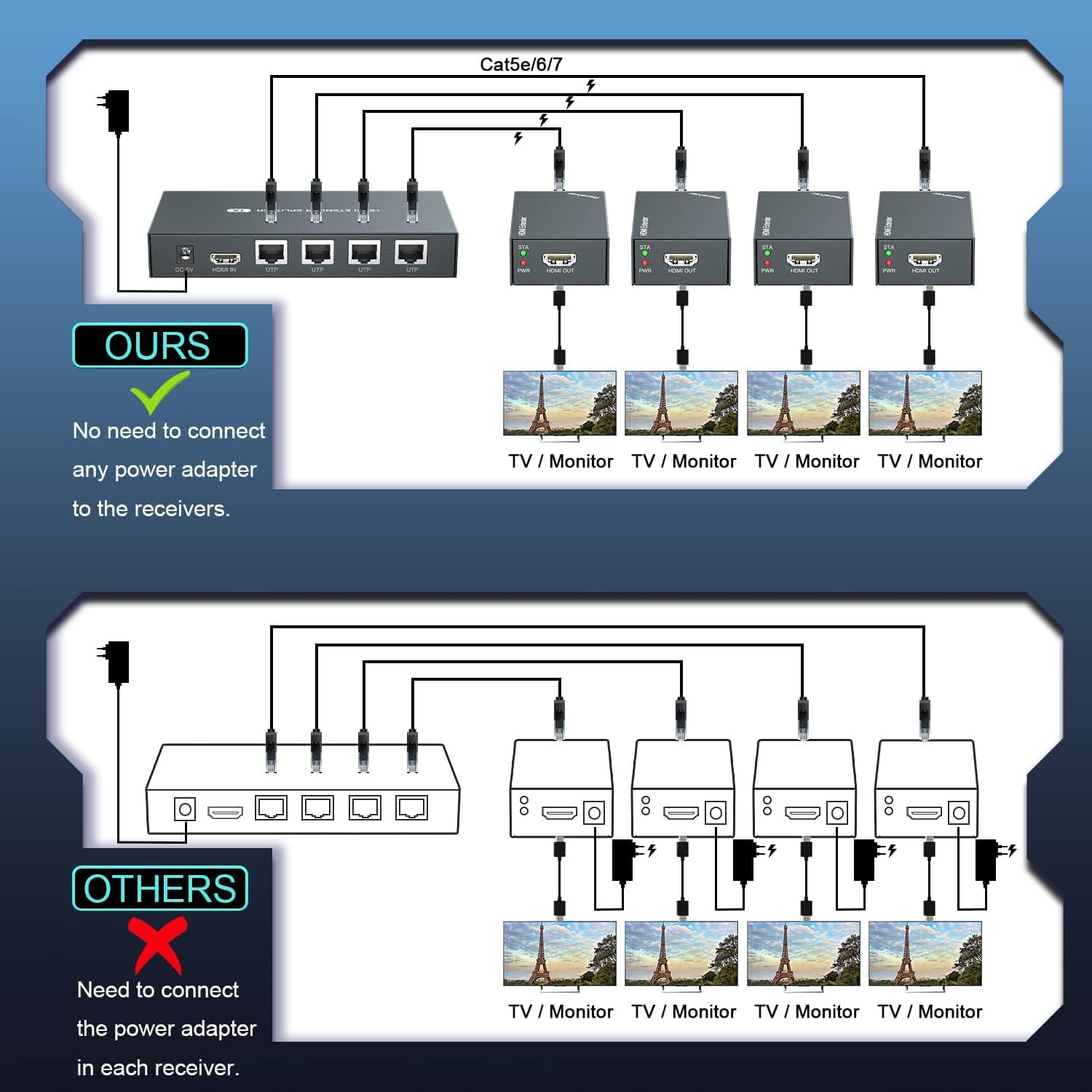
Figure 4: Power over Cable (POC) functionality, simplifying power requirements for receivers.
5. Istruzioni per l'uso
Once all connections are secure and power is supplied to the transmitter, the system should automatically detect and display the HDMI source on all connected displays.
- Supporto alla risoluzione: The system supports resolutions up to 1920x1080P@60Hz. It is also compatible with 3D signals and lower resolutions such as 1080i and 720p.
- Funzione di copia EDID: The EDID (Extended Display Identification Data) copy function ensures optimal compatibility between the source device and the displays by communicating the display's capabilities to the source. This helps in automatically setting the best possible resolution and audio format.
- Alimentazione tramite cavo (POC): The POC feature allows the receiver units to draw power directly from the transmitter via the Ethernet cable, eliminating the need for individual power adapters at each display location.

Figure 5: High-definition 1080P@60Hz video output.
6. Manutenzione
- Mantenere pulito il dispositivo strofinandolo con un panno morbido e asciutto.
- Evitare l'uso di detergenti liquidi o spray.
- Assicurarsi che tutti i cavi siano collegati saldamente e non siano danneggiati.
- Conservare il dispositivo in un luogo fresco e asciutto quando non viene utilizzato per lunghi periodi.
7. Risoluzione Dei Problemi
| Problema | Possibile causa | Soluzione |
|---|---|---|
| Nessuna immagine visualizzata. | Loose cable connections, incorrect input selection on display, power issue. |
|
| Scarsa qualità dell'immagine o sfarfallio. | Low quality or damaged Ethernet cable, excessive cable length, resolution incompatibility. |
|
| Only some displays show a picture. | Faulty receiver unit, damaged Ethernet cable to specific receiver. |
|
8. Specifiche
| Caratteristica | Dettaglio |
|---|---|
| Numero di modello | HTS010X |
| Supporto alla risoluzione | Up to 1080P@60Hz (1920x1080), compatible with 1080i/720p, 3D signals |
| Distanza di trasmissione |
|
| Porte di ingresso | 1x HDMI IN |
| Porte di uscita | 4x UTP (RJ45) on Transmitter, 4x HDMI OUT on Receivers |
| Alimentazione elettrica | DC 12V (for Transmitter only, POC for Receivers) |
| Velocità dati | 6.78 Gbps |
| Peso dell'articolo | 2.05 libbre |
| Dimensioni del pacco | 9 x 6.7 x 3.1 pollici |
9. Video di prodotto
Video 1: Un overview of the PWAYTEK HDMI Splitter, demonstrating its features and connectivity.
10. Garanzia e supporto
For warranty information, technical support, or any inquiries regarding your PWAYTEK HDMI Extender Splitter, please refer to the official PWAYTEK websito o contattare il servizio clienti. Puoi anche visitare il sito PWAYTEK Store on Amazon per ulteriori dettagli sul prodotto e risorse di supporto.