
Modello M510
Manuale di istruzioni del mouse wireless Logitech M510
Modello: M510 | Marca: Logitech
Prodotto finitoview
The full-size Logitech Wireless Mouse M510 provides enhanced control and comfort for laptop and PC users. Its ergonomic design with contoured shape and soft rubber grips ensures support for extended use. This mouse features three standard buttons, plus programmable Back/Forward buttons for efficient application switching and full-screen navigation. Side-to-side scrolling and zoom functionality allow for versatile horizontal and vertical navigation through various content types.
Caratteristiche principali
- Durata prolungata della batteria: Up to 2 years of battery life, with an On/Off switch and smart sleep mode to conserve power.
- Ricevitore Logitech Unifying: A tiny USB receiver that stays in your laptop, allowing easy addition of compatible wireless mice or keyboards.
- Indicatore luminoso della batteria: Top-mounted indicator to prevent unexpected power loss.
- Comfort ergonomico: Contoured shape with soft rubber grips, gently curved sides, and a broad palm area for all-day support.
- Controlli programmabili: Three standard buttons plus customizable Back/Forward buttons for enhanced productivity, including application switching and full-screen mode.
- Versatile Scrolling: Side-to-side scrolling and zoom for horizontal and vertical navigation.
- Ampia compatibilità: Compatible with Windows 10, 11 or later, Linux, and Chrome OS.
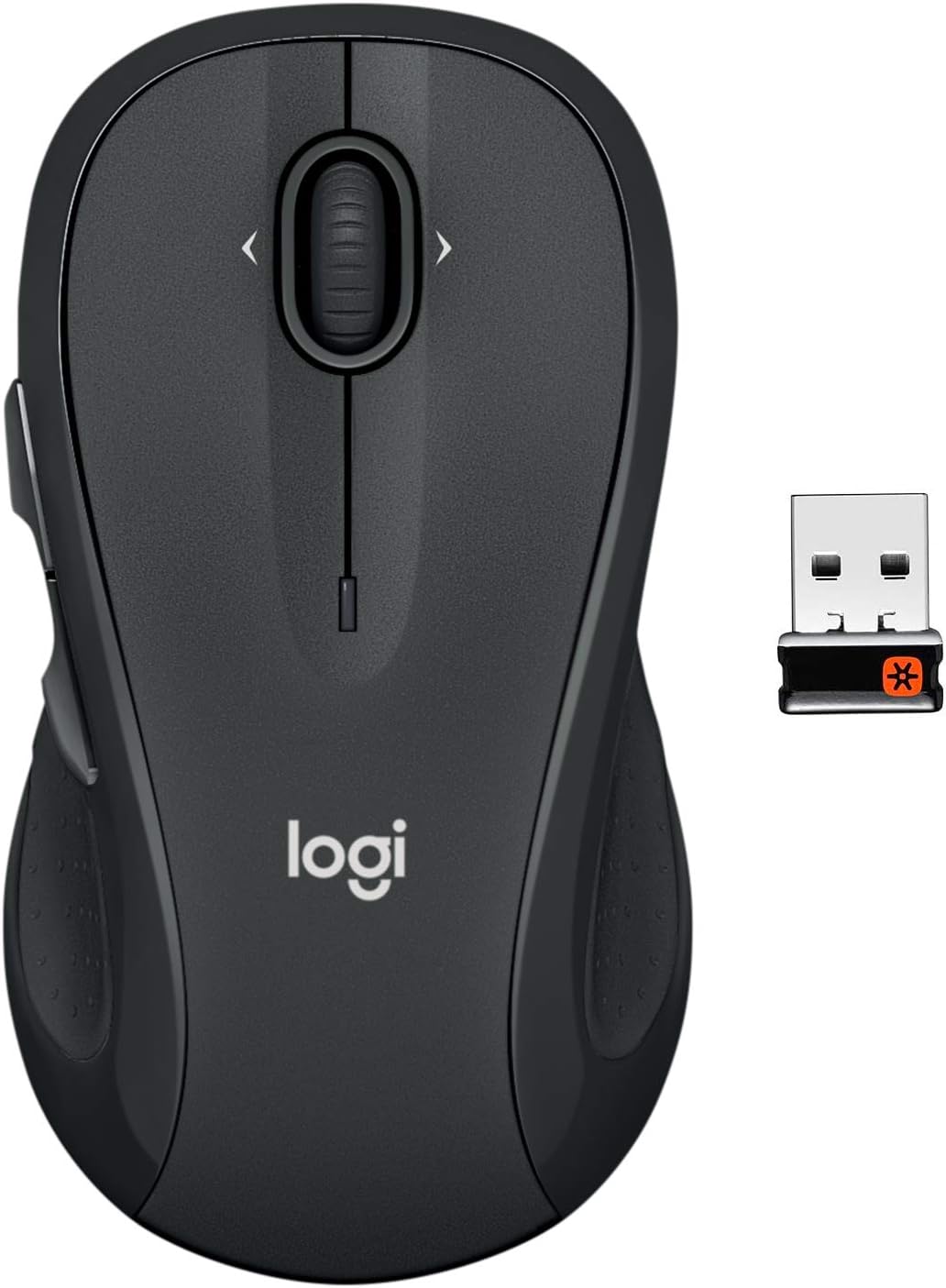
The Logitech M510 Wireless Mouse with its compact Unifying Receiver.
Impostare
Contenuto della confezione
- Ricevitore Logitech Unifying
- 2 batterie AA
Installazione della batteria
The Logitech M510 mouse comes with two AA batteries included. To install or replace batteries:
- Flip the mouse over to reveal the battery compartment on the underside.
- Far scorrere il coperchio del vano batteria.
- Inserire le due batterie AA, assicurandosi della corretta polarità (+/-).
- Riposizionare il coperchio del vano batterie.

Open the battery compartment to insert or replace AA batteries.
Connecting the Unifying Receiver
The tiny Logitech USB Unifying receiver allows for a reliable wireless connection. It is designed to stay plugged into your laptop without interference.
- Locate the Unifying receiver, typically stored inside the mouse's battery compartment.
- Collegare il ricevitore Unifying a una porta USB disponibile sul computer.
- Accendere il mouse utilizzando l'interruttore On/Off situato nella parte inferiore.
- Il computer dovrebbe rilevare automaticamente il mouse e connettersi ad esso.

Key features and components of the Logitech M510 mouse.
Operating Your Logitech M510 Mouse
Design ergonomico
The Logitech M510 is designed for comfort, allowing your hand to relax hour after hour. Its contoured shape with soft rubber grips and gently curved sides provides excellent support.

The ergonomic design ensures comfortable use for extended periods.
Funzioni dei pulsanti
The M510 features multiple buttons for enhanced control:
- Clic sinistro/destro: Funzioni standard del mouse.
- Rotella di scorrimento: Per lo scorrimento verticale.
- Programmable Back/Forward Buttons: Located on the side, these buttons can be customized to switch applications, go full screen, or perform other functions.

The M510 offers customizable controls for increased productivity.
Side-to-Side Scrolling and Zoom
The scroll wheel also supports side-to-side scrolling and zoom functionality, allowing you to navigate horizontally through documents, web pages, and images with ease.

Soft rubber grips and a versatile scroll wheel enhance usability.
Video ufficiali dei prodotti
There are no official
Ask a question about this manual
Ask about setup, troubleshooting, compatibility, parts, safety, or missing instructions. Manuals+ will review the question and use this page’s manual context to help answer it.