
1. Introduzione
Grazie per l'acquistoasing the G Keni LC-10W Elegant CD Player Alarm Clock Radio. This versatile device combines multiple audio playback options with convenient alarm clock features and wireless charging capabilities. Please read this manual thoroughly to ensure proper use and to maximize your enjoyment of the product.
2. Informazioni sulla sicurezza
- Non esporre l'unità a pioggia, umidità o temperature estreme.
- Ensure the power cord is UL certified and connected to a compatible 100V-240V AC outlet.
- Evitare di posizionare l'unità vicino a fonti di calore o alla luce diretta del sole.
- Non smontare o tentare di riparare l'unità da soli. Contattare personale di assistenza qualificato.
- Tenere l'unità lontana da forti campi magnetici.
- Use only the specified 2*AAA dry batteries for time setting memory backup (not included).
3. Contenuto della confezione
- 1x G Keni LC-10W CD Player Alarm Clock Radio
- Cavo di alimentazione AC 1x
- 1x telecomando
- 1x Manuale del proprietario
4. Prodotto finitoview
The G Keni LC-10W features a sleek design with a large mirror LED display and intuitive controls. It integrates a top-loading CD player, FM radio, Bluetooth connectivity, USB and AUX inputs, and a wireless charging pad.

Figura 1: Fronte view of the G Keni LC-10W unit, showcasing the digital display, wireless charging pad with a phone, and the included remote control.
4.1. Controlli e porte
- Pannello superiore: Mode button, Play/Pause, Skip/Search buttons, Program button, Snooze/Sleep button, Volume/Tune knob, Alarm 1/2 buttons, Dimmer, Wireless Charging On/Off.
- Pannello frontale: Large Dimmable Mirror LED Display.
- Pannello laterale: USB port, AUX-IN port, Headphone output.
- Pannello posteriore: FM Antenna, AC Power Input.
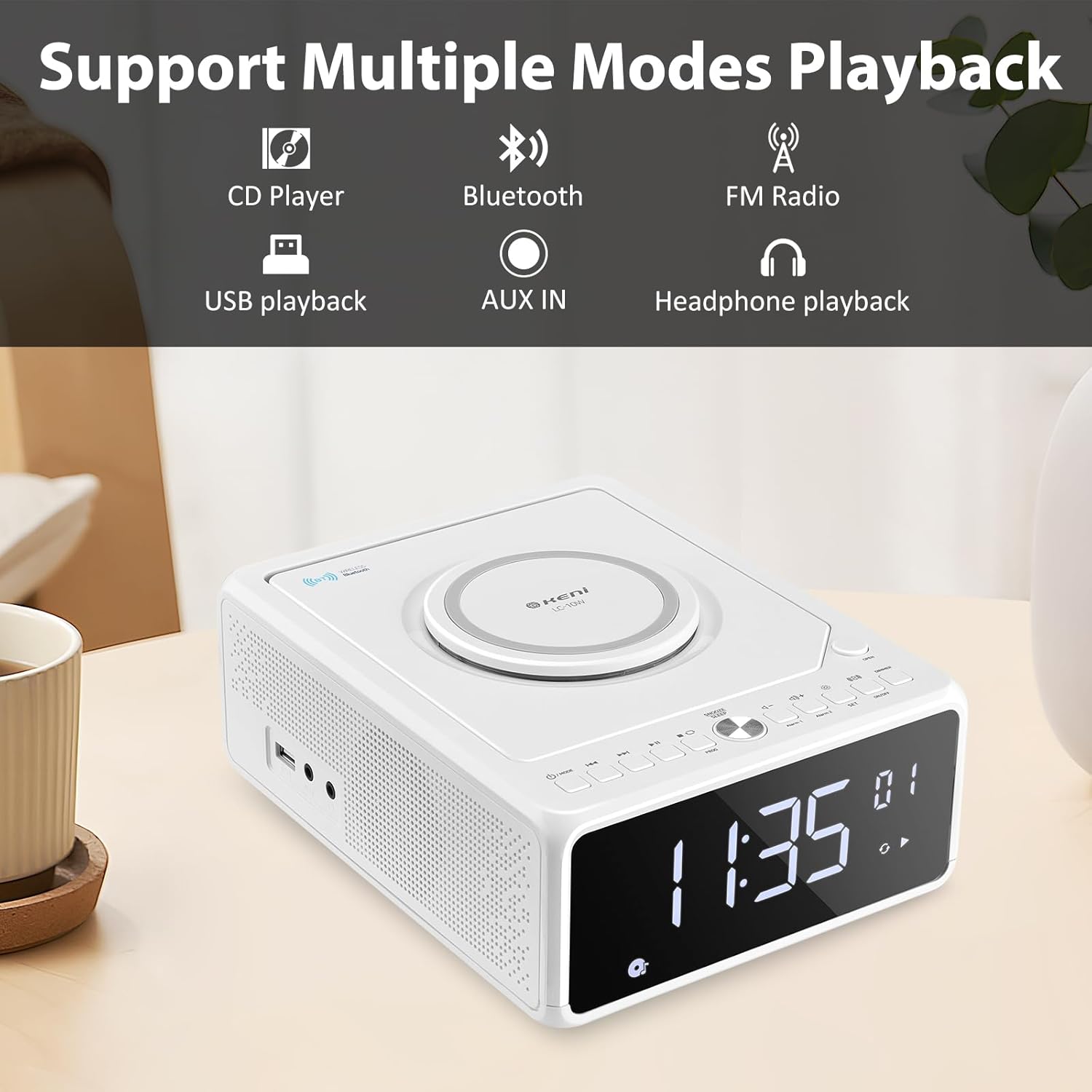
Figure 2: Diagram illustrating the various playback modes supported by the G Keni LC-10W, including CD, Bluetooth, FM Radio, USB, AUX, and headphone output.
5. Impostazione
5.1. Collegamento elettrico
- Collegare il cavo di alimentazione CA in dotazione alla presa AC IN sul retro dell'unità.
- Plug the other end of the power cord into a standard wall outlet (100V-240V AC).
- The unit will power on and the display will light up.
5.2. Batteria di backup (opzionale)
For time setting memory backup during power outages, install 2*AAA dry batteries (not included) into the battery compartment on the bottom of the unit. This will retain time and alarm settings.
Video 1: Un overview of the G Keni CD Player Alarm Clock, demonstrating its features and basic operation. This video is provided by the seller.
6. Istruzioni per l'uso
6.1. Impostazione dell'ora
- Ensure the unit is in standby mode (display showing time only). If not, press and hold the Power/Mode button until only the time is displayed.
- Premere e tenere premuto il tasto IMPOSTATO button until the time digits start blinking.
- Premere il tasto Inoltrare or Riavvolgere buttons to switch between 12-hour and 24-hour format.
- Premere IMPOSTATO again to set the hour. Use Inoltrare or Riavvolgere to adjust the hour (pay attention to AM/PM in 12-hour format).
- Premere IMPOSTATO again to set the minute. Use Inoltrare or Riavvolgere per regolare i minuti.
- Premere IMPOSTATO one last time to confirm and save the time.
6.2. Impostazione della sveglia
The unit supports dual alarms (Alarm 1 and Alarm 2) with adjustable volume and various wake-up sounds.
- Premere e tenere premuto uno dei due Allarme 1 or Allarme 2 button until the hour digits start blinking.
- Utilizzare il Inoltrare or Riavvolgere pulsanti per regolare l'ora desiderata per la sveglia.
- Premere il rispettivo Allarme button again to set the minute. Use Inoltrare or Riavvolgere per regolare i minuti.
- Premere il tasto Allarme button again to select the wake-up sound: Buzzer, Radio, CD, USB, or Bluetooth. Use Inoltrare or Riavvolgere per scorrere le opzioni.
- Premere il tasto Allarme button again to set the alarm volume (indicated by 'U' followed by a number). Use Volume +/- pulsanti da regolare.
- Premere il tasto Allarme un'ultima volta per confermare e attivare la sveglia. Sul display apparirà l'icona della sveglia.
- Per disattivare un allarme, premere il tasto corrispondente Allarme una volta il pulsante. L'icona della sveglia scomparirà.
Video 2: Detailed instructions on how to set the alarm on the G Keni LC-10W. This video is provided by the seller.
6.3. Funzionamento del lettore CD
The top-loading CD player supports audio CDs, CD-Rs, CD-RWs, and MP3 CDs.
- Premere il tasto APRIRE button on the top right to open the CD compartment.
- Carefully place a CD onto the spindle with the label side facing up.
- Chiudere il coperchio del vano CD.
- Premere il tasto MODALITÀ finché sul display non appare la scritta 'CD'.
- The CD will begin playing automatically. Use Riproduci/Pausa, Salta/Cerca pulsanti per controllare la riproduzione.
- Funzione di programmazione: In modalità CD, premere il tasto PROG button to enter programming mode. Use Salta/Cerca to select tracks and PROG to add them to the playlist. Press Giocare per avviare la sequenza programmata.

Figure 3: The top-loading CD player of the G Keni LC-10W is shown open, with a CD being placed inside. The remote control is also visible, highlighting ease of operation.
6.4. Funzionamento della radio FM
The unit features a digital FM radio (87.5-108MHz). AM radio is not supported.
- Extend the telescopic FM antenna on the rear of the unit for optimal reception.
- Premere il tasto MODALITÀ finché sul display non appare la scritta "FM".
- Scansione automatica: Premere e tenere premuto il tasto Riproduci/Pausa pulsante per eseguire la scansione automatica e salvare le stazioni FM disponibili.
- Sintonizzazione manuale: Premere brevemente il tasto Salta/Cerca pulsanti per sintonizzarsi manualmente sulla successiva stazione disponibile.
- Disattiva audio: Premere il tasto Muto button to temporarily silence the radio.

Figure 4: The G Keni LC-10W displaying FM Radio mode, indicating the frequency and the availability of a sleep timer function.
6.5. Connettività Bluetooth
Riproduci in streaming l'audio in modalità wireless dai tuoi dispositivi abilitati Bluetooth.
- Premere il tasto MODALITÀ button until 'BT' appears on the display. The unit will enter pairing mode, indicated by a blinking Bluetooth icon.
- Sul tuo dispositivo mobile, attiva il Bluetooth e cerca i dispositivi disponibili.
- Select 'LC-10W' from the list to pair. Once connected, the Bluetooth icon will stop blinking.
- You can now play music from your device through the G Keni LC-10W. Use the unit's controls or your device to manage playback.
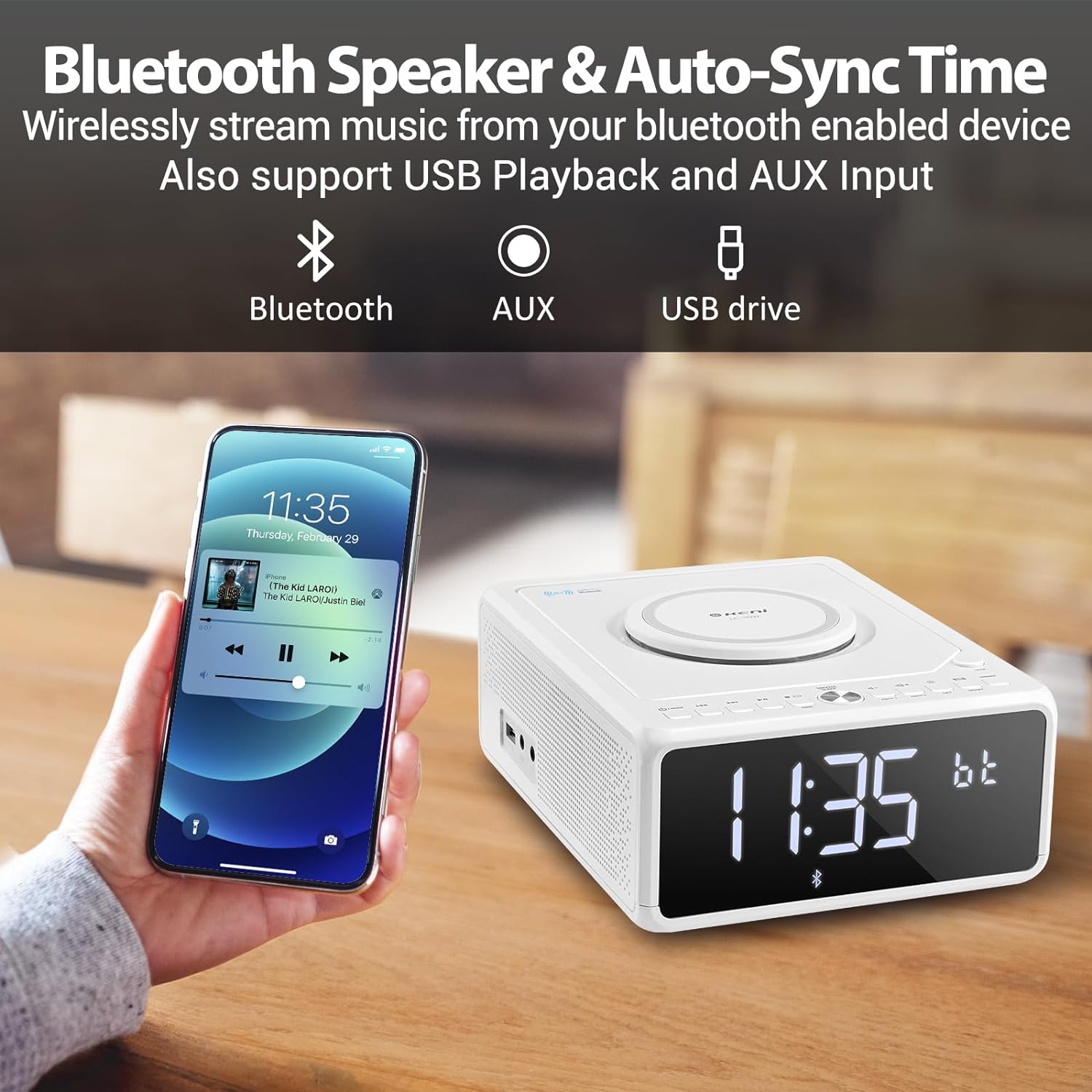
Figure 5: A smartphone is shown wirelessly connected to the G Keni LC-10W via Bluetooth, demonstrating music streaming capabilities.
6.6. Riproduzione musicale USB
Play MP3/WMA music fileÈ direttamente da un'unità flash USB.
- Insert a USB flash drive into the USB port on the side of the unit.
- Premere il tasto MODALITÀ finché sul display non compare la scritta "USB".
- The unit will automatically detect and begin playing music from the USB drive.
- Utilizzo Riproduci/Pausa, Salta/Cerca pulsanti per controllare la riproduzione.
6.7. Collegamento AUX-IN
Collegare dispositivi audio esterni tramite un cavo audio da 3.5 mm (non incluso).
- Connect one end of a 3.5mm audio cable to the AUX-IN port on the side of the unit.
- Connect the other end to the headphone jack or AUX-OUT port of your external audio device.
- Premere il tasto MODALITÀ finché sul display non compare la scritta "AUX".
- Control playback from your external audio device. Adjust volume using the unit's volume knob.
6.8. Ricarica wireless
The unit features a Qi-compatible wireless charging pad on top.
- Ensure the wireless charging function is enabled by pressing the ACCESO/SPENTO button for wireless charging. A blue light will indicate it's ready.
- Place your Qi-compatible smartphone on the charging pad.
- The light will turn red to indicate active charging.
- Output: 7.5W for iOS devices, 10W for Android devices.

Figure 6: The wireless charging pad on the G Keni LC-10W is shown, illustrating its fast charging capabilities for both Android (10W) and iPhone (7.5W) devices.
6.9. Display Brightness (Dimmer)
Adjust the LED display brightness to your preference.
- Premere il tasto DIMENSIONATORE button repeatedly to cycle through 5 levels of brightness, including an 'off' setting for complete darkness.
6.10. Snooze & Sleep Timer
Enhance your sleep routine with these functions.
- Posticipa: Quando suona un allarme, premere il tasto SNOOZE/SONNO button to temporarily silence it for 9 minutes. This can be repeated within an hour.
- Sveglia: While playing audio (Radio, CD, USB, Bluetooth), press the SNOOZE/SONNO button repeatedly to set the sleep timer (10-90 minutes). The unit will automatically turn off after the selected duration.
7. Manutenzione
- Pulizia: Utilizzare un panno morbido e asciutto per pulire l'esterno dell'unità. Non utilizzare detergenti abrasivi o solventi.
- Cura del CD: Handle CDs by their edges. Clean with a soft, lint-free cloth in a straight line from the center to the outer edge.
- Magazzinaggio: Quando non si utilizza l'unità per lunghi periodi, scollegarla e conservarla in un luogo fresco e asciutto.
8. Risoluzione Dei Problemi
| Problema | Possibile causa | Soluzione |
|---|---|---|
| L'unità non si accende. | Cavo di alimentazione non collegato correttamente. | Check AC power cord connection to unit and wall outlet. |
| Nessun suono dagli altoparlanti. | Volume troppo basso; Disattivazione audio attivata; Modalità selezionata non corretta. | Increase volume; Deactivate Mute; Select correct playback mode. |
| Il CD salta o non viene riprodotto. | CD sporco o graffiato; CD inserito in modo errato. | Clean or replace CD; Ensure CD is placed correctly. |
| Scarsa ricezione radio FM. | Antenna non estesa; segnale debole. | Fully extend the telescopic antenna; Reposition the unit. |
| Il dispositivo Bluetooth non si associa. | Unit not in BT mode; Device too far; Device already paired. | Ensure unit is in BT mode; Move device closer; Disconnect from other devices. |
| La ricarica wireless non funziona. | Wireless charging off; Phone not Qi-compatible; Phone not centered. | Press wireless charging ON/OFF; Check phone compatibility; Reposition phone. |
9. Specifiche
| Caratteristica | Dettaglio |
|---|---|
| Numero di modello | LC-10W |
| Dimensioni (L x P x A) | 8.46 x 6.69 x 3.15 pollici |
| Peso | 2.6 libbre |
| Connettività | Ausiliario, Bluetooth, USB |
| Versione Bluetooth | 5.0 |
| Uscita di ricarica wireless | 7.5 W (iOS), 10 W (Android) |
| Gamma di frequenza FM | Frequenza 87.5-108 MHz |
| Tipo di altoparlante | Doppio altoparlante |
| Potenza in ingresso | AC 100V-240V (UL certified) |
| Batteria di backup | 2*AAA dry batteries (for time memory, not included) |
10. Garanzia e supporto
G Keni offers a one-year warranty and friendly customer service for this product. For any issues or support inquiries, please contact the seller or manufacturer directly. Please refer to your purchase documentation for specific warranty terms and contact information.