
cimetech KF10
cimetech EasyTyping KF10 Wireless Keyboard and Mouse Combo Instruction Manual
Modello: KF10
Marca: cimetech
1. Introduzione
Thank you for choosing the cimetech EasyTyping KF10 Wireless Keyboard and Mouse Combo. This product is designed to provide a comfortable, quiet, and efficient typing and navigation experience for your computer. Featuring advanced 2.4G wireless technology and silent scissor switch keys, this combo offers seamless connectivity and ergonomic comfort. Please read this manual carefully to ensure proper setup and operation.
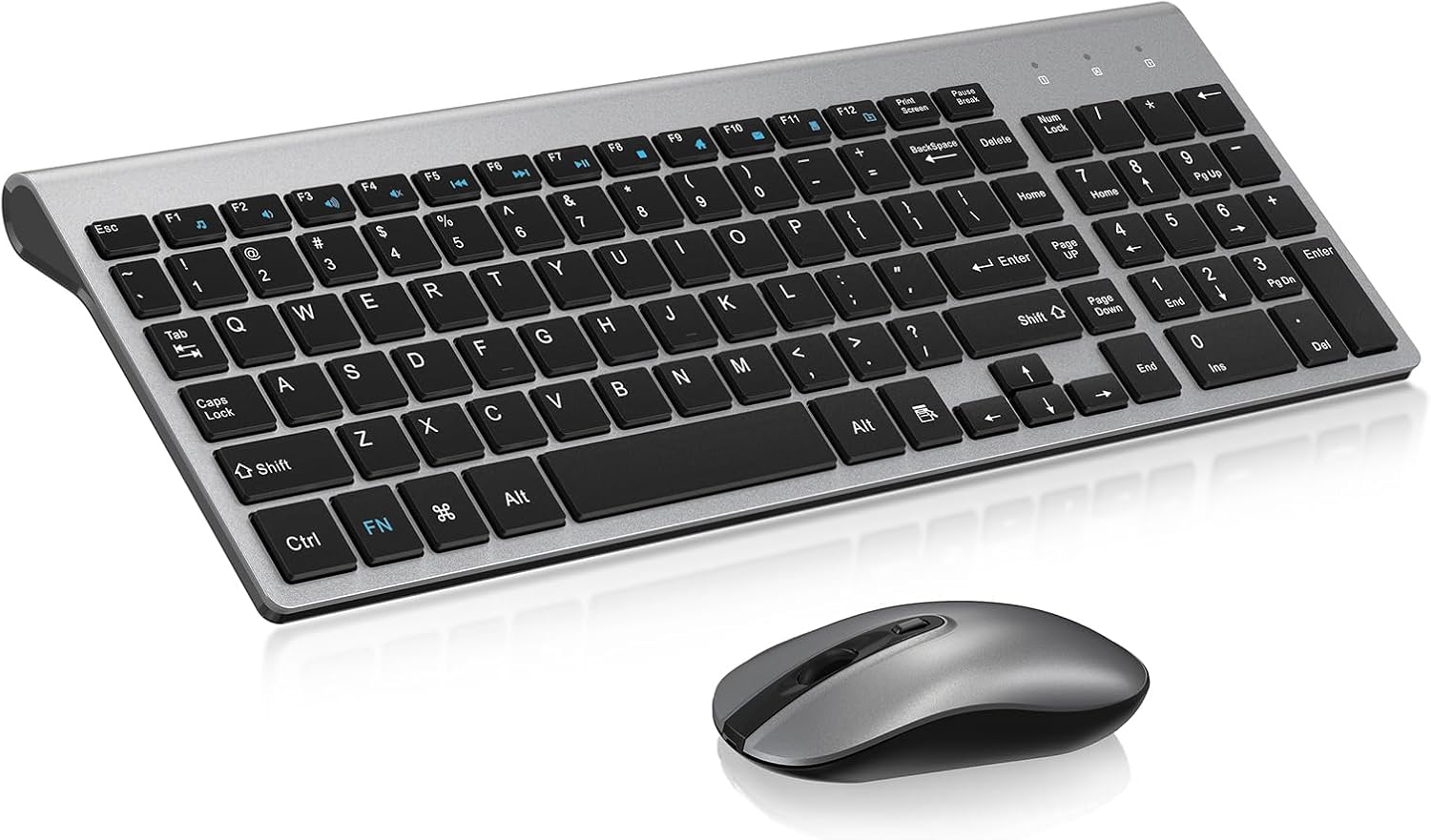
Image: The cimetech EasyTyping KF10 Wireless Keyboard and Mouse Combo, showcasinil suo design elegante.
2. Caratteristiche principali
- Tecnologia wireless 2.4G: Enjoy a stable and reliable connection up to 10 meters (33 feet), providing wireless freedom without cable constraints.
- Ricevitore USB singolo: Both the keyboard and mouse connect via a single nano USB receiver, simplifying setup and freeing up valuable USB ports. The receiver is conveniently stored inside the mouse's battery compartment.
- Tasti dell'interruttore a forbice silenzioso: The keyboard features a scissor switch key design, ensuring uniform force distribution, low sound, short key travel (2.5mm), and smooth pressing. This provides a comfortable, quiet, and labor-saving typing experience, reducing noise by up to 90%.

Immagine: dettagliata view of the scissor switch key mechanism, highlighting advanced technology.

Image: Visual comparison illustrating 50% shorter key travel of EasyTyping keys versus traditional keys.
- Effortless Rebound: Accurate and fast typing without delay, with smooth and even rebound for long-lasting typing without wrist fatigue.
- Design ergonomico: The keyboard features an 8-degree tilted angle to help release wrist pressure, promoting healthy typing habits and reducing hand fatigue.
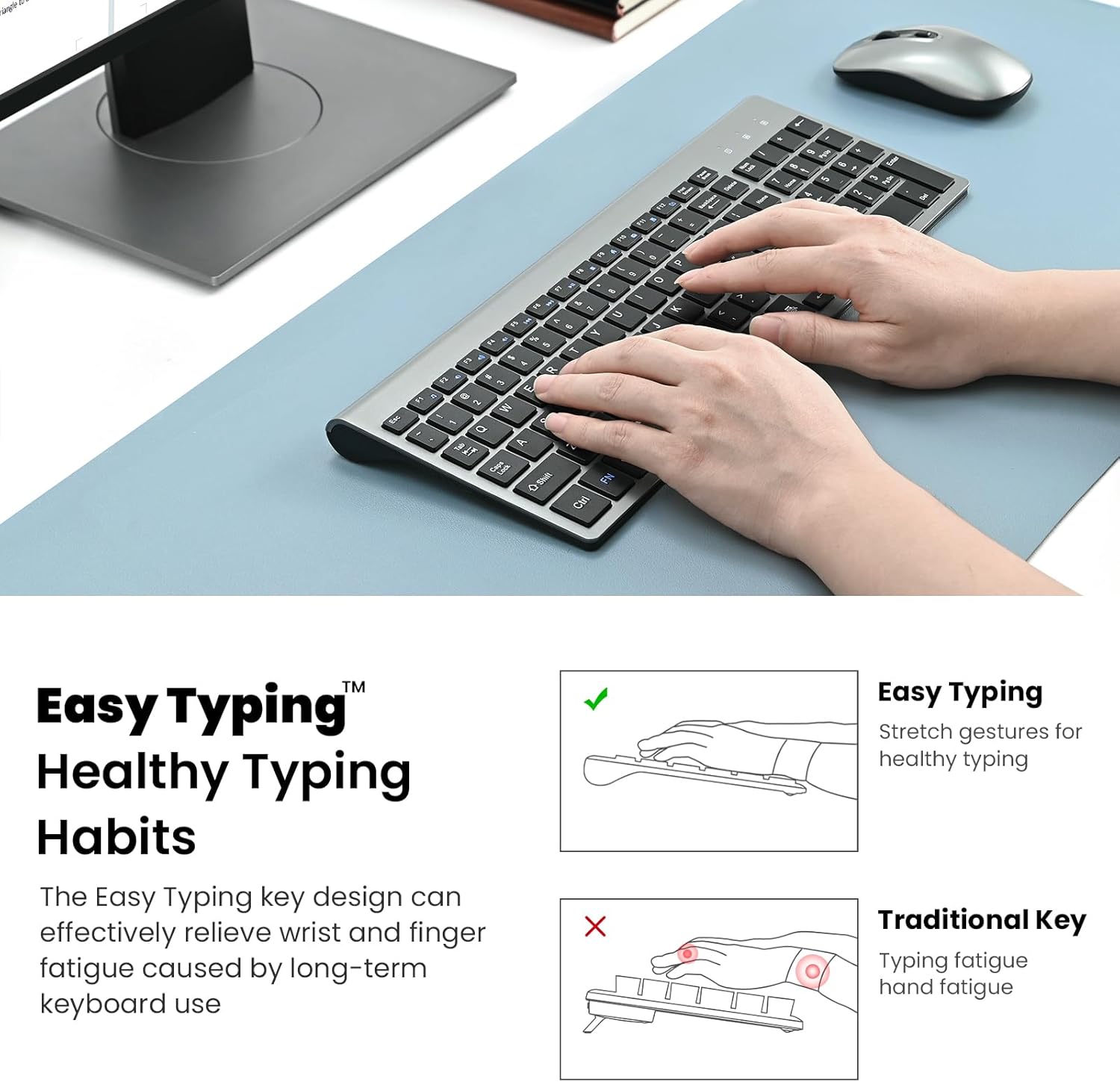
Image: Illustration demonstrating healthy typing habits and the ergonomic design of the keyboard.
- DPI del mouse regolabile: The mouse offers adjustable DPI settings (default 1600 DPI) for precise cursor control.
- Risparmio energetico: Both the keyboard and mouse are equipped with on/off switches to conserve battery life when not in use.
- Ampia compatibilità: Compatible with various operating systems including PC, Laptop, Mac, and Windows.
3. Istruzioni per l'installazione
Follow these simple steps to set up your cimetech EasyTyping KF10 Wireless Keyboard and Mouse Combo:
- Individuare il ricevitore USB: The nano USB receiver is stored in the battery compartment of the mouse. Open the battery cover on the underside of the mouse and carefully remove the receiver.
- Inserire le batterie:
- Per il Topo: Insert one (1) AA battery into the mouse battery compartment, ensuring correct polarity (+/-).
- Per il Tastiera: Insert two (2) AAA batteries into the keyboard battery compartment, ensuring correct polarity (+/-).
- Collegare il ricevitore: Insert the nano USB receiver into an available USB port on your computer (PC, laptop, Mac).
- Accendi i dispositivi: Turn on the keyboard and mouse using their respective on/off switches. The power indicator light on the keyboard will briefly illuminate.
- Connessione automatica: The keyboard and mouse are plug-and-play. Your computer should automatically detect and connect to the devices within a few seconds. No additional drivers are typically required.
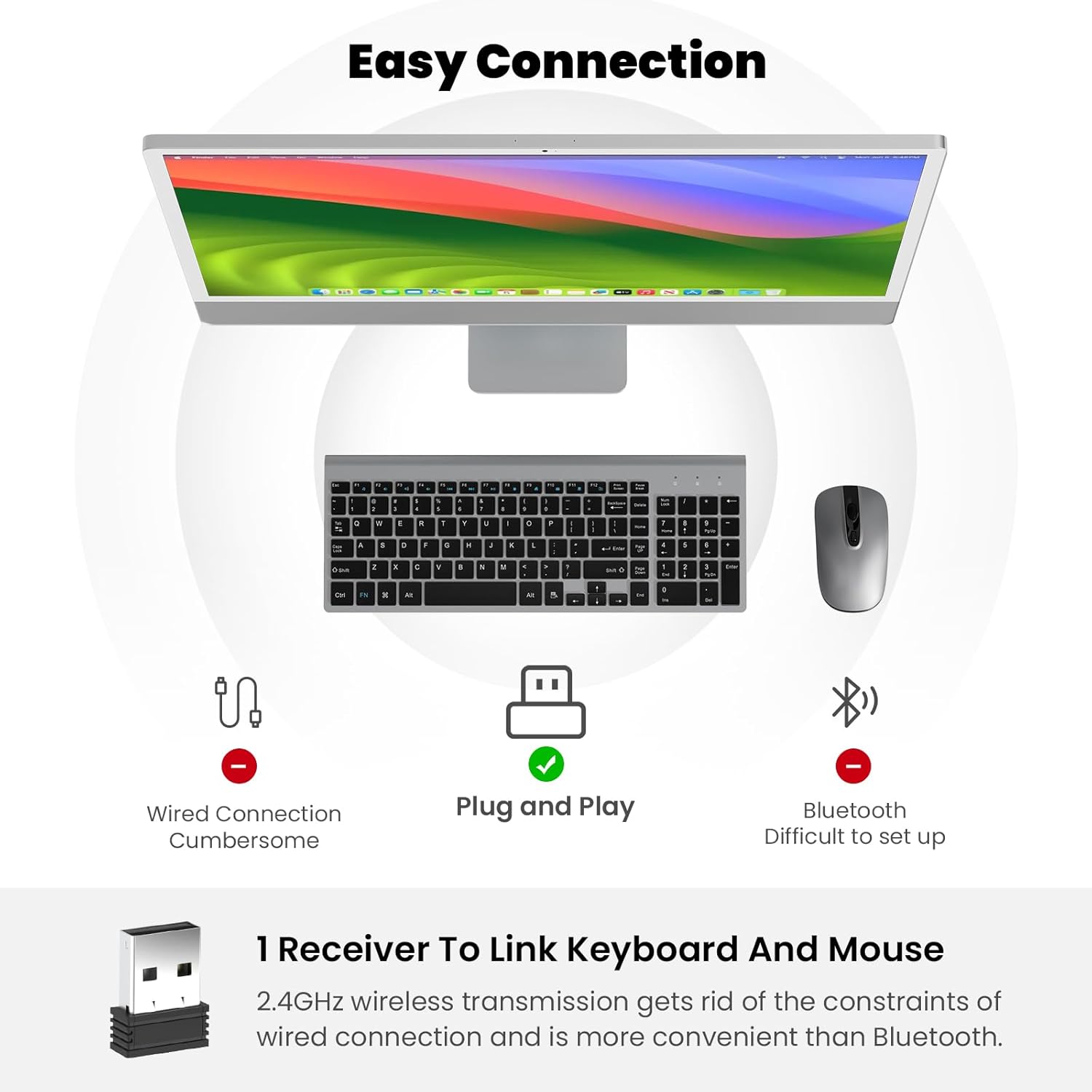
Image: Visual guide to the Easy Connection process, highlighting the single USB receiver and indicator lights.
Video: Official seller video demonstrating the setup process for the wireless keyboard and mouse combo, including locating and inserting the USB receiver.
4. Istruzioni per l'uso
4.1 Utilizzo della tastiera
Simply begin typing. The scissor switch keys provide a responsive and quiet experience. The keyboard includes a full numeric keypad for convenient data entry.
- Tasti funzione (F1-F12): These keys often have secondary multimedia or shortcut functions (e.g., volume control, media playback, screen brightness). These functions are typically activated by pressing the 'Fn' key simultaneously with the desired F-key. Refer to your computer's operating system for specific function key mappings.
- Luci di segnalazione: The keyboard features indicator lights for Num Lock, Caps Lock, and a Power Indicator to show battery status or connection.
4.2 Utilizzo del mouse
Move the mouse to control the cursor on your screen. The silent click design ensures a quiet working environment.
- Clic sinistro/destro: Pulsanti standard del mouse per la selezione e i menu contestuali.
- Rotella di scorrimento: Utilizzare la rotellina di scorrimento per scorrere verticalmente i documenti e web pagine.
- Regolazione DPI: The mouse may have a button (often near the scroll wheel) to cycle through different DPI settings, allowing you to adjust cursor sensitivity to your preference.
5. Manutenzione
- Pulizia: Use a soft, dry, lint-free cloth to clean the surface of the keyboard and mouse. For stubborn dirt, slightly dampBagnare il panno con acqua o una soluzione detergente delicata. Non utilizzare prodotti chimici aggressivi o materiali abrasivi.
- Sostituzione della batteria: When the devices stop responding or the power indicator light on the keyboard blinks, it's time to replace the batteries. Follow the instructions in the 'Setup' section for battery insertion.
- Magazzinaggio: When not in use for extended periods, turn off both the keyboard and mouse using their respective on/off switches to conserve battery life. Store the USB receiver in the mouse's battery compartment to prevent loss.
- Condizioni ambientali: Avoid exposing the devices to extreme temperatures, direct sunlight, high humidity, or liquids.
6. Risoluzione Dei Problemi
| Problema | Possibile soluzione |
|---|---|
| Tastiera/mouse non rispondono |
|
| Connessione lenta o intermittente |
|
| Il cursore del mouse è irregolare o non si muove fluidamente |
|
| Tasti specifici non funzionanti |
|
7. Specifiche
- Modello: KF10
- Marca: cimetech
- Connettività: Wireless 2.4G (ricevitore USB)
- Portata wireless: Fino a 10 metri (33 piedi)
- Dimensioni della tastiera: 14.37 x 5.51 x 0.24 pollici (36.5 x 14 x 0.6 cm)
- Total Item Weight (Keyboard & Mouse): 1.32 libbre (0.6 kg)
- Batteria della tastiera: 2 batterie AAA (non incluse)
- Batteria del mouse: 1 batteria AA (non inclusa)
- Tipo chiave: Interruttore a forbice
- DPI del mouse: Adjustable (Default 1600 DPI)
- Compatibilità: PC, Laptop, Mac, Windows
8. Garanzia e supporto
cimetech is committed to providing high-quality products and excellent customer service. If you encounter any issues not covered in this manual or require further assistance, please do not hesitate to contact our customer support team. Our sales customer service provides perfect technical support and can quickly deal with any technical problems you may encounter.
Si prega di conservare la prova d'acquisto per eventuali reclami in garanzia. I termini e le condizioni di garanzia specifici possono variare a seconda della regione e del rivenditore.
Ask a question about this manual
Ask about setup, troubleshooting, compatibility, parts, safety, or missing instructions. Manuals+ will review the question and use this page’s manual context to help answer it.