
Introduzione
The Forty4 Wireless Gaming Controller is designed to provide a versatile and immersive gaming experience across multiple platforms. Featuring 2.4GHz wireless technology, dual vibration motors, and programmable M buttons, this gamepad offers precise control and enhanced realism for your gaming sessions. It supports both wireless and wired modes, ensuring uninterrupted gameplay.
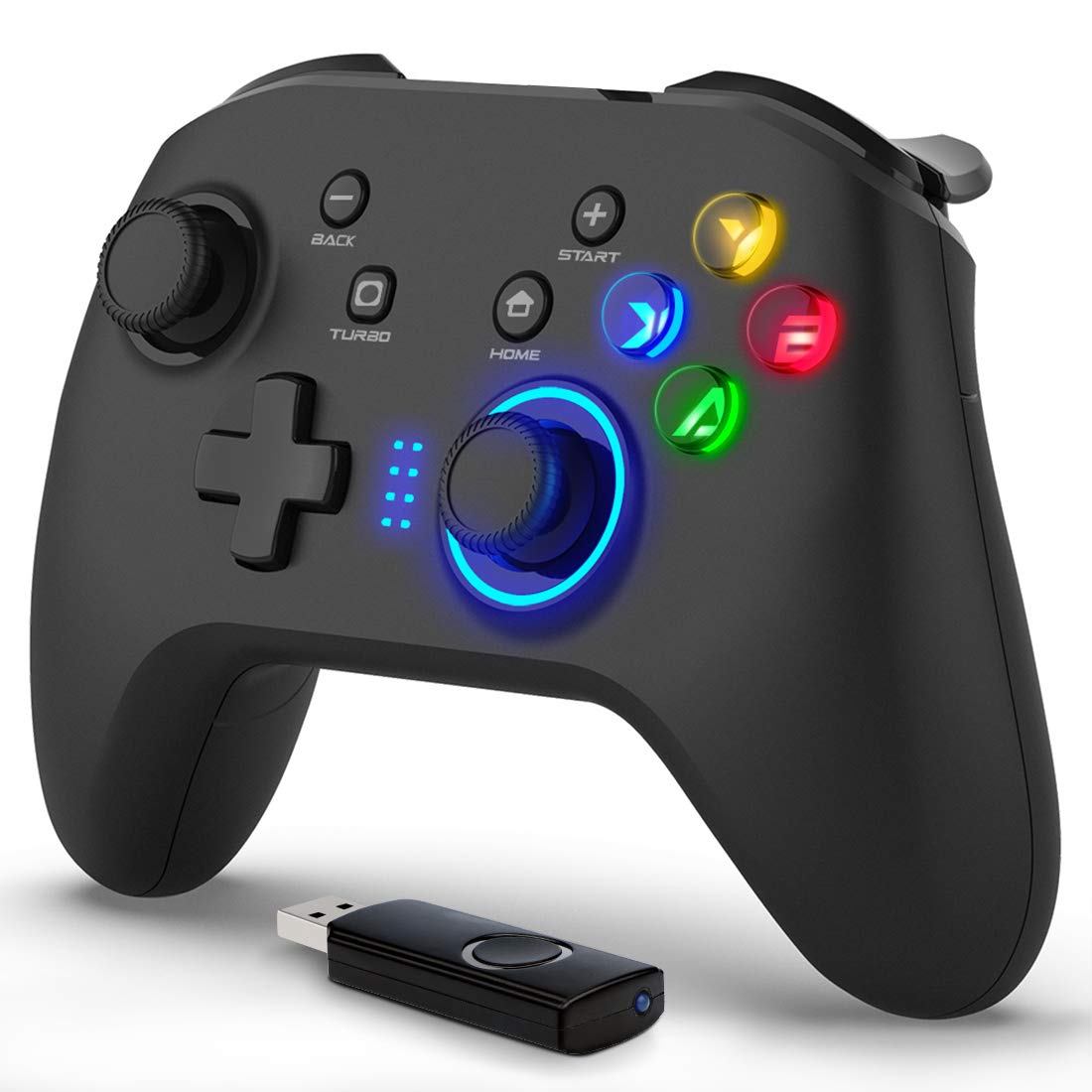
Immagine: Frontale view of the Forty4 Wireless Gaming Controller, showcasinil suo design ergonomico e la disposizione dei pulsanti.
Caratteristiche principali
- Tecnologia wireless a 2.4 GHz: Offers a long transmission distance, bidirectional transmission, and substantial anti-interference for a reliable connection.
- Ampia compatibilità: Compatible with Windows (Xinput and Dinput), PS3, and Switch. (Not compatible with Xbox 360, Xbox One, Mac, iOS, PlayStation 4, Amazon Fire TV, Amazon Fire Stick).
- M Buttons: Features programmable M buttons (M1, M2) on the back, allowing users to assign complex operations for enhanced control. Combination keys include A, B, X, Y, LB, RB, L3, LT, RT, R3, and directional keys (up, down, left, right).
- Doppia vibrazione: Asymmetrical and linear vibrating motors provide distinct feedback during gameplay, increasing the realism of game scenarios and immersion.
- Wireless & Wired Mode: Seamlessly switch between wireless and wired modes. If the battery runs low, simply connect the USB cable to continue playing while charging.

Image: Illustration of the dual vibration motors within the controller, highlighting the immersive gaming experience.
Contenuto della confezione
All'apertura della confezione, assicurarsi che siano presenti tutti i seguenti elementi:
- Forty4 Wireless Gaming Controller (Model: GC201)
- 2.4GHz USB Receiver (Wireless Dongle)
- Cavo di ricarica USB-C
- Manuale dell'utente (questo documento)
Video: Unboxing the Forty4 Wireless Gaming Controller, showing the controller, USB receiver, and charging cable.
Istruzioni di installazione
1. Connessione senza fili
- Insert the 2.4GHz USB receiver into an available USB port on your PC, PS3, or Switch dock.
- Press the "Home" button on the controller to power it on. The indicator lights will illuminate.
- The controller should automatically pair with the USB receiver. If not, hold the "Home" button for a few seconds to cycle through connection modes until it connects (often indicated by a steady light). For Windows, ensure the controller is in X-input mode for optimal compatibility.

Image: The Forty4 controller and its USB receiver, demonstrating how to connect wirelessly to a computer.
2. Connessione cablata
- Connect one end of the provided USB-C charging cable to the USB-C port on the top of the controller.
- Connect the other end of the USB-C charging cable to an available USB port on your PC, PS3, or Switch dock.
- The controller will automatically switch to wired mode and begin charging if needed.

Image: A visual representation of both wireless and wired connection methods for the Forty4 controller.
Istruzioni per l'uso
Layout e funzioni dei pulsanti
The Forty4 controller features a standard button layout for intuitive gameplay:
- Stick analogici sinistro/destro: Per movimenti precisi a 360 gradi e controllo della telecamera.
- Tasto direzionale: Per input direzionali.
- Pulsanti di azione (A, B, X, Y): Input di azioni standard.
- Pulsanti delle spalle (LB, RB): Top-mounted buttons for various in-game actions.
- Trigger (LT, RT): Analog triggers for nuanced control, especially in racing or shooting games.
- Pulsante INDIETRO/SELEZIONA: Solitamente utilizzato per la navigazione nei menu o per funzioni secondarie.
- Pulsante Start: Solitamente utilizzato per mettere in pausa i giochi o per accedere ai menu.
- Tasto CASA: Powers the controller on/off and can be used to switch controller modes (e.g., X-input/D-input).
- Pulsante TURBO: Attiva la funzione turbo per pressioni rapide dei pulsanti.
- M Buttons (M1, M2): Programmable back buttons for custom macros or remapping. Refer to the detailed manual for programming instructions.

Image: Close-up of the back of the controller, highlighting the M1 and M2 programmable buttons for advanced customization.
Feedback a doppia vibrazione
The controller's dual vibration motors provide tactile feedback during gameplay, enhancing immersion. You will feel vibrations for in-game events such as explosions, impacts, or specific actions, making the experience more realistic.
Controller in Action
Video: Demonstration of the Forty4 Wireless Gaming Controller's features and responsiveness during gameplay.
Caricamento del controller
To charge the controller, connect it to a USB power source (e.g., computer USB port, USB wall adapter) using the provided USB-C cable. The indicator lights may show charging status and turn off or change color when fully charged.
Manutenzione
- Pulizia: Utilizzare un panno morbido e asciutto per pulire il controller. Evitare l'uso di prodotti chimici aggressivi o materiali abrasivi.
- Magazzinaggio: Conservare il controller in un luogo fresco e asciutto, lontano dalla luce solare diretta e da temperature estreme.
- Cura della batteria: Per prolungare la durata della batteria, evitare di scaricare completamente il controller frequentemente. Caricarlo regolarmente, anche se non lo si utilizza costantemente.
Risoluzione dei problemi
Il controller non si connette/non risponde
- Controllare il ricevitore USB: Ensure the 2.4GHz USB receiver is securely plugged into a working USB port on your device.
- Accensione: Make sure the controller is powered on by pressing the "Home" button.
- Cambia modalità: Hold the "Home" button to cycle through different connection modes (e.g., X-input, D-input) until the controller is recognized by your system. For PC, X-input mode is generally recommended.
- Riparazione: If issues persist, try unplugging and replugging the USB receiver, then re-powering the controller to re-establish the connection.
- Livello della batteria: Ensure the controller has sufficient battery charge. Connect it via the USB-C cable to check if it functions in wired mode.
Input Delay in Wireless Mode
- If you experience noticeable input delay in wireless mode, try switching to wired mode using the provided USB-C cable for a more direct connection.
Deriva dello stick o pulsanti non reattivi
- While designed for durability, prolonged heavy use can sometimes lead to wear. If you experience stick drift or unresponsive buttons, try recalibrating the controller through your device's settings. If the issue persists, please contact customer support.
Specifiche
| Caratteristica | Dettaglio |
|---|---|
| Numero di modello | GC201 |
| Connettività | Wireless a 2.4 GHz, cablato (USB-C) |
| Compatibilità | PC (Windows 7/8/10/11 - Xinput & Dinput), PS3, Switch |
| Vibrazione | Motori a doppia vibrazione |
| Caratteristiche speciali | Programmable M Buttons, Colorful Backlight |
| Fonte di alimentazione | 1 batteria agli ioni di litio (inclusa) |
| Peso dell'articolo | 11.6 once |
| Dimensioni del pacco | 6.38 x 4.69 x 2.8 pollici |
| Produttore | Quaranta4 |
| Data prima disponibilità | 25 maggio 2020 |
Garanzia e supporto
The Forty4 Wireless Gaming Controller comes with a Garanzia di un anno. For any troubleshooting assistance, warranty claims, or product inquiries, please contact Forty4 customer service.
Per ulteriori informazioni, è possibile fare riferimento al Manuale utente ufficiale in formato PDF: Manuale utente (PDF)