
Walfront STC-3028
Walfront STC-3028 Digital Temperature and Humidity Controller User Manual
Model: STC-3028 | Brand: Walfront
Prodotto finitoview
The Walfront STC-3028 is a microcomputer intelligent digital display thermostat designed for precise temperature and humidity control. It features a dual display for simultaneous temperature and humidity readings and comes with an integrated sensor. This controller is suitable for a wide range of applications requiring automatic switching of refrigeration and heating devices.

Immagine: Frontale view of the Walfront STC-3028 controller with its integrated temperature and humidity sensor. The display shows current temperature and humidity readings.
Caratteristiche principali
- Costruzione durevole: Features an ABS flame retardant plastic shell for enhanced safety and longevity.
- Doppio display: Microcomputer intelligent digital display thermostat with dual display for both temperature and humidity.
- Wide Range Control: Offers a wide temperature measuring and controlling range, along with an integrated sensor for accurate readings.
- Alta precisione: Large and clear digital display ensures high accuracy in temperature and humidity measurement and control.
- Applicazione versatile: Ideal for automatic switching of refrigeration and heating devices in various settings, such as seafood machines and cooling water machines.
Specifiche
| Attributo | Valore |
|---|---|
| Marca | Walfront |
| Numero di modello | STC-3028 |
| Fonte di alimentazione | 12V (as per current product variant) |
| Materiale | ABS+componenti elettronici |
| Peso dell'articolo | 5.3 once (0.15 chilogrammi) |
| Dimensioni del prodotto | 5.11 x 4.28 x 3.54 pollici |
| Tipo di visualizzazione | Digitale |
| Caratteristiche speciali | Temperature Measuring and Controlling |
| Utilizzo | Suitable for automatic switching of refrigeration and heating devices such as seafood machines and cooling water machines |
| Codice UPC | 739904722113 |

Image: Detailed dimensions of the STC-3028 controller and its external sensor, showing measurements in both millimeters and inches.
Installazione e cablaggio
Proper wiring is crucial for the safe and effective operation of the STC-3028 controller. Refer to the diagrams below for common wiring configurations.
Schemi elettrici:

Image: Wiring diagrams for the STC-3028. Diagram 1 shows an independent power supply for the load, while Diagram 2 illustrates a shared power supply for the controller and the load. Connections for power, sensor, heating, and cooling outputs are clearly marked.
Nota importante: Ensure all connections are secure and correctly polarized, especially for 12V and 24V models. Consult a qualified electrician if you are unsure about the wiring process.
Istruzioni per l'uso
The STC-3028 features a user-friendly interface with clear digital displays and intuitive buttons for setting temperature and humidity parameters.

Immagine: Primo piano view of the STC-3028's front panel, labeling the temperature display, humidity display, work indicators, and adjustment buttons for both temperature and humidity settings.
Impostazione dei parametri:
- Visualizzazione iniziale: The screen initially shows the current temperature and relative humidity (RH%).
- Setting Start Temperature:
- Premere il tasto Temperatura in aumento (▲) button to display the current start temperature.
- Premere e tenere premuto il tasto Temperatura in aumento (▲) button again until the display blinks. This indicates edit mode.
- Utilizzare il Temperatura in aumento (▲) E Temperatura in calo (▼) buttons to adjust the desired start temperature. Holding the button will scroll numbers faster.
- Setting Stop Temperature:
- Premere il tasto Temperatura in calo (▼) button to display the current stop temperature.
- Premere e tenere premuto il tasto Temperatura in calo (▼) button again until the display blinks.
- Utilizzare il Temperatura in aumento (▲) E Temperatura in calo (▼) pulsanti per regolare la temperatura di arresto desiderata.
- Wait a few seconds for the device to exit edit mode and save settings.
- Setting Start Relative Humidity (RH%):
- Premere il tasto Humidity Up (▲) button to display the current start RH%.
- Premere e tenere premuto il tasto Humidity Up (▲) button again until the display blinks.
- Utilizzare il Humidity Up (▲) E Humidity Down (▼) buttons to adjust the desired start RH%.
- Setting Stop Relative Humidity (RH%):
- Premere il tasto Humidity Down (▼) button to display the current stop RH%.
- Premere e tenere premuto il tasto Humidity Down (▼) button again until the display blinks.
- Utilizzare il Humidity Up (▲) E Humidity Down (▼) buttons to adjust the desired stop RH%.
- Wait a few seconds for the device to exit edit mode and save settings.
Logica di controllo: The controller's action (heating/cooling or humidification/dehumidification) depends on the relationship between the start and stop values.
- If Start Temperature < Stop Temperature: Controls a heater.
- If Start Temperature > Stop Temperature: Controls a cooler/fan.
- Similar logic applies to RH% for humidification or dehumidification.
Applicazioni
The Walfront STC-3028 is a versatile device suitable for various environments requiring precise temperature and humidity regulation.
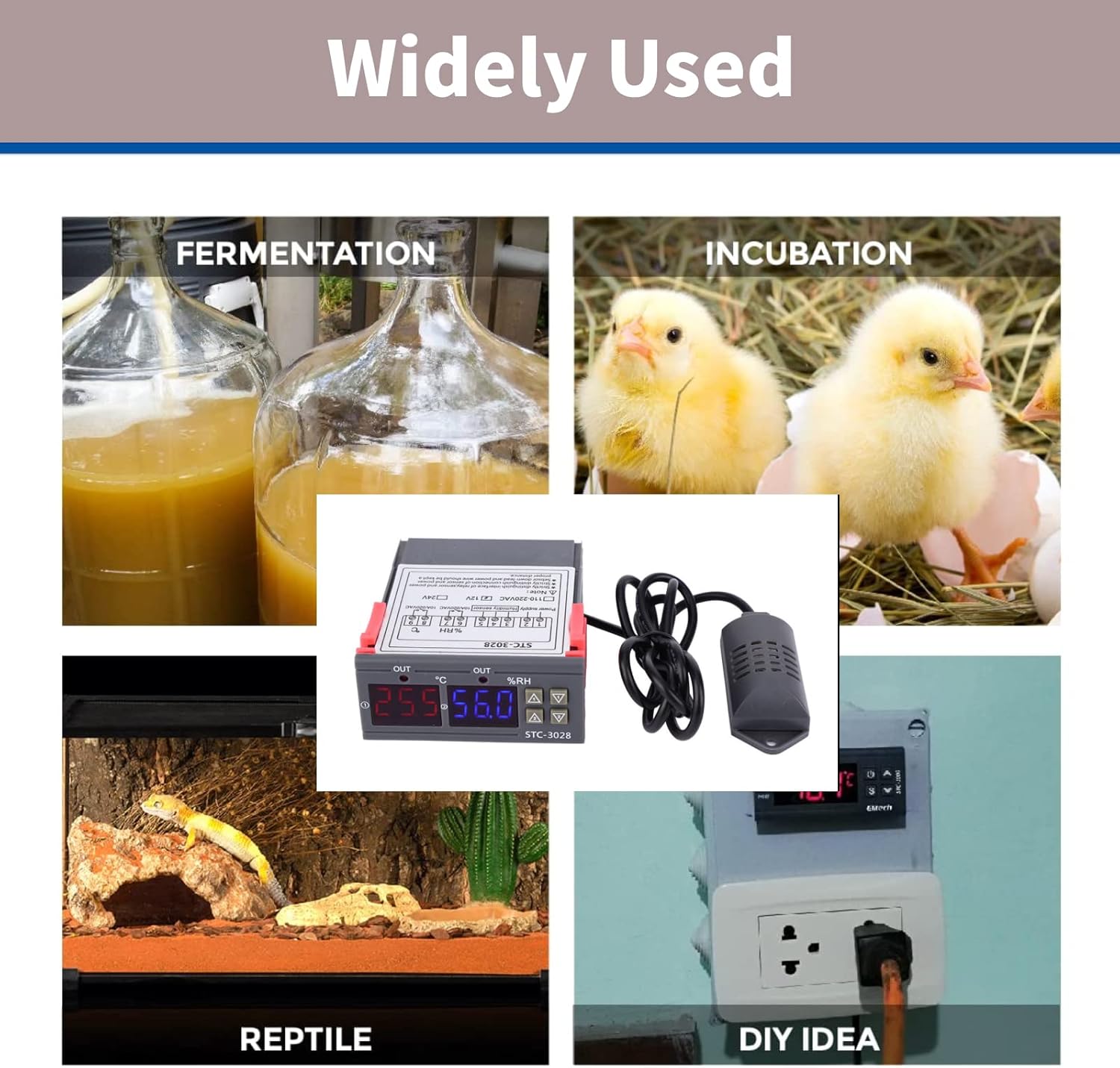
Image: Collage showing diverse applications for the STC-3028, including fermentation, incubation (chickens), reptile habitats, and general DIY temperature/humidity control setups.
- Incubatrici: Maintain stable temperature and humidity for hatching eggs.
- Serre: Regola il clima per una crescita ottimale delle piante.
- Habitat dei rettili: Ensure appropriate environmental conditions for exotic pets.
- Fermentation Processes: Control temperature for brewing, yogurt making, etc.
- Storage Facilities: Manage conditions for sensitive goods.
- Progetti fai da te: Integrate into custom climate control systems.

Image: The STC-3028 controller positioned within a greenhouse environment, illustrating its use in agricultural climate control.
Manutenzione
To ensure the longevity and accurate performance of your Walfront STC-3028 controller, follow these general maintenance guidelines:
- Pulizia: Pulire regolarmente l'unità con un panno morbido e asciutto. Evitare l'uso di detergenti abrasivi o solventi.
- Cura del sensore: Keep the integrated sensor clean and free from dust or debris. Do not immerse the sensor in liquids unless it is specifically designed for such use.
- Condizioni ambientali: Operate the controller within its specified temperature and humidity ranges. Avoid exposing it to extreme temperatures, direct sunlight, or high moisture environments.
- Verifiche della connessione: Ispezionare periodicamente tutti i collegamenti elettrici per assicurarsi che siano sicuri e privi di corrosione.
- Alimentazione elettrica: Assicurarsi che l'alimentazione corrisponda al volume del controllertage requirements (e.g., 12V for this model) to prevent damage.
Risoluzione dei problemi
If you encounter issues with your STC-3028 controller, consider the following common troubleshooting steps:
| Problema | Possibile causa | Soluzione |
|---|---|---|
| Display is blank or unit does not power on. | Nessuna alimentazione, vol erratotage, or loose wiring. | Check power connections. Verify power supply voltage matches unit requirements (12V). Ensure all wires are securely connected. |
| Letture imprecise di temperatura/umidità. | Sensor is dirty, damaged, or improperly placed. | Clean the sensor. Inspect sensor cable for damage. Ensure sensor is in the correct environment for measurement and not obstructed. |
| Controller not activating heating/cooling/humidification/dehumidification. | Incorrect parameter settings, faulty wiring to load, or load device malfunction. | Review your start and stop temperature/humidity settings. Check wiring to the controlled device. Test the controlled device independently. |
| Il display mostra il codice di errore. | Sensor fault or internal error. | Refer to the specific error code in a more detailed product manual if available. Often indicates a sensor disconnection or malfunction. Reconnect or replace sensor. |
Se il problema persiste dopo aver provato questi passaggi, contattare l'assistenza clienti o un tecnico qualificato.
Garanzia e supporto
Walfront products are manufactured to high quality standards. For information regarding warranty coverage, technical support, or replacement parts, please refer to the contact information provided with your purchase or visit the official Walfront websito. Conservare la ricevuta d'acquisto come prova d'acquisto per eventuali reclami in garanzia.
Per ulteriore assistenza, puoi visitare il Walfront Store on Amazon.
Ask a question about this manual
Ask about setup, troubleshooting, compatibility, parts, safety, or missing instructions. Manuals+ will review the question and use this page’s manual context to help answer it.