
LEXIN ET COM
LEXIN ET-COM Bluetooth Motorcycle Intercom System User Manual
Model: ET COM | Brand: LEXIN
1. Introduzione
The LEXIN ET-COM is a Bluetooth motorcycle communication system designed to enhance your riding experience. It allows for two-way intercom communication between riders, hands-free phone calls, music streaming, and FM radio reception. This system incorporates advanced DSP and CVC noise cancellation technologies for clear audio, even at high speeds.
Le caratteristiche principali includono:
- Interfono bidirezionale: Communicate with up to 2 riders within a 1200-meter range.
- Bluetooth V5.0: Garantisce una connettività wireless stabile ed efficiente.
- DSP & CVC Noise Cancellation: Reduces external noise for clear audio quality.
- Batteria a lunga durata: 800mAh battery provides up to 15 hours of music playback, 8 hours of talk time, and 300 hours of standby.
- FM Radio: Radio FM integrata per l'intrattenimento in movimento.
- Supporto dell'assistente vocale: Access Siri and S Voice for hands-free control.
- Resistenza all'acqua IP67: Progettato per resistere a varie condizioni atmosferiche.
- Piastre frontali intercambiabili: Customize the unit's appearance with different colored housings.

Image: The LEXIN ET-COM unit securely mounted on the side of a motorcycle helmet.

Image: A visual representation of DSP and CVC advanced noise cancellation technology, showing how external noise is copied and canceled for improved audio clarity.
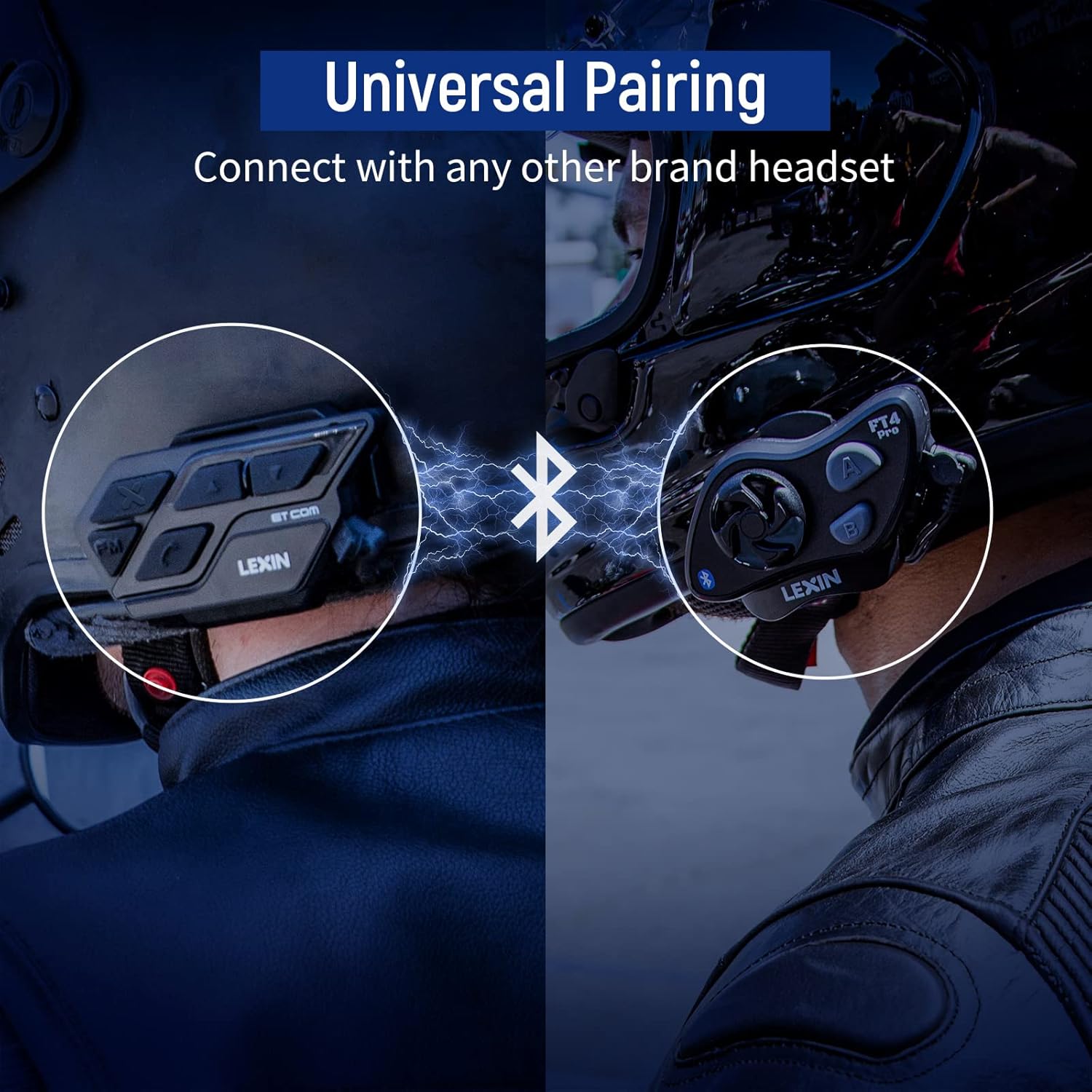
Image: A motorcycle helmet with the LEXIN ET-COM unit shown in rainy conditions, highlighting its IP67 water resistance for all-weather use.

Image: The LEXIN ET-COM unit displaying its 800mAh battery capacity, indicating 300 hours of standby time, 15 hours of music playback, and 1.5 hours of charging time.
2. Contenuto della confezione
Si prega di verificare che tutti gli articoli siano presenti nel pacco:
- LEXIN ET-COM Main Unit
- Microphone (Boom or Button type)
- Steel Needle (for housing removal)
- Chiave di Allen
- Viti di montaggio
- Microphone Fixing Piece
- Cuscinetti per altoparlanti
- metal clip
- Base adesiva 3M
- Guida per l'utente
- Cavo dati USB di tipo C
- 5 Additional Decorative Color Housings

Image: A comprehensive diagram illustrating all components included in the LEXIN ET-COM package, along with a visual guide for helmet installation.
3. Configurazione e installazione
3.1 Ricarica dell'unità
Before first use, fully charge the ET-COM unit. Connect the provided Type-C USB data cable to the charging port on the unit and to a USB power source. The LED indicator will show charging status and turn off when fully charged.
3.2 Montaggio sul casco
The ET-COM unit can be mounted to your helmet using either the metal clip or the 3M adhesive base. Choose the method that best suits your helmet type and preference.
- Montaggio a clip: Slide the metal clip between the helmet shell and the inner padding. Secure the ET-COM unit to the clip.
- Supporto adesivo: Clean the desired mounting area on the helmet surface. Peel off the protective film from the 3M adhesive base and firmly press the ET-COM unit onto the helmet. Hold for 30 seconds to ensure a strong bond.
3.3 Installazione di altoparlanti e microfono
Installa gli altoparlanti e il microfono all'interno del casco:
- Attach the speaker pads to the inside of the helmet, aligning them with your ears.
- Place the speakers into the pads.
- Position the microphone in front of your mouth, ensuring it is close but not touching. Use the microphone fixing piece if necessary.
- Connect the speaker and microphone cables to the corresponding ports on the ET-COM unit.
3.4 Accoppiamento Bluetooth con il telefono
To pair your ET-COM with your mobile phone:
- Ensure the ET-COM unit is off.
- Tenere premuto il pulsante di accensione finché l'indicatore LED non lampeggia alternativamente in rosso e blu, indicando la modalità di associazione.
- On your phone, enable Bluetooth and search for new devices.
- Select "LEXIN ET-COM" from the list of available devices.
- Una volta effettuato l'accoppiamento, l'indicatore LED lampeggerà lentamente in blu.
3.5 Intercom Pairing (Unit-to-Unit)
To pair two ET-COM units for intercom communication:
- Ensure both ET-COM units are off.
- On both units, press and hold the Intercom button until the LED indicators flash red and blue alternately.
- Briefly press the Intercom button on one of the units. The units will search for each other.
- Una volta effettuata l'associazione, gli indicatori LED su entrambe le unità lampeggeranno lentamente in blu.

Image: An illustration demonstrating the universal pairing capability of the LEXIN ET-COM, connecting with another brand's headset via Bluetooth.
4. Istruzioni per l'uso
4.1 Accensione/spegnimento
- Accensione: Tenere premuto il pulsante di accensione per circa 3 secondi finché il LED non lampeggia in blu.
- Spegni: Tenere premuto il pulsante di accensione per circa 3 secondi finché il LED non lampeggia in rosso e poi si spegne.
4.2 Controllo del volume
- Aumenta volume: Premere il pulsante Volume su (+).
- Diminuisci volume: Premere il pulsante Volume giù (-).
4.3 Riproduzione di musica
- Riproduci/Pausa: Press the Multi-function button (often the central button).
- Traccia successiva: Press the Volume Up button (+) for 2 seconds.
- Traccia precedente: Press the Volume Down button (-) for 2 seconds.
4.4 Radio FM
- Accendere/spegnere la radio FM: Premi il pulsante FM.
- Stazioni di scansione: Press the Volume Up (+) or Volume Down (-) button briefly to change stations.
4.5 Comunicazione interfonica
- Avvia Intercom: Premere brevemente il pulsante Interfono.
- Fine citofono: Premere nuovamente brevemente il pulsante Interfono.
4.6 Chiamate telefoniche
- Rispondi alla chiamata: Premere brevemente il pulsante Multifunzione.
- Termina chiamata: Premere brevemente il pulsante Multifunzione.
- Rifiuta chiamata: Tenere premuto il pulsante multifunzione per 2 secondi.
- Ricomponi l'ultimo numero: Premi due volte il pulsante Multifunzione.
4.7 Assistente vocale
- Activate Voice Assistant (Siri/S Voice): Press and hold the Multi-function button for 2 seconds (when not on a call or intercom).
Immagine: Un dettaglio view of the LEXIN ET-COM unit, highlighting the various control buttons for power, volume, FM, and intercom functions.
5. Manutenzione
5.1 Pulizia
Pulire l'unità con un panno morbido, damp cloth. Do not use harsh chemicals or abrasive cleaners. Ensure the charging port cover is securely closed to maintain water resistance.
5.2 Cura della batteria
Per prolungare la durata della batteria:
- Charge the unit fully before long periods of storage.
- Evitare di esporre l'unità a temperature estreme.
- Recharge the unit at least once every three months if not in regular use.
5.3 Changing Face Plates
The ET-COM unit features interchangeable decorative face plates:
- Carefully insert the steel needle into the small slot on the side of the unit to release the current face plate.
- Gently pry off the old face plate.
- Align the new face plate with the unit and press firmly until it clicks into place.

Image: A step-by-step guide demonstrating how to remove and replace the interchangeable 6-color face plates on the LEXIN ET-COM unit.
6. Risoluzione Dei Problemi
| Problema | Possibile causa | Soluzione |
|---|---|---|
| L'unità non si accende | Low battery; Unit frozen | Charge the unit fully; Perform a reset by pressing and holding the Power button for 10 seconds. |
| Nessun suono dagli altoparlanti | Volume too low; Speakers not connected properly; Faulty speakers | Increase volume; Check speaker connections; Test with another audio source or contact support. |
| Impossibile associare il telefono/interfono | Unit not in pairing mode; Bluetooth interference; Already paired to max devices | Ensure unit is in pairing mode (flashing red/blue); Move away from other Bluetooth devices; Clear previous pairings and try again. |
| La portata dell'interfono è breve o la connessione è instabile | Obstructions (buildings, terrain); Weather conditions; Too many paired devices | Ensure clear line of sight; Reduce distance between units; Try re-pairing. |
| Poor audio quality / static | Microphone placement; Speaker placement; Environmental noise | Adjust microphone closer to mouth; Ensure speakers are centered over ears; DSP/CVC should mitigate noise, but extreme conditions may affect quality. |
7. Specifiche
- Nome modello: ET COM
- Versione Bluetooth: V5.0
- Tecnologia di connettività: Senza fili
- Intervallo di interfono: Fino a 1200 metri (0.7 miglia) per 2 ciclisti
- Tipo di batteria: Agli ioni di litio
- Capacità della batteria: 800 mAh
- Tempo di riproduzione musicale: Fino a 15 ore
- Tempo di conversazione: Fino a 8 ore
- Tempo di standby: Fino a 300 ore
- Tempo di ricarica: Circa 1.5 ore
- Livello di resistenza all'acqua: IP67 (Impermeabile)
- Cancellazione del rumore: DSP & CVC
- Tipo di controllo: Controllo vocale
- Jack per cuffie: USB
- Fattore di forma: Circum-auricolare
- Descrizione fascia d'età: Adulto
8. Garanzia e supporto
Per informazioni sulla garanzia e supporto tecnico, fare riferimento al sito ufficiale LEXIN websito o contattare il rivenditore. Conservare la prova d'acquisto per eventuali reclami in garanzia.
If you encounter issues not covered in this manual, please reach out to LEXIN customer service for assistance.
Ask a question about this manual
Ask about setup, troubleshooting, compatibility, parts, safety, or missing instructions. Manuals+ will review the question and use this page’s manual context to help answer it.