
1. Introduzione
The Walfront FY8300S-20M is a high-performance 3-channel arbitrary waveform generator that integrates multiple functions including a function generator, arbitrary waveform generator, pulse generator, 4-channel TTL generator, frequency counter, and meter. Utilizing Direct Digital Synthesis (DDS) technology, it produces accurate, stable, and low-distortion output signals. This manual provides essential information for the safe and efficient operation of your device.
2. Informazioni sulla sicurezza
Si prega di leggere attentamente tutte le istruzioni di sicurezza prima di utilizzare il dispositivo. La mancata osservanza di queste istruzioni può causare scosse elettriche, incendi o danni al prodotto.
- Alimentazione elettrica: Assicurarsi che il dispositivo sia collegato a una fonte di alimentazione che corrisponda al volume specificatotage (240 Volts AC Mains).
- Messa a terra: Collegare sempre il dispositivo a una presa di corrente correttamente messa a terra.
- Ambiente: Utilizzare il dispositivo in un luogo asciutto e ben ventilato, lontano dalla luce solare diretta, da temperature elevate, umidità e gas corrosivi.
- Ventilazione: Non ostruire le aperture di ventilazione. È necessario un flusso d'aria adeguato per evitare il surriscaldamento.
- Manutenzione: Non tentare di riparare il dispositivo da soli. Rivolgersi a personale qualificato per tutta la manutenzione.
- Protezione dell'uscita: The device includes output short-circuit protection. However, avoid prolonged short-circuit conditions to prevent potential damage.
3. Prodotto finitoview
3.1 Caratteristiche principali
- Alte prestazioni: Combines function, arbitrary waveform, pulse, and 4-channel TTL generation with frequency counting.
- Tecnologia DDS: Utilizes Direct Digital Synthesis for accurate, stable, and low-distortion output signals.
- Three Independent Channels: Features three completely independent output channels that can work synchronously with adjustable phase differences.
- Funzionamento intuitivo: Quick saving of current instrument parameters via the OK key, with automatic loading on startup.
- Protezione completa: Includes output short-circuit protection and standard channel tracking.
- Espandibilità: Supports up to 98 function/arbitrary waveforms and an open communication protocol for secondary development.
3.2 Componenti e controlli
The FY8300S-20M features a clear display, control buttons, a rotary encoder, and multiple output ports. Familiarize yourself with the layout for efficient operation.

Figura 1: Davanti view of the Walfront FY8300S-20M, highlighting its Direct Digital Synthesis (DDS) capabilities, arbitrary waveform memory, adjustable pulse width, pulse frequency, and independent duty cycle control for both channels.
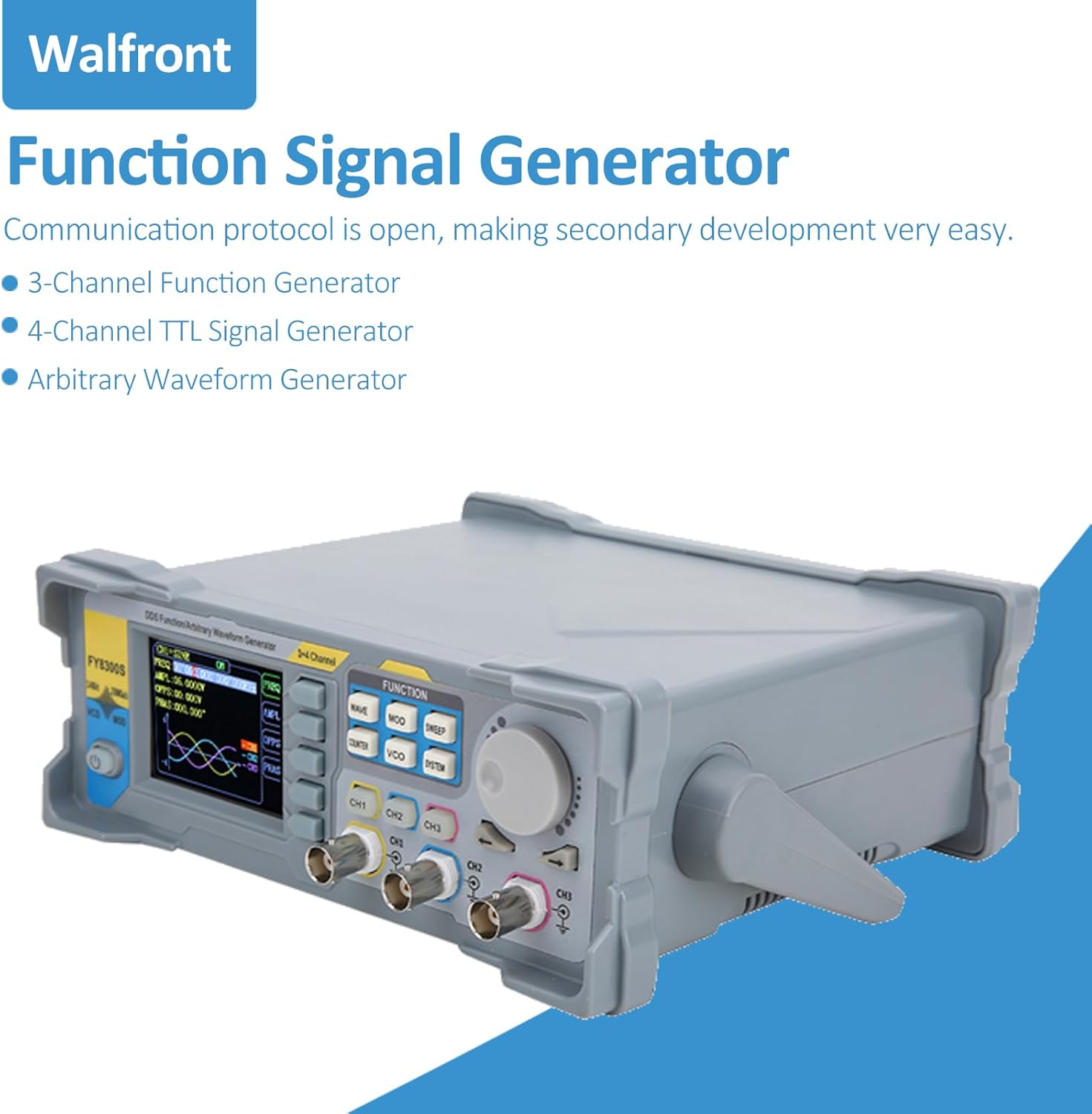
Figura 2: Angolato view of the Walfront FY8300S-20M Function Signal Generator, illustrating its design and the open communication protocol for secondary development, along with its capabilities as a 3-channel function generator, 4-channel TTL signal generator, and arbitrary waveform generator.

Figura 3: Davanti view of the Walfront FY8300S-20M, emphasizing its large-scale integrated circuit design, output short-circuit protection, and completely independent three-channel output capabilities.
3.3 Contenuto della confezione
Verificare che tutti gli articoli siano presenti nel pacco:
- 1 x Generator Host (Walfront FY8300S-20M)
- 1 x Host Power Cord
- 3 x linea di clip
- 3 cavo BNC-BNC
- 1 cavo USB

Figura 4: The Walfront FY8300S-20M generator shown with its included accessories: power cord, clip lines, BNC-BNC cables, and USB cable. Accompanying text details key specifications such as display type, maximum output frequency, sampling rate, frequency accuracy, and output amplitudine.
4. Impostazione
- Disimballaggio: Carefully remove the generator and all accessories from the packaging. Inspect for any signs of damage.
- Posizionamento: Place the generator on a stable, level surface with adequate ventilation around the unit.
- Collegamento elettrico: Connect the provided power cord to the AC input on the rear panel of the generator and then to a grounded AC mains outlet.
- Accensione iniziale: Premere il pulsante di accensione sul pannello frontale per accendere il dispositivo. Il display dovrebbe illuminarsi.
- Collegamento delle uscite: Use the BNC-BNC cables or clip lines to connect the desired output channels (CH1, CH2, CH3) to your test circuit or measurement device.
- Connessione USB (facoltativa): For PC control and secondary development, connect the USB cable from the generator to your computer.
5. Istruzioni per l'uso
The FY8300S-20M offers a user-friendly interface for generating various waveforms. The main controls include function buttons, a rotary encoder for value adjustment, and channel-specific output controls.
5.1 Generazione di forme d'onda di base
- Seleziona canale: Premere il tasto CH1, CH2, O CH3 button to select the desired output channel.
- Seleziona forma d'onda: Premere il tasto ONDA button to cycle through available waveforms (Sine, Square, Triangle, Pulse, Arbitrary, etc.).
- Regola la frequenza: Use the rotary encoder to adjust the frequency. Press the encoder to switch between coarse and fine adjustment.
- Regolare Amplitudine: Premere il tasto AMPL button and use the rotary encoder to set the desired peak-to-peak amplitudine.
- Regola offset: Premere il tasto OFF button and use the rotary encoder to set the DC offset.
- Abilita output: Ensure the selected channel's output is enabled (usually indicated by an LED or on-screen icon).
5.2 Funzioni avanzate
- Forma d'onda arbitraria: The device supports up to 98 arbitrary waveforms. Refer to the detailed software manual for creating and loading custom waveforms.
- Generazione di impulsi: For pulse waveforms, adjust pulse width and pulse frequency independently. The pulse amplitude can also be set.
- Regolazione della fase: For multi-channel synchronous operation, adjust the phase difference between channels (0 to 359.99°).
- Contatore di frequenza: Utilizzare il CONTATORE function to measure external frequencies.
- Salvataggio delle impostazioni: Premere e tenere premuto il tasto OK key to save the current instrument parameters. These settings will be automatically loaded upon the next startup.

Figura 5: A split image showing the top-front of the Walfront FY8300S-20M, illustrating its user-friendly interface with shortcut keys for simplified operation. The bottom part shows the rear panel, emphasizing the stable and low-distortion output signal achieved through DDS technology.
6. Manutenzione
- Pulizia: Utilizzare un panno morbido e asciutto per pulire l'esterno del dispositivo. Non utilizzare detergenti abrasivi o solventi.
- Spegni: Always turn off and unplug the device before cleaning or when not in use for extended periods.
- Magazzinaggio: Store the generator in a cool, dry place, away from dust and extreme temperatures.
- Ispezione: Periodically inspect cables and connectors for wear or damage. Replace if necessary.
7. Risoluzione Dei Problemi
If you encounter issues with your Walfront FY8300S-20M, refer to the following common problems and solutions:
| Problema | Possibile causa | Soluzione |
|---|---|---|
| Il dispositivo non si accende | No power supply; Faulty power cord; Power button not pressed. | Check power cord connection; Ensure outlet has power; Press power button firmly. |
| Nessun segnale di uscita | Output channel not enabled; Incorrect waveform parameters; Faulty cable connection. | Ensure channel output is enabled; Verify frequency/amplitude settings; Check cable connections. |
| Il display è vuoto o bloccato | Software error; Device malfunction. | Restart the device; If problem persists, contact customer support. |
| Inaccurate frequency/amplitudine | Incorrect settings; Calibration required. | Double-check all parameter settings; If consistently inaccurate, contact customer support for calibration information. |
If the problem persists after attempting these solutions, please contact Walfront customer support for further assistance.

Figura 6: The Walfront FY8300S-20M generator and its accessories in a laboratory environment, illustrating its robust short-circuit protection feature, which allows signal output terminals to operate safely under load short-circuit conditions for up to 60 seconds.
8. Specifiche
The following are the technical specifications for the Walfront FY8300S-20M 3-Channel Arbitrary Waveform Generator:
- Display: 2.4 inches (320 x 240) color LCD
- Frequenza massima di uscita: 60MHz (Sine wave)
- Samptasso di ling: 250MSa / s
- Risoluzione verticale: 14 bit
- Precisione della frequenza: Fino a 10-6 ordine
- Risoluzione di frequenza: 1 uHz (0.000001 Hz)
- Produzione Amplitudine: Up to 24Vpp, resolution up to 1mV (0.001V)
- DC Bias Function: -12V ~ +12V (for frequencies <20MHz), resolution up to 1mV
- Regolazione del ciclo di lavoro: Independent for two channels, accuracy up to 0.01%
- Pulse Width & Frequency: Continuously adjustable, range 20ns-1S
- Impulso Amplitudine: Continuously adjustable between 0-12V, accuracy 0.001V
- Regolazione della fase: 0 ~ 359.99°, accuracy 0.01° (for three channels)
- Digital Output Function: Any CMOS level with amplitude of 0 ~ 12V
- Fonte di energia: AC Mains (240 Volts)
- Caratteristica speciale: Protezione da cortocircuito
9. Garanzia e supporto
For warranty information and technical support, please refer to the documentation provided with your purchase or visit the official Walfront website. If you require assistance with troubleshooting or repairs, please contact Walfront customer service. Ensure you have your model number (FY8300S-20M) and purchase details available when contacting support.
Walfront Store: Visit the Walfront Store on Amazon