
1. Introduzione
Thank you for choosing the gorsun Kids Bluetooth Headphones. This manual provides essential information for the safe and effective use of your headphones. Please read it carefully before use and retain it for future reference.
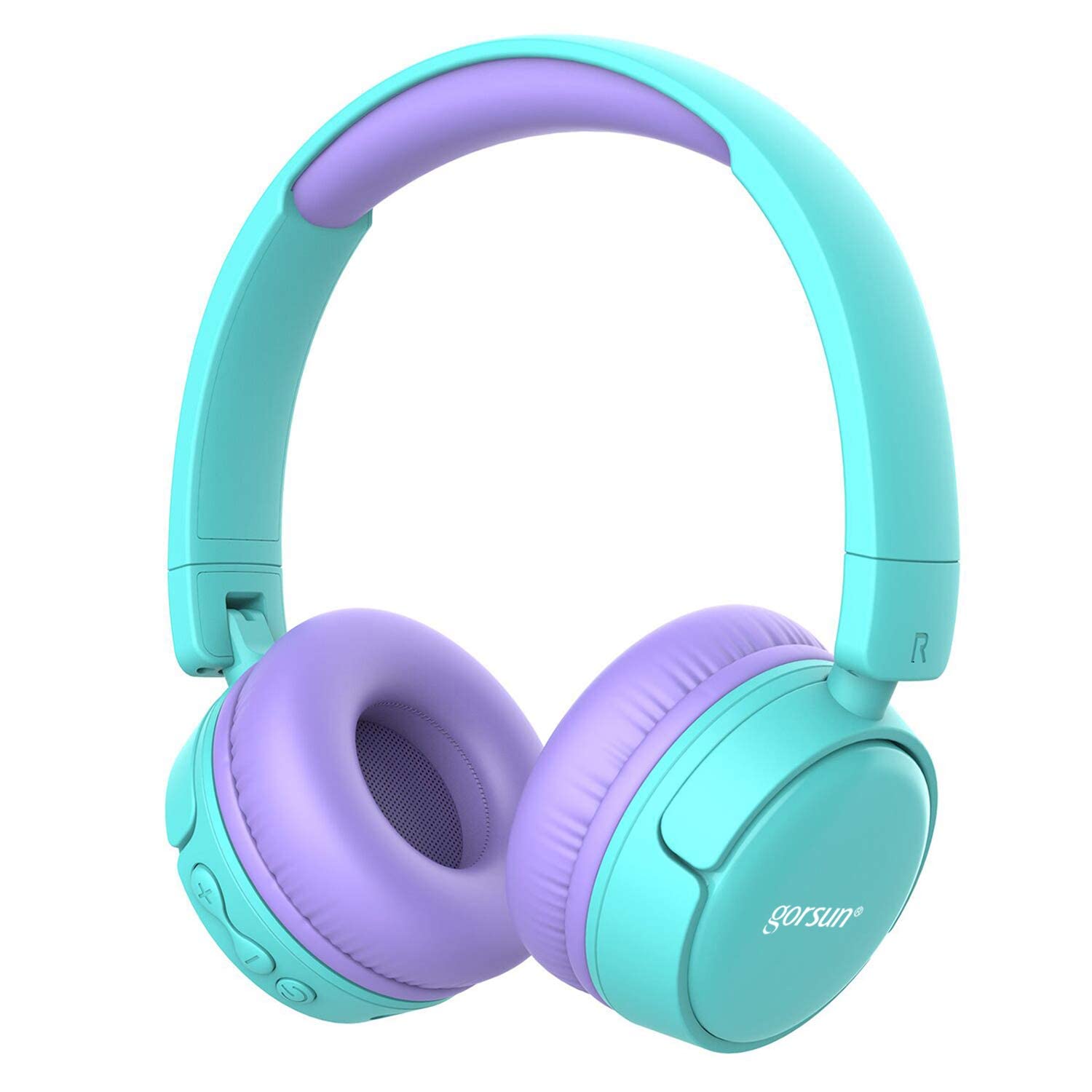
Image: gorsun Kids Bluetooth Headphones in purple and teal, showcasing il design complessivo.
2. Contenuto della confezione
Assicurarsi che tutti gli articoli siano presenti nel pacco:
- 1 x gorsun Kids Bluetooth Headphones
- 1 cavo di ricarica USB
- 1 cavo audio da 3.5 mm
- 1 x Manuale utente (questo documento)
- 1 x Borsa per il trasporto

Image: The product box and its contents, including the headphones, USB charging cable, 3.5mm audio cable, and a black carrying bag.
3. Impostazione
3.1 Ricarica delle cuffie
Before first use, fully charge the headphones. Connect the small end of the USB charging cable to the charging port on the headphones and the larger end to a USB power source (e.g., computer, wall adapter). The charging indicator light will show the charging status. A full charge takes approximately 1 hour.
3.2 Accensione/spegnimento
- Per accendere: Tenere premuto il pulsante di accensione per circa 3 secondi finché la spia luminosa non lampeggia.
- Per spegnere: Tenere premuto il pulsante di accensione per circa 3 secondi finché la spia non si spegne.
3.3 Associazione Bluetooth
- Assicurati che le cuffie siano spente.
- Press and hold the Power button for about 5-7 seconds until the indicator light flashes red and blue alternately. This indicates pairing mode.
- Sul tuo dispositivo (smartphone, tablet, laptop), attiva il Bluetooth e cerca i dispositivi disponibili.
- Select "gorsun Kids Headphones" from the list of found devices.
- Una volta effettuata l'associazione, la spia luminosa lampeggerà lentamente in blu.
Una volta accese, le cuffie tenteranno automaticamente di riconnettersi all'ultimo dispositivo associato.
3.4 Connessione cablata
To use the headphones in wired mode, connect one end of the 3.5mm audio cable to the audio input jack on the headphones and the other end to your audio device's 3.5mm output jack. The Bluetooth function will automatically disable when the audio cable is connected.
3.5 Volume Limiter Adjustment
These headphones feature a volume limiter to protect children's hearing. You can switch between 85dB (Child Safety Mode) and 93dB (Flight Mode) depending on the environment.

Immagine: un primo piano view of the gorsun Kids Bluetooth Headphones, highlighting the volume adjuster switch on the earcup, which allows selection between 85dB and 93dB modes.
Locate the volume adjuster switch on the earcup and slide it to your desired volume limit setting.
4. Istruzioni per l'uso
4.1 Controlli di base
- Riproduci/Pausa: Premi una volta il pulsante di accensione.
- Aumenta volume: Premere il pulsante "+".
- Volume basso: Premere il pulsante "-".
- Traccia successiva: Premere e tenere premuto il pulsante "+".
- Traccia precedente: Premere e tenere premuto il pulsante "-".
4.2 Chiamate telefoniche
With the built-in microphone, you can manage phone calls when connected via Bluetooth:
- Rispondi/Termina chiamata: Premi una volta il pulsante di accensione.
- Rifiuta chiamata: Tenere premuto il pulsante di accensione per 2 secondi.
- Ricomponi l'ultimo numero: Premere due volte il pulsante di accensione.
4.3 Compatible Sharing Jack-Port
These headphones feature a sharing jack-port, allowing two or more headphones to be connected to a single audio source using standard 3.5mm Aux cables (one cable per additional headphone). This enables multiple users to listen to the same audio simultaneously.
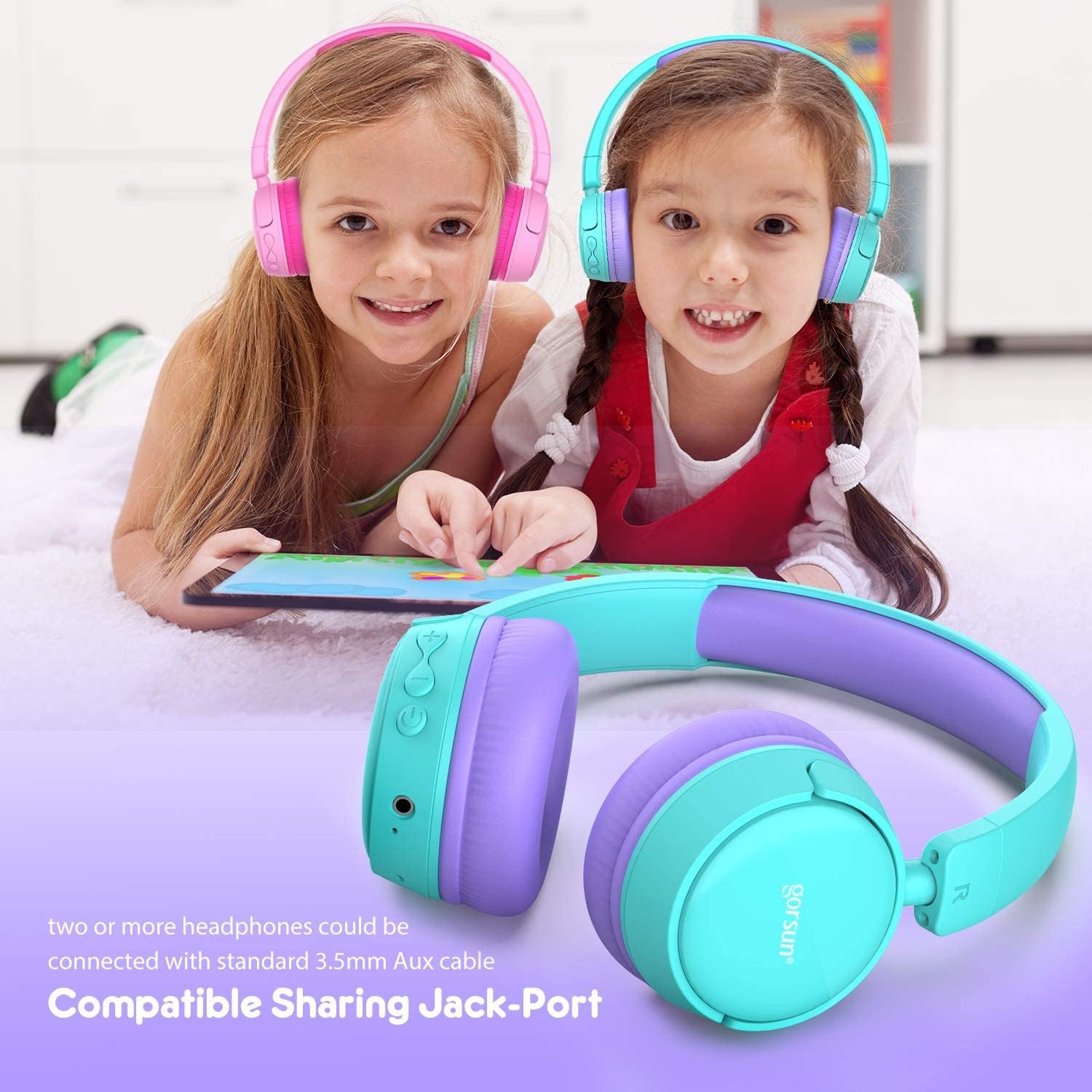
Image: Two children wearing gorsun Kids Bluetooth Headphones, connected together with an audio cable to share sound from a tablet, demonstrating the sharing jack-port feature.
5. Manutenzione
5.1 Pulizia
Wipe the headphones with a soft, dry cloth. Do not use harsh chemicals or abrasive cleaners. Avoid getting moisture into any openings.
5.2 Conservazione
When not in use, store the headphones in the provided carrying bag to protect them from dust and scratches. The headphones are foldable for compact storage.

Image: The gorsun Kids Bluetooth Headphones shown in a folded position, illustrating their compact design for easy storage and portability.
5.3 Cura della batteria
To prolong battery life, avoid fully discharging the headphones frequently. Charge them regularly, even if not in constant use. Store in a cool, dry place away from extreme temperatures.

Image: A detailed breakdown of the headphone's comfortable features, including protein sponge padding, an adjustable headband with numbered markings, soft protein ear cushions, and a polished outer casing.
6. Risoluzione Dei Problemi
- Le cuffie non si accendono: Assicurati che le cuffie siano cariche. Collegale a una fonte di alimentazione tramite il cavo USB.
- Impossibile effettuare l'associazione tramite Bluetooth: Make sure the headphones are in pairing mode (red and blue flashing light). Ensure Bluetooth is enabled on your device and it is within 10 meters of the headphones. Turn off and on both devices and try again.
- Nessun suono: Check the volume level on both the headphones and your connected device. Ensure the headphones are properly paired or the 3.5mm audio cable is fully inserted.
- Scarsa qualità del suono o interruzioni della connessione: Move closer to your Bluetooth device to reduce interference. Ensure there are no obstacles between the headphones and the device. Disconnect and re-pair the headphones.
- Il microfono non funziona: Ensure the headphones are properly connected via Bluetooth. Check your device's audio input settings to confirm the headphone microphone is selected.
7. Specifiche
| Caratteristica | Specificazione |
|---|---|
| Numero di modello | f0b6f738-96a2-4a17-9d00-ed2fa798fbe0 |
| Connettività | Wireless (Bluetooth 4.0), Wired (3.5mm Aux) |
| Portata Bluetooth | Fino a 10 metri (33 piedi) |
| Durata della batteria | Fino a 15 ore |
| Tempo di ricarica | Circa 1 ora |
| Limitatore di volume | 85dB (Child Safety Mode) / 93dB (Flight Mode) |
| Risposta in frequenza | 20 Hz - 20 kHz |
| Materiale | Plastica, Silicone |
| Peso dell'articolo | 10.6 once (300 grammi) |
| Dimensioni del prodotto | 6.69 x 6.5 x 0.18 pollici |
| Caratteristiche speciali | Lightweight, Built-in Microphone, Foldable Design, Sharing Jack-Port |
8. Informazioni sulla garanzia
gorsun products are designed and manufactured to the highest quality standards. This product is covered by a limited warranty from the date of purchase. Please refer to the warranty card included in your package or contact customer support for detailed warranty terms and conditions.
9. Assistenza clienti
For any questions, technical assistance, or warranty claims, please contact gorsun customer support through the retailer where you purchased the product or visit the official gorsun websito per le informazioni di contatto.