
1. Introduzione
Grazie per l'acquistoasing the Tengsen M1 MP3 Player. This device is designed to provide a versatile multimedia experience, featuring Bluetooth 5.0 connectivity, a full touch screen, HD video playback, HiFi audio, FM radio, voice recording, e-book functionality, and a pedometer. This manual will guide you through the setup, operation, and maintenance of your new device.
2. Informazioni sulla sicurezza
- Non esporre il dispositivo a temperature estreme, alla luce solare diretta o a elevata umidità.
- Evitare di far cadere o sottoporre il dispositivo a forti impatti.
- Tenere il dispositivo lontano dall'acqua e da altri liquidi.
- Utilizzare solo il cavo di ricarica fornito e un adattatore di alimentazione compatibile.
- Non tentare di smontare o riparare da soli il dispositivo. Contatta l'assistenza clienti per assistenza.
- Listen to audio at moderate volumes to prevent hearing damage.
3. Contenuto della confezione
Si prega di controllare la confezione per verificare la presenza dei seguenti elementi:
- Tengsen M1 MP3 Player
- Cavo di ricarica USB (tipo C)
- Auricolari cablati
- Manuale d'uso

Image: Tengsen M1 MP3 Player with USB cable and wired earphones.
4. Prodotto finitoview
The Tengsen M1 features a durable metal body and a 4.0-inch full touch screen for intuitive navigation. It includes a built-in speaker and supports various multimedia functions.

Immagine: Frontale view of the Tengsen M1 MP3 Player.
5. Impostazione
5.1 Carica iniziale
Before first use, fully charge the device. Connect the USB charging cable to the player's Type-C port and the other end to a USB power adapter or computer. The battery indicator will show charging status.
5.2 Accensione/spegnimento
- Per accendere: Tieni premuto il pulsante di accensione finché lo schermo non si accende.
- Per spegnere: Tenere premuto il pulsante di accensione, quindi selezionare "Spegni" sullo schermo.
5.3 Trasferimento Files
Connect the MP3 player to your computer using the provided USB cable. The device will appear as a removable disk. You can then drag and drop music, video, and e-book files into the respective folders on the player's internal 16GB storage.
5.4 Espansione dello spazio di archiviazione
The device supports a Micro TF card up to 128GB (not included). Insert the card into the designated slot to expand storage capacity for more files.
6. Istruzioni per l'uso
6.1 Navigazione di base
The Tengsen M1 features a full touch screen. Swipe left/right or tap icons to navigate through menus and applications. Use the back arrow icon to return to the previous screen.

Image: The 4.0-inch full touch screen allows for easy operation, similar to a smartphone.
6.2 Riproduzione di musica
Tap the 'Music' icon to access your audio library. The player supports MP3, WMA, OGG, APE, FLAC, WAV, AAC-LC, ACELP, and M4A formats. You can create playlists and enjoy high-resolution audio through headphones or the built-in speaker.

Image: The device features a built-in speaker for direct audio playback.
6.3 Connettività Bluetooth
The M1 player features Bluetooth 5.0 for wireless audio. Go to 'Settings' > 'Bluetooth' to enable and pair with your Bluetooth headphones or speakers. Nota: This device cannot connect to mobile phones via Bluetooth.

Image: Bluetooth 5.0 provides a stable wireless connection for audio accessories.
6.4 Riproduzione video
Tap the 'Video' icon to play video files. The player supports high-resolution 720p and 1080p video playback without format conversion. Compatible formats include AVI, MKV, MPG, MPEG, RM, RMVB, VOB, MOV, FLV, ASF, DAT, MP4, and 3GP.
Image: The device supports 1080P HD video playback.
6.5 Radio FM
Plug in the wired earphones (they act as an antenna) and select the 'Radio' application. Scan for available stations and save your favorites.
6.6 Registratore vocale
Open the 'Record' application to use the built-in voice recorder. You can record lectures, meetings, or personal notes.
6.7 Lettore di e-book
Access the 'E-book' application to read text files. Assicurati che il tuo e-book filesono in un formato compatibile (ad esempio, TXT) e trasferiti al dispositivo.
6.8 contapassi
The 'Pedometer' function tracks your steps, making it suitable for sports and fitness activities. Activate it from the main menu to monitor your activity.
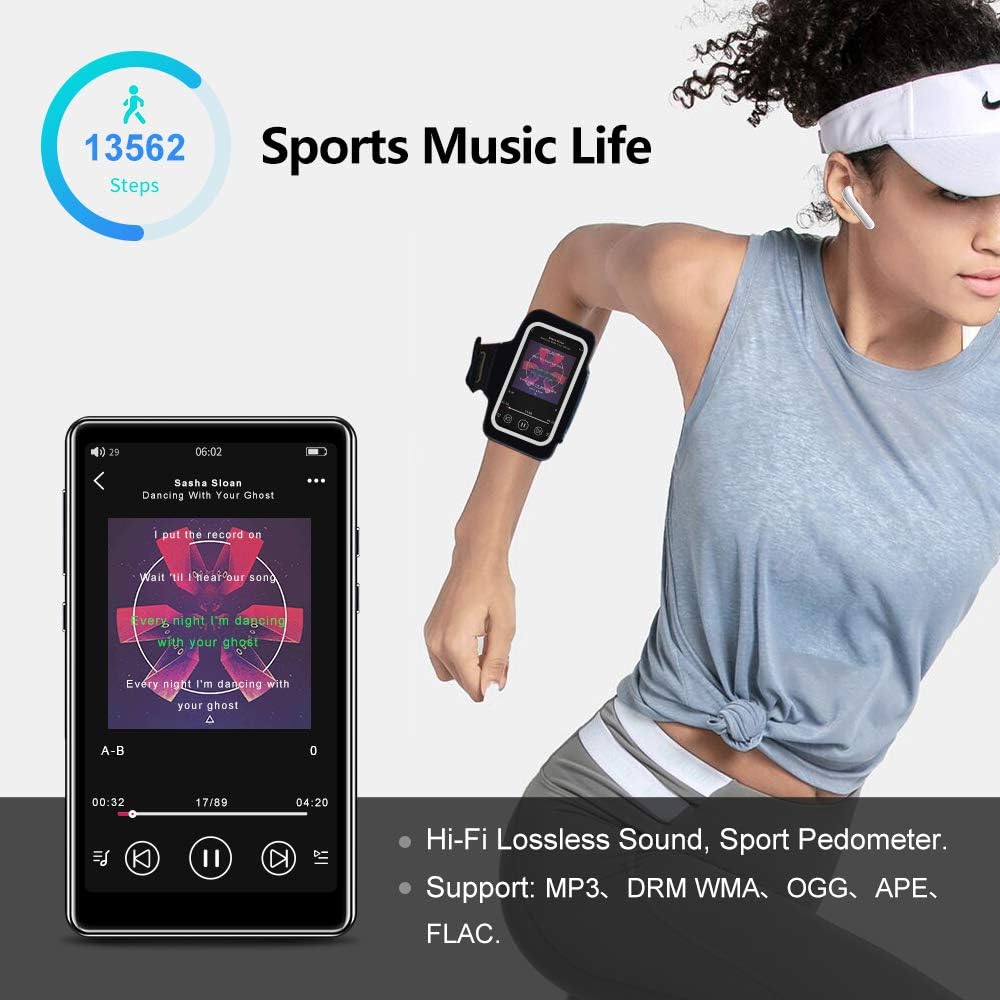
Image: The pedometer function supports tracking steps during sports activities.
7. Manutenzione
7.1 Pulizia del dispositivo
Use a soft, dry, lint-free cloth to clean the screen and body of the player. Do not use abrasive cleaners or solvents.
7.2 Cura della batteria
The device has a built-in 1400mAh lithium-ion battery. To prolong battery life, avoid fully discharging it frequently and store the device in a cool, dry place when not in use for extended periods. A full charge provides over 20 hours of music playback or 8+ hours of video playback with wired earphones.

Image: The 1400mAh battery provides extended usage time.
8. Risoluzione Dei Problemi
- Il dispositivo non si accende: Assicurarsi che la batteria sia carica. Collegare a una fonte di alimentazione e riprovare.
- Problemi di connessione Bluetooth: Ensure Bluetooth is enabled on both the player and the accessory. Keep devices within range and try re-pairing.
- Nessun suono dall'altoparlante: Check volume settings. Ensure headphones are not plugged in if you intend to use the speaker.
- Filenon sta giocando: Verificare che il file il formato è supportato dal lettore. Assicurarsi files non sono danneggiati.
- Schermo non reattivo: Prova a riavviare il dispositivo tenendo premuto il pulsante di accensione. Se il problema persiste, contatta l'assistenza.
9. Specifiche
| Marca | Tengsen |
| Nome del modello | M1 |
| Memoria interna | 16 GB |
| Archiviazione espandibile | Up to 128 GB (Micro TF card, not included) |
| Versione Bluetooth | 5.0 |
| Dimensioni dello schermo | 4.0 pollici |
| Capacità della batteria | 1400 mAh agli ioni di litio |
| Formati audio | MP3, WMA, OGG, APE, FLAC, WAV, AAC-LC, ACELP, M4A |
| Formati video | AVI, MKV, MPG, MPEG, RM, RMVB, VOB, MOV, FLV, ASF, DAT, MP4, 3GP (supports 720p, 1080p) |
| Caratteristiche speciali | Full Touch Screen, Built-in Speaker, FM Radio, Voice Recorder, E-book, Pedometer |
| Connettività | Bluetooth, USB tipo C |
10. Garanzia e supporto
This product comes with a standard manufacturer's warranty. Please refer to the warranty card included in your package for specific terms and conditions. For technical support, troubleshooting assistance, or warranty claims, please contact the retailer or manufacturer directly.