
Introduzione
Grazie per l'acquistoasing the ThermoPro TP53 Indoor Hygrometer Thermometer. This device is designed to provide accurate measurements of indoor temperature and humidity, helping you maintain a comfortable and healthy living environment. Please read this manual carefully before use to ensure proper operation and to maximize the product's lifespan.
Caratteristiche del prodotto
- Touch-Sensitive Backlight: Features a touch backlight button on the frame for easy screen illumination in dark conditions.
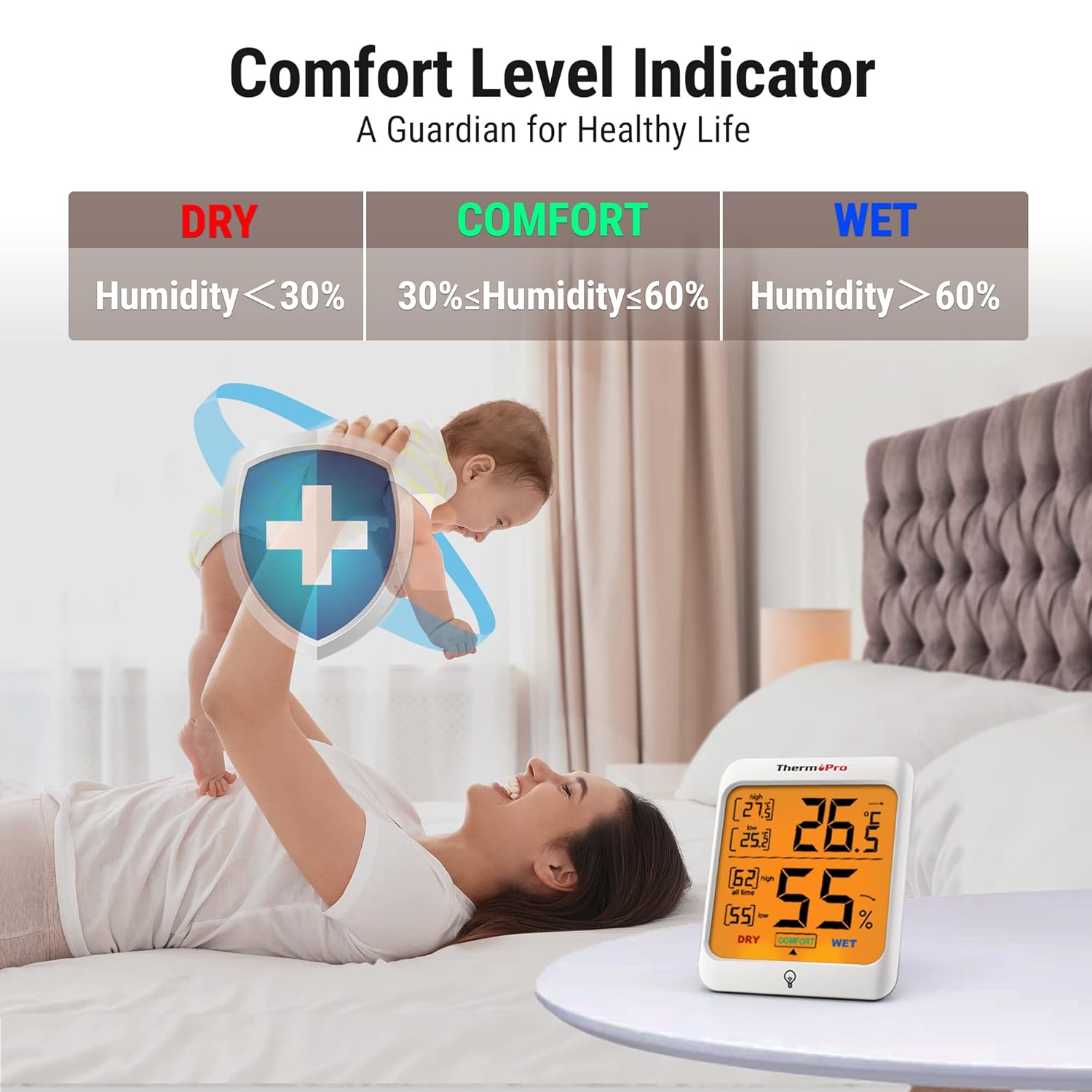
- Indicatore del comfort aereo: Displays the comfort level (DRY, COMFORT, WET) based on current humidity, keeping you informed of indoor conditions.
- Max and Min Records: Stores and displays all-time or 24-hour maximum and minimum temperature and humidity records.
- Molteplici opzioni di montaggio: Designed for tabletop placement, wall mounting, or magnetic attachment for versatile positioning.
- Ampia applicazione: Provides essential temperature and humidity control for various environments such as baby rooms, nurseries, basements, warehouses, and greenhouses.

Contenuto della confezione
- 2 x ThermoPro TP53 Indoor Hygrometer Thermometer
- 4 batterie AAA
- 1 x Manuale utente
Componenti chiave

Display frontale:
- Temperatura interna: Lettura della temperatura attuale.
- Umidità interna: Lettura attuale dell'umidità.
- Temperatura MAX/MIN: Highest/lowest temperature recorded.
- MAX/MIN Humidity: Highest/lowest humidity recorded.
- Indicatore del livello di comfort: Shows DRY, COMFORT, or WET.
- Freccia di tendenza della temperatura: Indicates rising, falling, or stable temperature.
- Freccia di tendenza dell'umidità: Indicates rising, falling, or stable humidity.
- Touch Backlight Button: Located at the bottom center of the display.
Pulsanti Indietro:
- Commutatore °C/°F: Alterna tra Celsius e Fahrenheit.
- ALL TIME/24HRS Button: Switches between all-time and 24-hour MAX/MIN records.
Impostare
- Inserire le batterie: Open the battery compartment on the back of the unit. Insert 2 AAA batteries, ensuring correct polarity (+/-). Close the battery compartment. The device will power on automatically.
- Seleziona l'unità di temperatura: On the back of the unit, press the '°C/°F' button to switch between Celsius and Fahrenheit as desired.
- Posizionamento: Place the hygrometer in your desired location. It can stand on a tabletop using its integrated stand, be mounted on a wall using the hanging hole, or attached to a metallic surface via its powerful magnets. Allow approximately 10-15 minutes for the sensor to stabilize and provide accurate readings.

Istruzioni per l'uso
Reading Temperature and Humidity:
The current indoor temperature and humidity are displayed prominently on the large LCD screen.
Utilizzo della retroilluminazione:
Touch the backlight button located on the front frame of the unit to activate the backlight. The backlight will remain on for approximately 15 seconds before automatically turning off to conserve battery life.

ViewRegistrazione MAX/MIN:
Press the 'ALL TIME/24HRS' button on the back of the unit to cycle through the maximum and minimum records. You can view records for the past 24 hours or all-time since the last reset/battery change.

Understanding the Comfort Level Indicator:
The comfort level indicator provides a quick visual reference for your indoor environment:
- ASCIUTTO: Humidity below 30% RH
- COMFORT: Humidity between 30% and 60% RH
- BAGNATO: Humidity above 60% RH
Understanding Trend Arrows:
Le frecce accanto alle letture della temperatura e dell'umidità indicano la tendenza:
- Freccia su (↑): Rising trend
- Freccia giù (↓): Falling trend
- Freccia orizzontale (→): Stable trend
Manutenzione
- Pulizia: Pulire l'unità con un panno morbido, damp panno. Non utilizzare detergenti abrasivi né immergere l'unità in acqua.
- Sostituzione della batteria: When the battery indicator appears on the display, replace the AAA batteries. Ensure correct polarity.
- Magazzinaggio: If storing the unit for an extended period, remove the batteries to prevent leakage. Store in a dry place away from extreme temperatures.
Risoluzione dei problemi
Nessun display o display debole:
- Controllare che le batterie siano inserite correttamente e con la giusta polarità.
- Sostituire con nuove batterie AAA.
Letture imprecise:
- Ensure the unit is placed in a location away from direct sunlight, heat sources, or drafts, which can affect readings.
- Allow 10-15 minutes for the sensor to stabilize after initial setup or relocation.
- If readings seem consistently off, try replacing the batteries.
Specifiche
| Marca | ThermoPro |
| Numero di modello | TP53 |
| Colore | Bianco |
| Intervallo di temperatura | -50°C a 70°C (-58°F a 158°F) |
| Precisione della temperatura | ±0.5°C (±1.0°F) |
| Umidità ambiente | 10% al 99% di umidità relativa |
| Precisione dell'umidità | ±2-3%UR |
| Frequenza di aggiornamento | 10 secondi |
| Fonte di alimentazione | 2 batterie AAA |
| Dimensioni (L x A x P) | 7.1 cm x 8.4 cm x 6.2 cm (approximate, based on visual representation) |


Garanzia
ThermoPro provides a 3-year warranty for this product from the date of purchase. This warranty covers defects in materials and workmanship under normal use. It does not cover damage caused by misuse, accidents, unauthorized modifications, or normal wear and tear. Please retain your proof of purchase for warranty claims.
Supporto
For any questions, assistance, or warranty claims, please contact ThermoPro Customer Service. Refer to the contact information provided on the ThermoPro official websito o sulla confezione del prodotto.