
Introduzione
The Logitech C505e HD Business Webcam is designed to provide clear, smooth, and colorful widescreen HD 720p video for your desktop or laptop. It features a long-range omnidirectional microphone with noise-reduction technology, ensuring clear audio capture up to 3 meters away. This manual provides essential information for setting up, operating, maintaining, and troubleshooting your webCamera.
Impostare
1. Disimballaggio
Rimuovere con attenzione il file webcam and its USB-A cable from the packaging.

The Logitech C505e HD Business Webcam and its USB-A cable.
2. Montaggio del Webcamma
The C505e webcam features a versatile universal clip that allows for secure placement on various surfaces. You can position it on top of your laptop screen, an external monitor, or even on a shelf or fixture up to 7 feet (2 meters) away from your computer, thanks to its extra-long USB-A cable.

IL webcam features a universal clip for secure placement on a laptop or external monitor.

The versatile clip allows for mounting on various surfaces, such as a stack of books, up to 7 feet away from your computer.
3. Connessione al computer
Collegare il cavo USB-A dal webcam to an available USB-A port on your computer. The C505e is a plug-and-play device, meaning it should be automatically recognized by your operating system without the need for additional driver installation. Follow any on-screen prompts that may appear.
This video demonstrates the simple plug-and-play setup of the Logitech C505e webcam, showing how to connect it to a computer via USB-A.
Operare il Webcamma
Qualità video
The C505e delivers crisp video quality with widescreen HD 720p resolution at 30 frames per second (fps). It features a 60° diagonal field of view, fixed focus, and automatic light correction that adjusts to the illumination of most personal meeting spaces, ensuring you look clear even in varying light conditions.
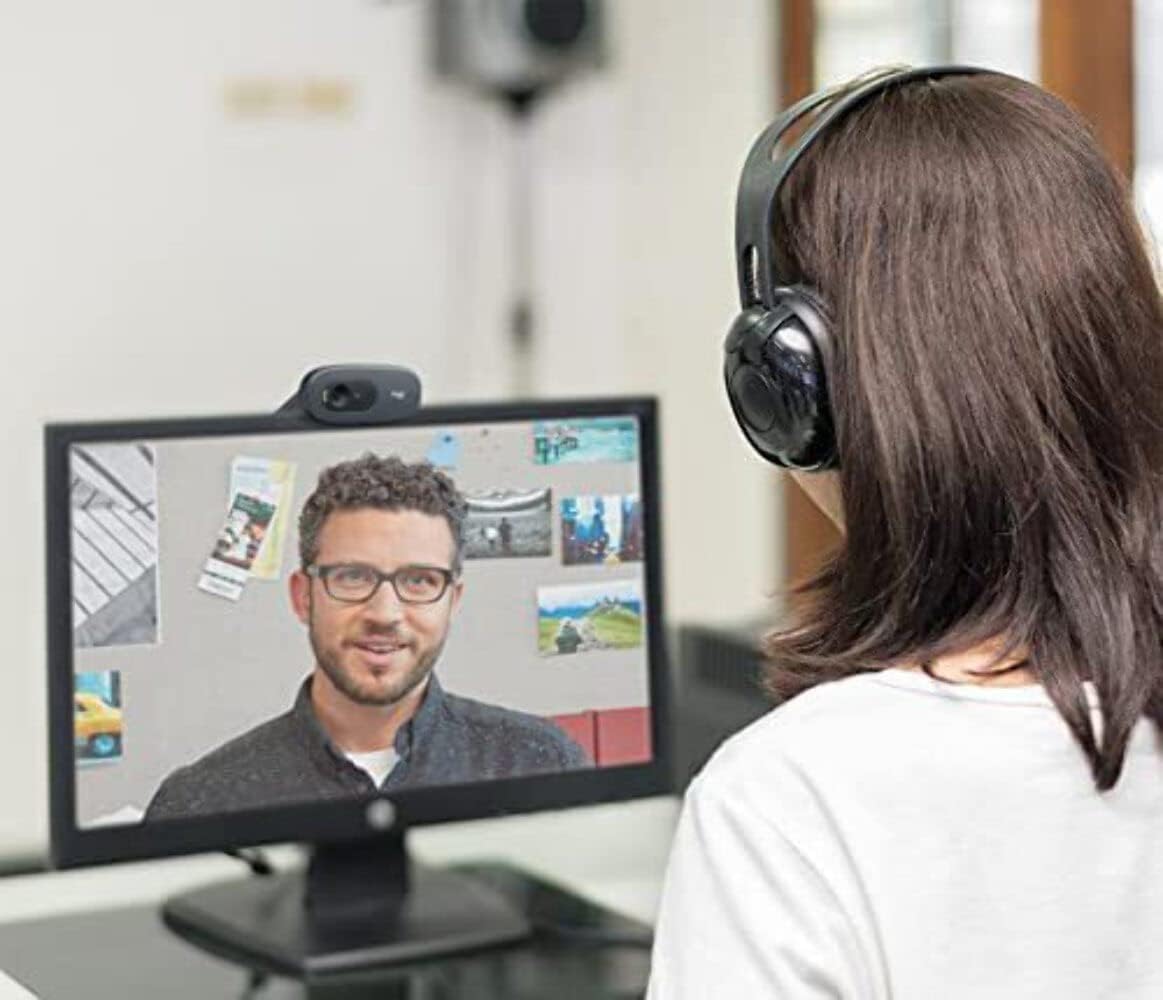
A user engaged in a video call, demonstrating the clear 720p HD video quality of the Logitech C505e webCamera.
Qualità audio
IL webcam is equipped with a single omnidirectional microphone that features noise-reduction technology. This design allows for clear and natural conversation, capturing your voice effectively from up to 3 meters (7 feet) away, even in environments with some background noise like open workspaces or classrooms.
Compatibilità
The Logitech C505e is compatible with all popular video calling applications, ensuring seamless integration into your workflow. This includes platforms such as Microsoft® Teams, Skype™ for Business, Google Voice and Meet, and Zoom™.
Manutenzione
Per garantire prestazioni ottimali e longevità del tuo Logitech C505e webcamma, segui queste semplici linee guida per la manutenzione:
- Pulizia della lente: Pulisci delicatamente il weblente della camma con un panno morbido e privo di lanugine. Per macchie ostinate, leggermente dampen the cloth with a lens cleaning solution designed for optics. Avoid using abrasive materials or harsh chemicals.
- Pulizia del corpo: Utilizzare un panno morbido e asciutto per pulire la parte esterna del webcam. Do not immerse the webla camma in acqua o in altri liquidi detergenti.
- Magazzinaggio: Quando non viene utilizzato per lunghi periodi, conservare il webconservare in un luogo pulito e asciutto, lontano da temperature estreme e dalla luce solare diretta.
Risoluzione dei problemi
Se riscontri problemi con il tuo Logitech C505e webcam, refer to the following troubleshooting tips:
No Video or Audio
- Controllare la connessione USB: Ensure the USB-A cable is securely plugged into both the webcam and a functioning USB-A port on your computer. Try a different USB port.
- Riavvia il computer: Spesso un semplice riavvio può risolvere i problemi di connettività.
- Verifica il riconoscimento del dispositivo: In your computer's device manager (Windows) or System Information (Mac), check if the webcam is listed under 'Imaging devices' or 'Cameras'.
- Impostazioni applicazione: Confirm that the correct webcam and microphone are selected within the settings of your video conferencing application.
Scarsa qualità video
- Condizioni di illuminazione: Assicurare un'adeguata illuminazione nel tuo ambiente. webcam's auto-light correction works best with sufficient ambient light. Avoid strong backlighting.
- Lente pulita: Refer to the Maintenance section for instructions on cleaning the weblente della camma.
- Application Resolution: Check the video resolution settings within your video conferencing application. While the webcam supports 720p, some applications might default to lower resolutions.
- Larghezza di banda Internet: Poor internet connection can affect video quality. Ensure you have stable and sufficient bandwidth.
Scarsa qualità audio
- Selezione del microfono: Confirm that the Logitech C505e microphone is selected as the input device in your computer's sound settings and your video conferencing application.
- Ridurre il rumore di fondo: While the microphone has noise reduction, excessive background noise can still impact clarity. Try to use the webcam in a quieter environment.
- Posizionamento del microfono: Assicurare il webcam is positioned within the optimal 3-meter range for clear audio capture.
Specifiche
| Caratteristica | Dettaglio |
|---|---|
| Dimensioni del prodotto | 0.95 x 2.87 x 1.26 pollici |
| Peso dell'articolo | 2.65 once |
| Numero modello articolo | 960-001385 |
| Produttore | Logitech |
| Tecnologia del sensore fotografico | CCD |
| Risoluzione di acquisizione video | Formato: 720p |
| Lunghezza focale massima | 0.1 |
| Apertura massima | 720 millimetri |
| Tipo di memoria flash | Scheda microSD |
| Formato di acquisizione video | MP4 |
| Formato audio supportato | CAA |
| Dimensioni dello schermo | 2 pollici |
| Tecnologia di connettività | USB-A |
Cosa c'è nella scatola
- Logitech C505e HD Business Webcam (with integrated USB-A cable)
Garanzia e supporto
This Logitech product is covered by a manufacturer's limited hardware warranty. For specific warranty terms and conditions, please refer to the warranty information included with your product packaging or visit the official Logitech support website. For technical assistance, driver downloads, or further troubleshooting, please visit the Logitech support portal.