
GOKOO B08FMBHSWD
GOKOO Smart Watch B08FMBHSWD User Manual
Introduzione
This manual provides essential information for the proper setup, operation, and maintenance of your GOKOO Smart Watch B08FMBHSWD. Please read it thoroughly before using the device to ensure optimal performance and longevity.
The GOKOO Smart Watch is a versatile fitness tracker and smartwatch designed to monitor various health metrics and assist with daily activities. It features a full touch screen, heart rate and blood oxygen monitoring, sleep tracking, multiple sports modes, and notification capabilities.
Prodotto finitoview
The GOKOO Smart Watch B08FMBHSWD is equipped with advanced features to support your active lifestyle and health monitoring needs.
- All-day Activity Tracking: Records steps, calories, and mileage. Supports 10 sports modes including walking, running, yoga, and swimming.
- Monitoraggio sanitario completo: Continuously monitors heart rate and blood oxygen levels. Features automatic sleep tracking, breathing training, and sedentary reminders.
- Design resistente e impermeabile: IP68 waterproof rating suitable for daily use and swimming.
- Display personalizzabile: 1.3-inch round high-definition screen with personalized UI interfaces.
- Notifiche intelligenti: Synchronizes messages and allows management of incoming calls.
- Batteria a lunga durata: Up to 10 days of usage on a single charge (200MA battery).
- Ampia compatibilità: Works with Android 5.0+ and iOS 9.0+ devices.

Figure 1: GOKOO Smart Watch highlighting its design and core functionalities.
Impostare
1. Carica del dispositivo
Before initial use, fully charge your GOKOO Smart Watch. Connect the magnetic charging cable to the charging contacts on the back of the watch and plug the USB end into a power adapter (not included) or a computer's USB port. The watch display will indicate charging status.
A full charge typically takes approximately 2 hours and provides up to 10 days of usage, depending on individual use patterns.

Figure 2: Illustration of the watch's IP68 waterproof capability and its extended battery life.
2. Installazione e associazione dell'app
- Scarica l'App: Cercare the official GOKOO companion app in your smartphone's app store (Apple App Store for iOS, Google Play Store for Android).
- Installa e registra: Installa l'app e segui le istruzioni sullo schermo per creare un account o effettuare l'accesso.
- Abilita Bluetooth: Assicurati che il Bluetooth sia abilitato sul tuo smartphone.
- Abbina l'orologio: Open the GOKOO app, navigate to the device pairing section, and select your GOKOO Smart Watch from the list of available devices. Confirm the pairing request on both your phone and the watch if prompted.
- Concedi permessi: Consentire le autorizzazioni necessarie (ad esempio notifiche, posizione, dati sanitari) affinché l'app funzioni correttamente.
The watch will synchronize its language with your phone upon successful connection.
Istruzioni per l'uso
1. Navigazione di base
- Schermo tattile: The watch features a full touch screen for interaction.
- Scorri verso l'alto/il basso: Scorri i menu e le notifiche.
- Scorri verso sinistra/destra: Accedi a diversi widget o funzioni rapide.
- Rubinetto: Seleziona un elemento o conferma un'azione.
- Pulsante laterale: Solitamente utilizzato per tornare alla schermata iniziale o per attivare/disattivare il display.

Figure 3: The watch interface displaying multiple functions and touch screen interaction methods.
2. Monitoraggio delle attività
The watch automatically tracks your daily steps, calories burned, and distance traveled. For specific activities, you can select from 10 sports modes:
- A piedi
- Corsa
- Yoga
- Nuoto
- Ciclismo
- Arrampicata
- Pallacanestro
- Calcio
- Badminton
- Saltare
To start a workout, navigate to the 'Sports' menu on your watch, select the desired activity, and tap to begin. The watch will record your exercise data, which can be reviewed nell'app complementare.

Figure 4: The watch interface showing available sports monitoring modes.

Figure 5: The watch tracking an outdoor run, displaying distance, calories, and a trajectory map.
3. Monitoraggio della salute
- Frequenza cardiaca: L'orologio monitora costantemente la frequenza cardiaca. View dati in tempo reale sull'orologio o dati storici dettagliati nell'app.
- Ossigeno nel sangue (SpO2): Monitor your blood oxygen levels throughout the day.
- Monitoraggio del sonno: The watch automatically records your sleep quality, including deep sleep, light sleep, and wake times. Review sleep patterns in the app to help adjust your habits.
- Allenamento alla respirazione: Access guided breathing exercises on the watch to help reduce stress and improve relaxation.
- Promemoria sedentarietà: Set reminders in the app to prompt you to move after periods of inactivity.

Figure 6: The watch displaying real-time heart rate and blood oxygen data during exercise.
4. Notifiche e funzioni intelligenti
Once paired with your smartphone, the GOKOO Smart Watch can display notifications for incoming calls, messages, and various app alerts. You can read messages directly on your wrist and manage incoming calls (answer/reject) without reaching for your phone.
- Gestione delle chiamate: Swipe on the watch screen to accept or reject incoming calls.
- Visualizzazione del messaggio: View text messages and app notifications.
- Previsioni del tempo: Access current weather information.
- Controllo della musica: Controlla la riproduzione della musica sul tuo smartphone.
- Telecamera remota: Utilizza l'orologio come otturatore remoto per la fotocamera del tuo telefono.
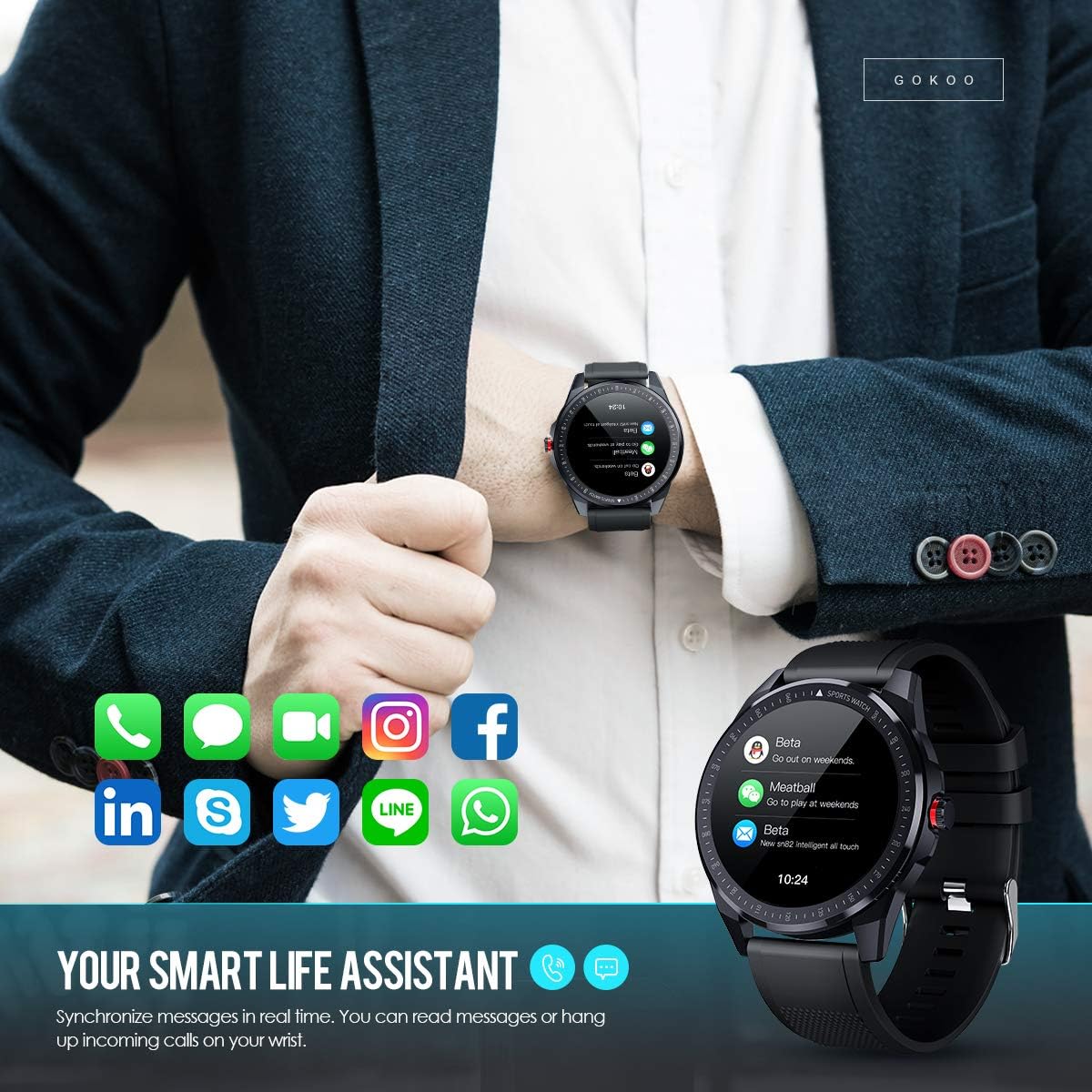
Figure 7: The watch showing synchronized notifications from a smartphone.
5 Personalizzazione
The GOKOO Smart Watch allows for personalization of its interface. You can select from various pre-installed watch faces or download additional styles through the companion app to match your preference.
Manutenzione
1. Pulizia
Pulisci regolarmente l'orologio e il cinturino per prevenire irritazioni cutanee e mantenere l'igiene del dispositivo. Utilizza un panno morbido e privo di lanugine. Se necessario, asciugalo leggermente.ampLavare il panno con acqua. Evitare l'uso di prodotti chimici aggressivi, detergenti abrasivi o spray aerosol.
2. Linee guida sulla resistenza all'acqua
The GOKOO Smart Watch has an IP68 waterproof rating, meaning it is resistant to dust and can withstand immersion in water up to 1.5 meters for 30 minutes. It is suitable for daily use, hand washing, rain, and swimming.
Importante: Do not use the watch in hot water baths, saunas, or during diving. High temperatures and high pressure can compromise the waterproof seals and cause damage.
3. Cura della batteria
- Evitare di scaricare completamente la batteria frequentemente.
- Caricare l'orologio utilizzando il cavo di ricarica magnetico in dotazione.
- Conservare l'orologio in un luogo fresco e asciutto quando non lo si utilizza per lunghi periodi.
Risoluzione dei problemi
- L'orologio non si accende: Assicurati che l'orologio sia completamente carico. Collegalo al caricabatterie per almeno 30 minuti.
- Impossibile associare il telefono:
- Assicurati che il Bluetooth sia abilitato sul tuo telefono.
- Assicurati che l'orologio si trovi nel raggio di azione del Bluetooth del tuo telefono.
- Riavvia sia il telefono che l'orologio.
- Verificare se l'app dispone delle autorizzazioni necessarie.
- Dati sanitari inesatti: Assicurati che l'orologio sia ben aderente al polso, circa un dito sopra l'osso del polso. Pulisci il sensore sul retro dell'orologio.
- Notifiche non visualizzate:
- Verify that notification permissions are granted in the app and your phone's settings.
- Assicurati che l'orologio sia connesso tramite Bluetooth.
- Check if 'Do Not Disturb' mode is active on either the watch or phone.
- Breve durata della batteria: Reduce screen brightness, disable continuous heart rate monitoring if not needed, and limit the number of active notifications.
Specifiche
| Caratteristica | Dettaglio |
|---|---|
| Marca | GOKOO |
| Modello | B08FMBHSWD |
| Dimensioni dello schermo | 1.3 pollici |
| Sistema operativo | Android 5.0 o superiore, iOS 9.0 o superiore |
| Dispositivi compatibili | Smartphone |
| Durata della batteria | Fino a 10 giorni (a seconda dell'utilizzo) |
| Tipo di batteria | Polimero di litio |
| Resistenza all'acqua | Grado di protezione IP68 |
| Connettività wireless | Bluetooth |
| Input dell'interfaccia umana | Schermo tattile |
| Dimensioni del prodotto | 27 x 5 x 1.08 cm; 168 g |

Figure 8: Detailed product dimensions of the GOKOO Smart Watch.
Garanzia e supporto
For warranty information or technical support, please refer to the contact details provided with your purchase or visit the official GOKOO website. If you require a copy of this manual or have any questions regarding your GOKOO Smart Watch B08FMBHSWD, please contact customer service.
Ask a question about this manual
Ask about setup, troubleshooting, compatibility, parts, safety, or missing instructions. Manuals+ will review the question and use this page’s manual context to help answer it.