
1. Introduzione
Thank you for choosing the EAGLE Digital Kitchen Weighing Scale, Model DLX-061. This precision scale is designed for accurate measurement in various applications, including kitchen use, diet management, and small item counting. It features a 6 kg capacity with 0.1 g accuracy, multiple unit options, a tare function, and a counting function. Please read this manual carefully to ensure proper use and maintenance of your scale.

Image: The EAGLE Digital Kitchen Weighing Scale DLX-061, showing its compact design and digital display.
2. Caratteristiche del prodotto
- Misurazione ad alta precisione: Equipped with super measurement sensors, offering 6 kg weighing capacity and 0.1 gram division.
- Multi-Unit Feature: Allows switching between g, oz, lb, kg, tl, and ct.
- Large Reverse LCD Display: Display size of 67 x 29 mm with 20 mm digit height, white background, and blue digits for easy readability.
- Funzione tara: Measures net weight by zeroing out the container weight.
- Funzione di conteggio (PCS): Useful for counting small items.
- Spegnimento automatico: Conserva la durata della batteria.
- Indicatori: Indicatori di batteria scarica e sovraccarico.
- Materiale durevole: Constructed with food-grade ABS square pan.
- Opzioni di alimentazione: Dual power (adaptor + 2 AAA batteries).
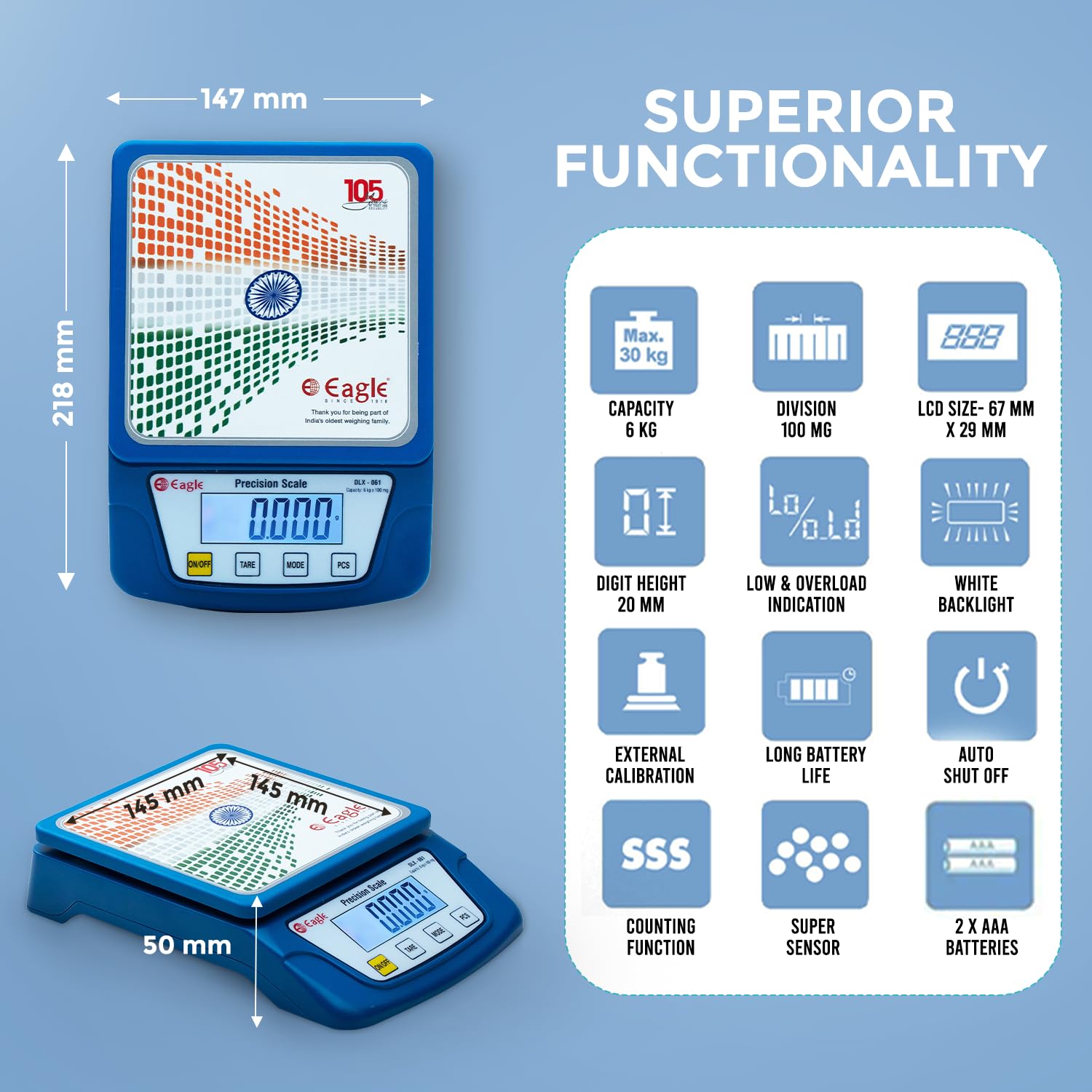
Image: Visual representation of the scale's superior functionality, including capacity, division, LCD size, digit height, low/overload indication, white backlight, external calibration, long battery life, auto shut off, counting function, super sensor, and battery type.
3. Impostazione
- Disimballaggio: Estrarre con cautela la bilancia e tutti i componenti dall'imballaggio.
- Installazione della batteria: Open the battery compartment cover located on the underside of the scale. Insert 2 AAA batteries, ensuring correct polarity (+/-). Close the cover securely.
- Posizionamento: Place the scale on a firm, flat, and stable surface to ensure accurate readings. Avoid placing it on soft or uneven surfaces, or near vibrating equipment.
- Collegamento elettrico (facoltativo): If using the power adapter, connect it to the scale's power port and plug it into a suitable electrical outlet.

Image: Contents of the product box, including the electronic weighing and counting scale, user manual, power adapter, and two AAA batteries.
4. Istruzioni per l'uso
4.1 Accensione/spegnimento
- Premere il tasto ACCESO/SPENTO button to turn the scale on. The display will show "HELLO" then "EAGLE" before settling at "0.0".
- Per spegnere la bilancia, tenere premuto il tasto ACCESO/SPENTO button for a few seconds until the display turns off. The scale also features an auto-shutoff function to save power.
4.2 Funzione di tara
The Tare function allows you to subtract the weight of a container, so you can measure only the net weight of the ingredients.
- Posizionare un contenitore vuoto sulla piattaforma di pesatura. Il display mostrerà il peso del contenitore.
- Premere il tasto TARA button. The display will reset to "0.0", indicating the container's weight has been tared.
- Add items to the container. The display will now show only the weight of the added items.

Image: A visual guide demonstrating the tare function: placing an empty container, pressing Tare to reset to zero, and then adding items to measure their net weight.
Video: Demonstration of turning on the scale, placing a container, using the tare function, and adding liquid to measure its weight. This video illustrates the basic operation and tare feature of the DLX-061 scale.
4.3 Unit Function
To switch between different weighing units (g, oz, lb, kg, tl, ct), press the MODALITÀ pulsante. Ogni pressione scorrerà le unità disponibili.
4.4 Funzione di conteggio (PCS)
The PCS function allows you to count a quantity of small, uniformly weighted items.
- Posiziona comeample quantity of items (e.g., 10, 20, 50, or 100 pieces) on the scale.
- Premere e tenere premuto il tasto PZ button until the display shows "PCS" and a number (e.g., "25").
- Premere il tasto MODALITÀ pulsante per selezionare la sample quantity that matches the number of items you placed on the scale.
- Premere PZ di nuovo per confermare. Il display ora mostrerà il conteggio degli samplui.
- Add more items, and the scale will display the total count.

Image: A detailed diagram illustrating the functions of the ON/OFF, TARE, MODE, and PCS buttons on the scale, along with the display area.
5. Manutenzione
- Pulizia: Pulisci la bilancia con adamp panno. Non utilizzare detergenti abrasivi né immergere la bilancia in acqua.
- Magazzinaggio: Store the scale in a cool, dry place when not in use. Remove batteries if the scale will not be used for an extended period.
- Gestione: Maneggiare la bilancia con cura. Evitare di farla cadere o di sottoporla a forti urti.
- Protezione da sovraccarico: Do not exceed the maximum weight capacity of 6 kg to prevent damage.
6. Risoluzione Dei Problemi
| Problema | Possibile causa | Soluzione |
|---|---|---|
| La bilancia non si accende. | Dead or incorrectly installed batteries. No power from adapter. | Check battery polarity, replace batteries. Ensure power adapter is correctly connected and functional. |
| Letture imprecise. | Unstable surface, scale not tared, environmental factors (vibrations, drafts). | Place scale on a firm, level surface. Use the Tare function. Avoid drafts and vibrations. |
| "Lo" or "Low Battery" displayed. | Batteria scarica. | Sostituire le batterie. |
| "O-Ld" or "Overload" displayed. | Il peso supera la capacità massima (6 kg). | Remove excess weight immediately to prevent damage to the scale. |
7. Specifiche
| Caratteristica | Dettaglio |
|---|---|
| Marca | AQUILA |
| Numero di modello | DLX-061 |
| Capacità di peso massima | 6 chilogrammi |
| Precisione di lettura | 0.1 grammi |
| Tipo di visualizzazione | LCD (67 x 29 mm, 20 mm digit height, white backlight, blue digits) |
| Unità di misura | g, oz, lb, kg, tl, ct |
| Caratteristiche speciali | Tare Function, Counting Function, Auto Shutoff, Low Battery Indicator, Overload Indicator |
| Tipo di materiale | Plastic (Food Grade ABS Pan) |
| Peso dell'articolo | 405 grammi |
| Fonte di alimentazione | Battery powered (2x AAA batteries) or Power Adapter |
| Dimensioni (circa) | Length: 218 mm, Breadth: 147 mm, Height: 50 mm |

Image: Technical drawing illustrating the dimensions (length, breadth, height) and pan size of the DLX-061 scale.
8. Garanzia e supporto
The EAGLE Digital Kitchen Weighing Scale DLX-061 comes with a Garanzia di sostituzione di 1 anno against any manufacturing defects. Please note that breakage, water damage, battery issues, and general wear and tear are excluded from this warranty.
For any warranty claims, product-related issues, or support, please contact us:
- E-mail: service@egkantawalla.com
- Telefono: 7030900185
- Produttore: E G KANTAWALLA PVT LTD. PUNE
- Indirizzo: Office No. 204, P T Gera Centre, Bund Garden Road, Pune-411001, Maharashtra, India
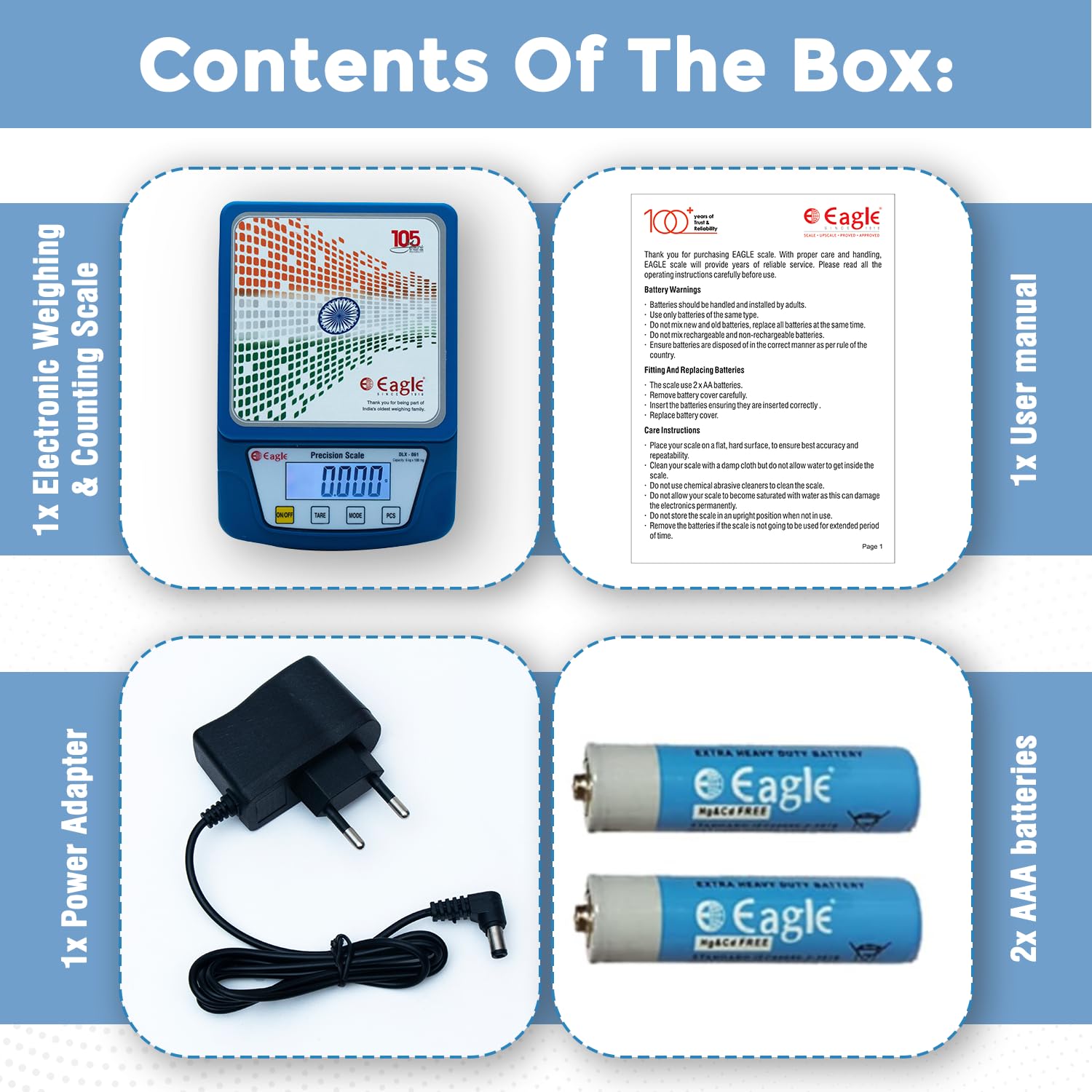
Image: Contact details for warranty and product-related queries, including email and phone number.