1. Introduzione
Thank you for choosing the GUY-TECH AC Adapter Charger. This adapter is specifically designed to provide reliable power to your ATALAX AL-Q8 Portable Wireless Speaker. This manual provides essential information for the safe and efficient use of your new power supply.
2. Informazioni sulla sicurezza
- Ensure the adapter is used only with the ATALAX AL-Q8 Portable Wireless Speaker. Using it with incompatible devices may cause damage.
- Non esporre l'adattatore ad acqua, umidità o temperature estreme.
- Evitare di far cadere o di sottoporre l'adattatore a forti urti.
- Non tentare di smontare o modificare l'adattatore.
- Tenere fuori dalla portata dei bambini.
- Scollegare l'adattatore dalla presa a muro quando non lo si utilizza per lunghi periodi.
3. Contenuto della confezione
Si prega di verificare che tutti gli articoli siano presenti nel pacco:
- 1 x GUY-TECH AC Power Adapter (Model: QDQ0010)
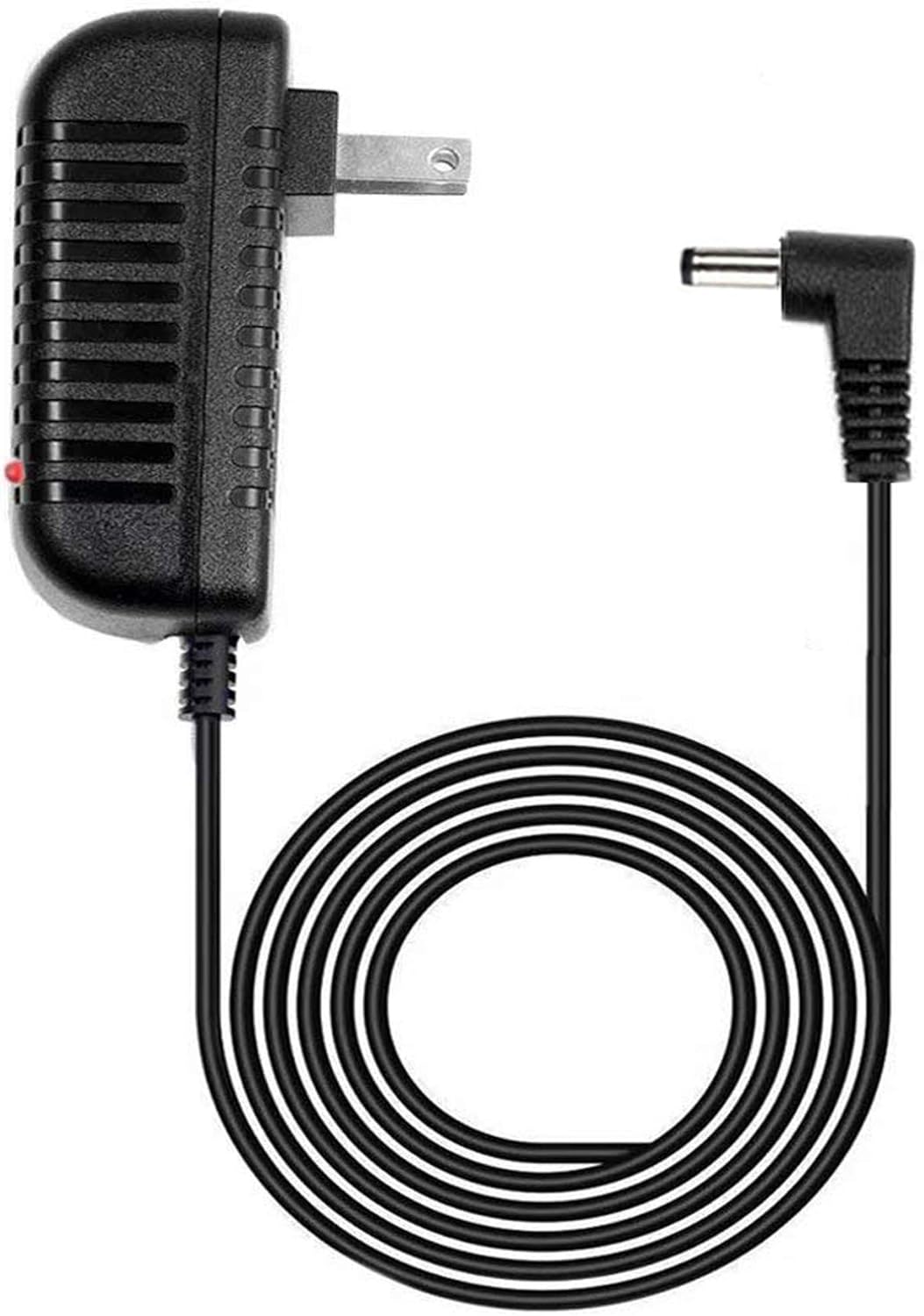
Image 1: The GUY-TECH AC Adapter Charger, featuring a black casing, standard US plug, and a 5-foot coiled DC power cable with an L-shaped barrel connector. A small red LED indicator is visible on the adapter body.
4. Impostazione
- Identificare la porta di alimentazione: Locate the DC power input port on your ATALAX AL-Q8 Portable Wireless Speaker.
- Collegare l'adattatore: Insert the DC barrel connector of the GUY-TECH AC Adapter into the power input port of your ATALAX AL-Q8 speaker. Ensure a secure connection.
- Collegare alla presa a muro: Insert the AC plug of the adapter into a standard wall power outlet.
- Verifica potenza: The LED indicator on the adapter will illuminate, indicating that power is being supplied.
5. Istruzioni per l'uso
Once connected, the adapter will provide continuous power to your ATALAX AL-Q8 speaker. The integrated LED indicator serves as a visual confirmation that the adapter is receiving power from the wall outlet and is ready to supply power to your device.

Image 2: A graphic highlighting two key features: a 5-foot cable length and an LED indicator light, both enclosed in orange-bordered circles.
6. Manutenzione
- Pulizia: Disconnect the adapter from both the wall outlet and the speaker before cleaning. Use a soft, dry cloth to wipe the surface. Do not use liquid cleaners or abrasive materials.
- Magazzinaggio: Quando non in uso, conservare l'adattatore in un luogo fresco e asciutto, lontano dalla luce solare diretta e dall'umidità. Evitare di arrotolare troppo il cavo per evitare danni.
- Ispezione dei cavi: Periodically inspect the power cord and connectors for any signs of wear, fraying, or damage. If damage is observed, discontinue use immediately.
7. Risoluzione Dei Problemi
| Problema | Possibile causa | Soluzione |
|---|---|---|
| Speaker not powering on. | Adapter not properly connected; Wall outlet not active; Adapter malfunction. | Ensure both ends of the adapter are securely connected. Test the wall outlet with another device. If the LED indicator is off, the adapter may be faulty. |
| L'indicatore LED è spento. | No power from wall outlet; Adapter malfunction. | Check if the wall outlet is working. Try a different outlet. If still off, the adapter may require replacement. |
| L'adattatore risulta insolitamente caldo. | Sovraccarico; scarsa ventilazione; guasto interno. | Disconnect immediately. Ensure the adapter is not covered and has adequate ventilation. If overheating persists, discontinue use. |
8. Specifiche
| Caratteristica | Dettaglio |
|---|---|
| Marca | GUY-TECH |
| Numero di modello | QDQ0010 |
| Ingresso volumetage | 100-240V AC |
| Tipo di uscita | Alimentazione CC |
| Lunghezza del cavo | 5 piedi |
| Tipo di connettore | DC Barrel Connector (L-shaped) |
| Caratteristiche speciali | Indicatore LED |
| Dispositivo compatibile | ATALAX AL-Q8 Portable Wireless Speaker |
| Colore | Nero |
| Peso dell'articolo | 3.52 once |
| Dimensioni del pacco | 5.55 x 4.25 x 2.09 pollici |
| Componenti inclusi | 1 x adattatore di alimentazione |
9. Garanzia e supporto
For warranty information or technical support, please refer to the documentation included with your original product purchase or contact the seller directly. Keep your purchase receipt as proof of purchase.