
1. Introduzione
This user manual provides detailed instructions for the safe and effective use of your eKids LOL Surprise Kids Bluetooth Headphones. Please read this manual thoroughly before using the product and retain it for future reference. This product is designed for children aged 36 to 96 months.
2. Prodotto finitoview
The eKids LOL Surprise Kids Bluetooth Headphones are designed to provide a high-quality, kid-friendly audio experience. These wireless headphones feature a built-in microphone for communication and a foldable design for portability. They are adorned with colorful LOL Surprise character graphics.

Figura 2.1: Fronte view of the eKids LOL Surprise Kids Bluetooth Headphones. The headphones are pink with colorful LOL Surprise character designs on the headband and a star-shaped design on the earcups.

Figure 2.2: Key features of the headphones, highlighting volume reduction for safe listening, up to 28 hours of battery life, and a built-in microphone for communication.
Caratteristiche principali:
- Connettività wireless: Bluetooth 4.0 for seamless connection to smartphones, tablets, and computers.
- Microfono integrato: Allows for hands-free communication during calls or online gaming.
- Design regolabile e pieghevole: Ensures a comfortable fit for various head sizes and compact storage for travel.
- Batteria a lunga durata: Fino a 24 ore di riproduzione continua con una singola carica.
- Kid-Friendly Volume: Engineered with reduced volume levels to protect young ears.
- Costruzione durevole: Made from plastic material suitable for children's use.
3. Impostazione
3.1 Unboxing e carica iniziale
Upon opening the package, ensure all components are present. The box should contain the eKids LOL Surprise Kids Bluetooth Headphones and an aux cord. Before first use, fully charge the headphones.
- Individuare la porta di ricarica sulle cuffie.
- Connect a compatible charging cable (not included) to the charging port.
- Collegare l'altra estremità del cavo di ricarica a una fonte di alimentazione USB compatibile (ad esempio, una porta USB del computer, un adattatore da parete USB).
- La spia di carica (se presente) si illuminerà durante la carica e si spegnerà o cambierà colore quando la carica sarà completamente completa.
- Una carica completa garantisce circa 24 ore di durata della batteria.
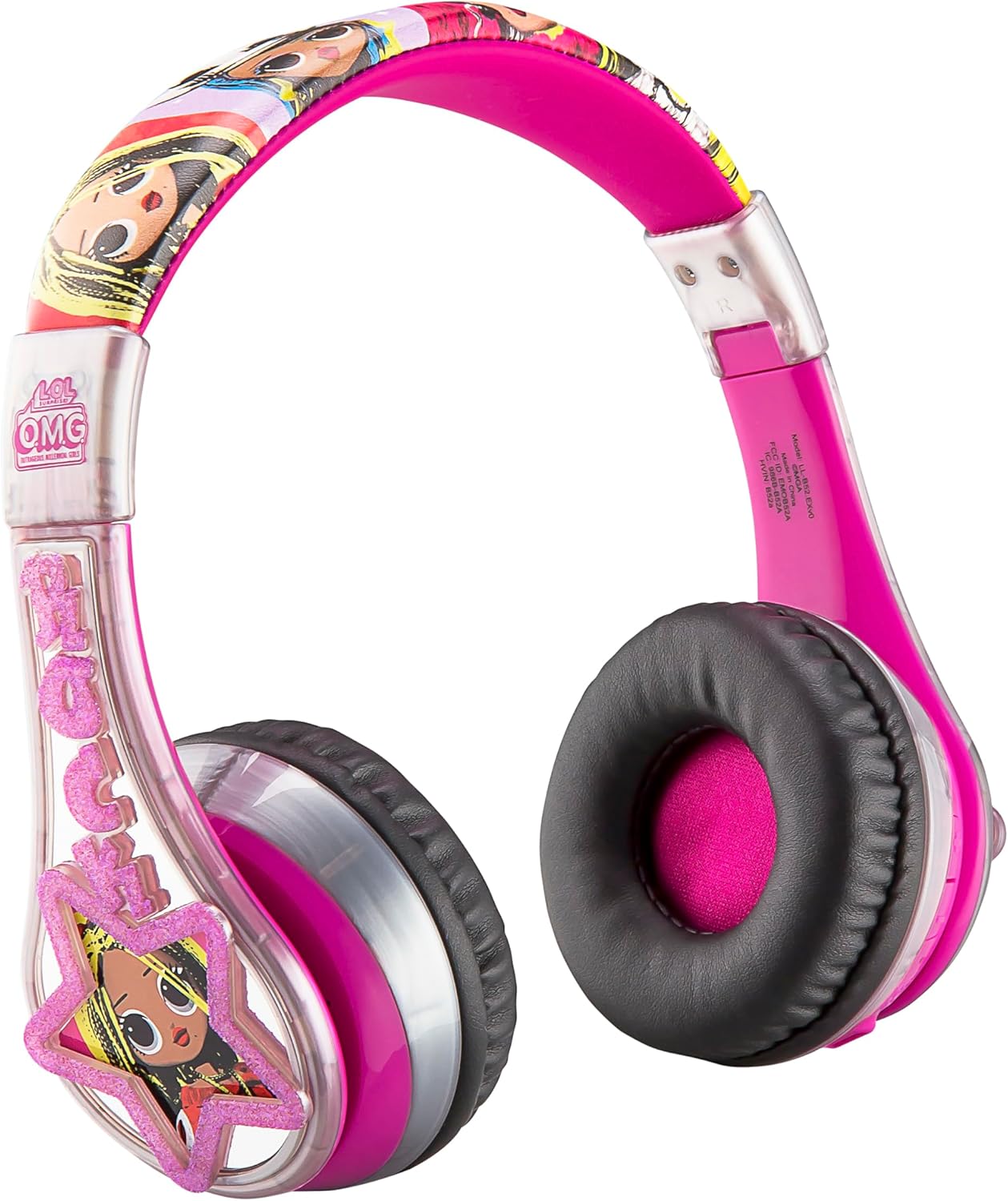
Figura 3.1: lato view of the headphones, showing the earcups and the general shape. The charging port is typically located on one of the earcups.
3.2 Associazione Bluetooth
To use the headphones wirelessly, they must be paired with a Bluetooth-enabled device.
- Assicurarsi che le cuffie siano cariche e spente.
- Press and hold the Power/Bluetooth button (refer to product diagram if available) on the headphones until the indicator light flashes, indicating pairing mode.
- Sul tuo dispositivo (smartphone, tablet, computer), vai alle impostazioni Bluetooth.
- Attiva il Bluetooth e cerca i dispositivi disponibili.
- Select "eKids LOL Surprise" or a similar name from the list of found devices.
- Once connected, the indicator light on the headphones will typically stop flashing and remain solid.
- Le cuffie hanno una portata Bluetooth fino a 10 metri (33 piedi).
4. Istruzioni per l'uso
4.1 Accensione/spegnimento
- Per accendere: tenere premuto il pulsante di accensione finché la spia non si accende.
- Per spegnere: tenere premuto il pulsante di accensione finché la spia non si spegne.
4.2 Controllo del volume
The headphones feature volume control buttons. For safe listening, the maximum volume output is limited.
- Aumentare il volume: premere il pulsante Volume su.
- Diminuire il volume: premere il pulsante Volume giù.
4.3 Utilizzo del microfono
The built-in microphone allows for voice communication. Ensure the headphones are connected via Bluetooth for microphone functionality.
- For calls: Answer/end calls using the multi-function button (if available) or directly from your connected device.
- For gaming/online learning: The microphone will automatically activate when an application requires voice input.
4.4 Wired Mode (Optional)
If the battery is depleted or a wired connection is preferred, use the included aux cord.
- Plug one end of the aux cord into the 3.5mm audio jack on the headphones.
- Collega l'altra estremità al jack audio da 3.5 mm del tuo dispositivo.
- The headphones will function as wired headphones, and Bluetooth will be disabled.
4.5 Piegatura per lo stoccaggio
The headphones are designed to fold for compact storage and portability.
- Gently fold the earcups inwards towards the headband until they are compact.
- This feature is ideal for travel or storing the headphones when not in use.

Figure 4.1: A child comfortably using the headphones while interacting with a tablet, demonstrating typical usage.
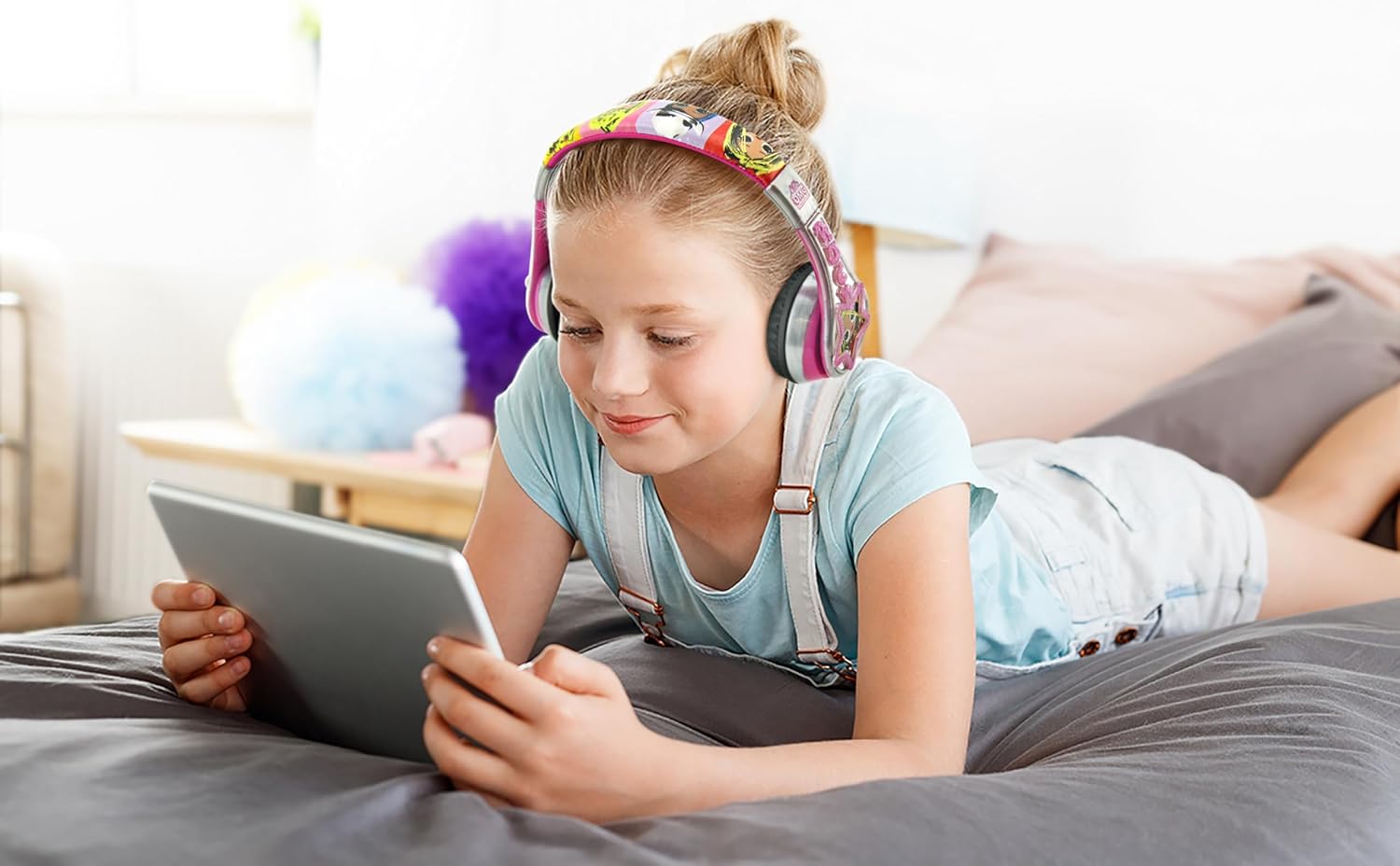
Figure 4.2: The headphones being used by a child in a car, highlighting their portability and suitability for travel.
5. Manutenzione
5.1 Pulizia
Per preservare l'aspetto e la funzionalità delle tue cuffie:
- Pulire le superfici con un panno morbido e asciutto.
- Per sporco ostinato, leggermente dampLavare il panno con acqua. Non utilizzare prodotti chimici aggressivi o detergenti abrasivi.
- Avoid getting moisture into the charging port or audio jack.
5.2 Conservazione
When not in use, store the headphones in a cool, dry place, away from direct sunlight and extreme temperatures. Utilize the foldable design to save space and protect the headphones from damage.
5.3 Cura della batteria
To prolong the life of the built-in lithium-ion battery:
- Evitare di scaricare completamente la batteria frequentemente.
- Charge the headphones regularly, even if not in constant use.
- Non esporre le cuffie a calore o freddo estremi.
6. Risoluzione Dei Problemi
If you encounter issues with your headphones, please refer to the following common problems and solutions:
| Problema | Possibile causa | Soluzione |
|---|---|---|
| Le cuffie non si accendono. | La batteria è scarica. | Caricare completamente le cuffie. |
| Nessun suono quando connesso tramite Bluetooth. | Volume is too low or muted; headphones not properly paired; device volume is low. | Increase headphone and device volume. Re-pair the headphones with your device. Ensure the correct audio output is selected on your device. |
| Cannot pair headphones with device. | Headphones not in pairing mode; device Bluetooth is off; too far from device. | Ensure headphones are in pairing mode (flashing light). Turn on Bluetooth on your device. Move headphones closer to the device (within 10 meters). |
| Il microfono non funziona. | Not connected via Bluetooth; device microphone settings. | Assicurati che le cuffie siano collegate tramite Bluetooth. Controlla le impostazioni di ingresso del microfono sul tuo dispositivo. |
| Distorsione o rumore statico del suono. | Fuori dal raggio d'azione del Bluetooth; interferenza; batteria scarica. | Avvicinarsi al dispositivo connesso. Evitare forti interferenze elettromagnetiche. Caricare le cuffie. |
7. Specifiche
| Caratteristica | Dettaglio |
|---|---|
| Nome del modello | LL-B52 |
| Tecnologia di connettività | Wireless (Bluetooth) |
| Tecnologia di comunicazione wireless | Bluetooth 4.0 |
| Presa per cuffie | Jack da 3.5 mm (per uso cablato) |
| Durata della batteria | Fino a 24 ore |
| Portata Bluetooth | 10 metri (33 piedi) |
| Materiale | Plastica |
| Peso dell'articolo | 8.8 once |
| Dimensioni del prodotto (L x P x A) | 1.1 x 0.94 x 0.43 pollici |
| Fascia d'età (descrizione) | Da 36 mesi a 96 mesi |
| Componenti inclusi | Cavo ausiliario |
| Produttore | Disegni per bambini |
| Codice UPC | 092298950822 |
8. Garanzia e supporto
Per informazioni sulla garanzia e sull'assistenza clienti, consultare la documentazione fornita con l'acquisto o contattare direttamente il rivenditore/produttore. Conservare la prova d'acquisto per eventuali reclami in garanzia.
Manufacturer: Kid Designs
For further assistance, you may visit the eKids brand store on Amazon: eKids Store