
1. Introduzione
Thank you for choosing the Sharkoon CA300T ATX PC Case. This full tower case is designed for high-performance gaming systems, offering extensive compatibility, efficient cooling, and advanced cable management features. This manual provides essential information for the proper setup, operation, and maintenance of your new PC case.
2. Informazioni sulla sicurezza
- Scollegare sempre l'alimentatore dalla presa a muro prima di installare o rimuovere qualsiasi componente all'interno del case del PC.
- Handle components with care to avoid damage from electrostatic discharge. Consider using an anti-static wrist strap.
- Tenere le parti di piccole dimensioni e i materiali di imballaggio fuori dalla portata dei bambini.
- Avoid placing the PC case in direct sunlight, near heat sources, or in environments with high humidity.
- Do not attempt to modify the case structure, as this may void your warranty and cause damage.
3. Contenuto della confezione
Si prega di controllare il contenuto della confezione per assicurarsi che siano presenti tutti gli articoli:
- Custodia per PC Sharkoon CA300T ATX
- Accessory box (screws, cable ties, standoffs, etc.)
- RGB lighting controller (if applicable)
- Manuale di istruzioni (questo documento)
4. Prodotto finitoview e Caratteristiche
The Sharkoon CA300T is a premium full tower ATX PC case designed for enthusiasts. It features a modern design with robust construction, tempered glass panels, and advanced cooling options.
Caratteristiche principali:
- Progettazione della torre completa: Ample space for high-end components and custom liquid cooling solutions.
- Pannelli in vetro temperato: Side panels made of tempered glass for a clear view dei componenti interni.
- Illuminazione RGB: Integrated RGB lighting for customizable aesthetics.
- Flusso d'aria ottimizzato: Includes three 120mm fans and supports multiple radiators for superior cooling.
- Gestione avanzata dei cavi: Features an openable cable pocket/channel and ample routing options for a clean build.
- Filtri antipolvere: Three-layer top plate with a dust filter to maintain system cleanliness.
- Ampia connettività: Front panel includes 2x USB 3.0 ports and additional USB ports.
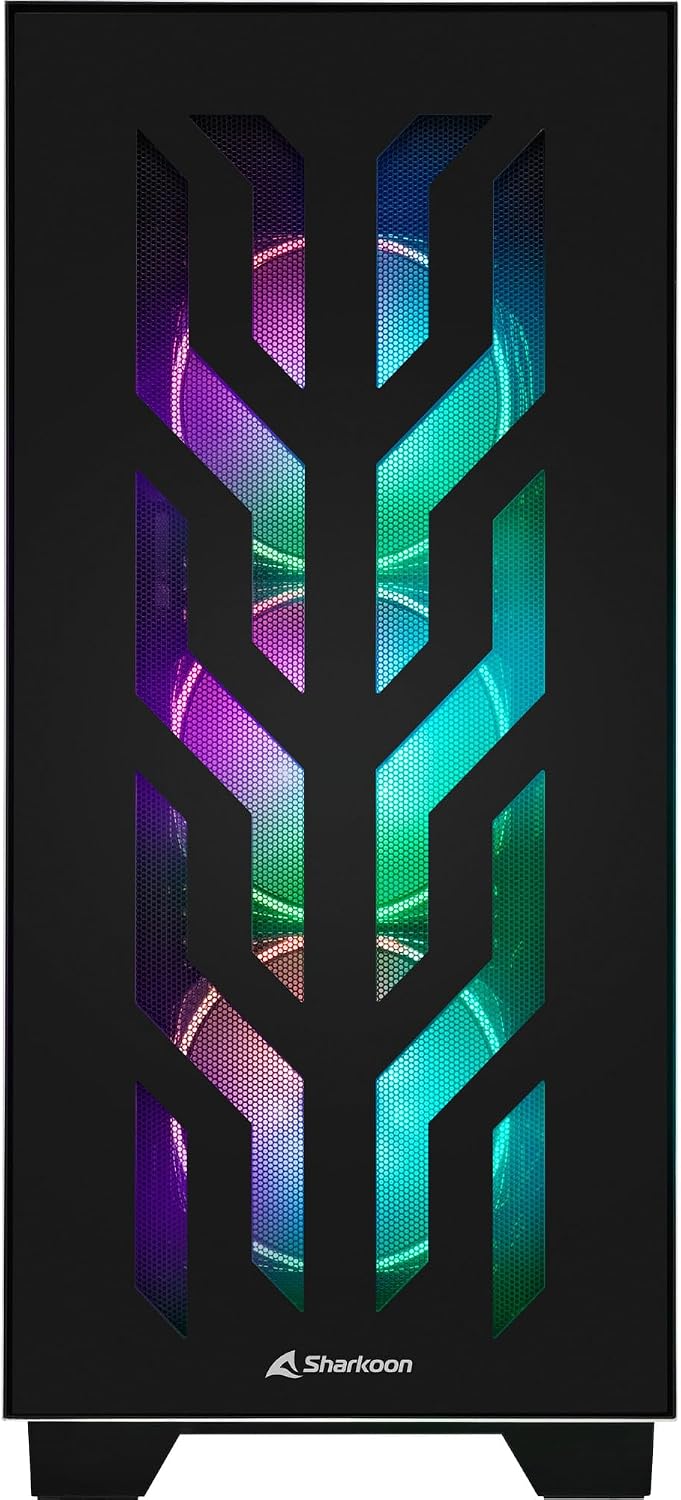
Figura 4.1: Fronte view of the Sharkoon CA300T PC case, showcasing the illuminated RGB fans behind the mesh panel.
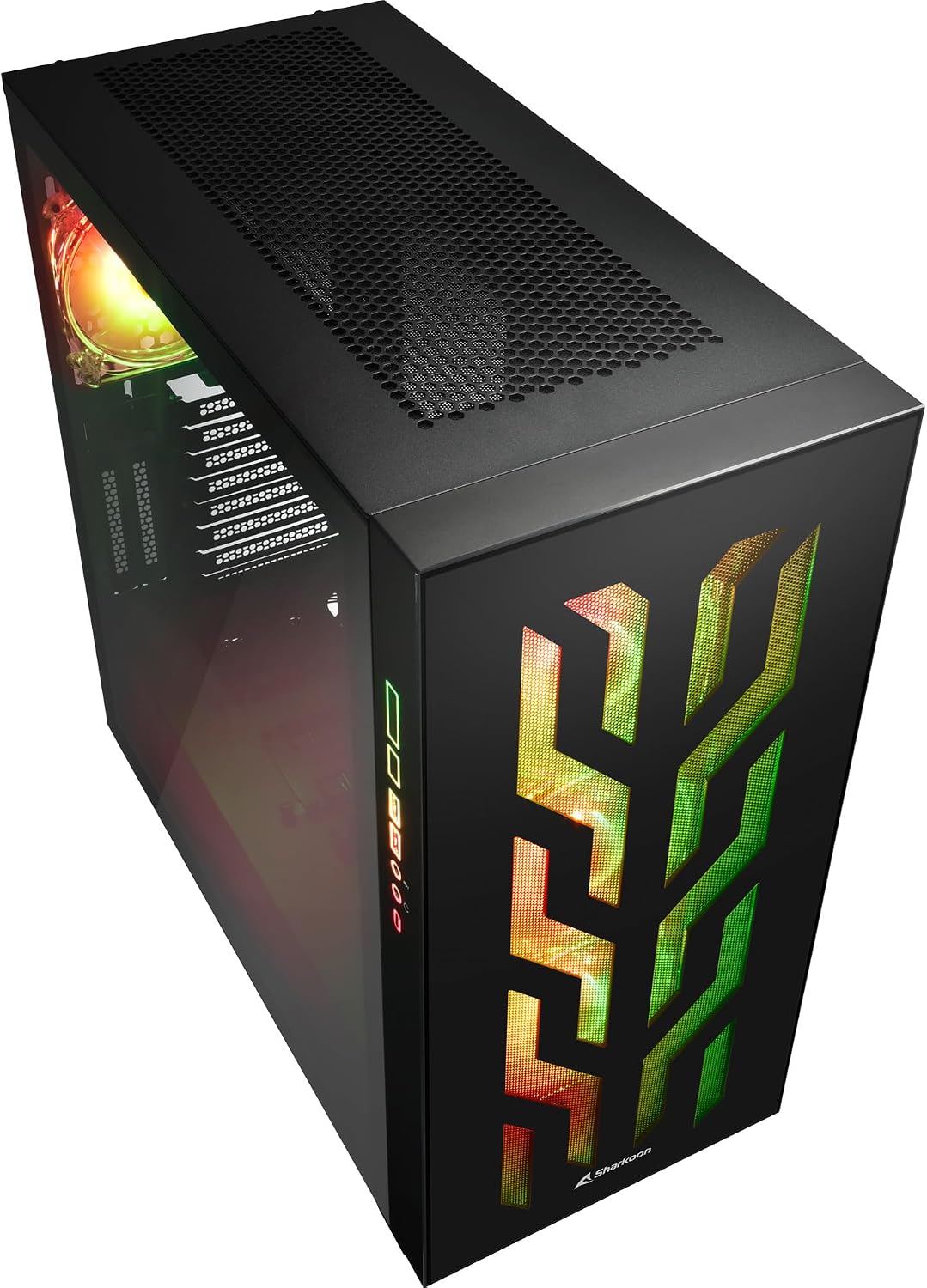
Figura 4.2: Angolato view of the Sharkoon CA300T PC case, showing the tempered glass side panel and the vibrant RGB lighting from the interior.
5. Impostazione
5.1 Disimballaggio
- Estrarre con cautela il case del PC dalla confezione.
- Inspect the case for any signs of damage during transit. Contact your retailer if any damage is found.
- Locate the accessory box inside the case, which contains screws and other installation hardware.
5.2 Rimozione dei pannelli laterali
The Sharkoon CA300T features tempered glass side panels for easy access to components.
- Locate the two screws on the rear of the case securing the side panel.
- Svita queste due viti.
- Gently pull the panel upwards and away from the case to remove it. Repeat for the other side if necessary.

Figura 5.1: Interno view of the Sharkoon CA300T PC case, showing the main compartment with the left tempered glass panel removed, ready for component installation.

Figura 5.2: Interno view of the Sharkoon CA300T PC case with the left side panel completely removed, exposing the motherboard tray and various mounting points.
5.3 Installazione della scheda madre
- Install the necessary standoffs onto the motherboard tray according to your ATX motherboard's screw holes.
- Carefully place your ATX motherboard onto the standoffs, aligning the screw holes.
- Fissare la scheda madre con le viti fornite.
5.4 Installazione dell'unità di alimentazione (PSU).
The CA300T supports bottom-mounted power supplies.
- Inserire l'alimentatore nell'apposito scomparto nella parte inferiore posteriore del case.
- Fissare l'alimentatore al case con le viti dalla parte posteriore.
5.5 Installazione dell'unità
The case provides internal bays for 3.5-inch and 2.5-inch drives.
- Locate the drive cages or mounting points for your 3.5-inch or 2.5-inch drives.
- Mount your drives using the appropriate screws or tool-less mechanisms.
5.6 Installazione della scheda grafica e della scheda di espansione
The case offers multiple expansion slots and supports vertical GPU mounting.
- Rimuovere le coperture degli slot di espansione necessari dalla parte posteriore del case.
- Inserisci la scheda grafica o altre schede di espansione negli slot PCIe della scheda madre.
- Secure the cards with screws. For vertical GPU mounting, an additional riser cable (not included) is required.
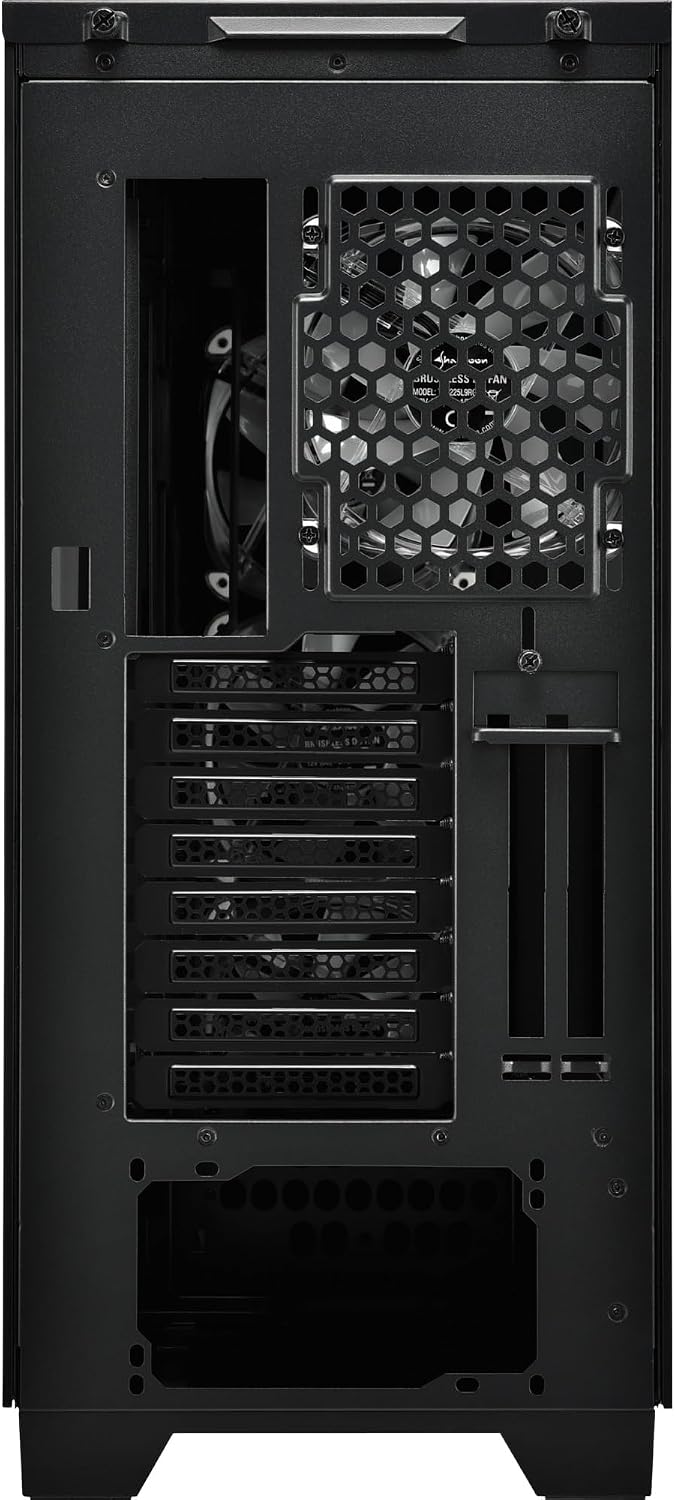
Figura 5.3: Posteriore view of the Sharkoon CA300T PC case, illustrating the expansion slots, rear fan mount, and PSU opening.
5.7 Gestione dei cavi
Utilize the cable routing channels and tie-down points behind the motherboard tray to organize cables for improved airflow and aesthetics.

Figura 5.4: Interno posteriore view of the Sharkoon CA300T PC case, highlighting the dedicated cable management area behind the motherboard tray.
6. Operativo
6.1 Accensione/spegnimento
After all components are installed and cables are connected, press the power button on the front panel to turn on your system. Press it again to turn off, or use your operating system's shutdown function.
6.2 Controllo dell'illuminazione RGB
The integrated RGB lighting can be controlled via the dedicated RGB controller (if included) or through compatible motherboard software, depending on how the RGB components are connected. Refer to your motherboard manual for software control options.
7. Manutenzione
7.1 Pulizia dei filtri antipolvere
The Sharkoon CA300T features a three-layer top plate with a dust filter. Regularly clean all dust filters to maintain optimal airflow and cooling performance.
- Spegni e scollega il PC.
- Carefully remove the dust filters (e.g., from the top, front, and bottom).
- Clean the filters using compressed air or by gently washing them with water. Ensure they are completely dry before reinstallation.
7.2 Cura generale
- Pulisci l'esterno della custodia con un panno morbido eamp stoffa. Evitare detergenti abrasivi.
- Assicurarsi che tutti i cavi siano collegati saldamente e non ostruiscano il flusso d'aria.
8. Risoluzione Dei Problemi
Se riscontri problemi con la configurazione del tuo PC, prendi in considerazione i seguenti passaggi comuni per la risoluzione dei problemi:
- Nessun potere: Ensure the power supply is properly connected to the wall outlet and the motherboard. Check all power cables (24-pin, CPU, GPU).
- I ventilatori non girano: Verify that all fan headers are correctly connected to the motherboard or fan controller. Check BIOS settings for fan control.
- Nessuna visualizzazione: Confirm that your monitor is connected to the graphics card (not the motherboard's integrated graphics, unless intended). Reseat the graphics card and RAM modules.
- RGB non funzionante: Check RGB cable connections to the motherboard or controller. Ensure any necessary software is installed and configured.
- Surriscaldamento: Ensure all fans are spinning correctly and dust filters are clean. Verify proper thermal paste application on the CPU cooler.
For more complex issues, consult the manuals for your individual components (motherboard, GPU, PSU) or seek professional assistance.
9. Specifiche
| Caratteristica | Specificazione |
|---|---|
| Marca | Squalo |
| Nome del modello | CA300T |
| Tipo di caso | Torre completa |
| Compatibilità della scheda madre | ATX |
| Uso consigliato | Gioco d'azzardo |
| Colore | Nero |
| Materiale | Metallo |
| Power Supply Mount Type | Montaggio inferiore |
| Metodo di raffreddamento | Aria |
| Dimensioni della ventola | 120 millimetri |
| Numero di fan | 3 |
| Slot di espansione totali | 4 |
| Porte USB 3.0 totali | 2 |
| Porte USB totali | 3 |
| Caratteristiche speciali | RGB Lighting, Openable Cable Pocket, Three-layer Top Plate with Dust Filter |
| HDD Bay Size | 3.5 pollici |
| Number of Internal Bays | 4 |
| Dispositivi compatibili | ATX Motherboards, 3.5-inch Hard Drives |
| Colore chiaro | Colore RGB |
| Peso dell'articolo | 14.7 chilogrammi |
10. Garanzia
The Sharkoon CA300T PC Case comes with a Garanzia del produttore di 2 anniSi prega di conservare la prova d'acquisto per eventuali reclami in garanzia. La garanzia copre difetti di materiali e fabbricazione in condizioni di normale utilizzo. Non copre danni causati da uso improprio, incidenti, modifiche non autorizzate o installazione non corretta.
11. Supporto
For technical support, warranty inquiries, or further assistance, please visit the official Sharkoon website or contact their customer service department. You may find contact information and FAQs on their support pages.
Ufficiale Websito: www.sharkoon.com