
1. Prodotto finitoview
The Nitecore Pocket 10000 (NB10000) is an ultra-lightweight and compact power bank designed for portable charging. It features a 10,000mAh capacity, fast charging capabilities, dual USB-C ports, and a built-in Type-C charging cable for convenience. Constructed with lightweight carbon fiber, it is suitable for various uses, including travel and outdoor activities.
Caratteristiche principali:
- Ultra compatto e leggero: Weighing approximately 160g (5.64oz) and with a thickness of 12.5mm (0.49"), it is designed for portability.
- Alta capacità: 10,000mAh 3.85V (38.5Wh) Li-ion battery, capable of charging a modern smartphone multiple times.
- Ricarica rapida: Supports up to 22.5W max output via USB-C port and 20W max output via built-in USB-C cable.
- Doppie porte USB-C: Includes one integrated two-way fast charging USB-C cable and one USB-C port for versatile charging.
- Cavo USB-C integrato: Eliminates the need to carry an extra charging cable.
- Grado di protezione IP65: Fornisce protezione contro polvere e schizzi d'acqua.
- Visualizzazione del livello di potenza: Four blue indicator lights show the charging status and remaining power.
- Approvato dalla compagnia aerea: Complies with UN38.3 standard for safe air travel.
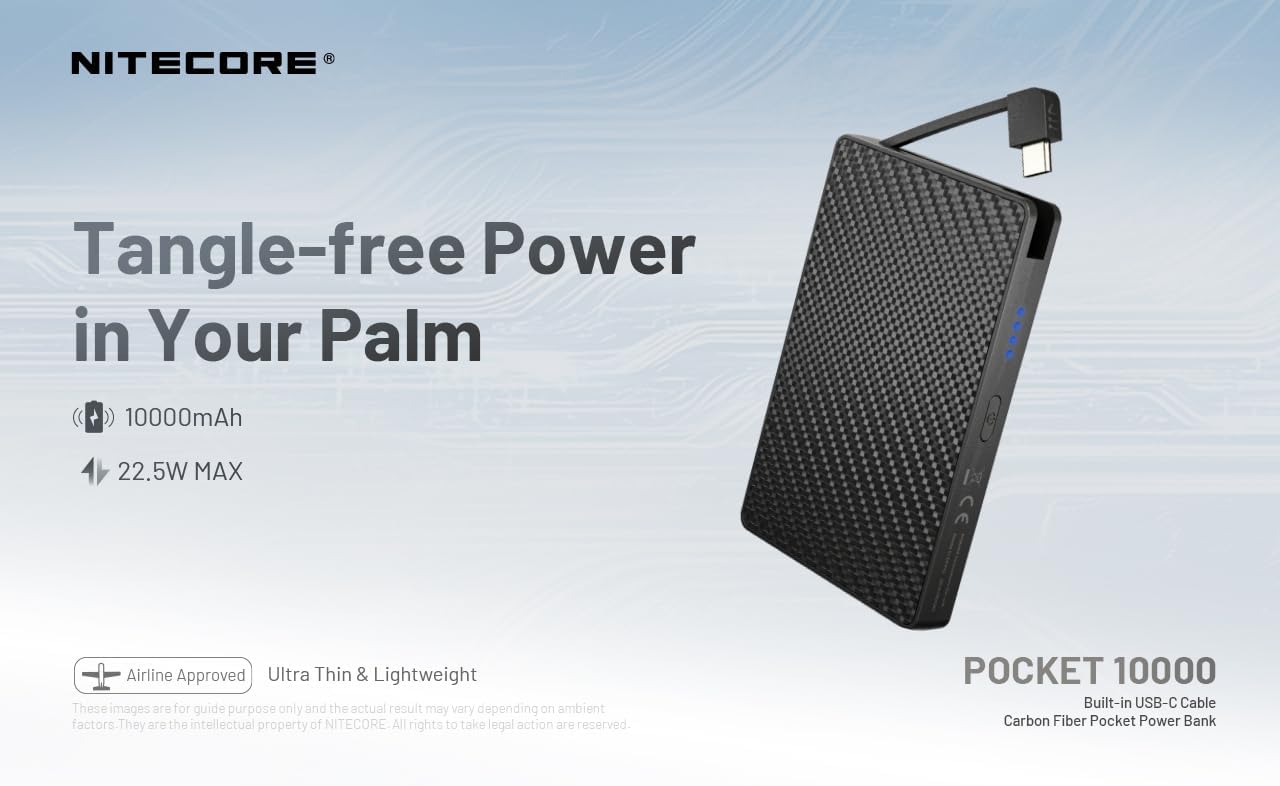
Figure 1: Nitecore Pocket 10000 Power Bank highlighting its compact design and built-in USB-C cable.
2. Configurazione iniziale
2.1 Contenuto della confezione
Prima dell'uso, assicurarsi che tutti gli articoli siano presenti nella confezione:
- Nitecore Pocket 10000 Power Bank (NB10000)
- USB-C to USB-A Charging Cable (for recharging the power bank)
- Manuale di istruzioni
2.2 Ricarica iniziale del Power Bank
It is recommended to fully charge the Nitecore Pocket 10000 before its first use.
- Connect the provided USB-C to USB-A charging cable to the USB-C input/output port on the power bank.
- Collegare l'estremità USB-A del cavo a un adattatore di alimentazione USB compatibile (non incluso) o alla porta USB di un computer.
- The blue indicator lights on the power bank will illuminate and flash to indicate charging progress. All four lights will be solid when fully charged.
The power bank charges quickly. Ensure adequate ventilation during charging, as it may generate some heat.
3. Funzionamento
3.1 Controllo del livello della batteria
Press the power button once to activate the power level display. The four blue indicator lights will show the remaining battery capacity:
- 4 luci: 75% - 100%
- 3 luci: 50% - 75%
- 2 luci: 25% - 50%
- 1 light: 0% - 25% (Recharge recommended)
3.2 Ricarica di dispositivi esterni
The Nitecore Pocket 10000 can charge various electronic devices, including smartphones, smartwatches, and other USB-powered gadgets.
- Utilizzo del cavo USB-C integrato: Extend the integrated USB-C cable and plug it directly into your device's USB-C port.
- Utilizzo della porta USB-C: Connect your device's charging cable (USB-C to USB-C or USB-A to USB-C) to the power bank's USB-C output port.
- The power bank will automatically begin charging your device. The indicator lights will show the power bank's remaining charge.
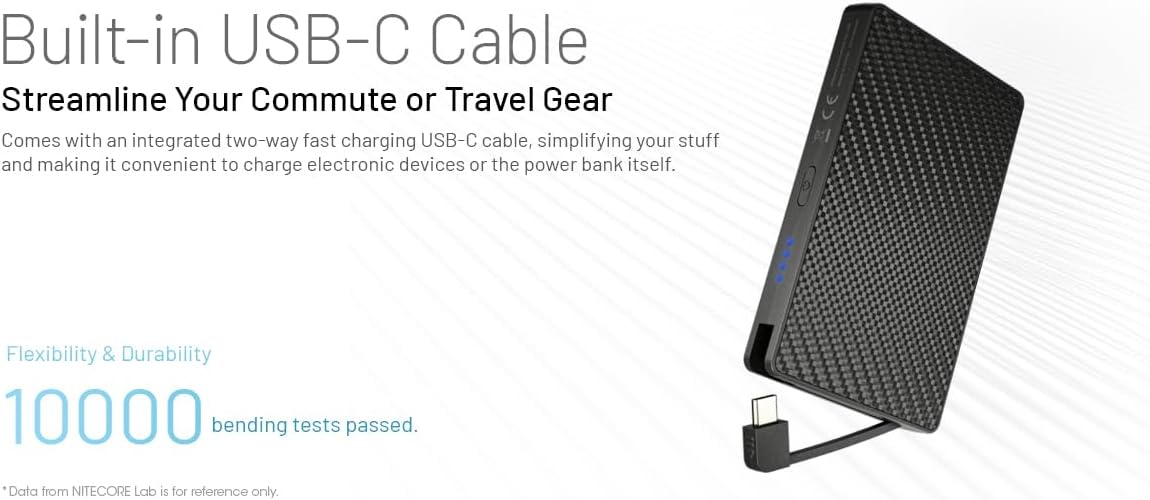
Figure 2: Charging a smartphone using the integrated USB-C cable.

Figure 3: Charging a smartphone using the dedicated USB-C port.
3.3 Ricarica di più dispositivi (ricarica pass-through)
The power bank supports charging itself while simultaneously charging an external device. This is known as pass-through charging.
- Connect the power bank to a power source for recharging (as described in Section 2.2).
- Connect your external device to the power bank using either the built-in USB-C cable or the USB-C port.
- Sia il power bank che il tuo dispositivo si caricheranno contemporaneamente.
3.4 Automatic Low Current Mode
For charging low-current devices such as wireless earphones or smartwatches, the power bank automatically enters a low current mode to prevent overcharging and ensure optimal battery health for these devices.

Figure 4: The power bank automatically adjusts output for low-current devices like wireless earbuds.
4. Manutenzione
- Pulizia: Utilizzare un panno morbido e asciutto per pulire la superficie del power bank. Evitare l'uso di prodotti chimici aggressivi o materiali abrasivi.
- Magazzinaggio: Conservare il power bank in un luogo fresco e asciutto, lontano dalla luce solare diretta e da temperature estreme.
- Pratiche di ricarica: To prolong battery life, avoid completely draining the power bank frequently. Recharge it when the battery level is low.
- Gestione del calore: During fast charging or heavy use, the power bank may become warm. This is normal. Ensure it is placed in an open area with good ventilation to dissipate heat.
- Resistenza all'acqua: The power bank is IP65 rated, meaning it is protected against dust and low-pressure water jets. Do not submerge it in water or expose it to heavy rain.
5. Risoluzione Dei Problemi
| Problema | Possibile causa | Soluzione |
|---|---|---|
| La power bank non si ricarica | Charging cable not properly connected; faulty cable or adapter; power bank battery fully discharged. | Ensure cable is securely connected. Try a different cable or power adapter. Allow the power bank to charge for an extended period if deeply discharged. |
| Il dispositivo non si ricarica dal power bank | Device cable not properly connected; power bank battery is empty; device is not compatible; power bank is in low current mode for a high-current device. | Check cable connections. Recharge the power bank. Verify device compatibility. Ensure the power bank is not stuck in low current mode (though it's automatic, a restart might help). |
| Il power bank si surriscalda durante la carica/scarica | Normal operation during fast charging or high load; poor ventilation. | This is generally normal. Ensure the power bank is in a well-ventilated area. If it becomes excessively hot or emits smoke/odor, discontinue use immediately. |
| Le spie luminose non funzionano | Il power bank è spento; malfunzionamento interno. | Press the power button to activate the display. If still unresponsive, contact customer support. |
6. Specifiche
| Caratteristica | Dettaglio |
|---|---|
| Numero di modello | POCKET 10000 (NB10000) |
| Tipo di cella della batteria | Agli ioni di litio |
| Capacità | 10,000 mAh 3.85 V (38.5 Wh) |
| Energia nominale | 6,200 mAh 5 V (TIPO 3 A) |
| Input (USB-C Cable) | 5 V-3 A / 9 V-2 A / 12 V-1.5 A (18 W MASSIMO) |
| Ingresso (porta USB-C) | 5 V-3 A / 9 V-2 A / 12 V-1.5 A (18 W MASSIMO) |
| Uscita (cavo USB-C integrato) | 5 V-3 A / 9 V-2.22 A / 12 V-1.67 A (20 W MASSIMO) |
| Uscita (porta USB-C) | 5V-3A / 9V-2.22A / 12V-1.67A / 10V-2.25A (22.5W MAX) |
| Produzione totale | 5 V-3 A (MASSIMO) |
| Grado di protezione IP | Grado di protezione IP65 |
| Dimensioni (L x P x A) | 105.0 mm x 70.0 mm x 12.5 mm / 4.13" x 2.76" x 0.49" |
| Peso | 160g ± 5g / 5.64 oz ± 0.1 oz |
| Dispositivi compatibili | Smartphone, Smartwatch, etc. |
7. Garanzia e supporto
Information regarding the product warranty and customer support details was not available in the provided product data. Please refer to the official Nitecore website or contact your retailer for specific warranty terms and support options.