
1. Introduzione e oltreview
The Saramonic SmartMic Di Mini is an ultra-compact omnidirectional condenser microphone that plugs directly into the Lightning port of your iPhone or iPad. Weighing less than an ounce, the SmartMic Di Mini delivers dynamic broadcast-quality sound, significantly improving the audio quality of your videos and recordings.

Image: The Saramonic SmartMic Di Mini microphone connected to the Lightning port of an iPhone.
2. Cosa c'è nella scatola
- SmartMic Di Mini Microphone
- Parabrezza in schiuma
- Borsa da trasporto
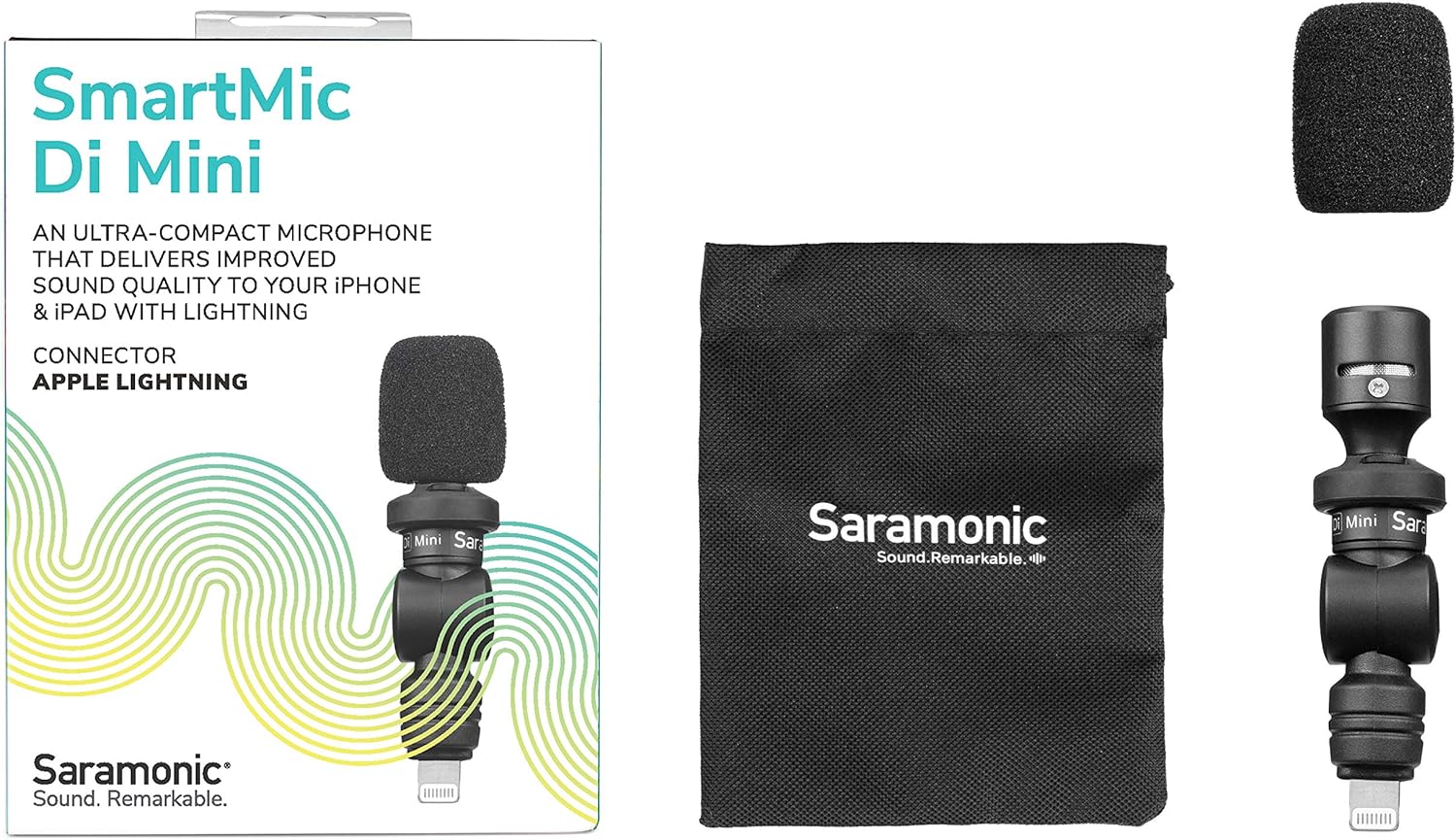
Image: The retail box displaying the SmartMic Di Mini, a foam windscreen, and a carrying pouch.
3. Caratteristiche del prodotto
- Delivers high-quality, dynamic sound to iPhones & iPads with Lightning.
- Ideal microphone for Vlogging, Video Apps, Audio Recording Apps, Livestreaming, YouTube, and Social Media Videos.
- Compact capsule, built-in shock mount, and flexible angle-free design allow precise sound focus.
- Simple plug-and-play usage that never requires batteries or charging.
- Ultra-lightweight and compact form-factor for effortless portability.
4. Impostazione
- Attach the Foam Windscreen: Gently slide the included foam windscreen over the microphone capsule until it is fully seated. This helps reduce plosives and light wind noise.
- Connetti al dispositivo: Plug the SmartMic Di Mini directly into the Lightning port of your iPhone or iPad. Ensure it is firmly connected.
- Remove Phone Case (if necessary): For optimal connection and to ensure the microphone sits flush, it may be necessary to remove your phone's protective case before plugging in the microphone.
- Regola l'angolo: The microphone features a flexible design, allowing you to adjust its angle to point towards the sound source.

Image: The SmartMic Di Mini with its foam windscreen attached, ready for use.

Image: The microphone connected to the bottom Lightning port of an iPhone.
5. Istruzioni per l'uso
- Avvia la registrazione: Open your preferred audio or video recording application on your iPhone or iPad. The device should automatically recognize the external microphone.
- Posiziona il microfono: Utilize the flexible design to point the microphone directly at your subject for optimal sound capture. For selfie-style recording, point it towards yourself. For recording others, point it away from you.
- Monitorare l'audio: If your recording app allows, monitor the audio levels to ensure clear sound without clipping or distortion.
- Salva registrazione: After recording, save your audio or video file within your application.

Image: A close-up of the SmartMic Di Mini demonstrating its flexible, adjustable head for directional audio capture.
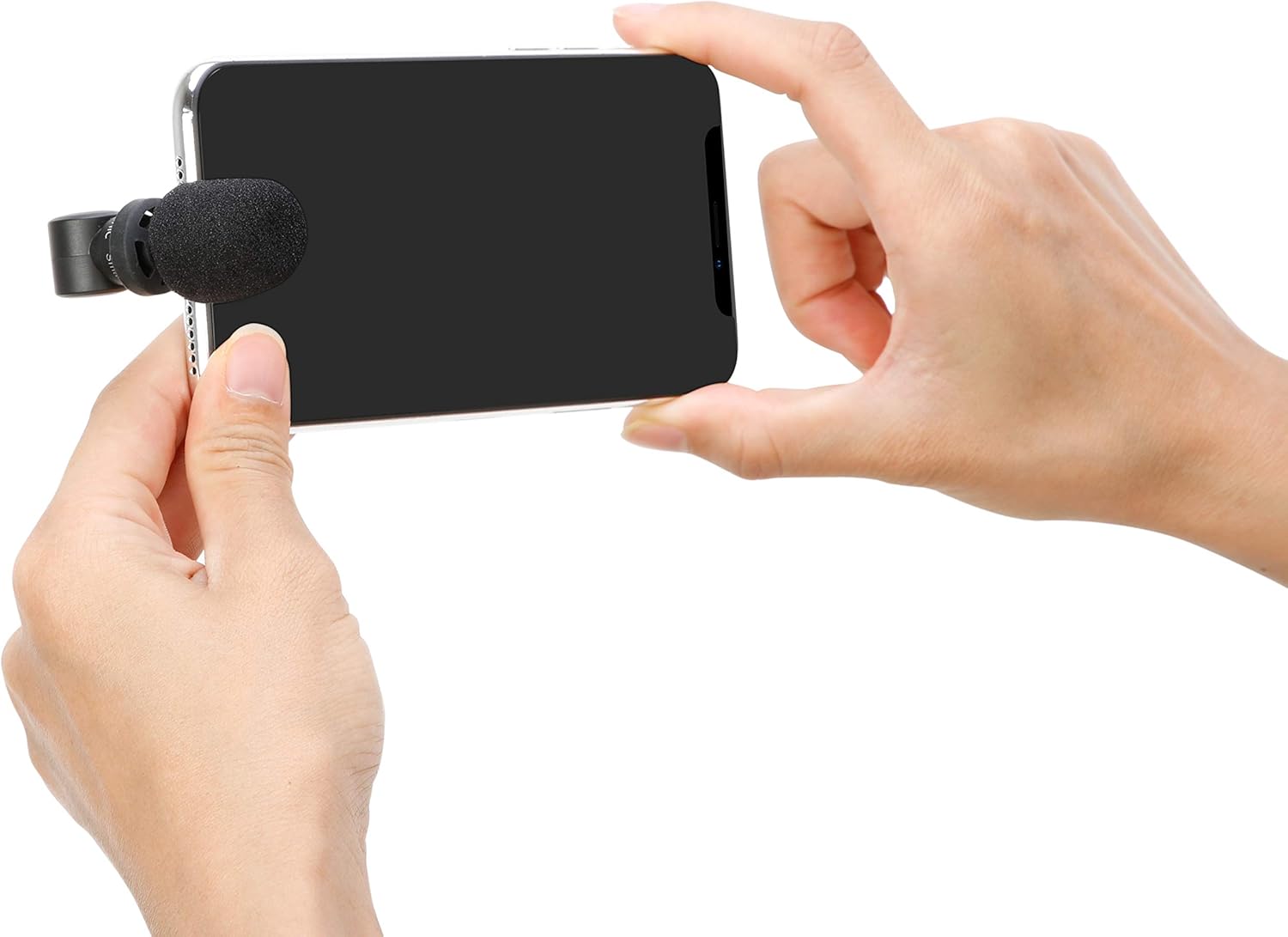
Image: A user holding an iPhone horizontally with the SmartMic Di Mini attached, indicating readiness for video recording.
6. Manutenzione
- Pulizia: Per pulire il corpo del microfono, utilizzare un panno morbido e asciutto. Non utilizzare detergenti liquidi o solventi.
- Cura del parabrezza: The foam windscreen can be gently removed and cleaned with mild soap and water if necessary. Allow it to air dry completely before reattaching.
- Magazzinaggio: When not in use, store the microphone in its provided carrying pouch to protect it from dust and damage.
- Optional Furry Windscreen: For outdoor recording or in windy conditions, consider purchasing and attaching a furry windscreen (e.g., Saramonic XM1-WS, sold separately) for superior wind noise reduction.

Image: A furry windscreen, an optional accessory for enhanced wind noise reduction, shown separately.

Image: The black carrying pouch with the Saramonic logo, designed to protect the microphone.
7. Risoluzione Dei Problemi
- Nessun ingresso audio: Ensure the microphone is fully inserted into the Lightning port. If using a phone case, remove it to ensure a complete connection.
- Poor Audio Quality (Wind Noise): If recording outdoors or in windy environments, attach a furry windscreen (sold separately) to significantly reduce wind interference.
- Audio Too Low/High: Check your recording application's settings for microphone input levels. The SmartMic Di Mini is plug-and-play and does not have physical gain controls.
- Il dispositivo non riconosce il microfono: Restart your iPhone or iPad and re-insert the microphone. Ensure your device's operating system is up to date.
8. Specifiche
| Caratteristica | Specificazione |
|---|---|
| Marca | Saramonico |
| Nome del modello | SmartMicDiMini |
| Tecnologia di connettività | Fulmine |
| Tipo di connettore | Fulmine |
| Modello polare | Omnidirezionale |
| Fattore di forma del microfono | Mini |
| Fonte di alimentazione | Battery Powered (from device) |
| Signal-to-Noise Ratio | 60 dB |
| Dispositivi compatibili | Tablet, Smartphone (iPhone, iPad with Lightning) |
| Peso dell'articolo | 0.02 libbre |
| Dimensioni dell'articolo | 2.74 x 0.75 x 0.75 pollici |
9. Garanzia e supporto
The Saramonic SmartMic Di Mini comes with a Garanzia limitata di 2 anni. For warranty claims, technical support, or further assistance, please contact Saramonic customer service through their official websito o rivenditore presso cui è stato acquistato il prodotto.
Per ulteriori risorse e informazioni sul prodotto, visitare il Negozio Saramonic su Amazon.