Introduzione
The Wyze Bluetooth 5.0 Headphones are designed to provide a personal and private audio experience with advanced features such as Hybrid Active Noise Cancellation, high-fidelity sound, and Transparency Mode. This manual provides essential information for setting up, operating, and maintaining your headphones.
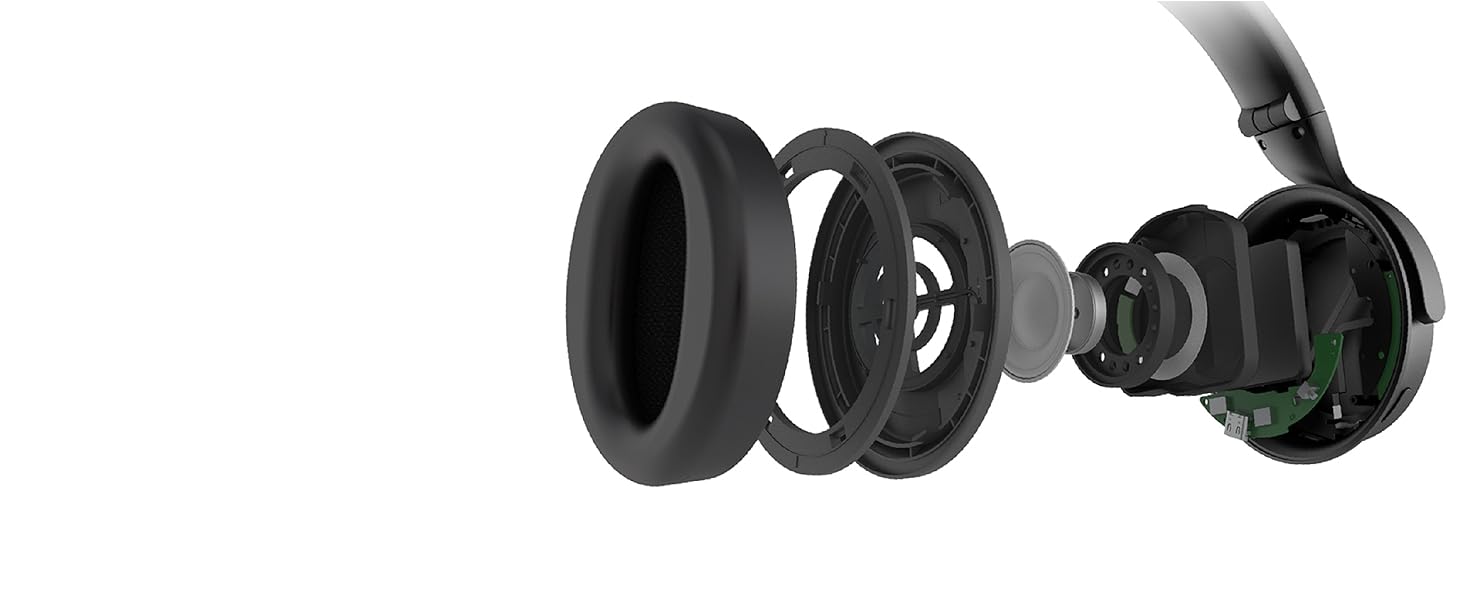
Figure 1: Wyze Bluetooth 5.0 Headphones, showcasinil loro design elegante.
Impostare
Cosa c'è nella scatola
- Wyze Bluetooth 5.0 Headphones
- Cavo di ricarica (USB-C)
- Cavo audio (3.5mm)
Caricare le cuffie
Before initial use, fully charge your headphones. A full charge provides up to 20 hours of playback time. A 10-minute quick charge provides 4 hours of battery life.
- Locate the USB-C charging port on the left earcup.
- Connect the provided USB-C charging cable to the headphones and a compatible power source.
- L'indicatore LED mostrerà lo stato di carica.

Figura 2: lato view of the headphones, highlighting the USB-C charging port and control buttons.
Accoppiamento Bluetooth
Your Wyze Headphones support Bluetooth 5.0 and can connect to two devices simultaneously.
- With the headphones powered off, press and hold the power/Bluetooth pairing button (round button on the right earcup) until the LED indicator flashes, indicating pairing mode.
- Sul tuo dispositivo (smartphone, tablet, computer), attiva il Bluetooth e cerca i dispositivi disponibili.
- Select "Wyze Headphones" from the list to connect.
- For dual device connection, connect to the first device, then put the headphones back into pairing mode and connect to the second device. The headphones will remember both connections.
Utilizzo delle cuffie
Controlli finitiview
The headphones feature intuitive controls for media playback, calls, and noise control modes.
- Power/Bluetooth Button (Round button on right earcup): Press and hold to power on/off or enter pairing mode.
- Volume Up/Down Buttons (on right earcup): Regola il volume dell'audio.
- Play/Pause/Skip (Middle button on right earcup): Single press to play/pause, double-press to skip forward, triple-press to skip backward.
- Active Noise Cancellation (ANC) Button (Large button on left earcup): Toggle between ANC, Transparency Mode, and normal mode.
- Touch Control (Right earcup surface): Place your right hand over the right earcup to activate Quick Conversation mode (temporarily lowers music and allows ambient sound). Double-tap for voice assistant.
Active Noise Cancellation & Transparency Mode
The Wyze Headphones offer Hybrid Active Noise Cancellation (ANC) to reduce external noise by up to 40dB, and a Transparency Mode to allow ambient sounds through.
- Press the ANC button on the left earcup to cycle through modes: ANC On, Transparency Mode, and Normal (ANC Off).
- ANC su: Riduce il rumore circostante per un'esperienza audio immersiva.
- Modalità trasparenza: Allows you to hear your surroundings while still enjoying your audio, useful for conversations or being aware of your environment.
Video 1: Demonstration of Active Noise Cancellation and Transparency Mode features.
Assistente vocale (Alexa integrato)
With Alexa built-in, you can access information, set reminders, play music, and more using your voice. The headphones are compatible with Android and iPhone native voice assistants.
- Double-tap the right earcup surface to activate your preferred voice assistant (Alexa or your phone's native assistant).
- Use voice commands to control your device without needing to take out your phone.

Figure 3: Alexa built-in feature, allowing voice commands for various tasks.
Voice-Isolating Microphones
Dedicated microphones isolate your voice during calls, ensuring clarity even in noisy environments.

Figure 4: Voice-isolating microphones ensure clear communication during calls.
Auto-Pause Feature
The headphones automatically pause your content when removed from your head and resume when placed back on.
Manutenzione
To ensure the longevity and optimal performance of your Wyze Headphones, follow these maintenance guidelines:
- Pulizia: Utilizzare un panno morbido e asciutto per pulire i padiglioni auricolari e l'archetto. Evitare l'uso di prodotti chimici aggressivi o materiali abrasivi.
- Magazzinaggio: When not in use, store the headphones in the provided carrying pouch to protect them from dust and scratches. The headphones are foldable for compact storage.
- Resistenza all'acqua: Le cuffie sono resistenti all'acqua. Evitare di immergerle in acqua o di esporle a forti piogge.

Figure 5: Headphones folded for easy storage in the included pouch.
Risoluzione dei problemi
If you encounter any issues with your Wyze Headphones, try the following steps:
- Nessun potere: Assicurati che le cuffie siano completamente cariche. Collegale a una fonte di alimentazione tramite il cavo USB-C.
- Impossibile associare: Make sure the headphones are in pairing mode (flashing LED). Ensure Bluetooth is enabled on your device and it is within range (10 meters). Try restarting both the headphones and your device.
- Nessun suono: Check the volume levels on both the headphones and your connected device. Ensure the headphones are correctly paired. If using the audio cable, ensure it is securely connected.
- Scarsa qualità del suono: Try adjusting the EQ settings via the Wyze app. Ensure there are no obstructions between the headphones and your device.
- ANC non funziona: Ensure ANC mode is activated using the dedicated button on the left earcup.
Specifiche
| Caratteristica | Specificazione |
|---|---|
| Numero di modello | WNCH1 |
| Tecnologia di connettività | Bluetooth 5.0 |
| Controllo del rumore | Cancellazione attiva del rumore ibrida (40 dB) |
| Durata della batteria | 20 Hours (with ANC) |
| Tempo di ricarica | 2 ore (ricarica rapida di 10 minuti per 4 ore di riproduzione) |
| Presa per cuffie | 3.5 mm Jack |
| Tipo di controllo | Button, Voice, Touch |
| Microfono | Voice-Isolating Microphones |
| Peso | 9.9 once |
| Dimensioni | 6.3 x 7.5 x 3.54 pollici |
| Livello di resistenza all'acqua | Resistente all'acqua |
Garanzia e supporto
For detailed warranty information and customer support, please refer to the official product documentation included with your Wyze Headphones or visit the official WYZE website. This manual provides general operational guidelines and does not replace specific warranty terms or advanced troubleshooting resources.


