
Heyday 0818009024695
Manuale utente del cavo intrecciato Lightning-USB-A HEYDAY da 6 piedi
Modello: 0818009024695
Introduzione
This manual provides essential information for the proper use and care of your Heyday 6-ft Lightning to USB-A Braided Cable. This cable is designed for charging and syncing compatible Apple devices with a Lightning port to devices with a USB-A port.
The braided TPU cord and metal-wrapped connectors are engineered for durability and ease of use, providing a reliable connection for your daily charging and data transfer needs.
Prodotto finitoview

Image: The Heyday 6-ft Lightning to USB-A Braided Cable in Midnight Purple, displaying the USB-A connector on the left and the Lightning connector on the right. Both connectors are purple, and the braided cable is a mix of purple and black.
The Heyday 6-ft Lightning to USB-A Braided Cable features:
- Lightning to USB-A Connectivity: Enables charging and data synchronization for compatible devices.
- Lunghezza estesa: A 6-foot (approximately 1.8 meters) cable provides flexibility for use at home, work, or while traveling.
- Certificato MFi: Ensures compatibility and safe operation with Apple devices.
- Costruzione durevole: Features a braided nylon cord and metal-wrapped connectors for enhanced longevity and resistance to wear.
- Alte prestazioni: Supporta fino a 2.4 Amps for efficient charging and a data transfer rate of 480 Mbps.
Impostare
Setting up your Heyday Braided Cable is straightforward. No software installation is required.
- Identificare i connettori: Locate the Lightning connector (smaller, reversible end) and the USB-A connector (larger, rectangular end).
- Collegamento alla fonte di alimentazione/computer: Insert the USB-A connector into a compatible USB-A port on a wall charger, power bank, computer, or other USB-A enabled device. Ensure the connection is firm.
- Connetti al dispositivo: Insert the Lightning connector into the Lightning port of your compatible Apple device (e.g., iPhone, iPad, iPod). The Lightning connector is reversible, so it can be inserted in either orientation.
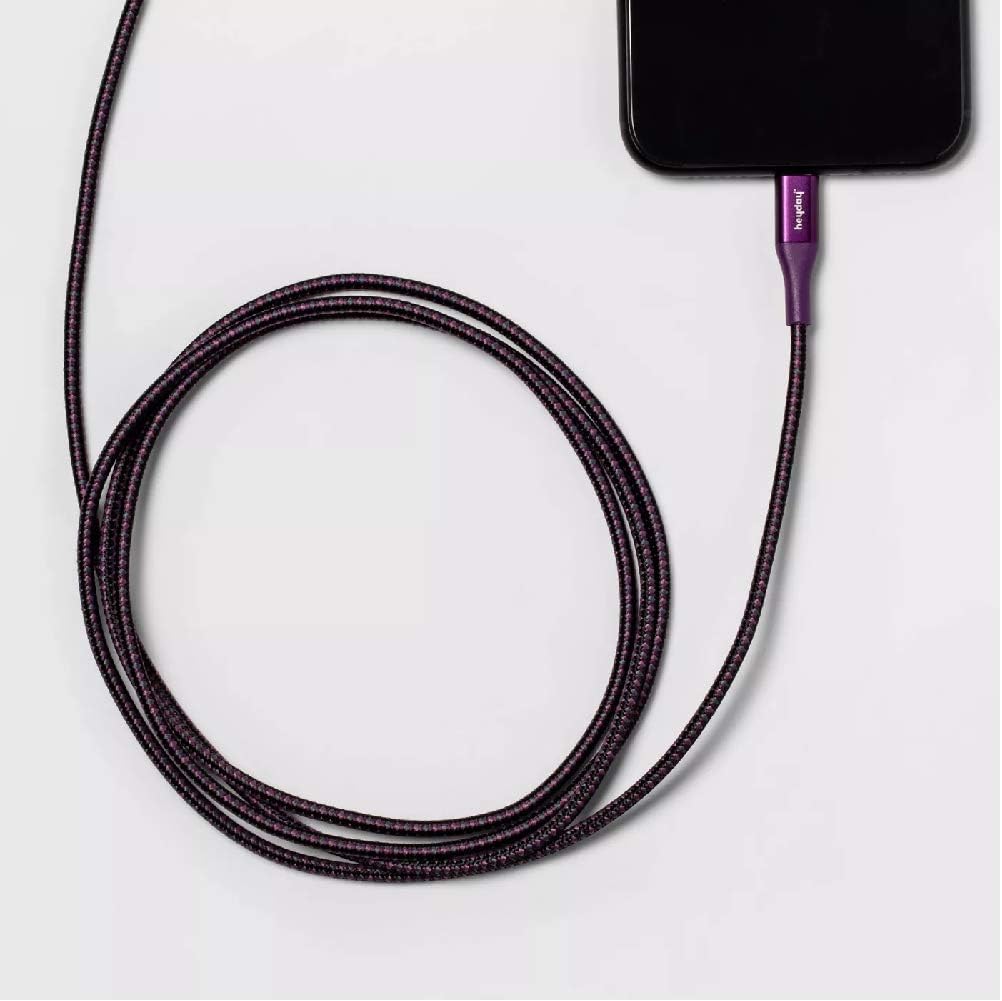
Image: The Heyday Lightning cable with its Lightning connector securely plugged into the charging port of a smartphone, demonstrating a typical connection for charging or data transfer.
Istruzioni per l'uso
Once connected, the cable will facilitate charging or data transfer automatically, depending on the connected devices and their settings.
- Ricarica: When connected to a power source (e.g., wall adapter, power bank), your Apple device will begin charging. The charging indicator on your device will confirm this.
- Data Transfer/Syncing: When connected to a computer, your device may prompt you to "Trust This Computer." Follow the on-screen instructions to allow data transfer and syncing with applications like iTunes or Finder.
- Prestazioni ottimali: For best charging results, use with a power adapter that provides at least 2.4 Amps (e.g., 12W USB power adapter).
Manutenzione
Una cura adeguata prolungherà la durata del cavo.
- Magazzinaggio: When not in use, coil the cable loosely. Avoid tight coiling or sharp bends, especially near the connectors, as this can damage the internal wires.
- Pulizia: If the cable or connectors become dirty, gently wipe them with a soft, dry, lint-free cloth. Do not use harsh chemicals or abrasive materials.
- Gestione: Always grasp the connector housing when plugging or unplugging the cable. Do not pull directly on the cable itself, as this can strain the connection points.
- Condizioni ambientali: Avoid exposing the cable to extreme temperatures, direct sunlight for prolonged periods, or excessive moisture.

Image: The Heyday 6-ft Lightning to USB-A Braided Cable neatly coiled, demonstrating proper storage to prevent damage and tangling.
Risoluzione dei problemi
If you encounter issues with your cable, try the following steps:
- Cable Not Charging/Syncing:
- Assicurarsi che entrambe le estremità del cavo siano inserite completamente e saldamente nelle rispettive porte.
- Prova a utilizzare una porta USB-A diversa o un adattatore di alimentazione diverso.
- Test the cable with a different compatible device to rule out an issue with your device.
- Check the Lightning port on your device for any debris or lint that might be obstructing the connection.
- Restart your device and the connected computer/power source.
- Ricarica lenta:
- Ensure you are using a power adapter that provides sufficient ampmedia (ad esempio, 2.4A o superiore).
- Avoid using the device heavily while it is charging.
- Messaggio "Accessorio non supportato":
- This message can sometimes appear if the cable is not fully inserted or if there's debris in the port. Re-insert the cable firmly.
- Assicurati che il software del tuo dispositivo sia aggiornato.
- As the cable is MFi certified, this message is less likely but can occur with very old or damaged devices.
If problems persist after trying these steps, the cable may be damaged or defective. Please refer to the warranty information if applicable.
Specifiche
| Marca | apogeo |
| Numero di modello | 0818009024695 |
| Tipo di cavo | Da Lightning a USB-A |
| Lunghezza | 6 piedi (circa 1.8 metri) |
| Colore | Midnight Purple |
| Velocità di trasferimento dati | 480 Mbps (0.48 Gigabits Per Second) |
| Corrente di carica | Fino a 2.4 Amps |
| Caratteristiche speciali | Braided, MFi Certified |
| Modelli di telefono compatibili | iPhone 12, iPhone 12 Pro, iPhone 12 Pro Max, iPhone 12 mini, iPhone SE (2020), iPhone 11, iPhone 11 Pro, iPhone 11 Pro Max, iPhone XR, iPhone XS, iPhone XS Max, iPhone X, iPhone 8, iPhone 8 Plus |
| Peso dell'articolo | 2.89 once |
Garanzia e supporto
Specific warranty details for this product are not provided in the available information. Please refer to the product packaging or the manufacturer's official websito per i termini e le condizioni della garanzia.
For further assistance or technical support, please contact Heyday customer service through their official channels, typically found on their websito o confezione del prodotto.
Ask a question about this manual
Ask about setup, troubleshooting, compatibility, parts, safety, or missing instructions. Manuals+ will review the question and use this page’s manual context to help answer it.