
Introduzione
Thank you for choosing the MEDION E11909 (MD 20059) 19-inch HD TV. This television features an integrated DVD player, a 12V car adapter for mobile use, and a triple tuner for receiving cable, satellite, or DVB-T2 HD signals. This manual provides essential information for the safe and efficient use of your new device. Please read it thoroughly before operation and keep it for future reference.
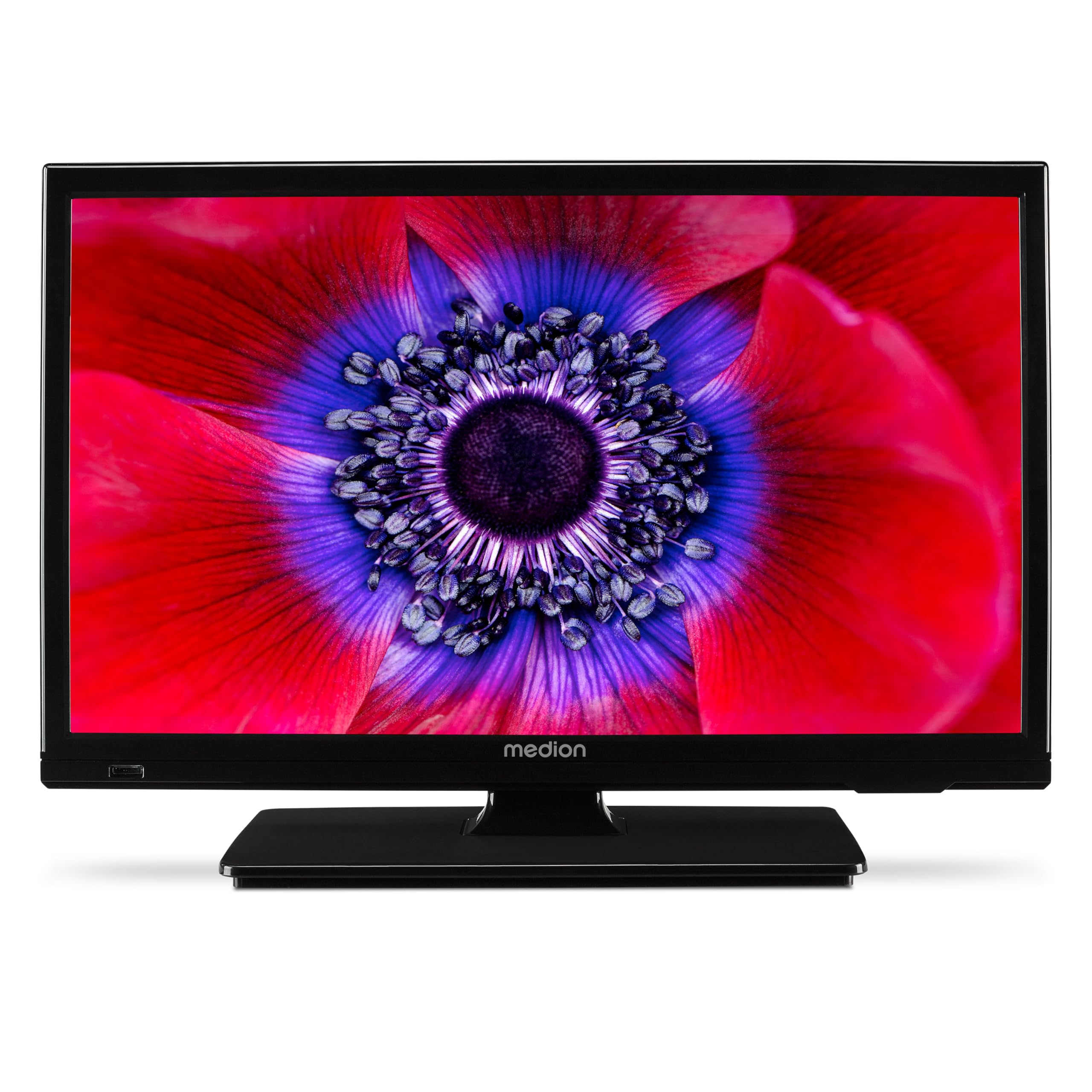
Figura 1: MEDION E11909 19-inch HD TV. This image shows the front view of the television, highlighting its compact design suitable for various environments.
Informazioni sulla sicurezza
Please observe the following safety instructions to prevent damage to the device or injury to yourself:
- Non esporre il televisore alla pioggia o all'umidità.
- Assicurare una ventilazione adeguata; non ostruire le aperture di ventilazione.
- Utilizzare solo l'alimentatore fornito con il dispositivo.
- Non aprire la TV casing; affidare ogni intervento di manutenzione a personale qualificato.
- Tenere il televisore lontano da fonti di calore e dalla luce solare diretta.
- When using the 12V car adapter, ensure the vehicle's power outlet is clean and provides stable power.
Contenuto della confezione
Si prega di verificare che tutti gli articoli siano presenti nel pacco:
- MEDION E11909 MD20059 LCD TV
- Telecomando con batterie (AAA)
- Adattatore di alimentazione esterno
- Car adapter (12V)
- Antenna DVB-T
- Adattatore AV
- Supporto con viti
- Manuale d'uso
- Libretto di garanzia
Impostare
1. Fissaggio del supporto
- Posizionare con cautela lo schermo del televisore su una superficie morbida e pulita.
- Allineare il supporto con i fori di montaggio nella parte inferiore del televisore.
- Fissare il supporto utilizzando le viti in dotazione.
2. Collegamento dell'alimentazione
- Per uso domestico: Connect the external power adapter to the TV's DC IN port and then plug it into a standard wall outlet.
- For Mobile Use (Car/Caravan): Connect the 12V car adapter to the TV's DC IN port and then plug it into your vehicle's 12V DC power socket.
3. Connecting Antennas and External Devices
Refer to the connection diagram below for port locations.

Figura 2: Rear panel connections. This image illustrates the various input and output ports on the back of the television, including HDMI, USB, SCART, VGA, AV In, YPbPr, PC Audio In, Headphone Jack, Digital Audio Out, and the 12V DC power input.
- Antenna/cavo: Connect your DVB-T antenna (included), cable, or satellite dish to the appropriate RF IN port.
- Dispositivi HDMI: Connect devices like Blu-ray players or game consoles to the HDMI ports.
- Dispositivi USB: Inserire le unità USB per la riproduzione multimediale nella porta USB.
- Older Devices: Use the SCART, VGA, or AV IN ports for older equipment.
4. Configurazione iniziale
After connecting power and turning on the TV for the first time, an initial setup wizard will guide you through language selection, country, and channel scanning. Follow the on-screen instructions.
Operativo
1. Accensione/spegnimento
Premere il tasto ENERGIA button on the remote control or on the TV to turn the unit on or off.
2. Funzioni di controllo remoto
The remote control allows you to navigate menus, change channels, adjust volume, and select input sources. Refer to the remote control diagram in your separate warranty booklet for specific button functions.
3. Channel Selection and Volume
- Utilizzare il CH+/- pulsanti per cambiare canale.
- Utilizzare il VOL+/- Pulsanti per regolare il volume.
4. Selezione della sorgente di ingresso
Premere il tasto FONTE button on the remote control to cycle through available input sources (TV, HDMI1, HDMI2, AV, USB, DVD).
5. Using the Integrated DVD Player
- Insert a DVD disc into the disc slot on the side of the TV.
- Il televisore dovrebbe passare automaticamente alla modalità DVD. In caso contrario, premere il tasto FONTE button and select DVD.
- Utilizzare i pulsanti di riproduzione del telecomando (RIPRODUCI, PAUSA, STOP, AVANTI RITARDATO, INDIETRO) per controllare la riproduzione del DVD.

Figura 3: TV with integrated DVD player. This image shows the television screen displaying high-definition content, with a DVD disc partially visible, indicating the integrated DVD player functionality.
6. Using the Media Player (USB)
- Inserire un dispositivo di archiviazione USB nella porta USB.
- Premere il tasto FONTE button and select USB.
- Naviga attraverso il tuo files (photos, music, videos) using the remote control and press OK giocare.

Figura 4: Easy playback of photos, videos, and more. This image highlights the USB port on the TV's side and icons representing music, photos, and video files, indicating the TV's multimedia playback capabilities.
Manutenzione
1. Pulizia dello schermo
Pulire delicatamente lo schermo con un panno morbido e privo di lanugine. Per macchie ostinate, strofinare leggermenteampPulire il panno con acqua o con un detergente specifico per schermi. Non spruzzare il liquido direttamente sullo schermo.
2. Pulizia dell'unità
Pulisci la TV casincon un panno morbido e asciutto. Evitare l'uso di detergenti abrasivi o solventi.
3. Conservazione
Se si conserva il televisore per un periodo prolungato, scollegarlo dall'alimentazione, rimuovere le batterie dal telecomando e conservarlo in un luogo fresco e asciutto, preferibilmente nella confezione originale.
Risoluzione dei problemi
If you encounter problems with your TV, please refer to the following common issues and solutions:
- Nessun potere:
- Check if the power adapter is securely connected to both the TV and the power outlet.
- Assicurarsi che la presa di corrente sia funzionante. - Nessuna immagine/suono:
- Verify that the correct input source is selected (e.g., HDMI1, TV, DVD).
- Check all cable connections (antenna, HDMI, AV).
- Perform a channel scan if using TV mode. - DVD Not Playing:
- Ensure the disc is inserted correctly with the label facing up.
- Check if the disc is clean and free from scratches.
- Try a different DVD to rule out disc issues. - Il telecomando non funziona:
- Replace the batteries (AAA).
- Assicurarsi che non vi siano ostacoli tra il telecomando e il sensore IR del televisore.
Se il problema persiste dopo aver provato queste soluzioni, contattare l'assistenza clienti.
Specifiche
- Marca: MEDION
- Modello: E11909 (MD 20059)
- Dimensioni dello schermo: 18.5 pollici (47 cm)
- Tecnologia di visualizzazione: LCD LED
- Risoluzione: 768p (HD)
- Frequenza di aggiornamento: Frequenza 60 Hz
- Proporzioni: 1.77:1
- Tecnologia di connettività: HDMI, USB
- Caratteristiche speciali: Built-in DVD player, 12V Car Adapter, Triple Tuner for HD reception (Cable, Satellite, DVB-T2)
- Componenti inclusi: LCD TV (MD 20059)
- Dimensioni del prodotto: 16P x 44L x 31A cm
- Uscita audio: 2 x 3 W RMS Stereo Speakers
Garanzia e supporto
Your MEDION E11909 (MD 20059) TV comes with a manufacturer's warranty. Please refer to the included warranty booklet for detailed terms and conditions, including the warranty period and coverage.
Per supporto tecnico, assistenza o ulteriori richieste, visitare il sito ufficiale MEDION website or contact their customer service department. Contact information can typically be found in your warranty booklet or on the MEDION support page.