
1. Introduzione
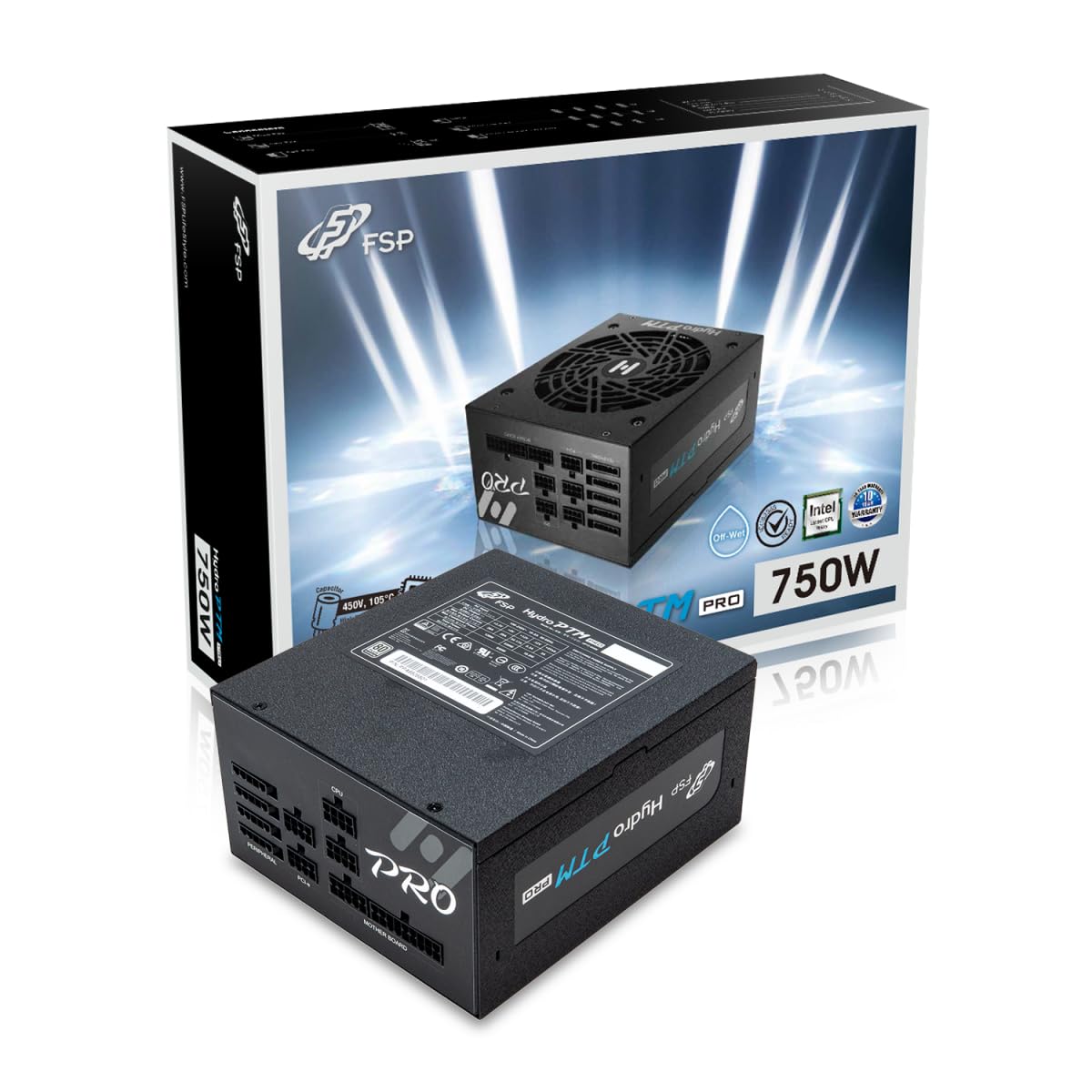
This manual provides detailed instructions for the installation, operation, and maintenance of your FSP Hydro PTM Pro 750W 80 Plus Platinum Full Modular ATX 12V Power Supply (Model: HPT2-750M). Please read this manual thoroughly before using the product to ensure proper function and safety.
The FSP Hydro PTM Pro series is designed for high efficiency and durability, featuring a conformal coating for protection against dust, humidity, and stains. It includes a semi-fanless Eco Mode for quiet operation under low loads and fully modular black ribbon cables for flexible system builds.
2. Informazioni sulla sicurezza
AVVERTIMENTO: Improper installation or use can result in serious injury or damage to the power supply and other components. Always follow these safety guidelines:
- Non aprire l'alimentatore. Alto volumetagAll'interno sono presenti componenti difettosi e non ci sono parti riparabili dall'utente. L'apertura dell'unità invaliderà la garanzia.
- Prima di procedere all'installazione o alla manutenzione, assicurarsi che l'alimentazione sia scollegata dalla presa di corrente CA.
- Installare l'alimentatore in un'area ben ventilata.
- Use only the modular cables provided with this power supply. Using incompatible cables may cause damage to the power supply and connected components.
- Questo prodotto è progettato per l'uso con personal computer. Non utilizzarlo per altri scopi.
- Tenere l'alimentatore lontano da acqua, umidità e temperature estreme.
- Assicurarsi che tutte le connessioni siano sicure prima di accendere il sistema.

3. Contenuto della confezione
Verifica che tutti gli articoli siano presenti nel tuo pacco:
- FSP Hydro PTM Pro 750W Power Supply Unit (HPT2-750M)
- Cavo di alimentazione CA
- Modular Cable Set (refer to the "Cable Length and Connectors" section for details)
- Viti di montaggio
- Manuale dell'utente (questo documento)
4. Configurazione e installazione
4.1 Installazione fisica
- Prepara il tuo sistema: Assicurati che il computer sia completamente spento e scollegato dalla presa a muro.
- Rimuovere il vecchio alimentatore (se applicabile): Disconnect all cables from your old power supply and remove it from the PC case.
- Montare l'alimentatore: Insert the FSP Hydro PTM Pro 750W into the power supply bay of your PC case. Secure it with the provided mounting screws.
- Collegare i cavi della scheda madre:
- Connect the 20+4 Pin ATX cable to your motherboard's main power connector.
- Connect the 4+4 Pin CPU (EPS) cable(s) to your motherboard's CPU power connector(s).
- Collegare i cavi periferici:
- Connect the 6+2 Pin PCI-E cables to your graphics card(s).
- Collega i cavi di alimentazione SATA ai tuoi SSD, HDD e unità ottiche.
- Connect Molex cables to any other peripherals requiring them.
- Connessioni sicure: Ensure all modular cables are firmly seated into both the power supply and the respective components.
- Collegare l'alimentazione CA: Plug the AC power cord into the power supply's AC inlet and then into a wall outlet or surge protector.
4.2 Cable Length and Connectors
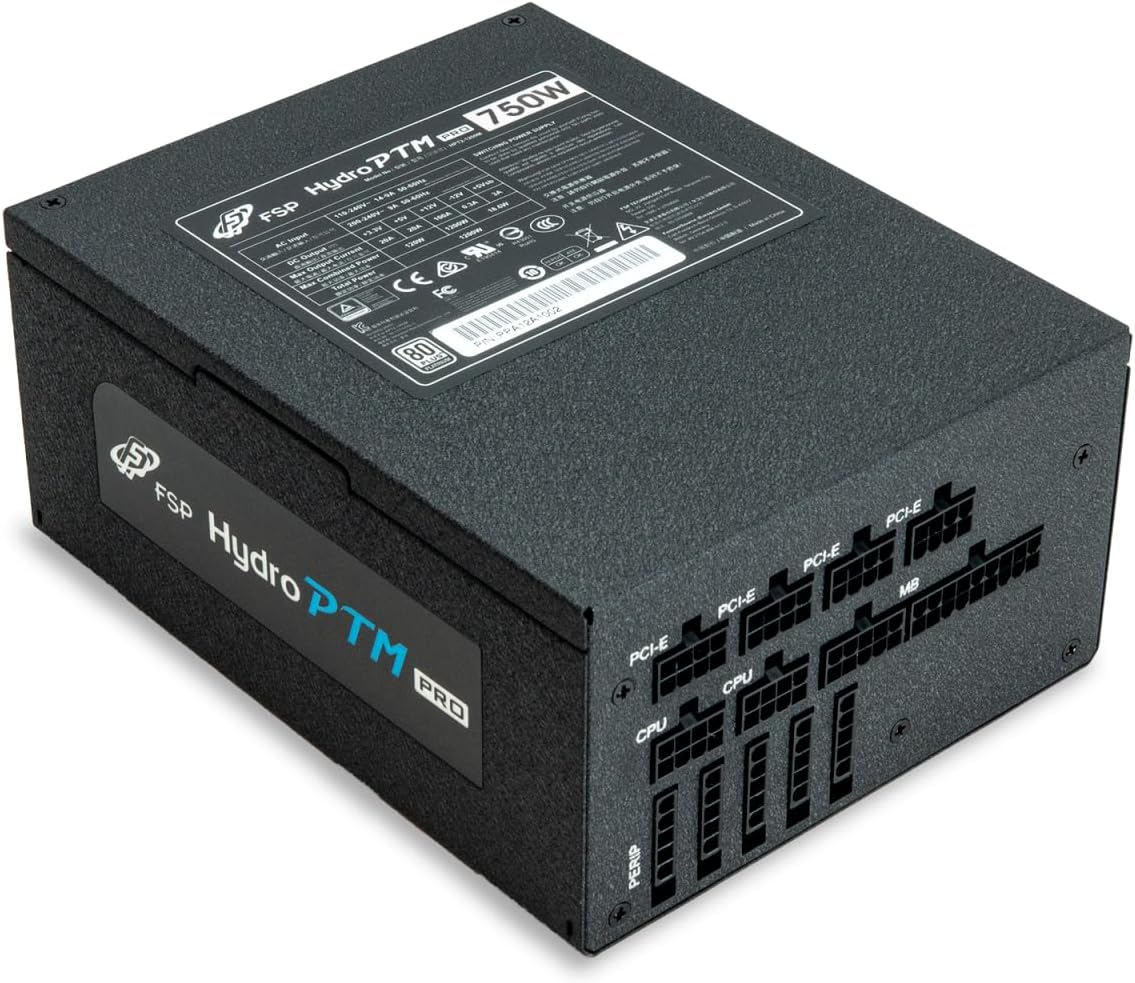
The FSP Hydro PTM Pro 750W comes with a set of fully modular black ribbon cables. Refer to the diagram below for connector types and approximate lengths.

5. Funzionamento
5.1 Accensione/Spegnimento
After completing the installation, ensure the main power switch on the back of the power supply is in the "ON" (I) position. You can then power on your computer using its case power button.
5.2 Modalità Eco
The Hydro PTM Pro features a semi-fanless Eco Mode. When enabled, the power supply fan will remain off until the system load exceeds approximately 30%. This provides silent operation during low-power tasks.
- To activate Eco Mode: Locate the "ECO" switch next to the main power switch on the rear of the power supply and set it to the "ON" position.
- To disable Eco Mode: Set the "ECO" switch to the "OFF" position. The fan will operate continuously based on temperature.
Video: Un oltreview of the FSP Hydro PTM Pro series, highlighting features like conformal coating, Eco Mode, and modular design. This video is provided by FSP GROUP USA.
6. Manutenzione
6.1 Pulizia
To maintain optimal performance and longevity, periodically clean your power supply:
- Ensure the power supply is completely powered off and unplugged from the AC outlet before cleaning.
- Use compressed air to gently remove dust from the fan grille and ventilation openings.
- Wipe the exterior with a soft, dry cloth. Do not use liquid cleaners or solvents.
6.2 Protezione ambientale
The FSP Hydro PTM Pro features a proprietary conformal coating that protects internal components from dust, humidity, and stains. This allows the power supply to reliably operate in environments with up to 95% relative humidity. While this coating offers enhanced protection, it is still recommended to operate the power supply in a clean, dry environment for best results.
7. Risoluzione Dei Problemi
Se riscontri problemi con l'alimentatore, fai riferimento ai seguenti problemi comuni e alle relative soluzioni:
| Problema | Possibile causa | Soluzione |
|---|---|---|
| Il sistema non si accende. |
|
|
| Il sistema si accende ma si spegne immediatamente. |
|
|
| Fan is not spinning (Eco Mode off). |
|
|
If the problem persists after attempting these solutions, please contact FSP customer support.
8. Specifiche
| Caratteristica | Dettaglio |
|---|---|
| Nome del modello | Hydro PTM Pro (HPT2-750M) |
| Marca | FSP |
| Uscita Wattage | 750W |
| Certificazione 80 Plus | Platino |
| Fattore di forma | ATX |
| Progettazione dell'alimentatore | Completamente modulare |
| Metodo di raffreddamento | Aria (ventola da 135 mm) |
| Ingresso volumetage | 115-240 Volt |
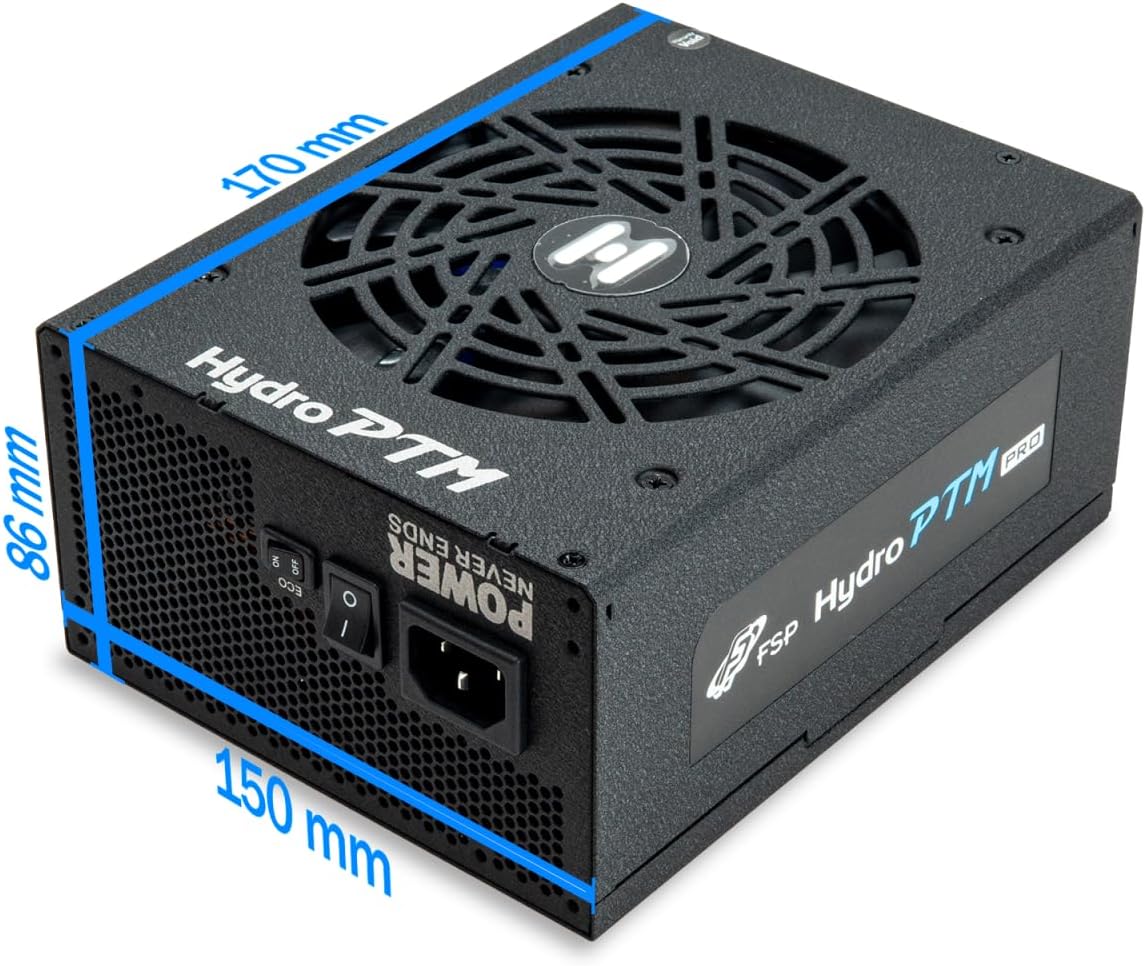
| Dimensioni (L x P x A) | 170 x 150 x 86 mm (6.7 x 5.9 x 3.4 pollici) |
| Protezioni | OCP, OVP, SCP, OPP, UVP, OTP |
| Condensatori | Japanese-made Electrolytic Capacitors |
| PFC | Active PFC ≥ 99% |
| Rivestimento conforme | Yes (Dust, Humidity, Stain protection) |
9. Garanzia e supporto
9.1 Informazioni sulla garanzia
The FSP Hydro PTM Pro 750W power supply is covered by a Garanzia di 10 anno dalla data di acquisto. La presente garanzia copre i difetti di materiali e fabbricazione in condizioni di normale utilizzo. Si prega di conservare la prova d'acquisto per eventuali reclami in garanzia.
La garanzia non copre i danni derivanti da:
- Installazione o funzionamento improprio.
- Accidental damage, abuse, or misuse.
- Riparazioni o modifiche non autorizzate.
- Natural disasters or external causes.
9.2 Assistenza clienti
For technical assistance, troubleshooting, or warranty inquiries, please contact FSP customer support. Refer to the official FSP websito per le informazioni di contatto più aggiornate.
FSP GROUP USA
Visita lo Store FSP su Amazon