
DigiLand DL1036
Manuale utente del tablet Android DigiLand DL1036
Modello: DL1036
1. Introduzione
This manual provides detailed instructions for the safe and efficient use of your DigiLand DL1036 Android Tablet. Please read this manual thoroughly before operating the device and keep it for future reference. The DigiLand DL1036 is a 10.1-inch Android tablet designed for versatile use, featuring a quad-core processor, HD IPS touchscreen, and dual cameras.
2. Informazioni sulla sicurezza
Per garantire il corretto funzionamento ed evitare danni, osservare le seguenti precauzioni di sicurezza:
- Non esporre il tablet a temperature estreme, alla luce solare diretta o a elevata umidità.
- Evitare di far cadere o di sottoporre il tablet a forti urti.
- Use only the charger and charging cable provided with the tablet.
- Do not disassemble, repair, or modify the tablet yourself. Refer to qualified service personnel.
- Tenere la compressa lontana dall'acqua e da altri liquidi.
- Smaltire il tablet e la batteria in modo responsabile, nel rispetto delle normative locali.
3. Cosa c'è nella scatola
Carefully unpack your DigiLand DL1036 Tablet and ensure all items are present:
- DL1036 Tablet
- Caricabatterie
- Cavo di ricarica
- Manuale dell'utente (questo documento)

Image: The DigiLand DL1036 Tablet shown with its included charger and charging cable, alongside the user manual.
4. Prodotto finitoview
Familiarizza con i componenti fisici del tuo tablet.
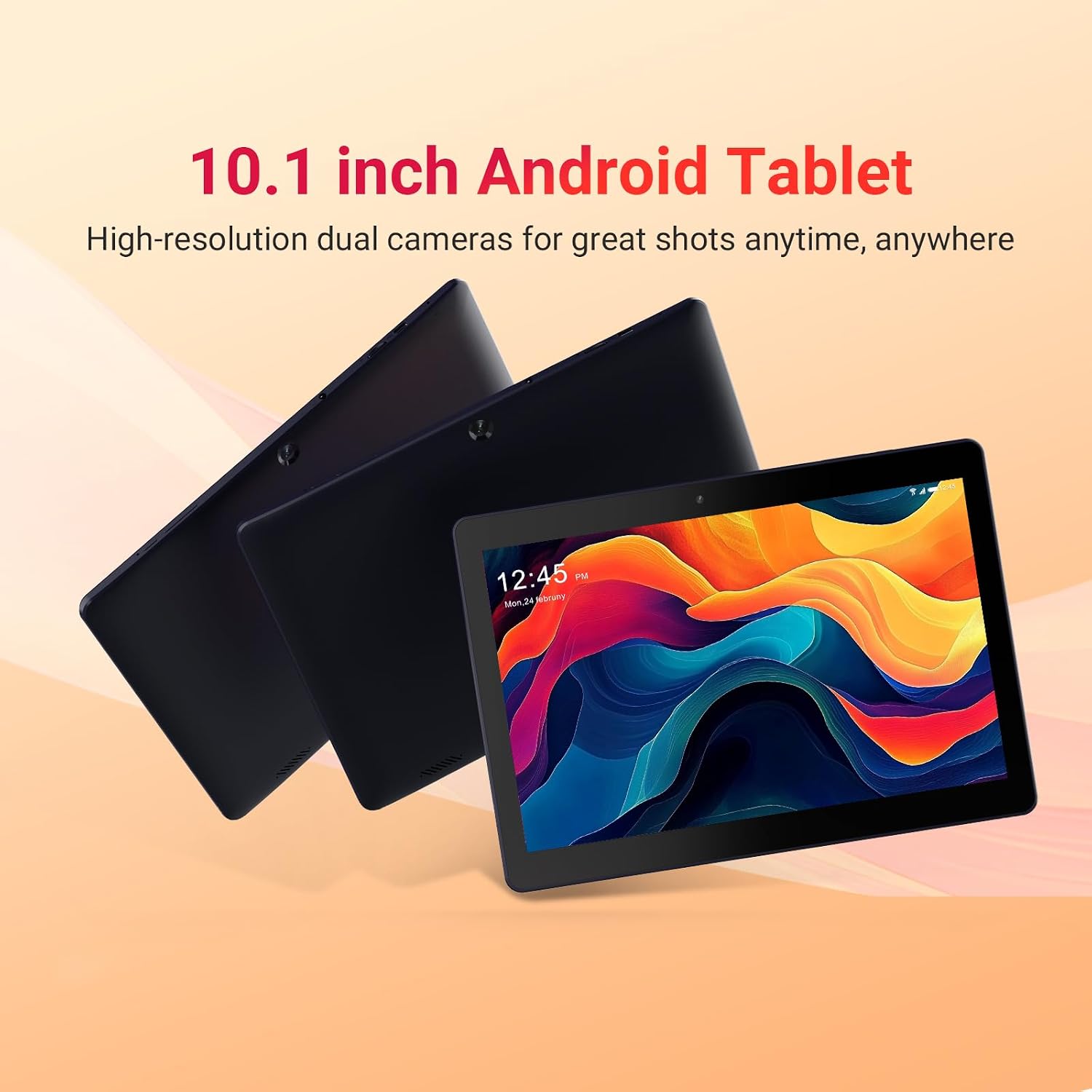
Image: Three DigiLand DL1036 tablets displayed from different angles, showcasing il sottile profile and rear camera placement.
4.1. Porte e pulsanti
- Pulsante di accensione: Located on the side, used to turn the tablet on/off or put it to sleep/wake it up.
- Pulsanti del volume: Regola il volume dell'audio.
- Porta USB-C: Per la ricarica e il trasferimento dei dati.
- Jack per cuffie: Uscita audio da 3.5 mm.
- Slot per scheda MicroSD: Per espandere lo spazio di archiviazione fino a 256 GB.
- Fotocamera frontale: Per videochiamate e selfie.
- Telecamera posteriore: Per scattare foto e registrare video.
- Relatori: Per l'uscita audio.

Immagine: un primo piano view of the DigiLand DL1036 tablet's side, highlighting the USB-C charging port and the MicroSD card slot.
5. Impostazione
5.1. Ricarica del tablet
Before first use, fully charge the tablet. Connect the provided charging cable to the USB-C port on the tablet and the other end to the charger. Plug the charger into a power outlet. The battery indicator on the screen will show charging status.
5.2. Accensione/Spegnimento
- Per accendere: Press and hold the Power button until the DigiLand logo appears.
- Per spegnere: Tenere premuto il pulsante di accensione finché non viene visualizzato il menu delle opzioni di risparmio energetico. Selezionare "Spegni" e confermare.
- Sonno-veglia: Premere brevemente il pulsante di accensione per mettere il tablet in modalità sospensione o riattivarlo.
5.3. Configurazione iniziale
Alla prima accensione, il tablet ti guiderà attraverso la procedura di configurazione iniziale:
- Selezione della lingua: Scegli la tua lingua preferita.
- Connessione Wi-Fi: Select your Wi-Fi network and enter the password. A stable internet connection is recommended for setup.
- Account Google: Accedi con il tuo account Google esistente o creane uno nuovo. Questa operazione è necessaria per accedere al Google Play Store e ad altri servizi Google.
- Data e ora: Imposta la data e l'ora corrette oppure lascia che la rete le imposti automaticamente.
- Sicurezza: Per motivi di sicurezza, imposta un blocco schermo (PIN, sequenza o password).
6. Utilizzo del tablet
6.1. Navigazione e gesti
The DigiLand DL1036 uses a touch-sensitive screen for navigation:
- Rubinetto: Per selezionare un elemento o aprire un'app.
- Tocca e tieni premuto: Per accedere ai menu contestuali o spostare le icone.
- Scorri: Per scorrere le pagine o gli elenchi.
- Pizzica per ingrandire: Per ingrandire o rimpicciolire le immagini o web pagine.
6.2. Connessione al Wi-Fi
Per connettersi a una rete Wi-Fi:
- Vai a Impostazioni > Rete e Internet > Wifi.
- Attiva il Wi-Fi.
- Seleziona la rete desiderata dall'elenco.
- Inserisci la password se richiesta e tocca Collegare.

Image: A graphic illustrating the 2.4G WiFi capability of the DigiLand DL1036 tablet, along with camera and charging details.
6.3. Download delle app
Access the Google Play Store to download and install applications:
- Tocca il Negozio di giochi icona nella schermata iniziale o nel cassetto delle applicazioni.
- Cercare l'app che vuoi installare.
- Rubinetto Installare e seguire le istruzioni visualizzate sullo schermo.

Image: The DigiLand DL1036 tablet screen filled with various application icons, demonstrating its compatibility with Google Play Store apps.
6.4. Utilizzo della fotocamera
Il tablet è dotato di una fotocamera frontale da 2 MP e di una posteriore da 2 MP.
- Aprire il Telecamera applicazione.
- Tocca l'icona di commutazione della fotocamera per passare dalla fotocamera anteriore a quella posteriore e viceversa.
- Tocca il pulsante di scatto per scattare una foto o avviare/interrompere la registrazione video.

Immagine: Un grafico dettagliato mostraasing the dual 2MP cameras of the DigiLand DL1036 tablet, emphasizing its photo and video capabilities.
6.5. Gestione dell'archiviazione
The tablet comes with 32GB of internal storage and supports expansion up to 256GB via a MicroSD card. To manage storage:
- Vai a Impostazioni > Magazzinaggio A view utilizzo dello spazio di archiviazione.
- Insert a MicroSD card into the designated slot to expand storage for photos, videos, and other files.

Image: A visual representation of the DigiLand DL1036 tablet's 2GB RAM and 32GB ROM, indicating ample space for photos, videos, and music.
6.6. Durata della batteria
The tablet is equipped with a 5000mAh battery, providing extended usage time. To optimize battery life:
- Ridurre la luminosità dello schermo.
- Disattivare il Wi-Fi o il Bluetooth quando non vengono utilizzati.
- Chiudere le applicazioni non utilizzate in esecuzione in background.

Image: A graphic highlighting the 5000mAh battery capacity of the DigiLand DL1036 tablet, emphasizing its long-lasting power.
7. Manutenzione
7.1. Pulizia
Use a soft, lint-free cloth to clean the tablet screen and body. Do not use liquid cleaners or aerosols directly on the tablet.
7.2. Aggiornamenti software
Controllare periodicamente la presenza di aggiornamenti di sistema per garantire prestazioni e sicurezza ottimali:
- Vai a Impostazioni > Sistema > Aggiornamento del sistema.
- Seguire le istruzioni visualizzate sullo schermo per scaricare e installare gli aggiornamenti disponibili.
7.3. Ottimizzazione dell'archiviazione
Per mantenere prestazioni fluide, cancellare regolarmente i dati non necessari files and apps:
- Disinstalla le app che non usi più.
- Cancella i dati della cache per le app in Impostazioni > App e notifiche > [Nome dell'app] > Archiviazione e cache.
- Trasferisci grandi quantità file(foto, video) su una scheda MicroSD o su un archivio cloud.
8. Risoluzione Dei Problemi
Se riscontri problemi con il tuo tablet, fai riferimento alle seguenti soluzioni comuni:
| Problema | Soluzione |
|---|---|
| Il tablet non si accende | Ensure the battery is charged. Connect the charger and wait a few minutes before attempting to power on again. If still unresponsive, perform a forced restart by holding the Power button for 10-15 seconds. |
| Problemi di connessione Wi-Fi | Controlla se il Wi-Fi è abilitato nelle Impostazioni. Riavvia il router Wi-Fi. Ignora la rete e riconnettiti. |
| Il tablet è lento o non risponde | Close unused apps. Clear app cache. Restart the tablet. Check for system updates. If issues persist, consider a factory reset (backup data first). |
| Apps are crashing | Clear the app's cache and data (Settings > Apps & notifications > [App Name] > Storage & cache). Reinstall the app. Ensure the tablet's software is up to date. |
| Lo schermo non risponde | Riavviare il tablet. Assicurarsi che lo schermo sia pulito e asciutto. |
8.1. Ripristino delle impostazioni di fabbrica
Un ripristino delle impostazioni di fabbrica cancellerà tutti i dati dal tablet e ripristinerà le impostazioni di fabbrica originali. Eseguire il backup di tutti i dati importanti prima di procedere.
- Vai a Impostazioni > Sistema > Reimposta opzioni.
- Selezionare Cancella tutti i dati (ripristino delle impostazioni di fabbrica).
- Conferma la tua decisione e inserisci il tuo PIN/sequenza/password se richiesto.
9. Specifiche
Key technical specifications for the DigiLand DL1036 Tablet:

Image: A comprehensive graphic detailing the DigiLand DL1036 tablet's core specifications including display, battery, processor, OS, RAM, and ROM.
| Caratteristica | Specificazione |
|---|---|
| Nome del modello | Codice articolo: DL1036 |
| Dimensioni dello schermo | 10.1 pollici |
| Risoluzione dello schermo | Schermo IPS da 1280 x 800 |
| Processore | 2 GHz Quad-core (MediaTek) |
| Memoria RAM | 2 GB |
| Memoria interna | 32 GB |
| Archiviazione espandibile | Fino a 256 GB (MicroSD) |
| Sistema operativo | Android 11 Vai |
| Posteriore WebRisoluzione della camma | 2 MP |
| Davanti WebRisoluzione della camma | 2 MP |
| Durata della batteria (media) | 10 ore |
| Capacità della batteria | 5000mAh |
| Tipo senza fili | 802.11g (Wi-Fi 2.4G) |
| Peso dell'articolo | 1.06 libbre |
| Dimensioni del prodotto | 9.6 x 6.8 x 0.3 pollici |
| Colore | Blu |
10. Garanzia e supporto
DigiLand products are covered by a limited warranty. For specific warranty terms and conditions, please refer to the warranty card included with your product or visit the official DigiLand website. If you encounter any issues or require technical assistance, please contact DigiLand customer support through the contact information provided on our website or in your product packaging. Please have your model number (DL1036) and purchase information ready when contacting support.
Ask a question about this manual
Ask about setup, troubleshooting, compatibility, parts, safety, or missing instructions. Manuals+ will review the question and use this page’s manual context to help answer it.