
1. Introduzione
Thank you for choosing the Symcode 2.4 GHz Wireless Laser Barcode Scanner. This device is designed for efficient and reliable barcode scanning, offering both wireless and wired connectivity options. This manual provides detailed instructions for setup, operation, and maintenance to ensure optimal performance.

Figura 1: Symcode 2.4 GHz Wireless Laser Barcode Scanner. This image displays the Symcode 2.4 GHz Wireless Laser Barcode Scanner in black, along with its accompanying USB wireless dongle and USB charging cable. The scanner features a comfortable grip and a laser scanning window.
2. Contenuto della confezione
Si prega di verificare che tutti gli articoli siano presenti nel pacco:
- 1 x Symcode Laser Barcode Scanner
- 1 x 2.4 GHz Wireless USB Dongle
- 1 cavo dati/di ricarica USB
3. Caratteristiche del prodotto
- Connettività 2 in 1: Supports both 2.4 GHz wireless and USB wired connections.
- Collega e usa: Per la maggior parte dei sistemi operativi non è richiesta l'installazione di alcun driver.
- Ampia compatibilità: Works with Windows, Mac, Android, and Linux systems, connecting to PCs, laptops, and POS machines via a USB port.
- Lunga distanza di trasmissione: Up to 15-30 meters indoors (with obstacles) and 30-100 meters outdoors (open environment).
- Due modalità di caricamento: Instant Upload and Offline Storage modes.
- Caratteristiche programmabili: Customizable settings for uppercase/lowercase, volume, terminator, prefix/suffix, and character addition/masking.
- Elevata capacità di decodifica: Reads various 1D barcodes.
- Batteria durevole: Capacità di 1800 mAh per un funzionamento prolungato.
4. Impostazione
4.1 Connessione cablata (USB)
- Collegare il cavo USB alla porta dello scanner.
- Collega l'altra estremità del cavo USB a una porta USB disponibile sul computer.
- The scanner will be recognized automatically by your operating system. It is ready for use once the connection is established.
4.2 Wireless Connection (2.4 GHz)
- Insert the 2.4 GHz wireless USB dongle into an available USB port on your computer.
- The computer will automatically install the necessary drivers.
- Turn on the barcode scanner by pressing the trigger. The scanner will automatically pair with the dongle.
- Una volta associato, lo scanner è pronto per il funzionamento wireless.

Figura 2: Mini USB Receiver. This image highlights the compact mini USB receiver, emphasizing its plug-and-play functionality for easy connection to laptops and PCs. It also indicates the ability to store up to 100,000 barcodes.
5. Istruzioni per l'uso
5.1 Modalità di scansione
Lo scanner supporta due modalità di scansione principali:
- Modalità trigger: Press the trigger to activate the laser and scan a barcode. Release the trigger to deactivate.
- Modalità continua: The laser remains active, continuously scanning barcodes without needing to press the trigger for each scan.
To switch between scanning modes, specific setting barcodes are required. If these are not provided in your physical manual, please contact Symcode customer support for assistance.
5.2 Modalità di caricamento dati
Lo scanner offre due metodi per caricare i dati scansionati:
- Instant Upload Mode (Normal Mode): Data is transmitted to your computer immediately after each successful scan. This is the default mode.
- Modalità di archiviazione offline: Scanned barcodes are stored in the scanner's internal memory. You can then upload all stored data to your computer at a later time by scanning a specific setting barcode. The scanner can store up to 100,000 barcodes.

Figura 3: Two Upload Modes. This image illustrates the two data upload modes: Instant Upload Mode, where data is synchronously transferred to the computer after each scan, and Offline Storage Mode, where barcodes are stored internally in the scanner for later upload.
5.3 Capacità di decodifica
The Symcode MJ-2030-B scanner is capable of reading various 1D barcode types, including but not limited to:
- UPC/EAN (including add-on code)
- Code 128, UCC/EAN128
- Code 39, Code 39 Full ASCII
- Codice 93
- Codabar
- Interlacciato 2 di 5
- MSI
- Codice 11
- ISBN, ISSN, China Postage
5.4 Caratteristiche programmabili
The scanner offers several programmable options to customize its behavior:
- Uppercase/Lowercase Settings: Adjust how scanned data appears.
- Regolazione del volume: Controlla il livello sonoro del cicalino.
- Terminator Setting: Configure the character appended to scanned data (e.g., Enter, Tab).
- Impostazione prefisso/suffisso: Aggiungere caratteri personalizzati prima o dopo i dati del codice a barre scansionati.
- Add/Hide Characters: Modify specific characters within the scanned data.
These settings are typically configured by scanning specific programming barcodes found in the full user manual or provided by customer support.

Figura 4: Prefix and Suffix Customization. This image shows how the scanner supports adding custom prefixes or suffixes to scanned barcode data, allowing for flexible data formatting.
5.5 Supporto multilingue
The scanner supports various keyboard layouts and languages, including English (US & UK), German, French, Italian, Spanish, and Japanese, to ensure correct data input in different regions.
6. Manutenzione
6.1 Informazioni sulla batteria
The scanner is equipped with a built-in 1800mAh Lithium-ion battery. To ensure optimal battery life and performance:
- Funzionamento continuo: Circa 8-10 ore.
- Tempo di standby: Fino a 15 giorni.
- Tempo di ricarica: Approximately 3.5 to 4 hours for a full charge using the provided USB cable.
- Recharge the battery when the low battery indicator is active or when performance degrades.
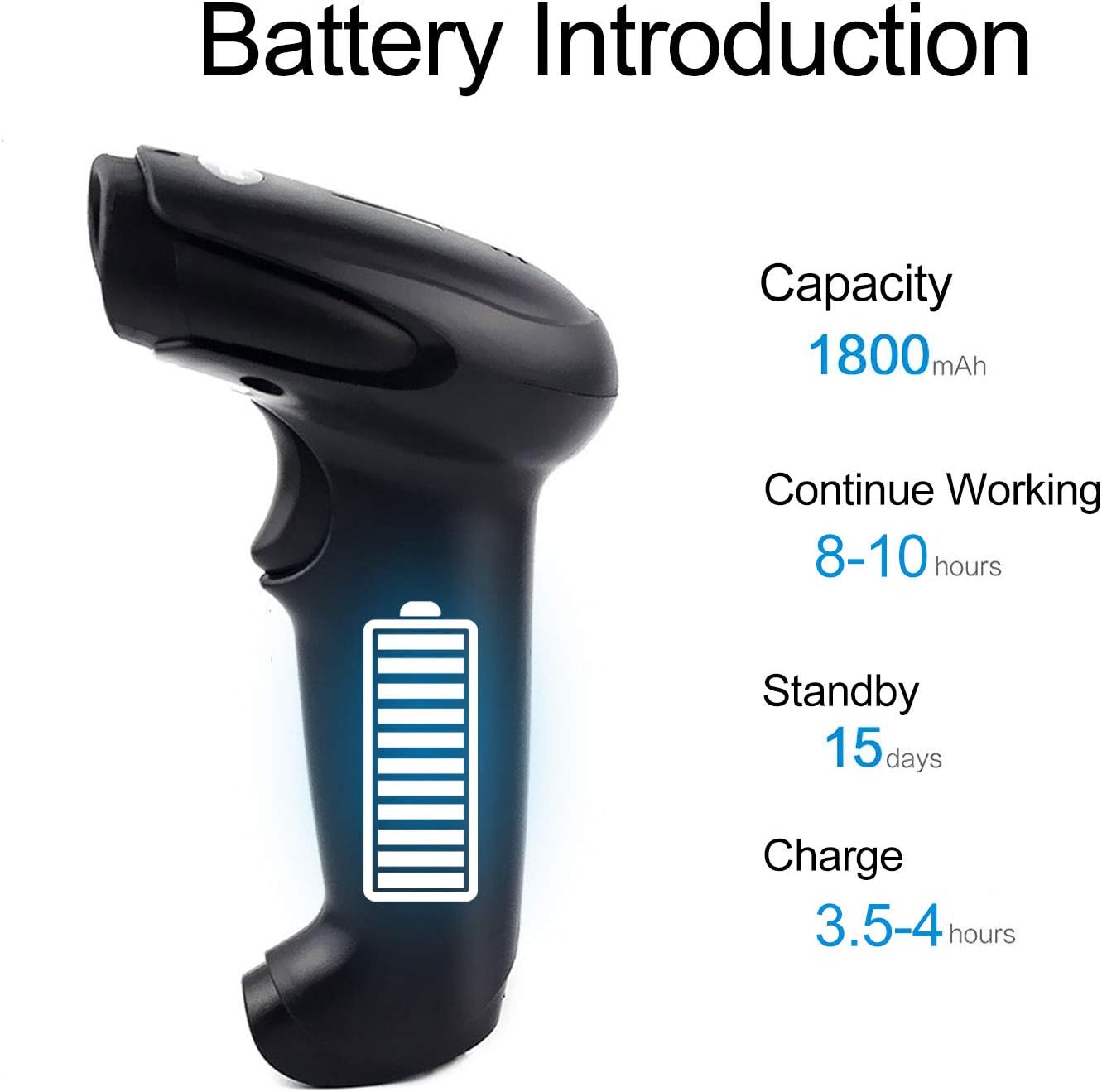
Figura 5: Battery Specifications. This image provides details about the scanner's battery, including its 1800mAh capacity, 8-10 hours of continuous working time, 15 days of standby time, and 3.5-4 hours charging time.
6.2 Pulizia
To clean the scanner, use a soft, dry cloth. Do not use abrasive cleaners or solvents, as these can damage the device. Keep the scanning window clean for accurate performance.
7. Risoluzione Dei Problemi
- Lo scanner non si connette: Ensure the USB cable is securely connected or the wireless dongle is properly inserted. For wireless, ensure the scanner is charged and within range.
- Lo scanner non legge i codici a barre: Ensure the barcode is not damaged or smudged. Check that the laser is active and properly aimed. Verify the scanner is in the correct scanning mode.
- Data not appearing on computer: Confirm the scanner is connected and in Instant Upload Mode. Check if the cursor is active in a text field on your computer.
- Difficoltà nel cambiare le impostazioni: Specific setting barcodes are required for configuration. If these are missing from your manual, contact customer support for the correct codes.
- Breve durata della batteria: Assicurarsi che lo scanner sia completamente carico. Ridurre, se possibile, il tempo di scansione continua.
8. Specifiche
8.1 Parametri tecnici
| Caratteristica | Specificazione |
|---|---|
| Sorgente luminosa | 650 nm (visible laser) |
| Processore | ARM a 32 bit |
| Velocità di scansione | 200 linee/sec |
| Profondità di scansione | 2.5 millimetri - 600 millimetri |
| Larghezza di scansione | 18 centimetri |
| Contrasto di stampa | 20% minimo |
| Tasso di errore | 1 / 5 milioni |
| Risoluzione | 3 millimetri |
| Indicatori | Cicalino, luce LED |
| Trigger Life | 3 milioni di volte |
| Vita laser | 100,000 ore |
8.2 Wireless Parameters
| Caratteristica | Specificazione |
|---|---|
| Transmission Distance (Indoor) | 15-30 meters (with obstacles) |
| Transmission Distance (Outdoor) | 30-100 meters (open environment) |
| Modalità operativa | Normal Mode (Instant Upload), Storage Mode (Offline) |

Figura 6: Long Transmission Distance. This image demonstrates the wireless transmission capabilities of the scanner, showing an indoor range of 10-50 meters with obstacles and an outdoor range of up to 100 meters in open areas.
8.3 Specifiche della batteria
| Caratteristica | Specificazione |
|---|---|
| Capacità | 1800 mAh |
| Tempo di lavoro continuo | 8-10 ore |
| Tempo di standby | 15 giorni |
| Tempo di ricarica | 3.5-4 ore |
8.4 Parametri Ambientali
| Parametro | Valore |
|---|---|
| Temperatura di esercizio | da 0 °C a 40 °C |
| Temperatura di conservazione | da -40 °C a 60 °C |
| Umidità | Dal 5% all'95% (senza condensa) |
| Luce ambientale | Massimo 50,000 lux |
| Scarica elettrostatica | Air discharge 15 kV, Contact discharge 8 kV |

Figura 7: Product Dimensions. This image provides the physical dimensions of the Symcode barcode scanner, indicating its length, width, and height in both inches and centimeters for precise measurement.
9. Garanzia e supporto
This Symcode barcode scanner comes with a Garanzia di 180 giorni dalla data di acquisto. La presente garanzia copre difetti di fabbricazione e malfunzionamenti in condizioni di normale utilizzo. Si prega di conservare la prova d'acquisto per eventuali reclami in garanzia.
For technical support, specific setting barcodes, or warranty inquiries, please contact your seller or Symcode customer service. Refer to the contact information provided with your purchase or visit the official Symcode websito.