
1. Introduzione
This manual provides detailed instructions for the installation, operation, and maintenance of your Overmax Camspot 3.7 Full HD Wireless Indoor Camera. Please read this manual thoroughly before using the product to ensure proper function and safety. Keep this manual for future reference.
2. Contenuto della confezione
Verificare che tutti i componenti siano presenti nella confezione:
- Overmax Camspot 3.7 Wireless Indoor Camera
- Cavo di alimentazione con adattatore
- Mounting Kit (screws, wall plugs, bracket)
- Manuale dell'utente (questo documento)
3. Prodotto finitoview
Familiarizzare con i componenti e le interfacce della fotocamera.
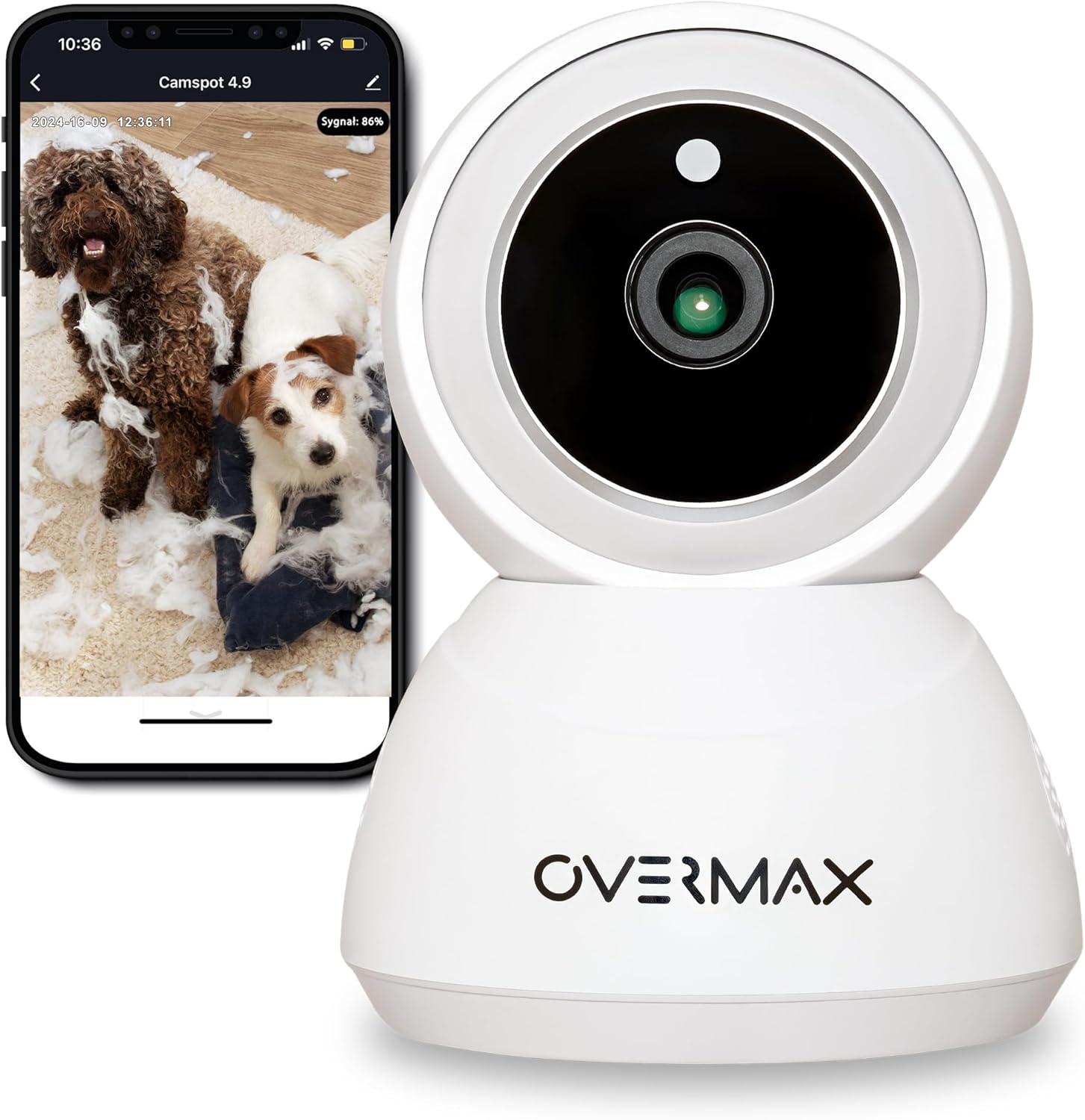
Figura 3.1: Fronte view of the Overmax Camspot 3.7 camera with a smartphone showing the live video feed.

Figura 3.2: lato view of the Overmax Camspot 3.7 camera, showing its dome shape and speaker grille.

Figura 3.3: Posteriore view of the camera, highlighting the LAN port, Reset button, and DC 5V power input.

Figura 3.4: View of the camera with the microSD card slot visible, located beneath the lens assembly.
4. Impostazione
4.1 Installazione fisica
The Camspot 3.7 can be placed on a flat surface or mounted to a wall or ceiling.
- Scegli una posizione: Seleziona una posizione che fornisca il desiderato viewangolo di inclinazione e si trova nel raggio di azione della rete Wi-Fi o di una connessione Ethernet.
- Montaggio (facoltativo):
- Attach the mounting bracket to the desired surface using the provided screws and wall plugs.
- Secure the camera to the mounting bracket. Ensure it is firmly attached.

Figure 4.1: The Overmax Camspot 3.7 camera shown mounted on a wall bracket, illustrating a typical installation.
4.2 Installazione dell'app e creazione dell'account
The Overmax Control app is required to operate the camera.
- Scarica l'App: Cercare "Overmax Control" in your smartphone's app store (iOS or Android) and download it.
- Creare un account: Apri l'app e segui le istruzioni sullo schermo per creare un nuovo account utente.

Figure 4.2: The Overmax Camspot 3.7 camera alongside a smartphone displaying the 'CONTROL' app logo, indicating the required application for setup and operation.
4.3 Accensione e connessione di rete
- Accensione: Connect the power cable to the camera's DC 5V port and plug the adapter into a power outlet. The camera will power on and initiate its startup sequence.
- Connessione di rete:
- Wifi: Segui le istruzioni nell'app per connettere la telecamera alla tua rete Wi-Fi a 2.4 GHz.
- Ethernet (facoltativo): Connect an Ethernet cable from your router to the camera's LAN port for a wired connection.
4.4 Accoppiamento della fotocamera
Once the camera is powered on and the app is installed, proceed with pairing:
- Aggiungi dispositivo: In the Overmax Control app, tap the "Add Device" or "+" icon.
- Seleziona il tipo di telecamera: Choose the appropriate camera model (Camspot 3.7).
- Scansiona il codice QR: The app will prompt you to scan a QR code. Position your smartphone's screen with the QR code approximately 15-20 cm in front of the camera lens. The camera will emit a sound upon successful scanning.
- Configurazione completa: Follow any remaining on-screen prompts in the app to finalize the pairing process.

Figure 4.3: The Overmax Camspot 3.7 camera positioned to scan a QR code displayed on a smartphone, a common method for device pairing.
5. Istruzioni per l'uso
5.1 Vivere View
Access the live video feed from your camera through the Overmax Control app. This allows real-time monitoring of the camera's surroundings.
5.2 Controllo Pan/Tilt
The Camspot 3.7 features motorized pan and tilt capabilities.
- Rotazione orizzontale: 355 gradi
- Rotazione verticale: 120 gradi
Use the directional controls within the Overmax Control app to adjust the camera's viewangolo di ing in remoto.

Figure 5.1: Diagram illustrating the camera's extensive pan (355°) and tilt (120°) rotation range.
5.3 Audio bidirezionale
The camera is equipped with a microphone and speaker, enabling two-way communication. You can listen to the camera's environment and speak through the camera using the app.
5.4 Rilevamento del movimento e tracciamento automatico
The camera can detect moving objects and automatically track their movement within its field of view. Configure motion detection sensitivity and alerts in the app settings.
5.5 Visione notturna
The Camspot 3.7 features infrared technology for clear viewing in low-light or complete darkness, with a night vision range of up to 10 meters. The camera automatically switches to night mode when ambient light is insufficient.
5.6 Registrazione e archiviazione
The camera supports two primary storage methods for video recordings:
- Scheda MicroSD: Insert a microSD card (up to 128GB, not included) into the designated slot for local storage. This allows for continuous recording for up to 3 weeks.
- Archiviazione cloud: The camera supports real-time cloud storage for recordings. Refer to the app for subscription details and options.
5.7 Integrazione della casa intelligente
The Camspot 3.7 is compatible with Google Home and Amazon Alexa. Follow the instructions within the respective smart home apps to integrate your camera for voice control and automation.
5.8 Baby Monitor Function
Utilize the camera's features, including two-way audio and night vision, to monitor an infant. The app provides a comprehensive interface for this purpose.

Figure 5.2: The Overmax Camspot 3.7 camera shown with a smartphone displaying the app's control interface, including options for screenshot, speaking, recording, cloud storage, and direction control.
6. Manutenzione
- Pulizia: Utilizzare un panno morbido e asciutto per pulire l'obiettivo e il corpo della fotocamera. Non utilizzare prodotti chimici aggressivi o detergenti abrasivi.
- Aggiornamenti del firmware: Regularly check the Overmax Control app for available firmware updates to ensure optimal performance and security.
- Gestione della memoria: Periodicamente riview and manage recordings on your microSD card or cloud storage to free up space if needed.
7. Risoluzione Dei Problemi
- La fotocamera non si connette al Wi-Fi:
- Assicurati che la tua rete Wi-Fi sia a 2.4 GHz. La telecamera non supporta reti a 5 GHz.
- Controllare la correttezza della password Wi-Fi.
- Avvicinare la telecamera al router.
- Riavvia la telecamera e il router.
- Niente dal vivo View:
- Verify internet connection on your smartphone and the camera.
- Verificare che la telecamera sia accesa e connessa alla rete.
- Riavvia l'app.
- Il rilevamento del movimento non funziona:
- Assicurati che il rilevamento del movimento sia abilitato nelle impostazioni dell'app.
- Regola le impostazioni di sensibilità.
- Check for obstructions in the camera's view.
- La scheda MicroSD non registra:
- Assicurarsi che la scheda microSD sia inserita correttamente.
- Formattare la scheda microSD tramite l'app.
- Check if the card is full or corrupted.
- La fotocamera non risponde:
- Press and hold the Reset button (located at the back) for approximately 5-10 seconds to factory reset the camera. You will need to re-pair it after a reset.
8. Specifiche
| Caratteristica | Specificazione |
|---|---|
| Nome del modello | Overmax Camspot 3.7 |
| Risoluzione video | Full HD (1080p) |
| Lente | 3.6 millimetri |
| Fotogrammi al secondo (FPS) | 25-30 |
| Compressione video | H.264 |
| Rotazione orizzontale | 355° |
| Rotazione verticale | 120° |
| Gamma di visione notturna | Fino a 10 metri (infrarossi) |
| Supporto per schede MicroSD | Fino a 128 GB |
| Connettività | Wi-Fi (2.4 GHz), Ethernet |
| Sistemi supportati | Windows XP/7/8/10, Android, iOS, Mac |
| Audio bidirezionale | Yes (Microphone, 1W Speaker) |
| Rilevamento del movimento | Yes (Automatic Detector) |
| Alimentazione elettrica | 12 Volts, 1 Watt |
| Dimensioni (L x P x A) | Dimensioni: 8.5 x 8.2 x 10.5 cm |
| Peso | 180 grammi |
| Materiale | Metallo |
| Colore | Bianco |
9. Garanzia e supporto
Overmax products are covered by a manufacturer's warranty. For specific warranty terms and conditions, please refer to the warranty card included in your package or visit the official Overmax websito.
For technical support, troubleshooting assistance, or any product-related inquiries, please contact Overmax customer service through the contact information provided on the official website or within the Overmax Control application.