
VTech VS112-47
VTech VS112-47 DECT 6.0 Cordless Phone System
Manuale di istruzioni per l'utente
Introduzione
This manual provides comprehensive instructions for the VTech VS112-47 DECT 6.0 Bluetooth 4 Handset Cordless Phone System. This system is designed for home use, offering features such as an answering machine, call blocking, caller ID, intercom, and the ability to connect to cell phones. Please read this manual thoroughly to ensure proper setup and operation of your new phone system.

Image: The VTech VS112-47 cordless phone system, showing the main base unit with one handset and three additional charging cradles with handsets. The system is silver and white.
Impostare
1. Disimballaggio e ispezione iniziale
Rimuovere con attenzione tutti i componenti dall'imballaggio. Assicurarsi che siano presenti tutti gli articoli elencati di seguito:
- Unità base principale
- Cordless handsets (4 included)
- Handset charging cradles (3 included for additional handsets)
- Adattatore di alimentazione per unità base
- Cavo della linea telefonica
- Rechargeable batteries (4 included, one for each handset)
2. Installazione della batteria
Each handset requires one rechargeable battery. Locate the battery compartment cover on the back of each handset. Slide the cover off, connect the battery connector firmly into the jack inside the compartment, and then place the battery into the compartment. Replace the battery compartment cover.
3. Collegamento dell'unità base
Connect the small end of the power adapter to the power jack on the back of the main base unit. Plug the large end of the power adapter into a standard electrical outlet. Connect one end of the telephone line cord to the TEL LINE jack on the back of the base unit and the other end to a telephone wall jack.
4. Initial Handset Charging
Place each handset into its respective charging cradle or the main base unit. The CHARGE indicator light on the handset will illuminate, indicating proper charging. Allow the handsets to charge for at least 16 hours before initial use to ensure optimal battery performance.
5. Connect to Cell Setup
This system allows you to pair up to two cell phones via Bluetooth. To pair a cell phone:
- Sull'unità base, tenere premuto il tasto CELLA finché la spia Bluetooth non lampeggia.
- On your cell phone, enable Bluetooth and search for available devices. Select the VTech phone system when it appears.
- Follow the prompts on both the phone system and your cell phone to complete the pairing process. A confirmation tone will sound when pairing is successful.
You can connect two cell phones simultaneously or one cell phone and one Bluetooth headset for use with landline calls.

Image: This image demonstrates the "Connect to Cell" feature, showing two smartphones wirelessly linked to the VTech base unit, allowing users to make and receive cellular calls through the cordless handsets.
Istruzioni per l'uso
1. Effettuare e ricevere chiamate
- Per effettuare una chiamata: Pick up a handset, press CASA/FLASH per una chiamata da rete fissa o CELLA per una chiamata cellulare, quindi comporre il numero.
- Per rispondere a una chiamata: When the phone rings, press any dialing key (0-9, #, *) or CASA/FLASH or CELLA.
- Per terminare una chiamata: Place the handset back in the cradle or press OFF/ANNULLA.
2. Sistema di risposta digitale
The base unit includes a digital answering machine with up to 22 minutes of recording time for incoming messages, outgoing announcements, and memos. A built-in voice guide assists with setup.
- Riproduzione dei messaggi: Premere RIPRODUCI/ARRESTA sull'unità base.
- Deleting messages: Durante la riproduzione del messaggio, premere ELIMINARE sull'unità base.
- Recording an announcement: Dopo aver effettuato l'accesso al menu della segreteria telefonica, seguire le istruzioni della guida vocale.

Image: This image highlights the digital answering system on the VTech base unit, showing the message counter and controls. It illustrates how the system captures calls when you are unavailable.
3. Blocco chiamate intelligente
This system allows you to block nuisance callers and robocalls. You can permanently blacklist up to 1,000 numbers.
- Blocking a number during a call: Premere BLOCCO CHIAMATA sul portatile.
- Blocking a number from Caller ID history: Access the Caller ID log, select the number, and follow the prompts to block it.
- Screening robocalls: Imposta il sistema in modo che chieda ai chiamanti di premere il tasto cancelletto.
- Screening unknown callers: Set the system to ask callers to record their names and press the pound key. The phone will announce the caller's name, allowing you to choose to block, answer, or forward the call.

Image: This image illustrates the Smart Call Blocker feature, showing a handset on its base with a visual representation of a blocked call, emphasizing the ability to prevent unwanted calls from ringing through.
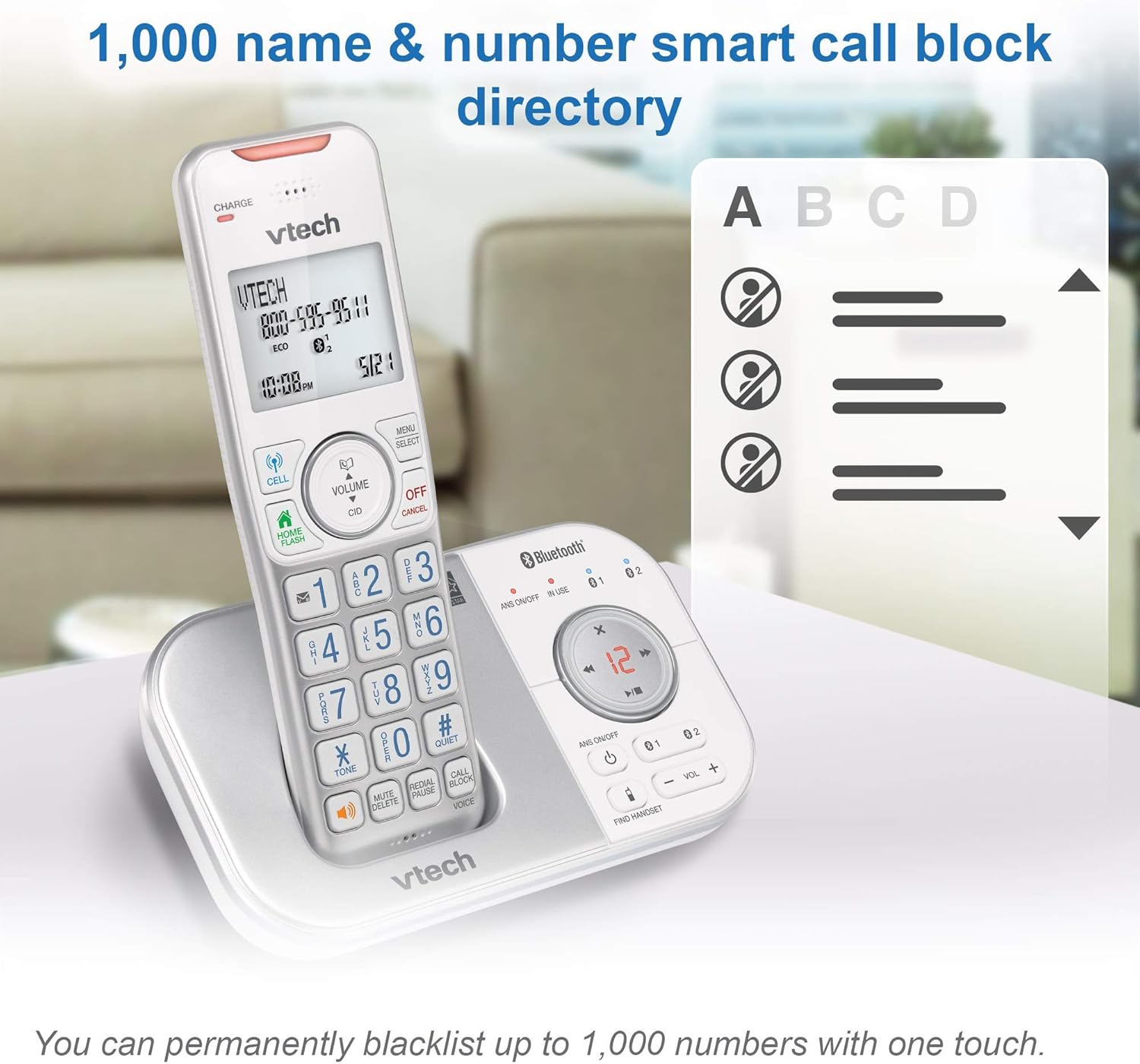
Image: This image shows the capacity of the smart call block directory, indicating that up to 1,000 names and numbers can be permanently blacklisted with a single touch.
4. Identificativo del chiamante e chiamata in attesa
The phone displays the caller's name and number (if available) before you answer. It stores up to 50 name and number caller ID history entries.

Image: This image provides a close-up view of the VTech handset's screen, displaying caller ID information, highlighting the 50 name and number caller ID history feature.
5. Citofono
You can use the intercom feature to communicate between handsets within your home. To initiate an intercom call, press INTERNO (Intercom) on a handset and select the desired handset number.
6. Regolazione del volume
Regolare il volume di ascolto durante una chiamata utilizzando VOLUME buttons on the side of the handset or the volume +/- pulsanti sull'unità base.

Image: This image points out the volume control buttons located on both the handset and the base unit, illustrating how users can easily adjust the incoming call's volume.
7. Vivavoce
Each handset features a built-in full-duplex speakerphone, allowing both parties to speak and be heard simultaneously for more natural conversations. To activate the speakerphone during a call, press the ORATORE pulsante.
8. Visual Ringer and Display
The handset includes a lighted visual ringer on top that flashes during an incoming call, useful in noisy environments or for those with hearing impairment. The large 2-inch screen and backlit keypad enhance readability and ease of dialing in low-light conditions.

Image: This image focuses on the visual ringer located at the top of the handset, showing it illuminated to signal an incoming call, which is beneficial for users in loud settings or with hearing difficulties.

Image: This image showcases the large buttons and 2-inch white backlit display of the VTech handset, emphasizing its readability and ease of use, especially in low-light conditions.
Manutenzione
1. Cleaning the Phone System
Pulisci le superfici del sistema telefonico con un panno morbido eamp cloth. Do not use cleaning sprays or liquid cleaners, as they may damage the finish or electrical components. Ensure the phone is unplugged from the power source before cleaning.
2. Cura della batteria
To prolong battery life, avoid overcharging by removing handsets from the charger once fully charged if not in use for extended periods. If the phone will not be used for a long time, remove the batteries from the handsets.
Risoluzione dei problemi
| Problema | Soluzione |
|---|---|
| Nessun tono di linea | Ensure the base unit's power adapter and telephone line cord are securely plugged in. Check if the telephone line is active. |
| Handset displays "Out of range" or "No power" | Move closer to the base unit. Ensure the handset battery is charged and properly installed. Place the handset on the charger for 16 hours. |
| Scarsa qualità del suono o rumore statico | Relocate the base unit away from other electrical appliances (TVs, microwaves, computers). Check for interference from other wireless devices. |
| La segreteria telefonica non registra | Ensure the answering system is turned ON. Check if the memory is full; delete old messages. |
| Impossibile bloccare le chiamate | Ensure your phone service includes Caller ID. Verify the Smart Call Blocker feature is enabled and configured correctly. |
Ripristino del sistema
If you experience persistent issues, try resetting the system:
- Unplug the power adapter from the base unit.
- Remove the batteries from all handsets.
- Attendere circa 10 secondi.
- Plug the power adapter back into the base unit.
- Reinsert the batteries into the handsets.
- Place the handsets on their chargers.
Specifiche
- Modello: VS112-47
- Marca: VTech
- Tipo di telefono: DECT senza fili 6.0
- Cellulari inclusi: 4
- Colore: Argento, Bianco
- Dimensioni del prodotto (unità base): 5.95 x 3.33 x 7.36 pollici
- Peso dell'articolo: 3.05 libbre (sistema totale)
- Batterie: 4 Product Specific rechargeable batteries (included)
- Fonte di energia: Elettrico con cavo
- Tipo di sistema di risposta: Digitale
- Capacità di registrazione: 22 minuti
- Identificazione del chiamante: SÌ
- Capacità di blocco delle chiamate: Fino a 1,000 numeri
- Cronologia ID chiamante: 50 name and number entries
- Display: Large 2-inch backlit screen
Garanzia e supporto
Informazioni sulla garanzia
This product is a renewed item. As such, it is eligible for replacement or refund under the Garanzia Amazon Renewed if you are not satisfied with your purchase. Please refer to the Amazon Renewed Guarantee terms for specific details regarding coverage and duration.
Assistenza clienti
For technical assistance, troubleshooting, or warranty claims related to this renewed product, please contact Amazon Customer Service or refer to the VTech support resources available online. When contacting support, please have your product model number (VS112-47) and purchase details ready.
Ask a question about this manual
Ask about setup, troubleshooting, compatibility, parts, safety, or missing instructions. Manuals+ will review the question and use this page’s manual context to help answer it.